Skip to content
The Better Way to Migrate iOS and iPadOS Devices
Adam Henry

4 min read

The Better Way to Migrate iOS and iPadOS Devices

Moving to a new device management solution has never been easier. With iOS 26 and iPadOS 26, we're introducing support for a powerful migration feature that transform how organizations transition their iPhone and iPad fleet to Iru.

Educational
5 Use Cases for Custom PowerShell Scripts in Windows Device Management
Lance Crandall

5 min read

5 Use Cases for Custom PowerShell Scripts in Windows Device Management

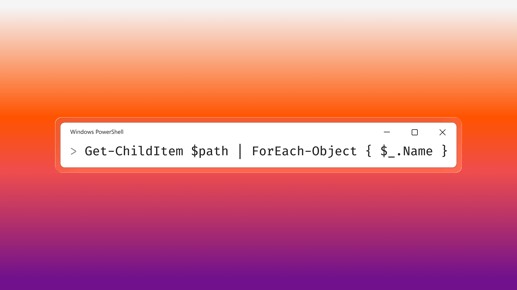
Modern Windows device management has come a long way. With UEM-based endpoint management, IT teams can enforce security baselines, configure system settings, deploy applications, and maintain compliance at scale. But even in the most mature Windows management environments, there are always scenarios that require customization. That’s where PowerShell scripting continues to play an important role.

Educational
How to Level Up Your Security Education Program
Iru Team

4 min read

How to Level Up Your Security Education Program

Educating end-users is a core responsibility for security teams. Not only are such education programs required by compliance regimes, but they’re also one of the most effective ways to actually maintain security: Users are now one of the key attack vectors for bad actors. The more they know about the threats and how to respond to them, the better they’ll be able to defend themselves and your organization.

Educational
Migrating MDM on iOS and iPadOS Using Return to Service
Alexandre Morin & Brian Van Peski

7 min read

Migrating MDM on iOS and iPadOS Using Return to Service

When you’re migrating from one MDM solution to another, you have to move the devices you’re managing with you. They need to be enrolled in that new solution so you can manage them.

Educational
Apple Intelligence: What Mac Admins Need to Know
Iru Team

8 min read

Apple Intelligence: What Mac Admins Need to Know

One of Apple’s biggest announcements at this year’s WWDC was about the upcoming release of what the company calls Apple Intelligence. But, this being Apple, it wasn’t just a jumping-on-the-bandwagon announcement about AI. Rather, it’s about the very Apple approach the company is taking to artificial intelligence, one that puts user benefits and protections first.

Educational
How to Make Device Management Work for End Users
Iru Team

5 min read

How to Make Device Management Work for End Users

There’s no question that modern device management is a boon to IT teams. It simplifies and centralizes the way you deploy operating systems, apps, and settings on the devices your organization relies on to get its work done. It also gives you visibility into how those devices are being used and whether they’re in compliance with your desired end-states.

Educational
How MDM Can Help You Achieve ISO 27001 Compliance
Ali Khan

5 min read

How MDM Can Help You Achieve ISO 27001 Compliance

ISO 27001 is a compliance standard that defines in general terms what a good information security management system (ISMS) should do. Such systems protect the security, availability, and confidentiality of an organization’s information assets through technical and organizational policies and procedures. Conformity with ISO 27001 means that an organization has systems in place and is following best practices to manage risks to its data.

Educational
How to Add Devices to Apple Business Manager Using Apple Configurator
Iru Team

9 min read

How to Add Devices to Apple Business Manager Using Apple Configurator

Before mobile device management solutions for Apple devices—such as Iru—were common, there was Apple Configurator.

Educational
Home Screen Layout: When and How to Use It
Alexandre Morin

6 min read

Home Screen Layout: When and How to Use It

Just over eight years ago, at its 2016 spring media event, Apple made a batch of product announcements, including the brand new iPhone SE and iPad Pro. The company also announced the upcoming release of iOS 9.3—one of the biggest ever for the enterprise and education markets alike. It introduced Apple School Manager, Managed Apple IDs, Classroom, and Shared iPad, which allowed a single Apple iPad to be shared among multiple users.

Educational
Deploying Adobe Creative Cloud: Choosing the Right Path
Iru Team

5 min read

Deploying Adobe Creative Cloud: Choosing the Right Path

For Apple IT teams with MDM tools, deploying applications to users is a familiar and relatively straightforward process. Depending on the app and the MDM solution, it could mean deploying titles from the macOS App Store, building and deploying your own app packages, and/or making apps available via self-service.

Educational
Managing iCloud Access: What You Can (and Can't) Do
Iru Team

4 min read

Managing iCloud Access: What You Can (and Can't) Do

Apple IDs have long been integral to the Mac, iPhone, and iPad experience. People are accustomed to using them to sign in to services on their Apple devices—whether those devices are personal or professional.

Educational
Configuring Mac Settings: MDM, Configuration Profiles, or Scripting?
Iru Team

8 min read

Configuring Mac Settings: MDM, Configuration Profiles, or Scripting?

When it comes to managing Mac computers, there are several ways IT teams can configure their settings remotely.

Educational
Guide for Apple IT: Introduction to Mac Shell Scripts
Iru Team

16 min read

Guide for Apple IT: Introduction to Mac Shell Scripts

With computers, there are usually multiple ways to perform a given task. On Mac, the most obvious and most common way is through the graphical user interface (GUI) using a keyboard, mouse, or trackpad. But smart Mac admins know that anything you can do in the GUI you can usually also do from the command-line interface (CLI).

Educational
Mac Evaluation Utility: What It's Good For, How to Use It
Iru Team

5 min read

Mac Evaluation Utility: What It's Good For, How to Use It

The Mac Evaluation Utility (MEU) started out as an informal collection of scripts that Apple engineers and consultants would use to evaluate client environments, to see if they were ready for the deployment of Apple devices. Those scripts would check things like local device settings, network configurations, and the accessibility of Apple services, looking for anything that might pose problems for that deployment.

Educational
Key to Successful MDM Migration: Enlisting Users
Iru Team

5 min read

Key to Successful MDM Migration: Enlisting Users

Migrating from one MDM solution to another can be a huge win not only for an Apple IT team but for its organization as a whole. That move can unlock efficiencies, reduce costs, and improve security and compliance for everyone. But in pitching, planning, and executing such a migration, it’s good to keep one particular constituency front of mind: your end users. Ultimately, they’re the real reason you’re switching—and you can’t make the move without them.

Educational

Stay up to date

Iru's bi-weekly collection of articles, videos, and research to keep IT & Security teams ahead of the curve.