
 Workforce Identity
 Endpoint Management
 Endpoint Detection & Response
 Vulnerability Management
 Compliance Automation
 Trust Center



Dear Apple software developer,
I’m writing today as just one of the thousands of Apple device administrators worldwide who work in institutions large and small, in education and enterprise. I wanted to talk to you about your app.
The good news is that my IT team has been researching and testing apps to fill a particular need in our organization, and your app is exactly what we’re looking for!
Unfortunately, we’ve run into a barrier to deploying it across our fleet: While your app is free to download, the features that make it what we want are available only through an in-app purchase. The problem is that enterprises like ours—as well as academic institutions like schools and universities—don’t purchase apps the same way consumers do.
We don’t buy apps through the App Store. Rather, we purchase licenses in bulk—one for every employee or device—through Apple’s Apps and Books program, part of Apple Business Manager and Apple School Manager. That’s good for you because you get paid fairly for all your hard work; that, in turn, opens up new opportunities for you, to develop new titles or move into new markets.
Apps and Books is a great program that lets us simplify the purchase and deployment of apps across our organization. It’s a real lifesaver for anyone who has to purchase and distribute large numbers of software licenses.
The only problem is that Apps and Books doesn’t support in-app purchases or in-app subscriptions. That means we can’t access the features we need with the licenses we buy that way.
But all that said, there are two ways you could make your app’s full feature-set accessible to those of us in the enterprise and education markets.
Solution 1: Make a Premium Version of Your App
Without altering your existing app on the App Store, you could use the same code-base to create a second, fully paid premium version of it that includes all the features we need. You could add this premium version to the App Store alongside the one you sell now that has in-app purchases. This would make your app available to us to purchase in the Apps and Books store in large quantities.
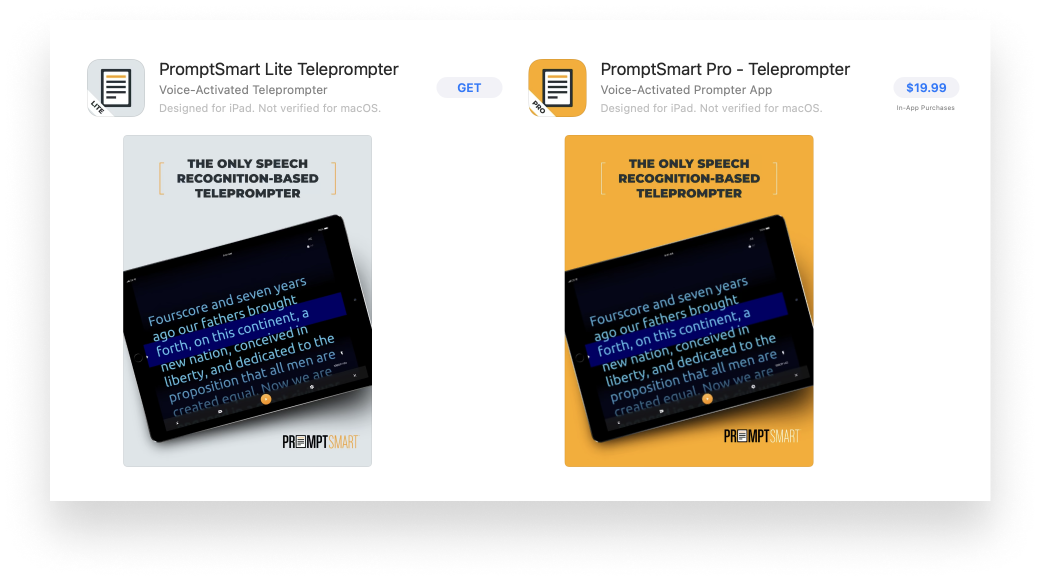 If you're worried about the impact such sales might have on your own resources, note that we have our own IT department, which can be the first line of defense when it comes to supporting your app. So adding a Premium app model to support institutional purchases can still have great ROI for you.
Solution 2: Create a Custom App
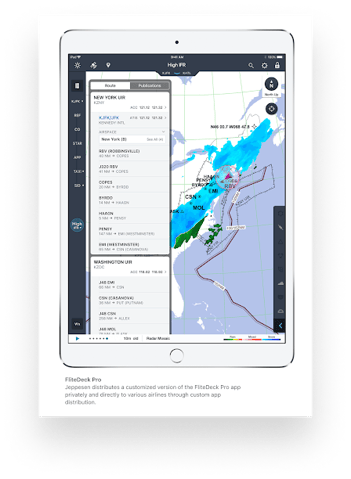
If you’re concerned about potentially confusing buyers by having two similar apps on the App Store with different purchase models, there is another way: Using the same development and App Store process, you could make a custom app available only to specific organizations within the Apps and Books program.
With this option, you could offer deeply customized versions of your app. For example, you could tailor the user interface specifically for each institution, using their logos and branding. You could build special workflows for each organization or implement the security features they need to protect their corporate data. And because such apps can be submitted using the same App Store Connect interface you know and love, your licensing and payment process will all be handled for you.
With two great options to choose from, I hope you’ll consider this opportunity to work with our company (and perhaps many more like ours). We look forward to starting a dialogue with you and hope to hear from you soon.
Thank you for your time and consideration,
IT Administrator, Potentially Great Partner Inc.
P.S. About International Availability
While I've got you, I do have one more thing to ask: It’s really helpful to multinational companies if you provide access to your app in every country where you can. Companies can’t reasonably set up and maintain a separate instance of Apple Business Manager for every country where they do business, and Apple doesn’t allow you to license apps from other countries. Thanks!


