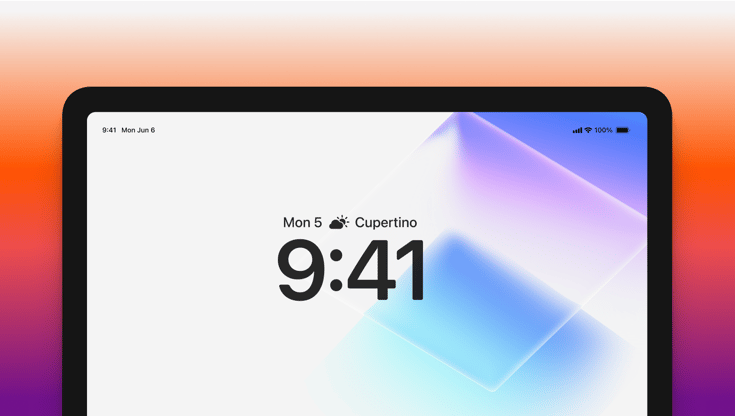
Moving to a new device management solution has never been easier. With iOS 26 and iPadOS 26, we're introducing support for a powerful migration feature that transform how organizations transition their iPhone and iPad fleet to Iru.
Migration without the wait
Device management migration should be straightforward, seamless, and easy. That's why we've embraced Apple's device management service migration, a feature that eliminates the need for factory resets when moving company-owned devices between device management solutions.
To migrate to Iru with the new, native migration, assign devices to Iru through Apple Business Manager or Apple School Manager, set a migration deadline, and let the experience guide itself.
Users receive a notification about the upcoming change, with the flexibility to migrate immediately or defer until they're ready. When the time comes, a quick restart is all it takes. No data loss or long setup.
Activation Lock comes with you
Activation Lock automatically transfers to Iru during the migration process. New bypass codes are generated, collected, and stored securely in Iru. This ensures your device security posture is maintained post-migration, keeping your users and devices safe.
Apps stay where they belong
When devices migrate to Iru, your essential managed apps stay right where they are; installed, configured, and ready to use when migration completes, with all existing data kept intact. The apps your team relies on remain untouched, maintaining their settings and data throughout the transition.
Getting started
Enabling these features is straightforward:
Set up migration in Apple Business Manager or Apple School Manager by assigning devices to your Iru server and establishing a migration deadline. Monitor incoming devices through Iru's Automated Device Enrollment page, where migration deadlines appear in an optional column.
Enable Activation Lock preservation by adding an Automated Device Enrollment Library Item to your Blueprint with Activation Lock enabled. We recommend matching the Activation Lock type (user-based vs. device-based) with your original device management service. This ensures your security measures transfer seamlessly.
Preserve your apps by enabling preserve managed apps during migration in your Automated Device Enrollment Library Item. Add the App Store and in-house apps you want to keep to your enrollment Blueprint. Apply any managed app configurations to maintain consistency across your fleet before and after migration.
What This Means for You
This migration feature protects your time and your users' experience.
No more scheduling downtime for device wipes. No more coordinating mass app re-installations. No more physical device swaps. No more explaining to users why their familiar tools have disappeared.
Just a clean, confident transition that happens in the background while your team keeps working.
That's the power of thoughtful design meeting practical needs. And it's available now with Iru for all devices running iOS 26+ and iPadOS 26+.
Learn more about device management migration here.

 Workforce Identity
 Endpoint Management
 Endpoint Detection & Response
 Vulnerability Management
 Compliance Automation
 Trust Center