Workforce Identity
 Endpoint Management
 Endpoint Detection & Response
 Vulnerability Management
 Compliance Automation
 Trust Center



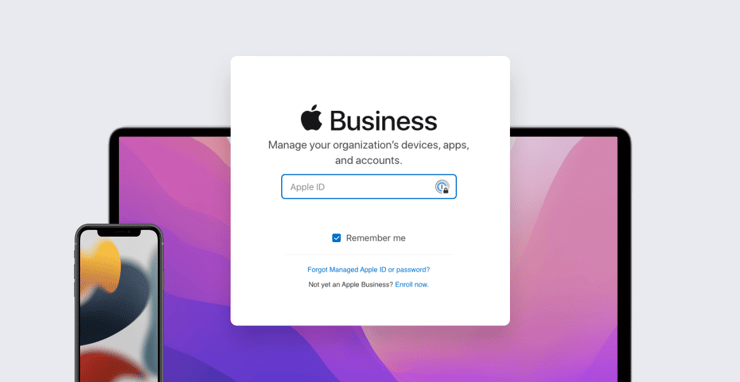
Maybe a batch of new iPhone devices you just bought aren’t showing up in Apple Business Manager. Or licenses you recently purchased from Apps and Books can’t be found in your device management solution. Or even worse, perhaps your Apple fleet is no longer responding to MDM commands.
The causes could be varied. Apple may have released new terms and conditions (T&Cs) for an operating system or Apple Business Manager. Your device enrollment token, Apps and Books token, or certificate for Apple Push Notification service (APNs) may have expired. But fear not: These problems are both preventable and fixable. And in each case, the solution may be found in your instance of Apple Business Manager. (For the purposes of this discussion, we’ll focus on Apple Business Manager, but it applies equally to Apple School Manager.)
Terms and Conditions
With every significant operating system release (which typically happen in the spring and fall) or update to Apple Business Manager itself, someone with the Admin role must log in to Apple Business Manager and accept the new T&Cs. One big benefit of accepting operating system T&Cs in Apple Business Manager: You can then install software updates on the devices you manage without users being prompted to approve those T&Cs themselves; you accept them for your entire organization.
Apple sends out notifications of new Terms and Conditions to Apple Business Manager account holders who have Admin and Manager roles. To prevent any problems in the future, be sure to monitor the email addresses associated with those accounts.
Once you approve the new T&Cs, Device Enrollment syncing should resume shortly. An expired Device Enrollment token will cause your device management solution to receive HTTP 403 Forbidden T_C_NOT_SIGNED errors; that solution should then let you know that there's a problem. Iru, for example, will display a red banner and email the admin when this happens.
Expired Tokens
Device enrollment and Apps and Books tokens expire yearly. So it’s best practice to set a reminder to refresh them every six months on a Wednesday. Doing so will mitigate the risk that a single yearly reminder might fall on a holiday or during an extended vacation. And if you still miss a reminder, nothing will stop working and you can still catch up at your earliest convenience.
Your device management solution should notify you of expiring tokens, so make sure you have those notifications set up. In Iru, for example, you’ll see a big red banner in the web app, and the admin will be emailed 30, 20, 10, 5, and 1 day(s) from expiry.
If those tokens do expire, you can resolve this quickly by following Apple’s instructions:
APNs Certificates
Like those tokens, APNs certificates expire every year. So you can follow the precautions outlined above—set a reminder for every six months—to be sure you’re renewing them in a timely fashion
If your APNs certificate does expire, all communication between your MDM and your devices will stop. That doesn’t mean you will need to re-enroll all your devices; a quick renewal will restore communication with your existing devices. Here's how to avoid the hassle of re-enrolling devices.
First, be sure to renew the certificate with the same Apple ID as the one that originally created it. Second, make sure you’re renewing the existing certificate and not creating a new one.
If you can’t locate the Apple ID you used to create the APNs certificate, reach out to AppleCare for assistance. Make sure you are ready to provide the common name (CN), serial number, and expiration date of your APNs certificate; all of that information should be available in your device management solution. (In Iru, go to Settings > Apple Integrations.)
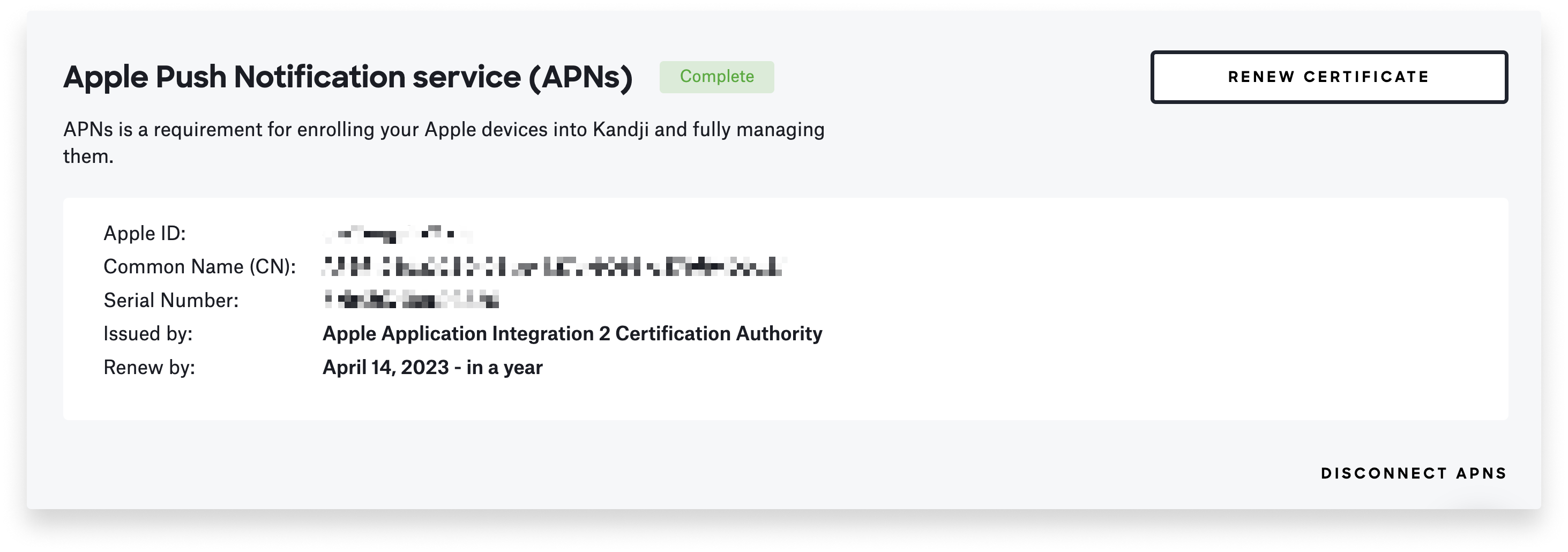
To ensure that you maintain control of your APNs certificate:
- Use a dedicated, manually created Managed Apple ID at the outset. Label it clearly so it is not deleted inadvertently. You can even use the Staff role to limit the account’s permissions.
- If you used a consumer Apple ID to create your APNs certificate, reach out to AppleCare to change it to a Managed Apple ID.
- Apple sends out reminders to the APNs account holder 30, 10, and 1 day(s) ahead of certificate expirations. As with T&Cs, set up notifications and monitor the email addresses associated with that account.
The point is that some simple preparation and a few timely interventions can prevent some big inconveniences for you and your users, and Apple Business Manager can continue to be one of your most powerful tools for managing your Apple fleet.
About Iru
Iru is the AI-powered platform for identity, endpoint, and compliance that empowers secure and productive global work. With Iru, IT and security teams replace a fragmented stack of point solutions with one integrated system, securing access, protecting devices, and proving compliance while delivering a better employee experience. Through advanced automation and Iru AI, we're bringing much-needed clarity to the way IT and security teams work today and tomorrow.
Kandji is now Iru. This article was originally published under the Kandji brand.