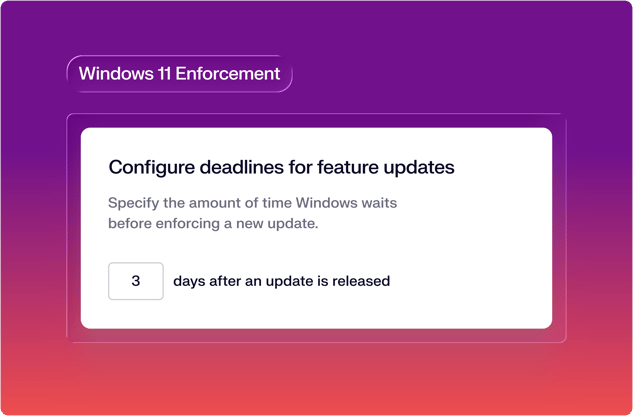
Target a Windows feature release, set a deadline, and know that devices will be running that version when it arrives.
If you manage Macs with Iru, you understand the simplicity of enforcing OS: set a policy in a Blueprint, and the device follows it. Windows updates have rarely felt this way. You schedule the rollout and the device updates on its own schedule.
Iru now configures Windows Update for Business settings, and the OS enforces them on the timeline the admin sets. Set your version target, configure your timeline, and every device in your fleet runs that version, with no way for users to defer past the window. You can also configure rings by creating multiple Managed OS library items and targeting them to different user groups, giving you staged rollouts without additional tooling.
Version control with a deadline you set
Managed Windows OS works through a library item you add to any Windows Blueprint. Pick a feature release, assign the library item, set the timeline for when updates should occur, and the device targets that version and holds it. Monthly quality updates within the release continue on schedule, but the device doesn't advance to the next annual release on its own.
The version target holds because that's what the library item targets: your devices stay on the major feature release you want, and it installs on the timeline you expect. Define a deferral window before the update becomes eligible, a deadline by which installation must complete, and a grace period during which users choose their own restart window. When the grace period closes, the device restarts on its own.
Devices run one Managed OS library item at a time, and replacing an existing assignment requires a confirmation step before the change takes effect.
The full update surface, covered
Iru covers the full Windows update surface through two library items, each with a distinct job.
Managed OS controls what version of the operating system, both feature releases and quality updates, the device should move to and by when. Pick a feature release, configure your timeline, and Iru targets that version across your fleet.
Windows Update (already available) controls end-user behavior: notifications, reboot behavior, active hours, and more. For most environments, the defaults are the right starting point: quality updates defer seven days, active hours protect the standard workday, and users can't pause updates unless you configure that access. Admins who need more control can configure scheduled install windows, WSUS source routing, and driver update handling in the Advanced section.
Get started
Managed Windows OS is available now in Iru Endpoint. Assign the library item to your Windows Blueprint and Iru manages version enforcement from there. If you're already an Iru customer, the feature is live in your account.
If you're new to Iru, book a demo to see Windows, Mac, iPhone, iPad, and Android management from a single platform.

 Workforce Identity
 Endpoint Management
 Endpoint Detection & Response
 Vulnerability Management
 Compliance Automation
 Trust Center