Workforce Identity
 Endpoint Management
 Endpoint Detection & Response
 Vulnerability Management
 Compliance Automation
 Trust Center



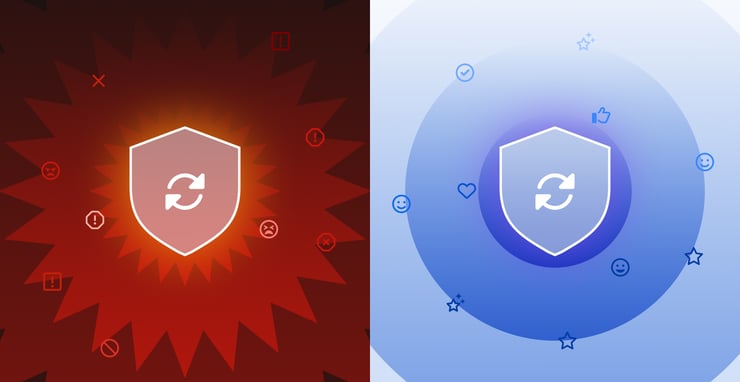
The scene is familiar to anyone who's worked in IT or security: an urgent vulnerability needs patching, a new control must be deployed immediately, or a policy change can't wait. You execute the technical implementation flawlessly. Then come the Slack messages and emails.
Security teams often focus so intently on the technical aspects of a rollout that they forget they're not just deploying to endpoints - they're deploying to people. People who have deadlines, workflows, and exactly zero patience for unexplained disruptions to either.
The hard truth? The technical side of security implementations is often the easiest part. Making those changes palatable to your users - that's where the real challenge begins.
When Chrome Updates Created User Friction
Richard Hiralal experienced this challenge firsthand at Grammarly during a series of Chrome Zero Day vulnerabilities. The security team needed to push updates rapidly across the organization. The technical urgency was clear: these weren't theoretical vulnerabilities - they were actively being exploited.
From a security perspective, the decision was obvious. Patch immediately. Force updates if necessary. Lock down the browser environment.
But what made perfect sense to the security team felt disruptive to Grammarly's employees. Without adequate explanation or warning, users suddenly found their workflows interrupted. Browser extensions stopped working. Familiar settings disappeared. Most frustratingly, they had no idea why these changes were happening or who had authorized them.
The result? What should have been a straightforward security improvement became something that could create resistance to future security initiatives.
The Power of Explaining the "Why"
The Chrome incident led to Richard's key insight that would transform his approach to security rollouts: "Explaining the whys goes such a long way. Demystifying security as much as you can for users really helps gain and build that trust with users."
This sounds obvious until you realize how rarely it happens in practice. Security teams sometimes operate under dangerous assumptions.
- Users don't need to understand security decisions
- Technical urgency trumps user experience
- Explaining security rationales will either confuse users or create new vulnerabilities
- Communicating with users is going to take more time than the security team can handle
All can be wrong.
When users understand why a security change is happening, they're more likely to:
- Comply willingly rather than seeking workarounds
- Report issues constructively rather than complaining
- Support future security initiatives rather than resisting them
The explanation doesn't need to include CVE numbers or technical specifications. It needs to connect the security action to the user's own interests. "We're updating Chrome because there's an active threat that could compromise your work" resonates far better than "Mandatory browser update required per security policy 7.3.1."
Context transforms compliance from grudging acceptance to willing partnership.
Pilot Groups: Your Testing Ground and Trust Builders
After the Chrome incident, Richard implemented a practice that has since become central to Grammarly's security rollout strategy: pilot groups.
Rather than deploying changes organization-wide, security changes first go to a small, cross-functional cohort of users who understand they're testing new controls. These pilot groups serve multiple critical functions:
- They surface unexpected issues before they affect the entire organization
- They provide feedback on messaging and timing that improves the wider rollout
- They become internal advocates who can explain changes to their teams in familiar language
- They demonstrate that IT and security genuinely care about minimizing disruption
The composition of these pilot groups matters significantly. They should include not just technical staff, but representatives from teams with diverse workflows from marketing, sales, finance, customer support. The goal isn't just to test if the security control works technically, but to understand how it impacts different types of work.
As Richard noted, "Forming internal pilot groups leads to a smoother experience. And again, solidifies that trust with the users." That trust is built not just through the improved rollout that results, but through the very act of inclusion. When users see their colleagues involved in security decisions, the perception shifts from "security is being done to us" to "security is being done with us."
The Unsung Heroes of Security UX
Perhaps the most underappreciated aspect of successful security rollouts is the role of cross-team relationships, particularly with the help desk and corporate security teams.
At Grammarly, Richard discovered that regular communication between these teams created a feedback loop that dramatically improved security implementations. The help desk team, often the first to hear user feedback, could provide early warning about issues. The corporate security team could help craft messaging that explained the security rationale in ways that resonated with non-technical staff.
Don’t wait for a crisis to build these relationships, because it will be too late. They need to be established and maintained during calmer periods, creating channels of communication that can be activated when urgent security needs arise.
From Cost Center to Strategic Partner
The traditional view of IT and security as cost centers rather than strategic partners is rapidly becoming obsolete. Organizations increasingly recognize that technology experience directly impacts employee satisfaction, productivity, and retention.
Security teams that embrace this shift - positioning themselves as enablers rather than blockers - find themselves with more organizational influence and user cooperation. This repositioning requires:
- Proactive communication rather than reactive explanation
- User-centered design thinking applied to security implementations
- Metrics that capture not just security posture but user experience
- Leadership buy-in on the business value of seamless security
When security changes are implemented with user experience in mind, the entire narrative changes. Rather than being the team that creates obstacles, security becomes the team that protects without disrupting.
Practical Steps for IT & Security Leaders
If you're responsible for security rollouts in your organization, consider these actionable steps:
Before the rollout:
- Establish cross-functional pilot groups with clear feedback mechanisms
- Create templates for user communications that explain security changes in accessible terms
- Build relationships with help desk and other user-facing teams
- Develop a rollout checklist that includes communication touchpoints
During the rollout:
- Provide multiple channels for users to ask questions and report issues
- Be transparent about known limitations or potential disruptions
- Ensure help desk staff are fully briefed and have escalation paths
- Consider phased deployments that allow for course correction
After the rollout:
- Solicit feedback on both the technical implementation and the communication process
- Document lessons learned for future security initiatives
- Recognize and thank pilot participants and early adopters
- Share (appropriate) metrics on security improvements gained
Building a Security Culture
The most successful security leaders recognize that their job isn't just implementing controls - it's building a security culture. And culture is built through consistent, thoughtful interactions that demonstrate respect for users' work and time.
By focusing on communication, collaboration, and user experience, you can transform security rollouts from dreaded disruptions into opportunities to build organizational trust.
The next time you're planning a security change, remember: you're not just securing endpoints. You're securing the trust of the people who use them.
%20-%20Thumbnail%20(1).png?width=1920&height=1080&name=PMIYC%20Episode%201%20-%20Richard%20Hiralal%20(Grammarly)%20-%20Thumbnail%20(1).png)
Want to hear the full conversation with Grammarly’s Richard Hiralal? Listen to the complete episode on Iru's "Patch Me If You Can" podcast.
Kandji is now Iru. This article was originally published under the Kandji brand.