Workforce Identity
 Endpoint Management
 Endpoint Detection & Response
 Vulnerability Management
 Compliance Automation
 Trust Center



When your organization audits security, does it include removable storage in that assessment? If not, it should: According to one survey, while 87 percent of companies still use USB drives, less than half of them impose port control on employee devices, and less than half require the use of encryption on those drives.
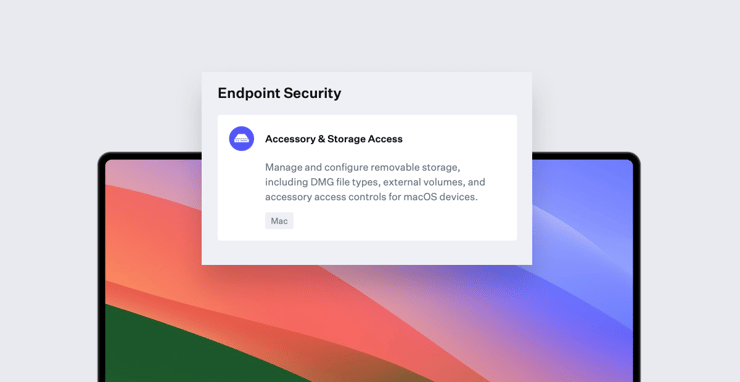
That’s the security gap that our new Accessory & Storage Access Library Item is designed to address. It lets you control access to external removable storage on Mac, including USB and CD/DVD drives connected to the accessory port and SD cards inserted in the card slot; it also lets you control access to disc images and server volumes.
 With it, you can specify access privileges as Read & Write, Read only, or No access. The Library Item does not offer that read-only option for server volumes, but it will respect whatever permissions you’ve set on the server; the most restrictive setting will apply. Alternatively, you can block server volumes entirely.
For external volumes and disk images, the Library Item also lets you require admin credentials before allowing access. For external volumes with read-write and read-only permissions, you can also require that they be encrypted. Lastly, you can turn on display alert messages to notify end users when they attempt actions that are barred by the Library Item.
 Iru has had a Media Access Control Library Item that offered some of these controls (on Mac only). But that Library Item was based on an Apple profile that was deprecated with Big Sur. That profile still works, but inconsistently. Wanting to move forward, for macOS Monterey 12 and later, we needed a Library Item that wasn’t profile-based; this new Library Item is it.
To use the Accessory & Storage Access Library Item, you’ll follow the usual Iru workflow: Enable the Library Item, configure your options—such as the levels of access you want to grant different types of storage and the admin credential and encryption options—then add it to your Blueprints. Only one ASA Library Item is allowed per Blueprint, and assignment rules aren’t supported for it yet.
The ASA Library Item is found in the Endpoint Security section and requires that you’ve purchased our EDR product.
For more details, see our support article.
EDR Comes to EU
Speaking of that EDR solution: We are also pleased to announce that it’s now available to tenants in the European Union. It had previously been available only to tenants in North America.
All the EDR features that we introduced back in April for the North American market are now available to EU customers as well. Iru EDR is served from the AWS Frankfurt data center, which provides excellent performance for EU customers and also complies with European data-residency requirements.
About Iru
Iru is the device management and security platform that empowers secure and productive global work. With Iru, devices transform themselves into enterprise-ready endpoints, with all the right apps, settings, and security systems in place. Through advanced automation and thoughtful experiences, we’re bringing much-needed harmony to the way IT and security teams work today and tomorrow.
Kandji is now Iru. This article was originally published under the Kandji brand.