
 Workforce Identity
 Endpoint Management
 Endpoint Detection & Response
 Vulnerability Management
 Compliance Automation
 Trust Center



Managing developer tools across a fleet of Mac devices presents unique challenges for IT teams. While tools like Homebrew are essential for developers, ensuring consistent deployment and maintaining visibility across an organization's devices has traditionally been complex.
Today, we're excited to announce a new integration with Workbrew, which just announced its 1.0 launch. This new integration will streamline Homebrew deployment and management for Kandji and Workbrew customers.
Why organizations use Workbrew
Companies adopt Workbrew to address the challenges that arise when developers use Homebrew, a popular open-source package manager, across an organization. While Homebrew makes developers more productive by simplifying software installation and maintenance, it can create security and compliance risks when used without oversight in enterprise settings.
Workbrew provides companies with centralized management and visibility over Homebrew deployments. Through its dashboard, administrators can monitor all installed packages across their device fleet, enforce security policies, and maintain audit trails. This is particularly valuable for organizations in regulated industries that need to document and control software installations. Companies can choose the level of access users have to `brew` - from simply maintaining visibility over installations to implementing strict approval processes for new packages.
The platform integrates with mobile device management (MDM) software, automatically synchronizing device information and providing a unified view of the organization's software landscape. This helps companies balance their developers' need for efficient tools with their security teams' requirements for risk management and compliance.
Seamless Developer Experience with Enterprise Management
Workbrew's integration with Kandji enables organizations to deploy and manage Homebrew across their Mac fleet while maintaining the native developer experience. The integration allows for:
- Zero-touch deployment through Kandji's Custom Apps feature
- Automatic device enrollment and inventory sync
- Seamless preservation of existing Homebrew installations and workflows
- Native command-line experience without additional authentication
"For developers, Homebrew is an essential tool that just needs to work," says John Britton, CEO of Workbrew. "Our integration with Kandji ensures that IT teams can deploy and manage Homebrew at scale while keeping the developer experience exactly as expected."
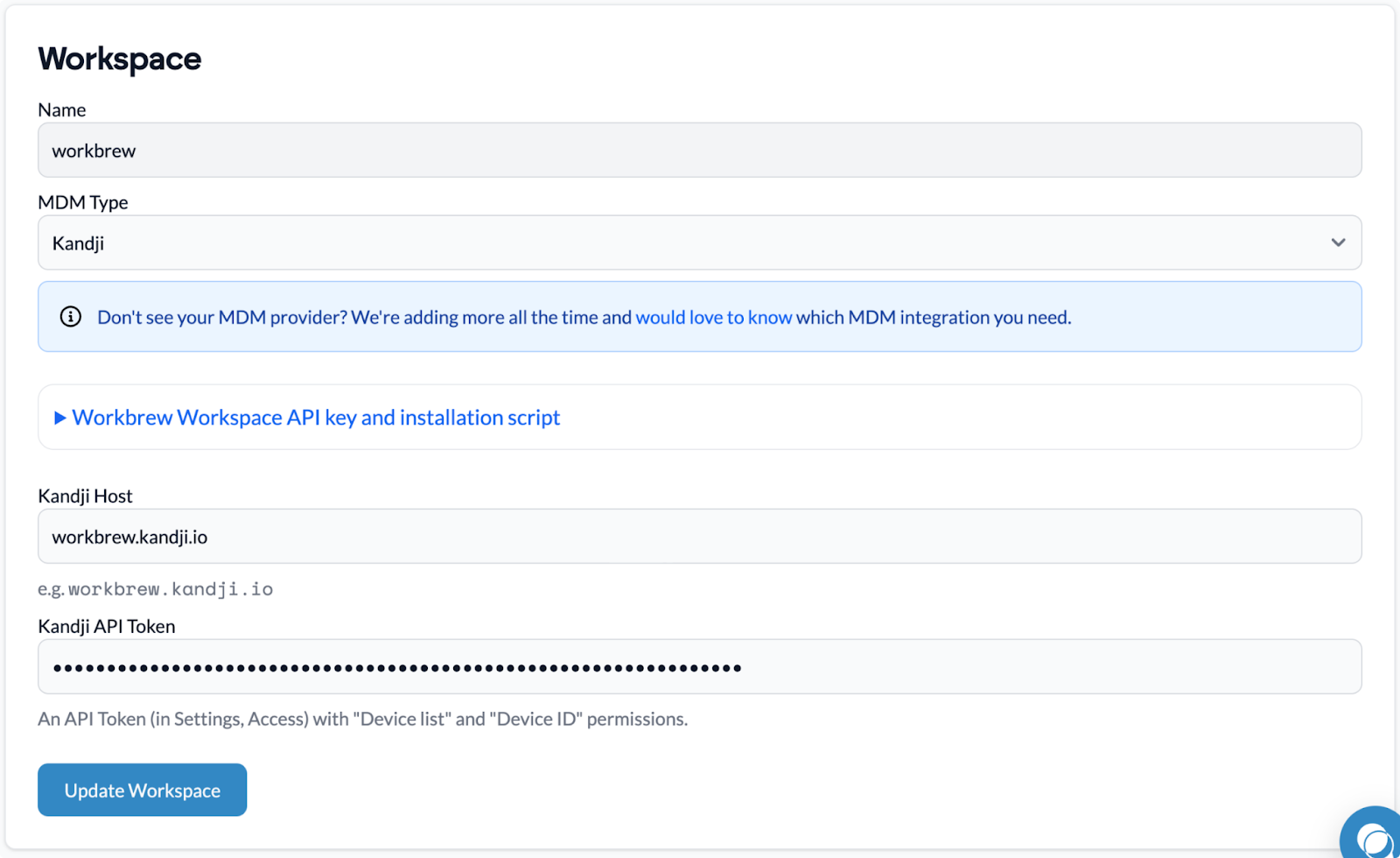
Simplified Deployment and Management
IT administrators can deploy Workbrew through Kandji using a simple PKG file, leveraging Kandji's Custom Apps capability. This approach ensures that:
- New devices receive Workbrew automatically as part of their initial setup
- Existing devices with Homebrew installations are smoothly upgraded without disruption
- Device inventory and ownership data automatically sync between systems
- Administrators can easily identify and manage devices
Enhanced Visibility and Management
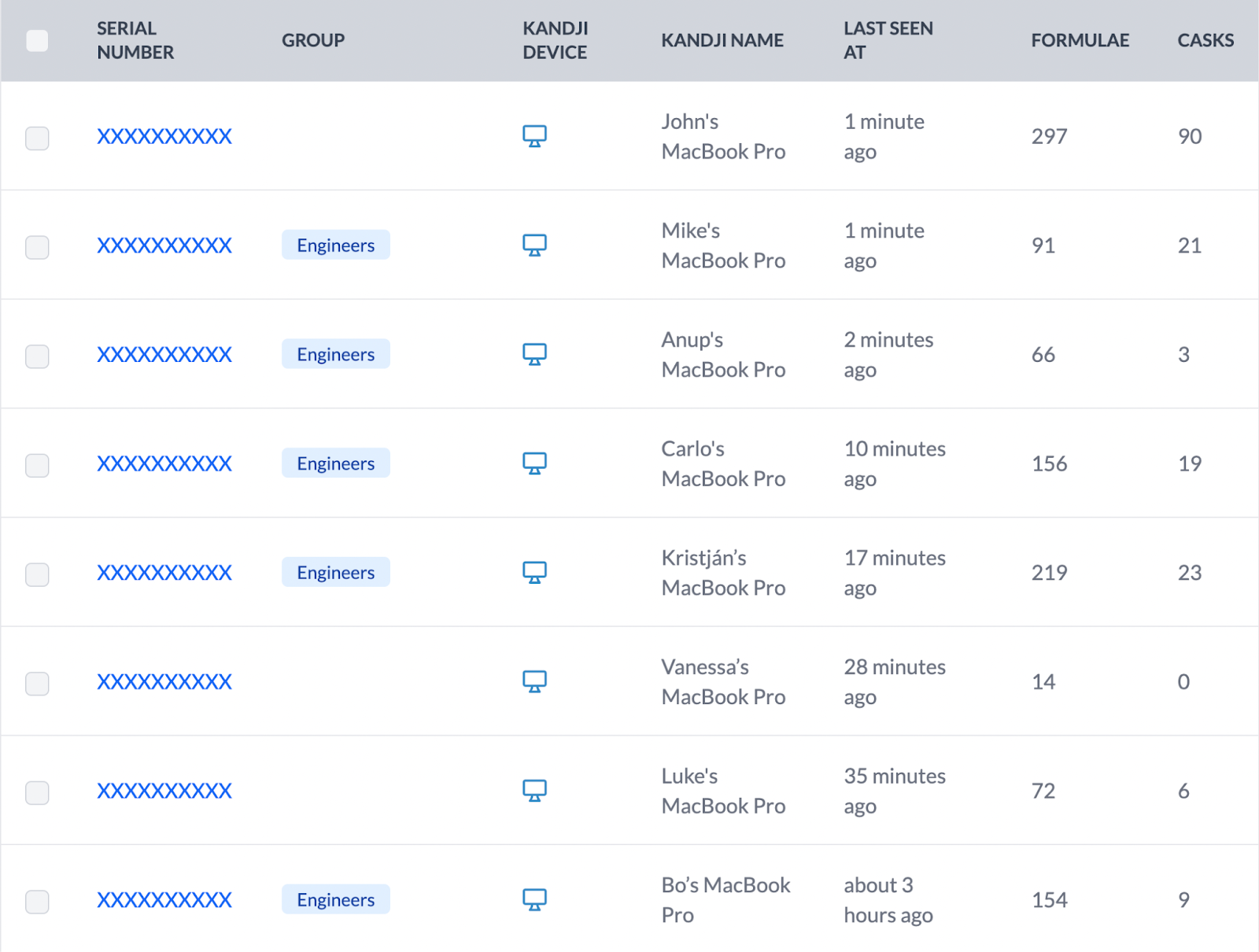
The integration between Workbrew and Kandji provides IT teams with comprehensive visibility into their Homebrew deployments while maintaining robust security and compliance controls. Administrators can seamlessly view detailed device information, including device names and ownership data, directly within the Workbrew interface.
This deep integration also enables quick navigation between platforms – administrators can jump directly from a Workbrew device view to its corresponding device record in Kandji, streamlining the workflows between apps.
Getting Started
Kandji customers can begin using the Workbrew integration today. Just create a new Custom App in Kandji, upload the Workbrew PKG from your Workbrew Console, and assign the Custom App to your developer computers via a Blueprint.


