
 Workforce Identity
 Endpoint Management
 Endpoint Detection & Response
 Vulnerability Management
 Compliance Automation
 Trust Center




Last week we told you about two of Apple’s most significant announcements for Mac admins at WWDC 2021: Declarative MDM and Apple Configurator on iPhone. But Apple made plenty of other news at its annual developers conference. One of the best bits: Erase All Content and Settings is coming to Mac.
For a while now, iPhone and iPad owners have been able to open the Settings app, select General > Reset, and opt to Erase All Content and Settings—making the device ready to be returned to service, without any of the previous user’s data. When macOS Monterey ships in the fall, that capability will be available on Mac computers with Apple silicon or the T2 chip running the new operating system.
While this is good news for anyone who uses a Mac, it’s excellent news for admins, who previously didn’t have a simple, clean workflow to make a used Mac ready for another user. It’ll also be handy for testing Automated Device Enrollment workflows; if one configuration doesn’t work, you can reset the system quickly and easily. And it’ll be a lot easier to coach users through the erasure process by phone.
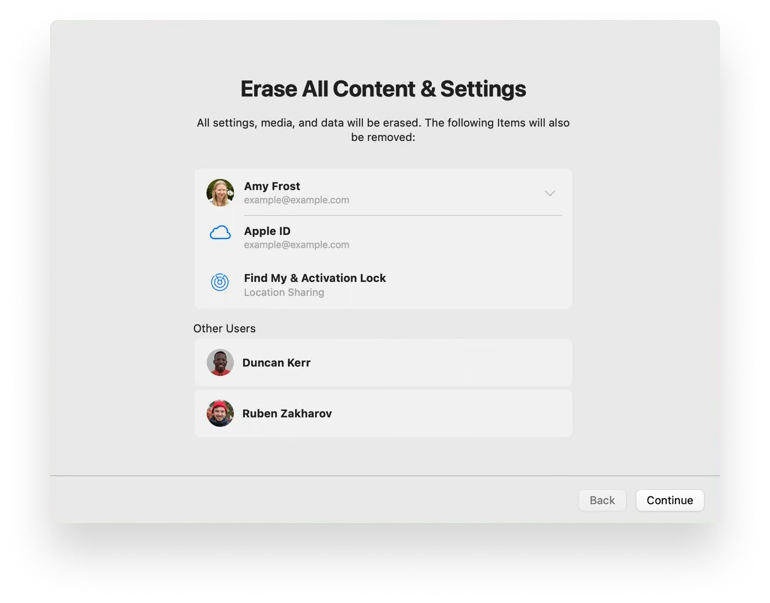
If the Mac has multiple partitions, the command will cause the computer to reboot back to Setup Assistant on the current system volume; all other volumes will be erased. On devices with Apple silicon, it will also reset security settings that have been modified in recovery.
The functionality will be available via MDM by sending the EraseDevice command. That will erase all user data and reboot back to Setup Assistant. And lest you worry about users going into System Preferences and executing the command independently, there will also be an allowEraseContentAndSettings restriction for the Mac.
Rest assured that Kandji will be studying this and all the other changes coming to macOS, iOS, and iPadOS in the fall, so our MDM solution can be ready on release day to take advantage of all the new capabilities. With powerful features like zero-touch deployment, one-click compliance, and offline remediation, Kandji has everything you need to enroll, configure, and secure your devices.


