
 Workforce Identity
 Endpoint Management
 Endpoint Detection & Response
 Vulnerability Management
 Compliance Automation
 Trust Center



We’ve added a new Bookmarks Library Item that lets you give your users easy access to your organization’s resources. You do so by configuring that Library Item with links to your organization’s resources. Those links are then available in the Self Service app on Mac, iPhone, and iPad devices.
Kandji’s Self Service has long been a way for admins to give their users the ability to install apps and run scripts. Now Self Service can also provide access to commonly sought resources such as documentation, online apps, and other materials.
You could, for example, share links to resources such as your organization’s GitHub repos or employee benefits portal. You could include an email link for IT support. For Mac, you can even provide a link to files, such as your product documentation.
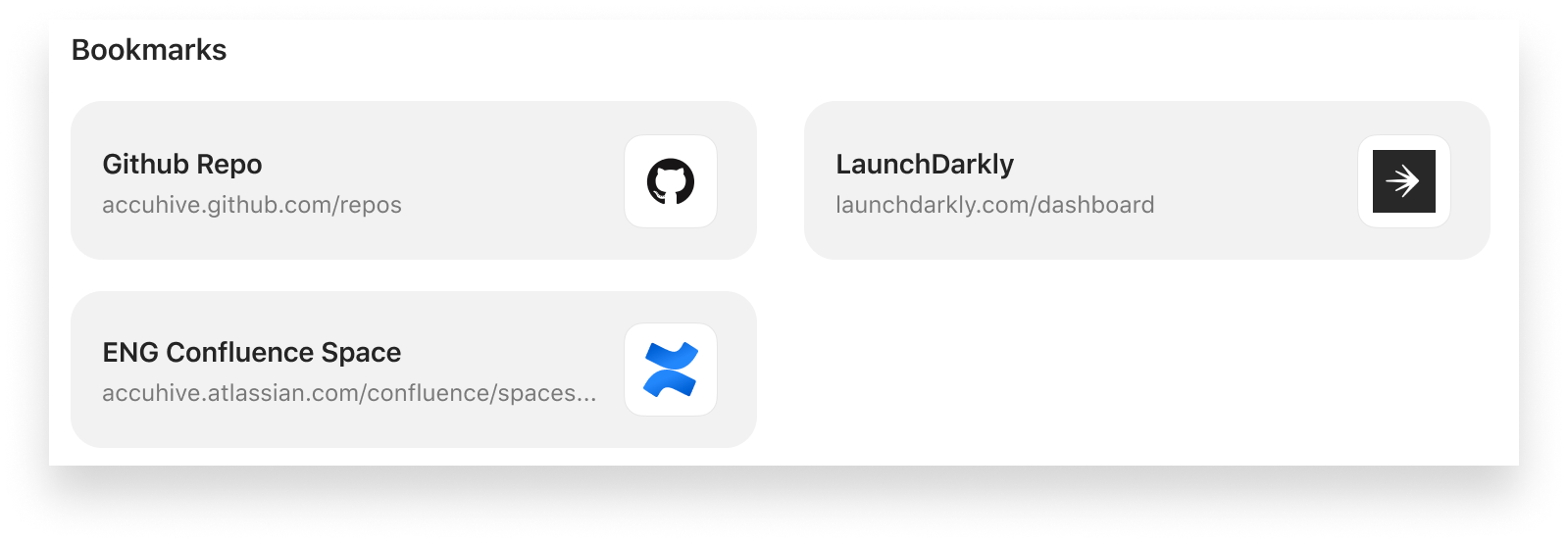 To implement these new bookmarks, you start by creating a new Bookmarks Library Item in the Kandji web app. For each bookmark, you supply a URL, a title, and (optionally) a thumbnail image that will appear in Self Service. You can specify a category (the section of the Self Service app where you want that bookmark to appear) and (optionally) select the Recommended checkbox so that the bookmark is highlighted in the Recommended section of Self Service. (If you don’t assign a category to a bookmark, it will appear under the default category of Bookmarks.)
You can share standard http:// and https:// URLs, but also bookmarks for mailto:// and (for macOS only) file://.
Once you’ve added the links to the Bookmarks Library Item, you can assign it to one or more Blueprints. Once assigned, Self Service displays each Bookmark in its appropriate category subheading.
Having organization resources accessible from an app that runs on Mac, iPhone, and iPad devices makes it easy for team members to get what they need, from whatever device they’re using. And these bookmarks work regardless of the browser or mail client a given user prefers.
For more details on how the new Bookmarks Library Item works, check out our video:
You can also consult our Bookmarks support article. And note: the updated version of the Self Service app for iOS that supports Bookmarks is currently still pending App Store review.


