
 Workforce Identity
 Endpoint Management
 Endpoint Detection & Response
 Vulnerability Management
 Compliance Automation
 Trust Center




As someone who manages Apple devices in the enterprise, you need to know that the end-state you want for those devices is indeed being enforced. And you probably need to produce reports about the state of the fleet for other teams—to confirm that you’re meeting your organization’s compliance requirements, perhaps, or following its security policies.
Kandji has always streamlined device management for Apple fleets. Now we're doing the same for visibility with our new reporting tool, Prism. Previously, you’ve been able to see details about individual devices in the Kandji console. Now you can get that kind of granular data for your whole fleet, quickly and easily.
Prism appears as a new tab within the Devices section of the Kandji web app.
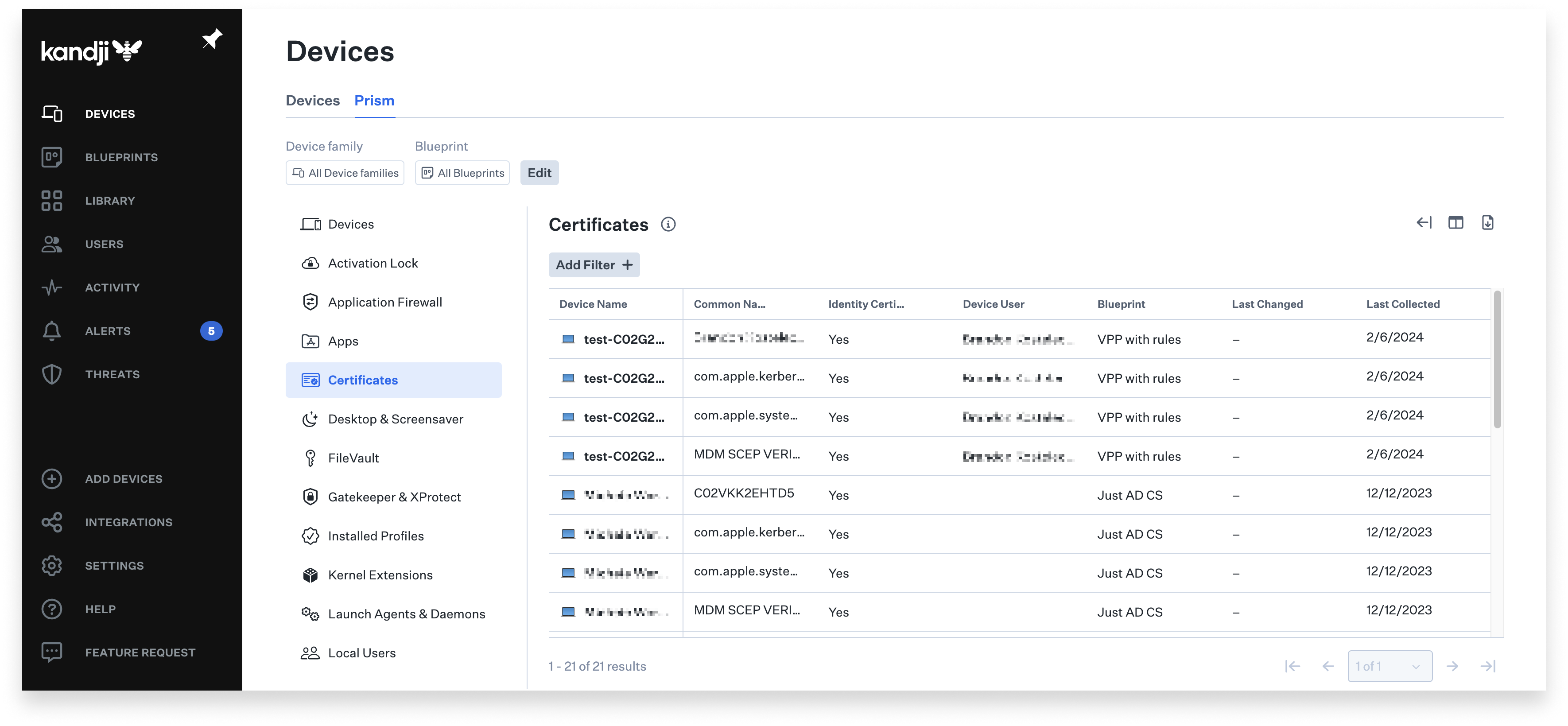 There, you’ll find instant reporting in 14 categories of device data, including:
- Activation Lock: Activation lock details and status.
- Application Firewall: State of the built-in macOS application firewall.
- Apps: Application inventory.
- Desktop and Screensaver: Desktop and screensaver configuration.
- Devices: General information about enrolled devices.
- FileVault: FileVault status on macOS devices.
- Gatekeeper and XProtect: The version and status information on macOS clients.
- Installed Profiles: All profiles installed on all devices, including those not installed by Kandji.
- Kernel Extensions: All installed extensions and their status.
- Launch Agents and Daemons: All daemons and agents and their status.
- Local Users: All local users for macOS devices.
- Startup Settings: Including the status of System Integrity Protection (SIP) and Sealed System Volume (SSV).
- System Extensions: A listing of installed system extensions and their status.
- Transparency Database: All Transparency, Consent, and Control/Privacy Preferences Policy Control (TCC/PPPC) exceptions.
When you select one of those categories, you can then filter it to produce a list of devices that meet specific criteria. In the Apps category, for example, you could generate a list of all the devices using a specific version of a specific app. In the FileVault category, you could create a list of all devices for which Kandji doesn’t have an escrowed FileVault Recovery Key.
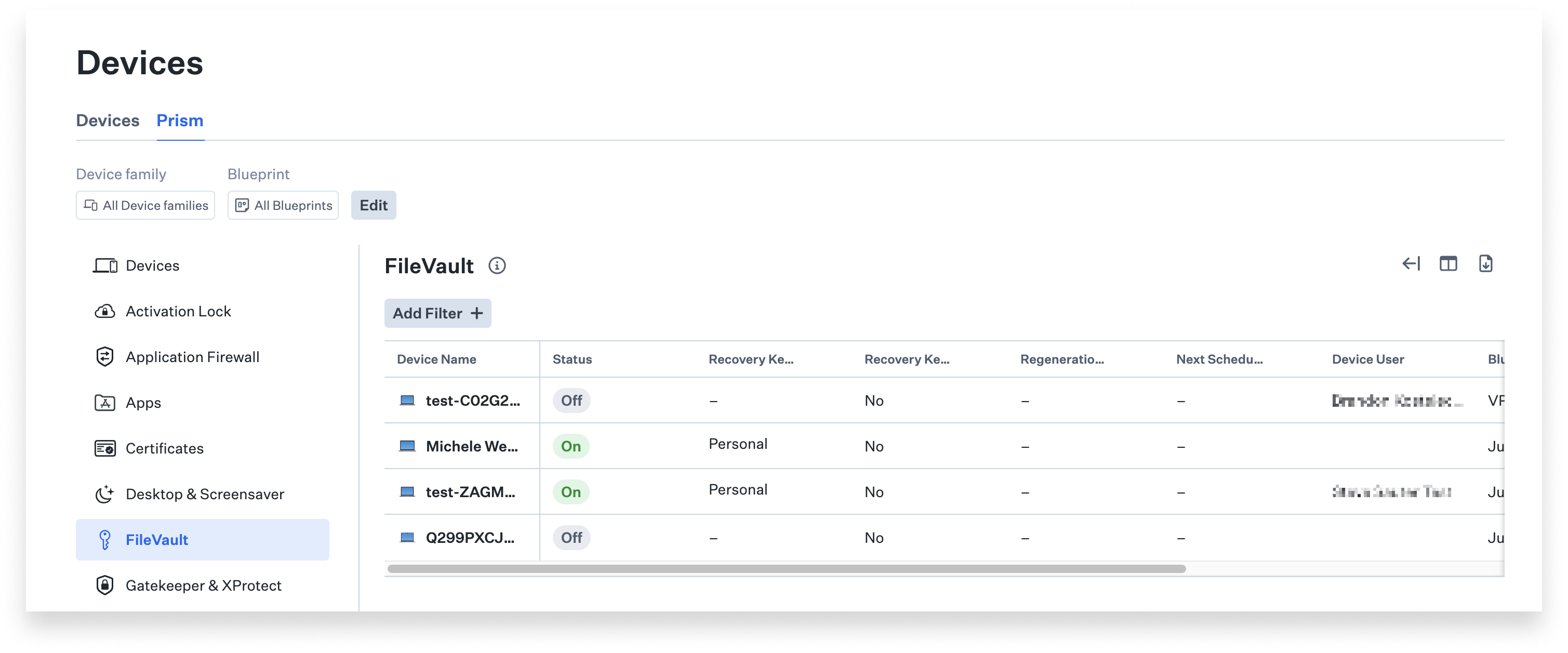 Prism returns its data in tabular format. You can customize the columns that will appear in those tables: In Apps, for example, you can opt to see details such as Bundle ID and Path, but omit others. You can save views you wish to monitor regularly or export your view (in CSV format) for further analysis or to share.
All of this data is collected for you automatically on a regular basis, so you don’t have to wait for data to be collected before you can generate your reports. It’s there whenever you—or your CTO or your chief compliance offer—need it. Data collected on the server via MDM is updated once a day; data from the Kandji Agent is refreshed every 15 minutes.
Prism will be rolling out to Kandji customers this month. To use it, you'll just navigate to that new Prism tab in the Devices section of the Kandji web app and start generating reports. For more details on implementation, see our support article.
About Kandji
Kandji is the Apple device management and security platform that empowers secure and productive global work. With Kandji, Apple devices transform themselves into enterprise-ready endpoints, with all the right apps, settings, and security systems in place. Through advanced automation and thoughtful experiences, we’re bringing much-needed harmony to the way IT, InfoSec, and Apple device users work today and tomorrow.


