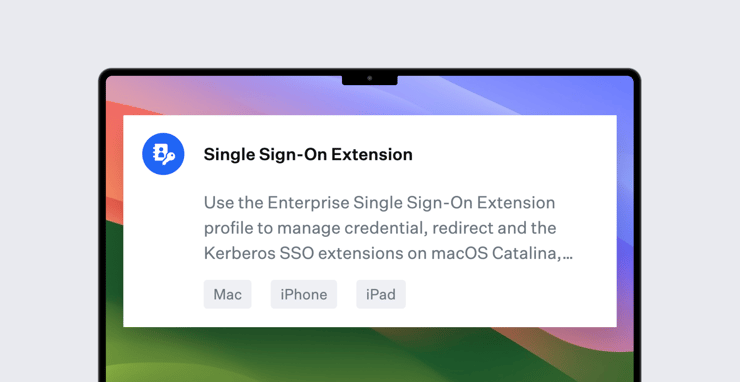
We’ve added a new section to our Single Sign-On Extension Library Item: Platform SSO. But this is one Kandji feature that’s built as much for the future as it is for the present. Let us explain.
What Is Platform SSO?
Apple first announced Platform Single Sign-on (Platform SSO) back at WWDC 2022. As they explained back then, the idea behind SSO extensions in general is to let users enter their credentials just once so subsequent apps and websites wouldn’t require them to reauthenticate repeatedly.
But at that point, on Mac, SSO extensions worked only after users had logged in with their local credentials to macOS; it required the local Mac account to have been created already. Platform SSO was a way to let developers build SSO extensions that would extend all the way down to the macOS login window.
That meant that users—assuming their IdPs implemented Platform SSO—could provide their IdP credentials to unlock their Mac, even if the IdP was not reachable—if, for example, the Mac was offline. This was the first step in Platform SSO being a modern replacement for the deprecated practice of binding a Mac to an on-premises Active Directory server and creating mobile accounts. Furthermore, with Platform SSO, a user’s local account password could automatically be kept in sync with their IdP, so their cloud and local Mac passwords would always match.
At WWDC 2023, Apple expanded on that initial Platform SSO framework, adding support (on Mac computers with macOS Sonoma) for:
- User enrollment and registration status in System Settings (so users could register their devices or user accounts for use with SSO in System Settings);
- Just-in-time creation of local accounts at the login window, using an IdP username and password or a SmartCard;
- The ability to provide the credentials for an IdP account that isn’t in the local Mac directory at an authorization prompt;
- WS-Trust federation, so Platform SSO could authenticate users through an IdP to a different, federated IdP or directory service like on-premises Active Directory;
- Updating the group membership of users when they authenticate with their IdP.
That last one comes with support for three different types of groups:
- Administrator Groups (members have local administrator access);
- Authorization Groups (members without admin accounts are given specific privileges to, say, manage printer or network settings); and
- Additional Groups (members can use specific system services, such as sudo).
For Platform SSO to work, there are several requirements: First, an organization’s IdP must support the Platform SSO authentication protocol. Second, the organization’s MDM solution must also support it, as well as bootstrap token. Third, the device must get an SSO extension payload that supports Platform SSO, and that payload needs to be delivered by an MDM solution. (Some IdPs will also likely offer vendor-specific configurations through additional profiles.)
Kandji Platform SSO
Kandji is now doing its part to meet those requirements, with the new Platform SSO section in our Single Sign-On Extension Library Item. But that Library Item can't be effective unless and until IdP support is in place.
That’s why this announcement is more about the future than the present. Because so far there has been little support on the IdP side for Platform SSO; as we write this, no IdP has yet released an app that uses it. But that may change very soon, as IdPs transition their latest apps from closed betas or previews to general availability for all customers.
Over the next couple of months, we expect several prominent IdPs to announce features that are made possible by Platform SSO. In doing so, those vendors might not even mention Platform SSO by name. They might talk about ensuring that you always have an SSO token or about syncing passwords between local and IdP accounts. But Platform SSO will be making that and more possible, under the hood.
And though IdPs will need to provide the apps that use Platform SSO, you'll still need an MDM solution to (at minimum) distribute the SSO extension payload. Kandji stands ready to help you do that, along with deploying any apps and additional profiles that a given IdP might require.
For more details on how to configure Platform SSO in Kandji (when your IdP makes it available), see our support article.
About Kandji
Kandji is the Apple device management and security platform that empowers secure and productive global work. With Kandji, Apple devices transform themselves into enterprise-ready endpoints, with all the right apps, settings, and security systems in place. Through advanced automation and thoughtful experiences, we’re bringing much-needed harmony to the way IT, InfoSec, and Apple device users work today and tomorrow.

 Workforce Identity
 Endpoint Management
 Endpoint Detection & Response
 Vulnerability Management
 Compliance Automation
 Trust Center