Workforce Identity
 Endpoint Management
 Endpoint Detection & Response
 Vulnerability Management
 Compliance Automation
 Trust Center



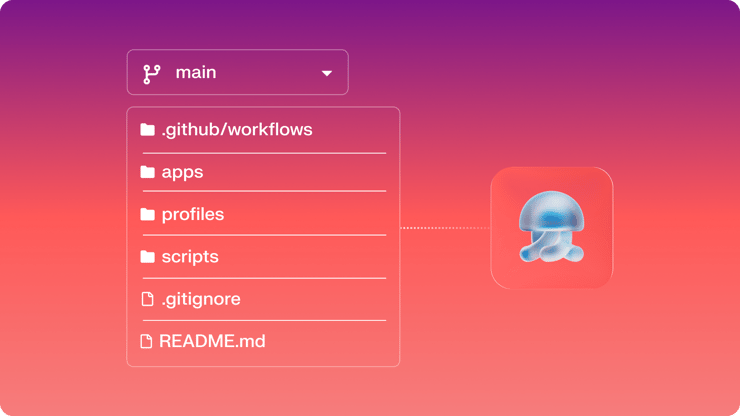
Most device management workflows still depend on tribal knowledge. An admin makes a change, documents it somewhere (maybe), and hopes the next person understands why it was done. At small scale, that’s manageable. At enterprise scale, it’s a risk.
Configuration as Code changes the operating model. Device configurations become versioned assets, changes move through pull requests instead of screenshots, and deployment history lives alongside the code that created it. And for teams running Iru, Config as Code is an available option for device management.
What is Config as Code?
Config as Code (CaC) is the practice of defining and managing system configuration in version-controlled files instead of clicking through a UI. The concept has been standard in infrastructure and application delivery for years. Terraform, Ansible, Kubernetes manifests: same idea, different layer of the stack.
Applied to device management, it means your fleet configuration lives in a Git repo. Changes are commits with full diffs and authors. Pull requests gate what reaches devices. Configurations in a fresh tenant can be rebuilt simply by pushing the repo. And any admin, current or future, reads from the same source of truth instead of relying on inherited knowledge or undocumented settings.
The problems it solves are familiar to anyone who has managed devices at scale:
- Change accountability: who changed what, when, and why, recorded by the system rather than reconstructed after the fact.
- Multi-admin coordination: version control prevents conflicts and gives you a clean path to resolve them when they happen.
- Compliance trails: the audit history exists in the repo by default, not as something you assemble before an audit.
- Admin turnover: a new team member clones the repo and understands the environment without a shadowing period or a folder of screenshots or deeply nested Confluence or Notion documents.
Start where change control matters most
Today, Iru Control (iructl) and the Iru Enterprise API cover Custom Profiles, Custom Scripts, and Custom Apps for Mac. That's not the full surface area of the platform, but it is the layer where change control matters most and can have the biggest impact.
Platform-level constructs like Blueprints, Assignment Maps, and conditional node logic are still managed in the Iru console. That's changing: Iru's API-first roadmap is expanding the surface area this year, with the goal of making everything in the UI available via API. As that expands, so does what your repo can manage.
In the meantime, the workflow still delivers the core value. Your deployable configs go through Git with full change control and audit trails. Your scoping logic stays in the console where it's visual and easy to reason about. As more of the platform becomes API-accessible, the same Iru Control workflow will extend to cover it. The repo feeds Iru. It doesn't replace it. And starting today, iructl can even ensure Library Items managed through config as code workflows are assigned to specific nodes on Assignment Maps.
How it works in Iru today
Iru's Enterprise API supports full create, read, update, and delete operations on Custom Profiles, Custom Scripts, and Custom Apps for Mac. That's the foundation. On top of it, you build a workflow.
Here's what that workflow looks like in practice, using GitHub Actions:
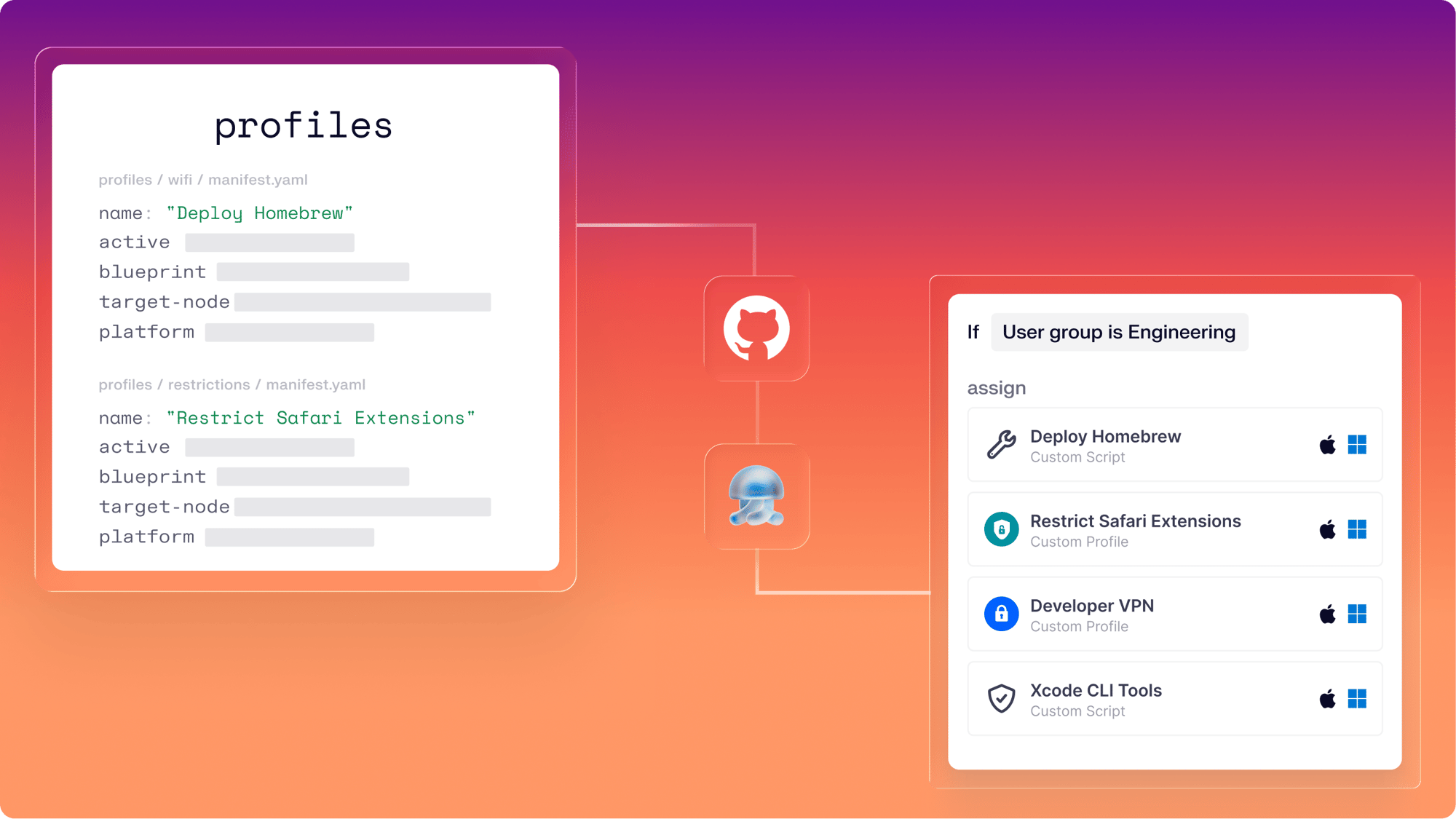
The repo structure is the definition. Inside it, you organize deployable items by type: profiles, scripts, apps. Each item gets its own folder. Profiles and scripts store their payload directly — a .mobileconfig file or a script — along with any ancillary files like pre/postinstall or audit/remediation scripts. Apps work differently: iructl uploads the installer automatically, and the manifest records its metadata pre-upload. Every folder also includes a manifest file that declares how the item should be deployed.
The manifest is the declaration. A simple JSON, YAML, or PLIST file that specifies the item's name, whether it's active, which Blueprint(s) it belongs to (optionally which nodes inside that Blueprint it should be assigned to), and what platforms it runs on. Mac, iPad, iPhone, whatever applies.
Here's an example manifest:
{
 "id": "3bdb4111-cebe-4757-b97b-450b66fec878",
 "name": "Disable Improve Apple Search",
 "active": true,
 "mdm_identifier": "com.kandji.profile.custom.3bdb4111-cebe-4757-b97b-450b66fec878",
 "runs_on_mac": true,
 "ensure_blueprints": [
 {
   "blueprint": "Iru Level I"
 },
 {
   "blueprint": "341ec1b2-5e71-43f8-b27b-8805009a0342",
   "node": "da15159c-4d2a-42cc-9f4d-83f10369b4a2"
 }
 ]
}
That's it. A new admin reads this and knows exactly what it does, where it goes, and what it affects, without opening the console.
The sync is hash-aware. Today, with Iru’s provided GitHub action, it doesn't blindly push everything. It validates each manifest and profile for syntax, checks a stored hash against the current state, and only patches items that actually changed. New items get created and the API response writes back an ID and a sync hash, so future pushes can target the existing record. As a part of the API-first roadmap later this year, Iru will provide a declarative process that avoids Git repo writebacks altogether.
The pipeline is the guardrail. Validate. Lint. Hash check. Anything is possible before the API push. Each step has to pass before the next one runs, making it possible to catch a malformed profile before it reaches a device, not after.
What a real deployment looks like
Here's the sequence for deploying a new custom profile using iructl and GitHub Actions:
1. Create the resource locally. Run iructl profile new to scaffold a new custom profile in your repo. This creates the directory structure with a metadata file and a placeholder for the .mobileconfig payload. Drop in your profile and fill in the manifest.
2. Review the sync status. iructl profile list shows you what's new, what's changed, and what's in sync. You can see the state before anything leaves your device.
3. Branch, commit, and open a PR. This is where version control kicks in. The diff shows exactly what's being added: the profile XML and the manifest declaration. A reviewer can see both the configuration and optionally where it's going to be assigned.
4. PR gets approved and merged. Branch protection does its job and ensures changes to production (main) are reviewed first. The approved merge to main then triggers the iructl-push workflow (an Iru provided GitHub action).
5. iructl-push syncs the change to Iru. New resources are created, changed resources are updated, and anything removed from the repo is removed from the tenant. The repo state and the Iru state match.
6. The item appears in Iru, scoped, active, and deployed. No one touched the console. The profile is in the right Blueprint(s), on the right node(s), with the right platform targeting. The .mobileconfig content matches the file in the repo byte for byte.
Now here's the part that matters most to the enterprise teams asking for this workflow:
7. Something breaks. Someone accidentally deletes items from the console. In a UI-only workflow, this is a recovery project. You're reconstructing what was there from memory, screenshots, or incomplete documentation.
In a Config as Code workflow, the iructl-push workflow re-runs and restores everything the repo declares. Or if iructl-pull runs first on its schedule, it flags the deletions as conflicts and can trigger a workflow, such as sending a Slack notification, so your team can decide how to handle it. Either way, the repo is the source of truth, and getting back to the declared state is a re-run, not a rebuild.
Two paths in: GitHub Actions or admin initiated, both powered by Iru Control
As an admin, you can run iructl directly on your Mac to interface with your Iru tenant. Pull down current state, create new resources, push changes, review sync status: all from the command line. This is where you author, test, and validate before anything reaches production.
When you're ready to embrace the full CI/CD workflow as a team, that's where the GitHub Actions integration comes in. The reusable workflows use the same iructl in the pipeline. The sync logic, the validation steps, and the push and pull behavior are all identical to what you ran locally. What you tested on your machine is exactly what runs in CI; there is no translation layer and no second tool with its own behavior.
Iru Control is installable via Homebrew, uv, or pipx, and the full documentation lives on GitHub.
Your fleet should work like the rest of your stack
You want your device fleet to work the way everything else in your stack works. One-way push from a declared source of truth. Change control enforced by the system, not by policy. Recovery that's a re-run, not a reconstruction.
That's what Config as Code in Iru gives you, without asking you to give up the platform that makes device management actually manageable.
See the full breakdown of how it works, or request a demo to see it running against a live tenant.