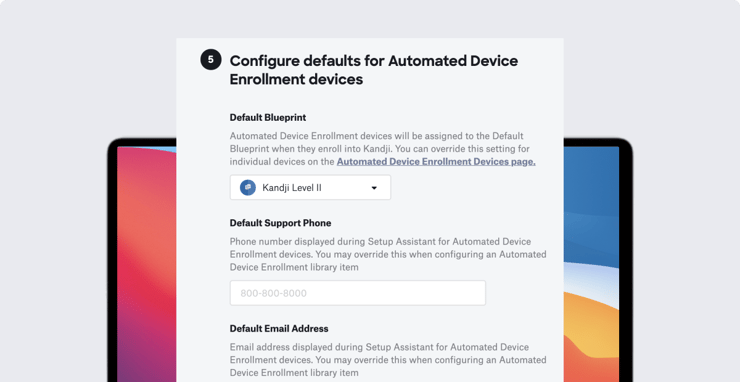
The ideal: You have a new Mac, iPhone, or iPad shipped directly to a new employee and, when that employee starts it up for the first time, the device is automatically enrolled in your MDM solution, with all the apps and settings you want in place—all without you ever touching the hardware itself.
But a lot of things have to work right for zero-touch deployments to go as smoothly as you’d like. Among the variables: The vendor you’re buying the hardware from; Apple’s enterprise services (in the form of Automated Device Enrollment via Apple Business Manager or Apple School Manager); your organization’s IT infrastructure; and users themselves. A problem with any one of those links in the chain can make zero-touch harder than it should be.
That’s why we recently asked IT administrators on LinkedIn about their experiences with zero-touch. They had some advice for those who are following in their footsteps. Here’s what they told us.
Prepare yourself
As with almost any IT task, prior planning is key. That starts with thoroughly testing your deployment setup before a single new machine ships to a real user. MDM Engineer Joshua Domeika advises:
A solid testing environment is incredibly important when getting started. You should create a test bed that can [replicate] the core needs—enrollment, deployment, and management. Once you have that test bed and some policies you want to configure, you need to start playing.
Several respondents stressed the importance of building and then testing your onboarding workflows carefully, so components load in the right order. As Senior Systems Engineer Douglas Ruocco put it, you need “a well-defined task sequence to install applications.” And don’t ask your particular MDM solution to do something—such as installing .DMG files—that it isn’t designed to do. (Note that Kandji can indeed install custom apps from a .DMG.)
Prepare your users
Even though your goal is to have zero contact with the new hardware, you will still need to have some kind of contact with new users.
Jeffery Eckert, Mac technical specialist at Compucom, advises admins to work on their phone and soft skills. “All deployment and troubleshooting assistance takes place over the phone and video support,” so your staff better be good at it.
IT Specialist Alejandro Gutierrez says one of the problems he runs into most frequently is end users’ “network connectivity—from not enough bandwidth to communicate with the server or simply no connection at all.” The solution in both cases: Build timeouts into your workflow to help mitigate the issue. He also recommends developing an onboarding FAQ that you can share with users, so they can first look for answers there before reaching out to IT for help.
Rene Kraus recommends including “a set of printed instructions with contact numbers of who to call with questions with the phone in the package” when the device ships.
Check your supply chain
Apple Business Manager (or Apple School Manager if you’re in education) is the linchpin to the whole zero-touch system. It gets good marks from most of the admins we surveyed—though more than one respondent reported that it wasn't always so reliable in the past. For example, Luke Coleman, service desk manager at Warner Music UK, says that frequently AxM wouldn’t push MDM profiles to machines correctly on that first startup and so they’d be skipped in enrollment. But he says Apple has done a good job fixing the problem.
Cesar Gonzalez, who works in IT for Agilent Technologies, says his company has run into problems because it’s so international. “It is important to understand reseller abilities in each country, and it may be necessary to have different partners in different countries.”
Be realistic
If you don’t expect 100 percent success, you won’t be disappointed when something inevitably goes wrong with a system here or there. One respondent said he eventually traced his problems with zero-touch to little things like improperly configured SSL certificates. Dealing with such gotchas is just part of the workflow.
Kandji is now Iru. This article was originally published under the Kandji brand.

 Workforce Identity
 Endpoint Management
 Endpoint Detection & Response
 Vulnerability Management
 Compliance Automation
 Trust Center