



Most phishing kits sell a static clone of a login page and capture the password a victim types into it. PhantomVNC streams a live browser session to the operator and captures the fully authenticated session, including the multi-factor authentication (MFA) step the victim just completed.
PhantomVNC uses a browser-in-the-middle (BitM) model. The operator runs a real browser on attacker-controlled infrastructure, loads the genuine login page, and streams it to the victim through a lookalike domain. The victim completes every step, password and MFA included, against the genuine service, and the operator keeps the authenticated session.
The panel gives the operator a live view of the session over Web Real-Time Communication (WebRTC). The operator watches the login in real time and takes over once it completes.
Researchers have demonstrated remote-browser phishing publicly since 2022, and PhantomVNC still ships noVNC as a fallback streaming engine. What PhantomVNC adds is commercial packaging, with installation, a manual, lifetime updates and subscription billing. We first observed the listing on October 20, 2026.
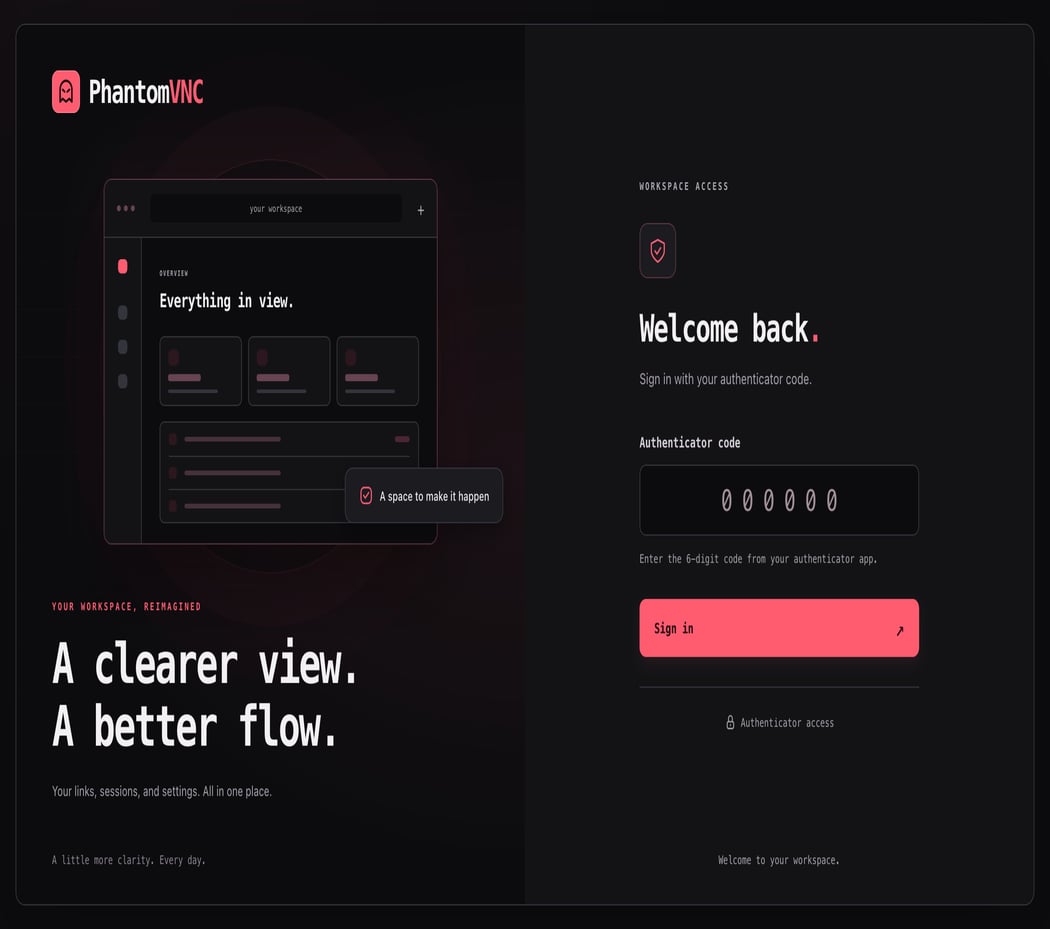
Figure 1. The operator console sign-in, gated by an authenticator code.
How it is sold
A seller using the alias dom1no advertises PhantomVNC openly on cybercrime networks as PhantomVNC - Advanced Universal Phishing Platform.
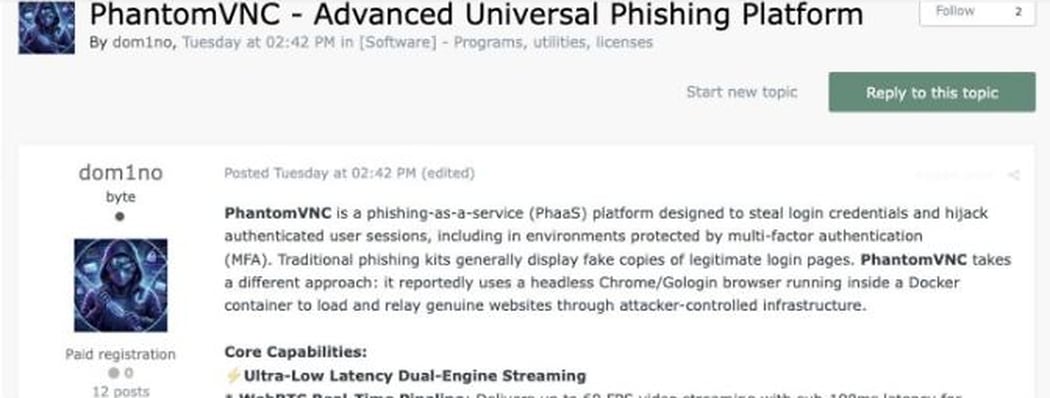
Figure 2. The public listing, sold as a universal phishing platform.
Buyers get installation, a manual, and lifetime updates. The seller handles setup and fixes, so someone with no technical background can run working BitM attacks from start to finish.
The seller also built it for resale. The admin panel manages customer accounts, each with its own subscription and quotas for concurrent sessions, memory, storage, and bandwidth.
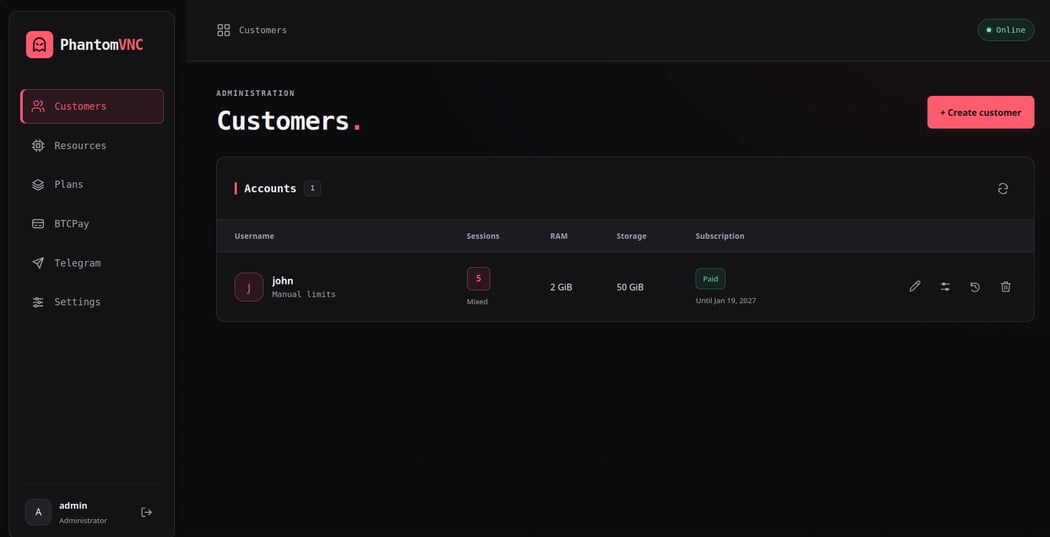
Figure 3. The admin panel, with per-customer quotas and subscriptions.
Payments run through a BTCPay server, which encrypts the store API key and webhook secret.
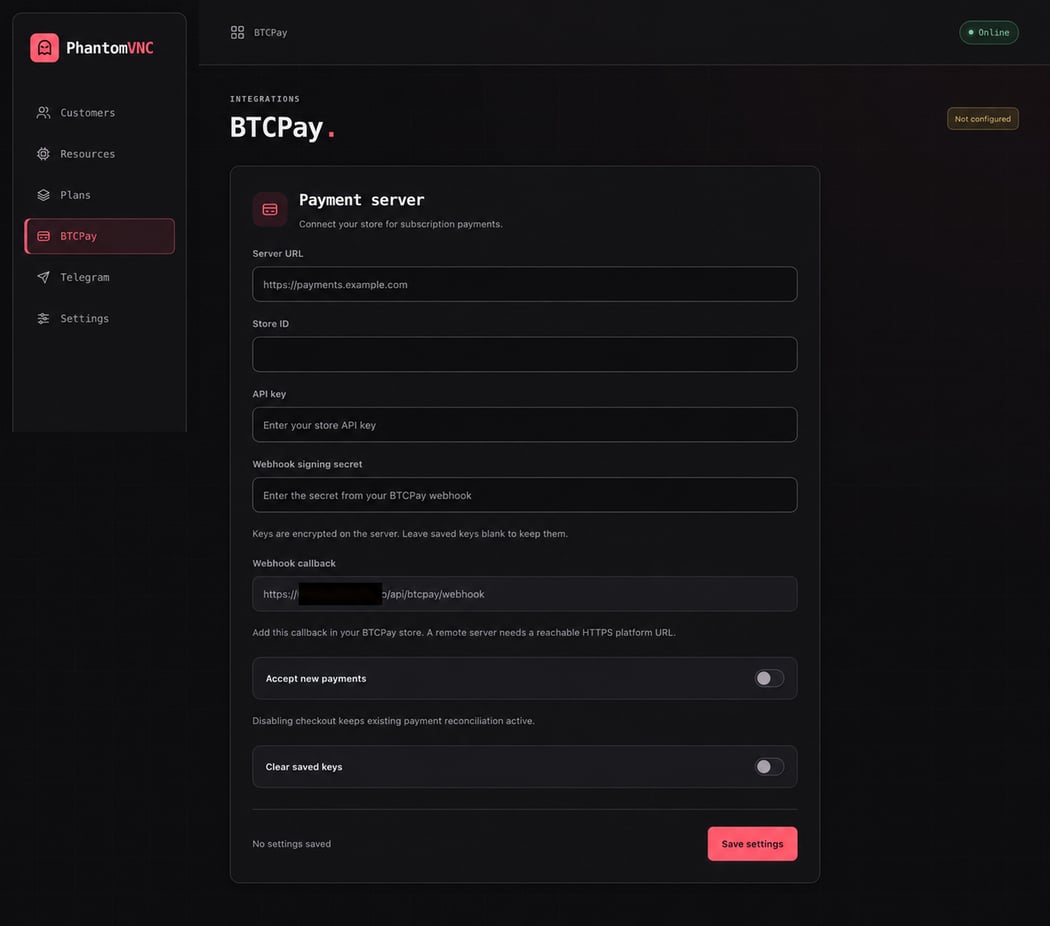
Figure 4. The BTCPay payment-server settings.
A Telegram bot drives plan provisioning, checkout, and renewal notices.
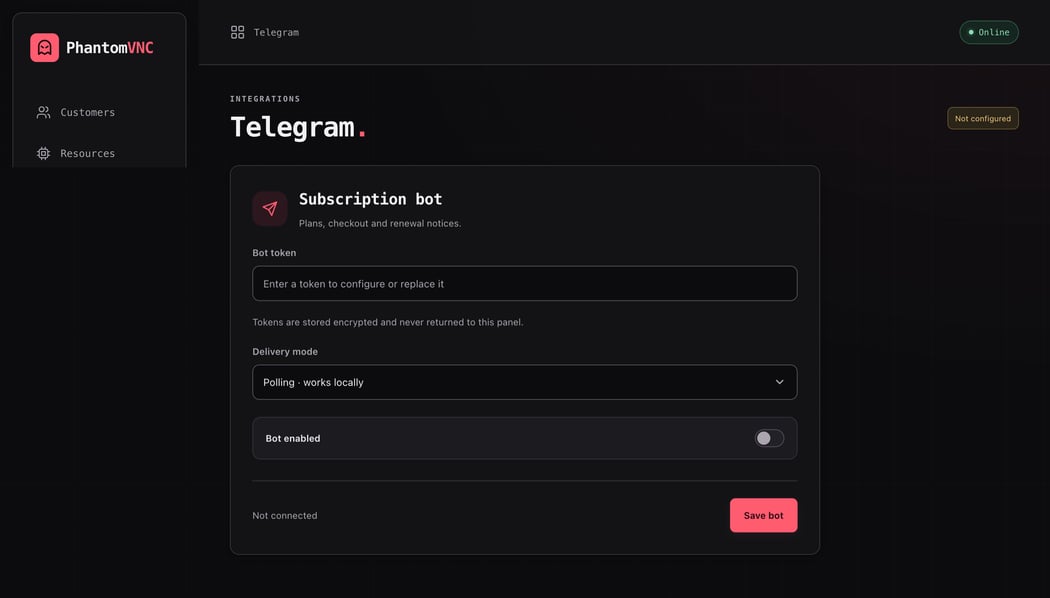
Figure 5. The subscription bot configuration.
The administrator account signs in with an authenticator code, and a platform default sets how long an idle browser stays alive.
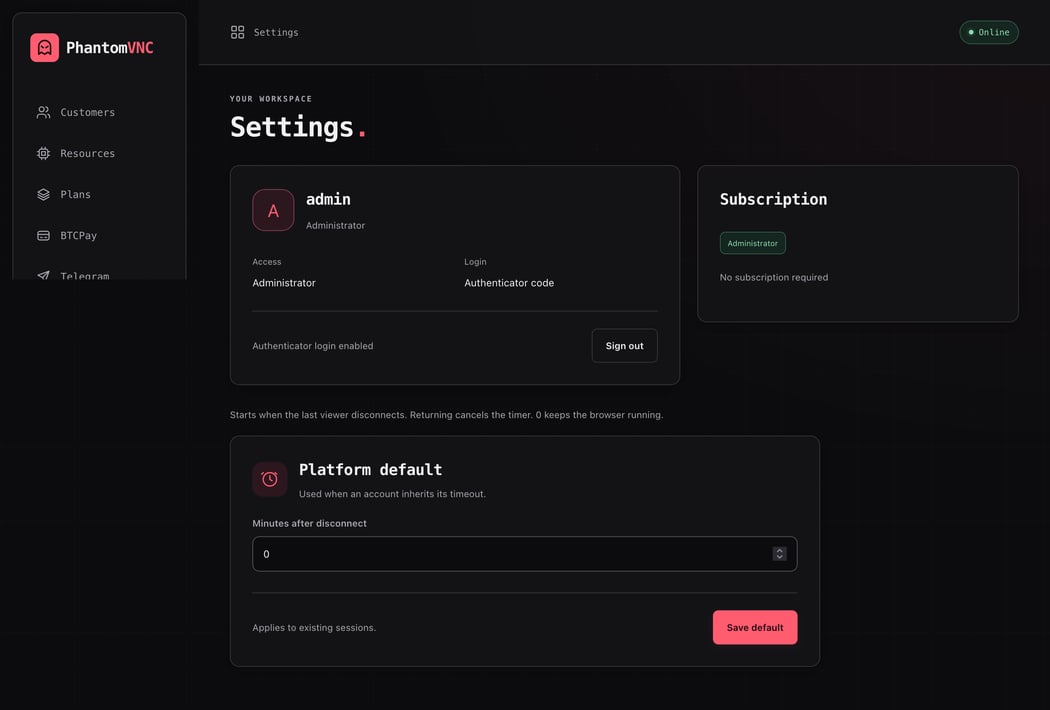
Figure 6. Admin workspace settings and the session-timeout default.
Inside the panel
The operator console has dedicated sections for browser links, live analytics, sessions, domains, billing, and settings. The interface comes in English, Russian, and Vietnamese, which likely reflects the markets the group sells into.
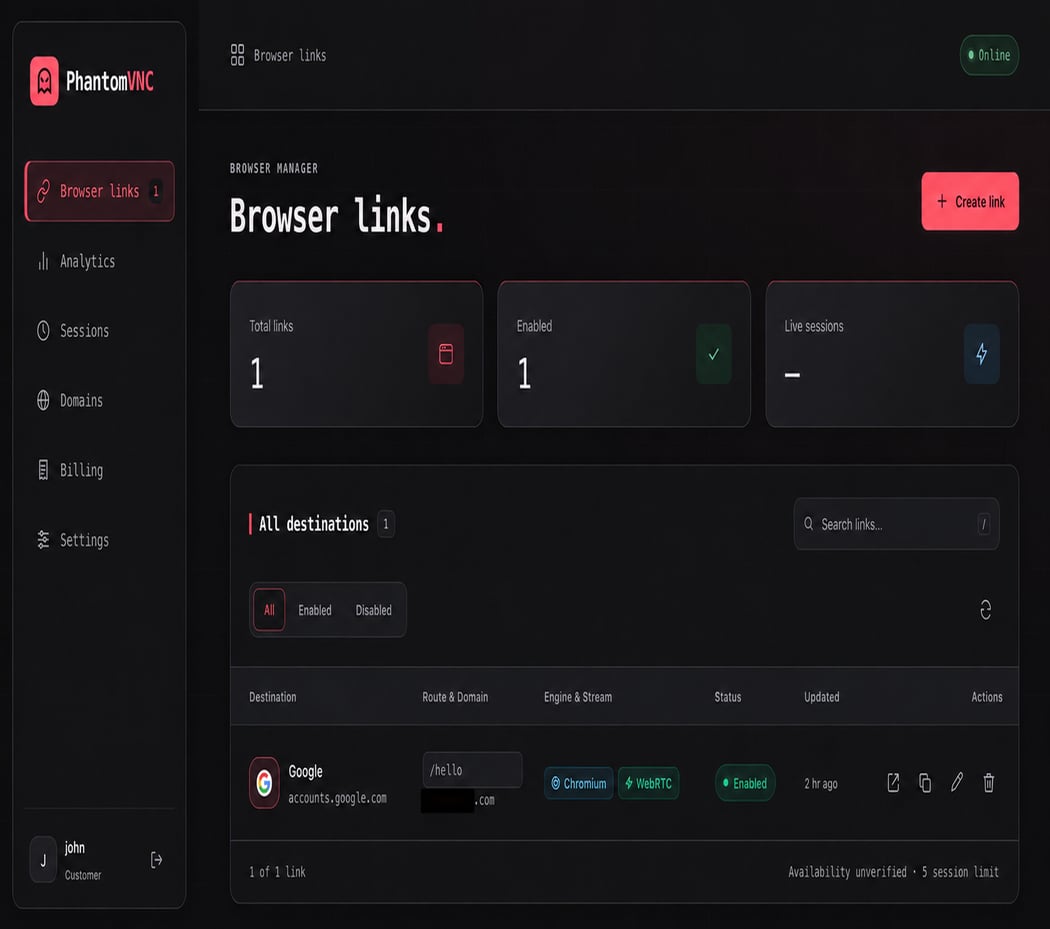
Figure 7. The links manager, streaming a Google sign-in over WebRTC.
The core workflow is a link manager. Each entry pairs a destination brand with a route and a lookalike domain, an engine, and a stream. The example we saw mapped a Google account login to an attacker-controlled path, running on a Chromium engine with a live stream and an enabled status. The operator picks between two streaming engines, WebRTC for low-latency viewing and noVNC as a fallback, and the panel caps concurrent viewers so several operators can watch harvested sessions at once.
Data capture runs on extraction rules the operator sets per field. The operator pastes a browser developer-tools selector for each input they want, such as the identifier and password fields on the cloned login, and the panel records the values as the victim submits them.
A completion setting closes the session once the victim reaches a chosen path and can redirect the victim to a real page afterward, which keeps the login looking normal.
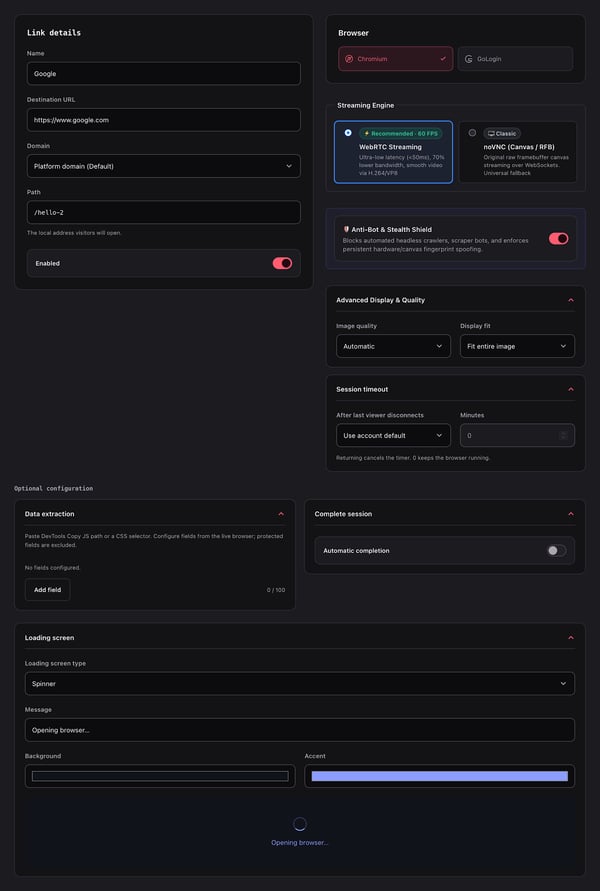
Figure 8. The link builder, with engine choice and stealth shield.
The PhantomVNC panel offers one-click resume for saved sessions, which likely stores the victim’s authenticated browser profile on operator infrastructure. A password reset alone likely won’t evict the operator.
| Panel feature | What it does for the operator |
|---|---|
| Browser links manager | Maps each lure to a brand, a lookalike domain, and a live stream |
| Live session streaming | WebRTC or noVNC browser view of the victim's session in real time |
| Data extraction rules | Developer-tools selectors capture named fields such as identifier and password |
| Session completion | Closes the session on a matched path and can redirect the victim to a real page |
| Sessions dashboard | Live feed with counts of captured sessions and extracted fields |
| Domains section | Lets the buyer attach their own domains for new campaigns |
| Billing | Subscription management, confirming the service model |
| Multi-language console | English, Russian, and Vietnamese interface options |
| Device and identity emulation | Device profiles plus seeded canvas, audio, and WebGL fingerprints to evade detection |
| Multi-tenant administration | Customer accounts with per-plan session, memory, and storage quotas, billed via BTCPay |
Why it slips past phishing filters
PhantomVNC uses no fake Google form. The page loads a config that names the real Google sign-in as the target, has a server open a remote Chromium browser, and streams Google’s genuine page back to the victim as video.
The victim’s typing and clicks travel over a separate channel into that remote browser, so the login happens on infrastructure the operator controls. The kit posts nothing to a credential-collection script, so tools that look for cloned forms and suspicious form submissions have nothing to flag.
The victim enters the password and completes the multi-factor prompt inside the operator’s browser, and the authenticated session stays in that remote profile. A one-time code or an approved push does not help. The build is not especially stealthy once you know the pattern.
It fingerprints the visitor’s device in detail, polls the remote page several times a second, watches for a completion marker in the address before it freezes the session, and exposes an endpoint that returns the target site and streaming setup with no authentication. Those behaviors give your team something concrete to detect.
Built to pass as the victim’s device
PhantomVNC also disguises the operator’s browser as a real device. It emulates real desktop and mobile devices, with profiles for Pixel 7, iOS, Windows, and macOS that carry matching viewport metrics, touch points, pixel ratios, and user-agent strings. It seeds session-bound canvas, audio, and WebGL fingerprints so repeated sessions do not collide, and it integrates with the GoLogin antidetect browser and cloud profiles.
A login proxied through PhantomVNC can look like the victim’s own device to risk-based authentication. Custom domains sit behind automated reverse proxying with Cloudflare Origin SSL and rate limiting, and the platform runs in Docker with seccomp profiles and non-root containers.
Each connected domain sits behind the platform’s own anti-bot and anti-DDoS (distributed denial-of-service) rate-limiting layer.
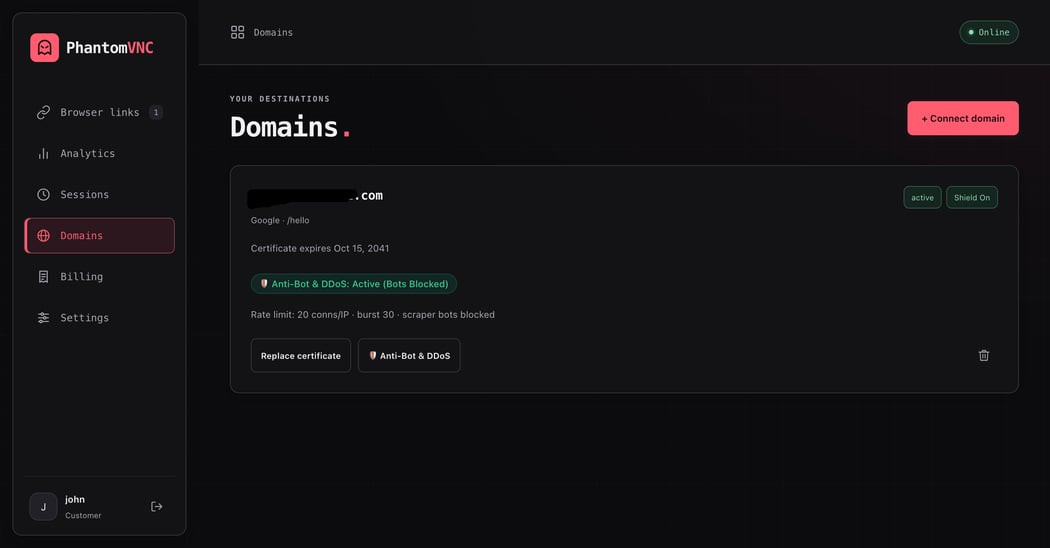
Figure 9. A connected domain behind the anti-bot and DDoS shield.
The buyer can configure this protection to block common scanners and crawlers, enforce per-IP connection limits against flooding, and restrict traffic by country.
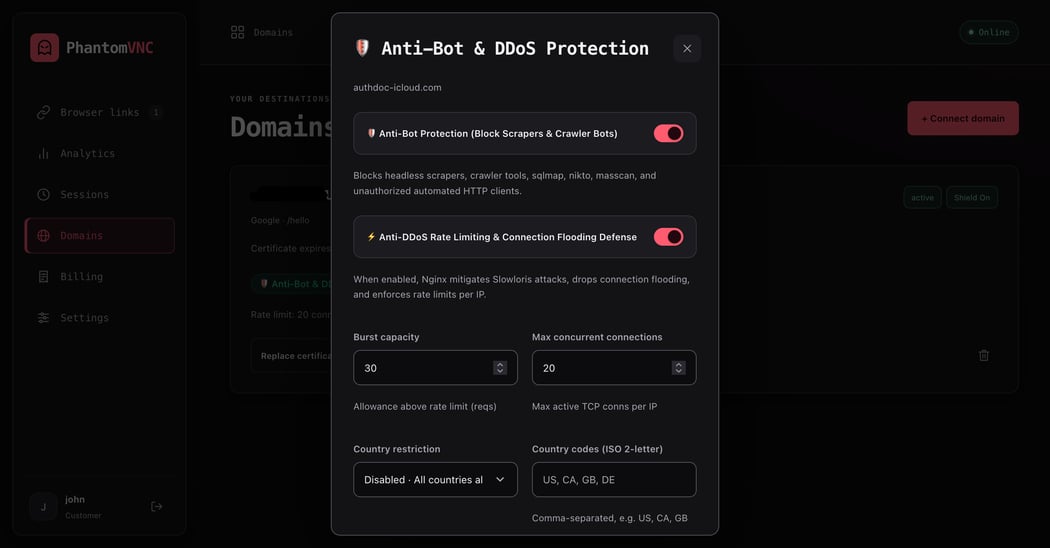
Figure 10. Scanner blocking, rate limits, and country restriction.
The buyer wires in their own GoLogin profiles and proxy, and can forward extracted data to a Telegram bot. The platform stores the keys under AES-256-GCM encryption.
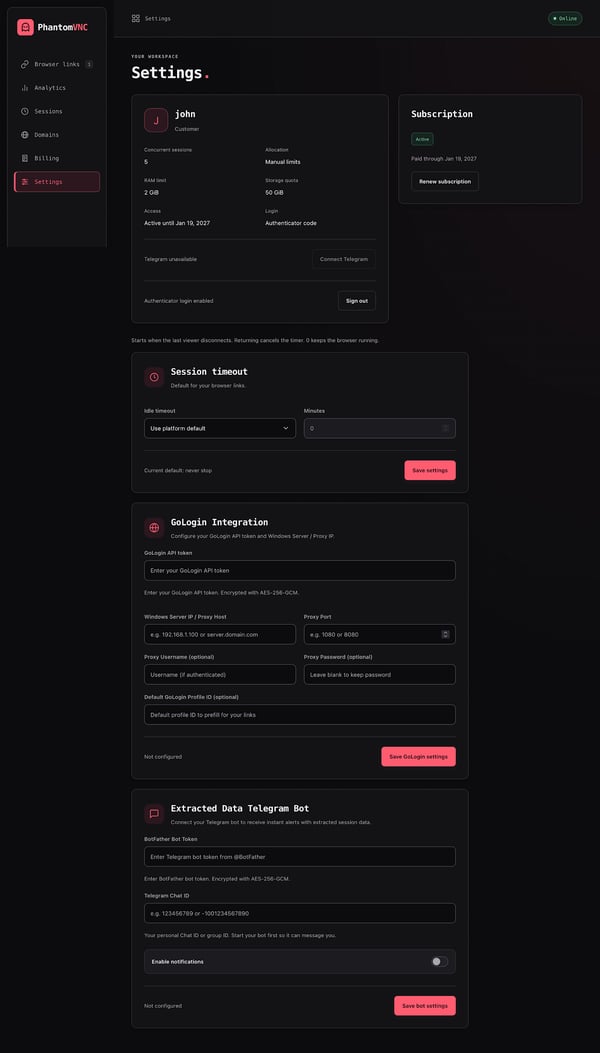
Figure 11. Buyer settings for GoLogin, proxies, and a Telegram bot.
Why one-time passcodes do not stop it
The platform records only authenticated sessions and valid data. Older phishing pages capture whatever a victim types, including mistyped passwords and junk.
A completed session lists each extracted field, with the victim’s email and password taken from the login and marked as captured.
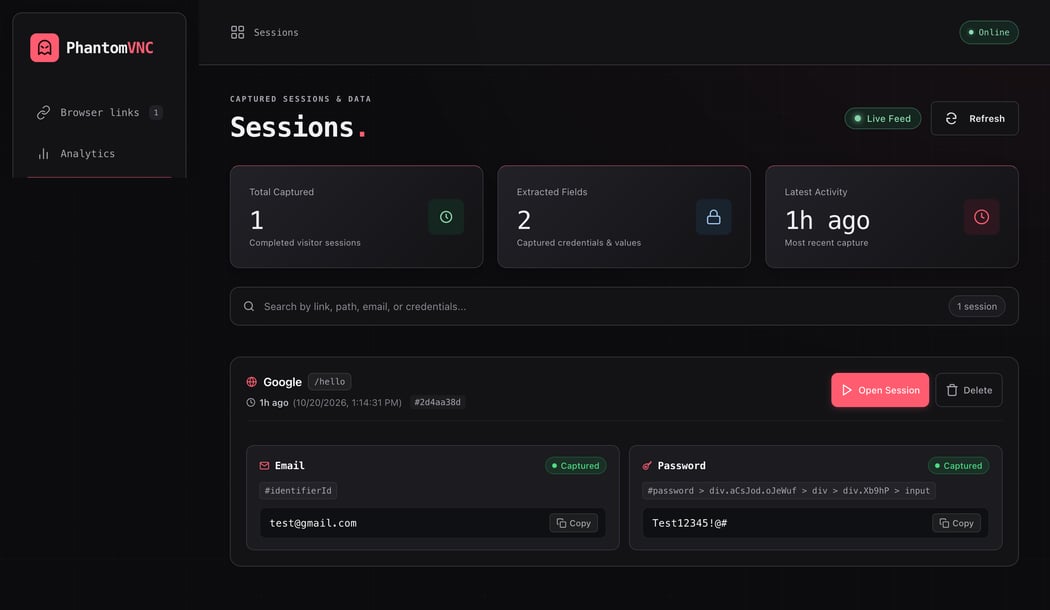
Figure 12. A captured session, with the email and password redacted.
Where this shows up
The lures we observed impersonated Adobe, Apple iCloud, and Google sign-in, which are common pivots into corporate single sign-on.
| Indicator | Type | Context |
|---|---|---|
authv2o-adobe[.]pro | Domain | Panel host and Adobe-themed authentication lure |
authdoc-icloud[.]com | Domain | iCloud-themed lure serving a live capture link |
| WebRTC live view, Chromium engine | Behavior | Real-time streamed session, 60 FPS, multiple viewers |
| Adobe, Apple iCloud, Google sign-in | Lure brands | Observed impersonation targets |
| dom1no / @dom1no0o | Actor alias | Seller handle on the cybercrime network and on Telegram |
What stops a browser-streaming kit
The fix is to remove what PhantomVNC steals. A captured session is only worth capturing while an attacker can replay a password and a one-time code somewhere else. Phishing-resistant sign-on removes that, which is why we built Workforce Identity on hardware-backed passkeys bound to the user’s device and the real domain.
A passkey never leaves the device and will not answer to a lookalike domain, so there is no code to phish and no session for an operator to lift. Iru Access adds a check on device posture at every login, so access depends on a trusted device as well as a trusted identity.
Book a demo today and learn how it works in your environment.