Workforce Identity
 Endpoint Management
 Endpoint Detection & Response
 Vulnerability Management
 Compliance Automation
 Trust Center



Weak and forgotten passwords have always been a sore spot for IT. Single sign-on (SSO) with SAML can ease that pain, by simplifying the login experience and enforcing secure authentication. In this article, we’ll provide an overview of how SSO and the SAML framework work together to keep users and administrators secure.
Single Sign-On and SAML
Just so we’re all clear on our terms:
Single sign-on (SSO) refers to a set of identification and authentication technologies that together create a streamlined sign-in process for users. Once enabled, SSO lets those users access multiple services after providing their credentials just once—rather than requiring them to sign in to each service individually. This means that end-users don’t have to memorize multiple passwords or slow down to fill out their credentials every time they want to get work done.
There are many ways to implement SSO. There’s Kerberos, for example; Iru supports the Kerberos Single Sign-on Extension for on-prem Active Directory. But this article focuses on achieving SSO with modern cloud-based identity providers (IdPs).
For end-users, SSO appears seamless: They request a service, provide their credentials, and get on with their work. But there’s a lot going on behind the scenes to make that possible. That’s where SAML comes into play.
SAML (Security Assertion Markup Language) is an open standard that transfers authentication and identity data between two parties. One party is the identity provider (IdP), which authenticates users and transfers their identity data. The other is the service provider, which receives this identity confirmation and on that basis authorizes the user to access the requested service (or not).
At a high level, you can think of SAML as a language that disparate services can use to share information about identity, authentication, and authorization and so enable SSO.
How SSO and SAML Work
SAML uses XML (Extensible Markup Language) to facilitate communications between an IdP and service provider. This is accomplished with SAML assertions—XML documents that communicate information about authentication (such as when a user signs in and how they were authenticated), attributes (such as a user’s role, department, or email), or authorization (such as the approval or denial of requests).
When a user first requests access to a service provider that uses single sign-on for authorization, that service sends a SAML request to the IdP’s SSO endpoint. The IdP validates the SAML request and presents a sign-in form to the user. The user provides their credentials, which the IdP evaluates. Assuming those credentials pass muster, the IdP sends SAML tokens to the user’s web browser, which forwards them to the service provider. The service provider checks those tokens and, if they look OK, provides access to the requested services.
Single Sign-On, SAML, and Iru
Depending on your device-management solution, you may be able to use it to set up SSO connections with your IdP so administrators can sign in to it.
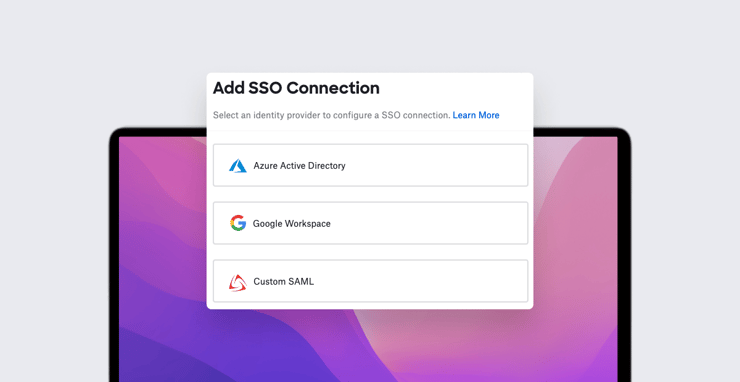
In Iru, for example, you can establish a custom SAML connection to an IdP. (Iru even allows you to configure multiple SAML connections to multiple IdP sources.) We have support articles explaining how to set up these custom connections, with specific instructions for Azure AD, OneLogin, Google Workspace, and JumpCloud.
For example, if you want to use JumpCloud as a SAML-based IdP, you start by collecting some details in the Iru web app. You then use those details to create a custom Iru application in JumpCloud. After creating that application, you’ll be given a public certificate. Going back to Iru, you upload that certificate and provide some more details about the JumpCloud app you’ve just built. And that’s it. The process is similar for OneLogin and other SAML-compatible IdPs.
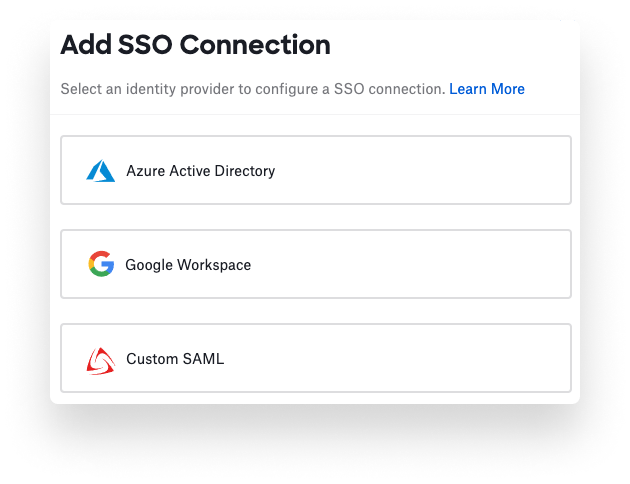
If you’re pressed for time, we also have built-in workflows for connecting with Azure AD and Google Workspace. But the custom SAML module gives you greater flexibility.
Iru supports plenty of other powerful identity management features, including enrollment customization, extensible enterprise SSO, and Passport, our Mac-exclusive authentication tool that achieves a true single-password experience. With a suite of features like zero-touch deployment, one-click compliance, and offline remediation, Iru is already a great way to enroll, configure, and secure your devices.
Kandji is now Iru. This article was originally published under the Kandji brand.