
 Workforce Identity
 Endpoint Management
 Endpoint Detection & Response
 Vulnerability Management
 Compliance Automation
 Trust Center



IT teams choose Apple devices for performance, security, and a better user experience, but they inherit the reality that comes with it: Managing Apple devices isn’t the same as managing everything else. If you’re looking for the best MDM for Apple, you’re already feeling that gap.
Apple device management runs on its own rails. To name a few, we have Apple Push Notifications (APNs), FileVault, and Automated Device Enrollment (ADE). When those pieces don’t line up, things break or stall. Devices don’t enroll cleanly. Policies don’t stick. You spend your time chasing edge cases instead of moving forward.
An efficient MDM software for Apple devices can make things simpler by handling setup, security, and updates in one place. Explore 10 tools that help you do that, each built for a different kind of team and setup.
The 10 best Apple MDM solutions at a glance
Cliche, but there’s no single winner for every team. The right choice depends on your setup, your security needs, and how much complexity you’re willing to manage.
Here are the top 10 options so you can narrow down your options:
| Platform | Best for | Key features | Deployment complexity |
|---|---|---|---|
| Iru | Automation and integrated security | Compliance templates, built-in endpoint security, and Assignment Maps | Easy |
| Mosyle | Schools and budget-limited organizations | Classroom tools, multi-tenant management, and cost-effective scaling | Easy |
| Addigy | Managed service providers (MSPs) | Multi-tenant architecture, Live Terminal, and professional services automation (PSA) integrations | Moderate |
| JumpCloud | Windows-dominant environments | Unified identity, cross-OS policies, and SSO | Moderate |
| Microsoft Intune | Microsoft 365 shops | Conditional access, Entra ID integration, and unified endpoint management | Complex |
| SimpleMDM by PDQ | Custom software development | Hosted Munki, API-first automation, and a native Apple focus | Easy |
| Rippling IT | HR and IT synergy | Automated onboarding, role-based provisioning, and one-click offboarding | Easy |
| Jamf Pro | Large-scale teams and budgets | Advanced policy engine, strong ecosystem, and enterprise scalability | Complex |
| Omnissa Workspace ONE | Zero Trust security | Zero Trust access, Virtual Desktop Infrastructure (VDI) integration, and advanced threat defense | Complex |
| NinjaOne | Remote monitoring and management (RMM) and IT support | Automated patching, background remediation, and integrated ticketing | Moderate |
Iru: Best platform for automation and integrated security
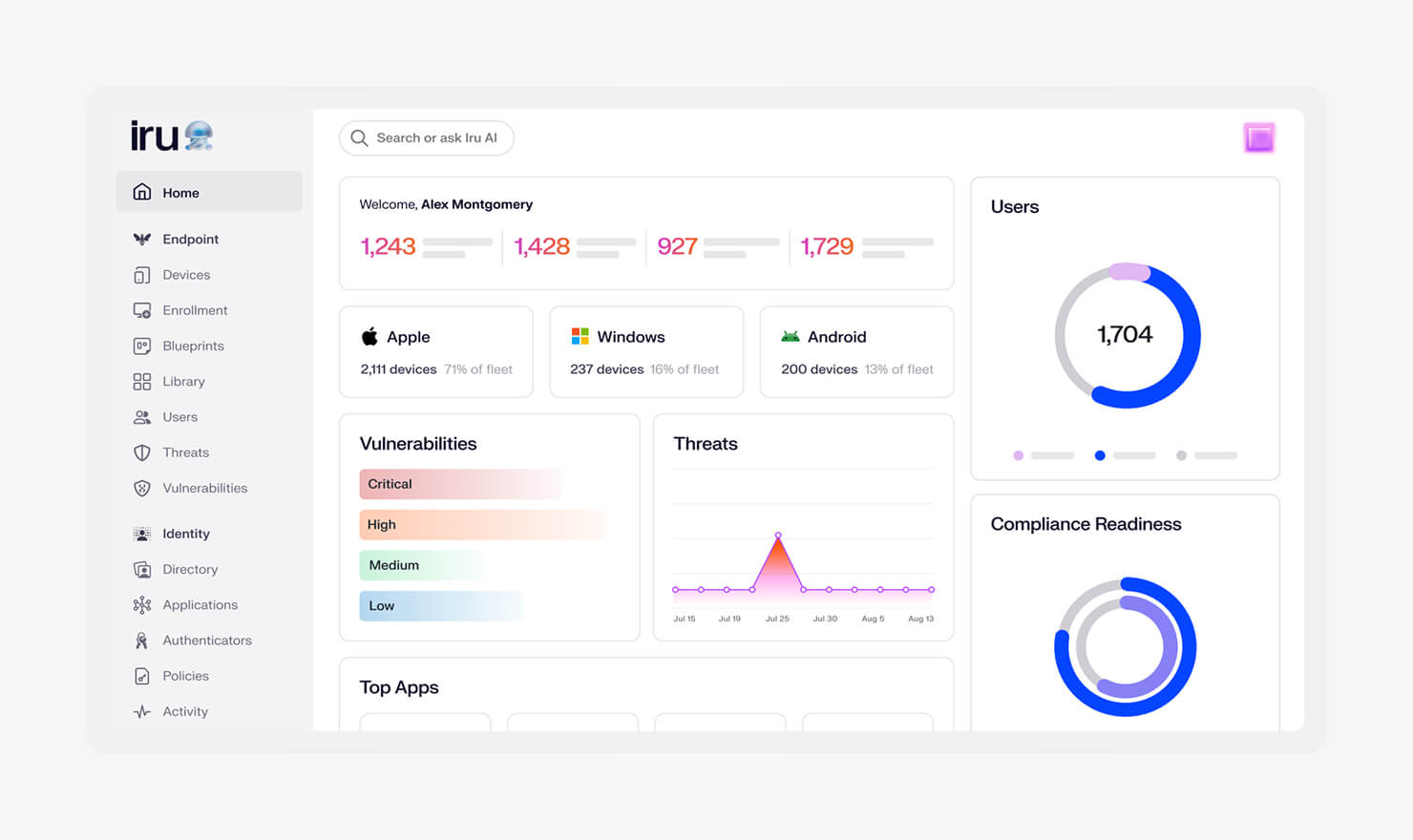
Iru is the best Apple MDM solution for teams that want control without juggling tools. You manage deployment, security, and compliance in one place. No tab switching. No duct tape. It works natively, whether you have a deep Apple bench or a small team that needs things to run right.
Setup is fast, and the interface is clean. You can start configuring Mac settings and rolling out policies in hours. Also, the system holds steady, so you’re not chasing devices or second-guessing coverage.
As one of the best MDMs for Mac, Iru stands out for its end-to-end coverage. Your devices enroll, configure, stay compliant, and offboard without manual work. This means you spend less time fixing and more time moving forward.
Key features:
- Simplified compliance: Apply CIS or NIST-aligned frameworks in one click. You get a working baseline fast, which is why teams looking for a simple SOC 2 starting point land here.
-
Built-in Endpoint Management and Security: You don’t bolt on another tool. Detection, containment, and response run inside the platform, so threats are handled without context gaps.
-
Passwordless Workforce Identity: Users sign in with passkeys tied to trusted devices. Fewer passwords, fewer resets, and stronger access control from day one.
-
Clear configuration workflows and Assignment Maps: You define what should happen once, and Assignment Maps keep your devices aligned automatically as users and roles change.
-
Self-remediating controls: The agent enforces settings beyond Apple profiles. If something drifts, it corrects itself without waiting for manual fixes.
-
IdP integration (source of truth): Your identity provider drives access and configuration. Devices inherit apps and settings based on real user data, like role or department.
-
Auto Apps: Common apps (200+) deploy and update on their own. No packaging, no patch chasing, no backlog.
-
Managed OS: OS updates stay consistent across devices. You control timing without leaving systems exposed.
-
Blueprint Routing: Devices route to the correct setup during enrollment without pre-assignment or sorting devices after the fact.
-
Full lifecycle management: From no-touch deployment to offboarding, everything runs through one system. Devices arrive ready, stay compliant, and leave clean.
| Pros | Cons |
|---|---|
| One platform for management, security, and compliance | Newer platform compared to legacy Apple MDMs |
| Fast setup with clear workflows | Requires a shift from point tools |
| Strong compliance support out of the box | Advanced features may take time to explore fully |
What Iru users are saying:
“We love the management tools it gives us to prevent loss and streamline setup of devices when onboarding/offboarding teammates.” (Joshua J. on G2)
“What I like most about Iru is the combination of its blueprinting functionality and overall ease of use. The platform is very intuitive, which makes managing Apple devices accessible even without a dedicated IT team.” (Boudewijn v. on G2)
“Iru has successfully unified Apple, Windows, and Android management into a single, sleek interface. The "Auto Apps" library is particularly impressive …” (Marwan S. on G2)
Iru’s Wall of Love also features reviews from CEOs, CTOs, security engineers, and other teams using the platform, where they talk about what changed after switching. Many also compare Iru to other tools they replaced, such as Jamf, JumpCloud, and Intune, and why they made the move.
Mosyle: Best platform for schools and budget-limited businesses
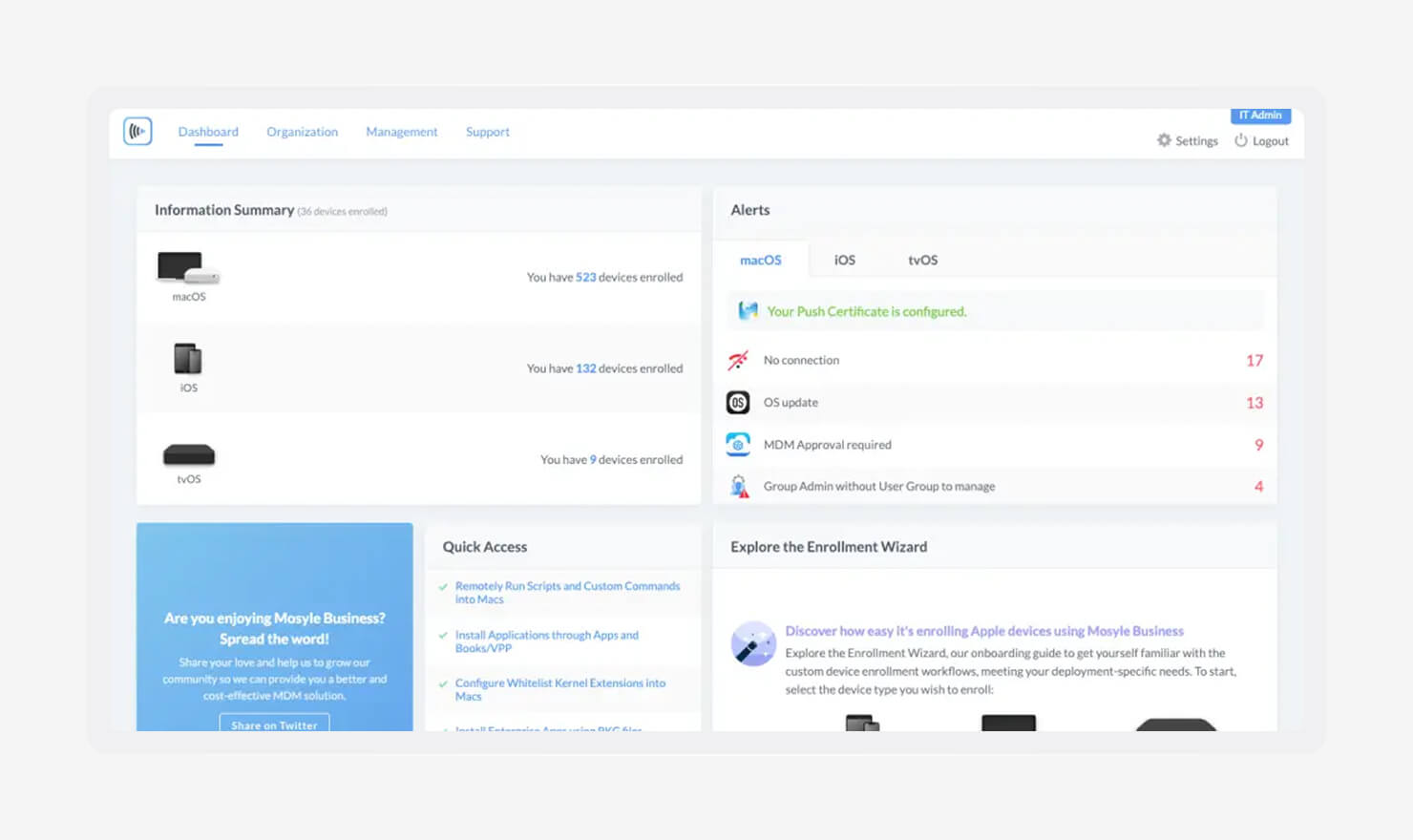
Image source: Mosyle
Mosyle is a practical MDM platform for schools and small teams that need to get started without a big budget. It covers the essentials and keeps costs predictable, which matters when you’re managing many devices with limited resources. For education, it lines up well with how devices are actually used day to day.
Its tiered pricing makes it easy to start small and grow over time. You can begin with core device management, then add more controls as your needs expand. Mosyle also leans into education use cases, with tools built around classrooms, shared devices, and student privacy.
It works smoothly with Apple Business tools, including enrollment and app distribution. That gives you a clean setup path without extra overhead, especially if you’re managing multiple classes or locations.
Key features:
- Classroom tools: Features like Screen View and App Lock give teachers control during lessons. You can keep students focused and reduce distractions without constant oversight.
- Multi-tenant management: Manage multiple schools or locations from one account. It keeps everything organized while still allowing each group to have its own settings.
- Cost-effective scaling: Pricing stays accessible as you grow. You can expand device management without a steep jump in cost, which is key for schools and small businesses.
| Pros | Cons |
|---|---|
|
|
|
|
|
|
What Mosyle users are saying:
“The ‘price to performance’ on Mosyle is insane. Some of the biggest names in the MDM field can't do much more but cost three times as much.” (Danny T. on G2)
“You must have a strong understanding of IT and computer jargon in order to use or make any changes to the settings …” (Lauren C. on G2)
Addigy: Best platform for MSPs
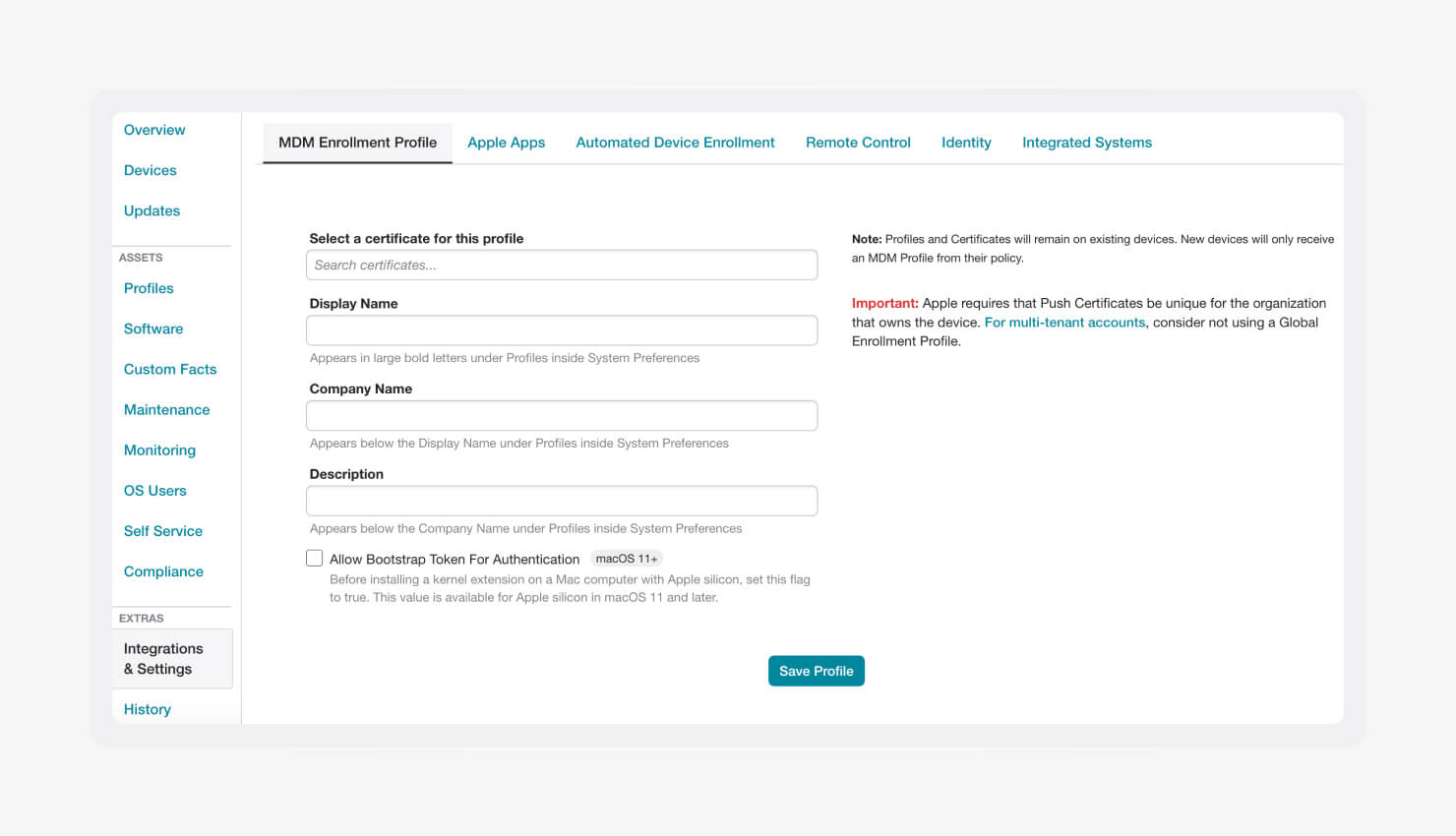
Image source: Addigy
Addigy is built for MSPs that support multiple clients at once. You get a single view across every environment, with clear separation between each client. It works well when you need to standardize operations but still respect how each customer is set up.
Real-time device access is where Addigy stands out. You can troubleshoot and manage Macs in the background without interrupting the user. That keeps work moving while you fix issues, which matters when you’re handling dozens or hundreds of endpoints across accounts.
As one of the best MDM solutions for MSPs, Addigy fits teams that need speed and scale. It also supports workflows like onboarding and migrating iOS and iPadOS devices, so you can bring new clients in without rebuilding everything from scratch.
Key features:
- Multi-tenant architecture: Each client stays isolated, but you can still apply global policies across accounts. It keeps management clean while letting you scale operations.
- Live Terminal: Run commands and scripts directly on a device in real time. You can diagnose and fix issues without waiting for user input or scheduling downtime.
- Seamless integrations: Connects with common PSA and ticketing tools. Your workflows stay in sync, so device management fits into how your team already works.
| Pros | Cons |
|---|---|
|
|
|
|
|
|
What Addigy users are saying:
“Great library of pre-vetted software … ease of setup of ABM registered devices … reasonable pricing.” (Vincent H. on G2)
“Even with training, navigation is horrible, easy to install the wrong policy, never successfully changed a Mac user password, and have to call support regularly.” (James F. on G2)
JumpCloud: Best platform for Windows-dominant environments
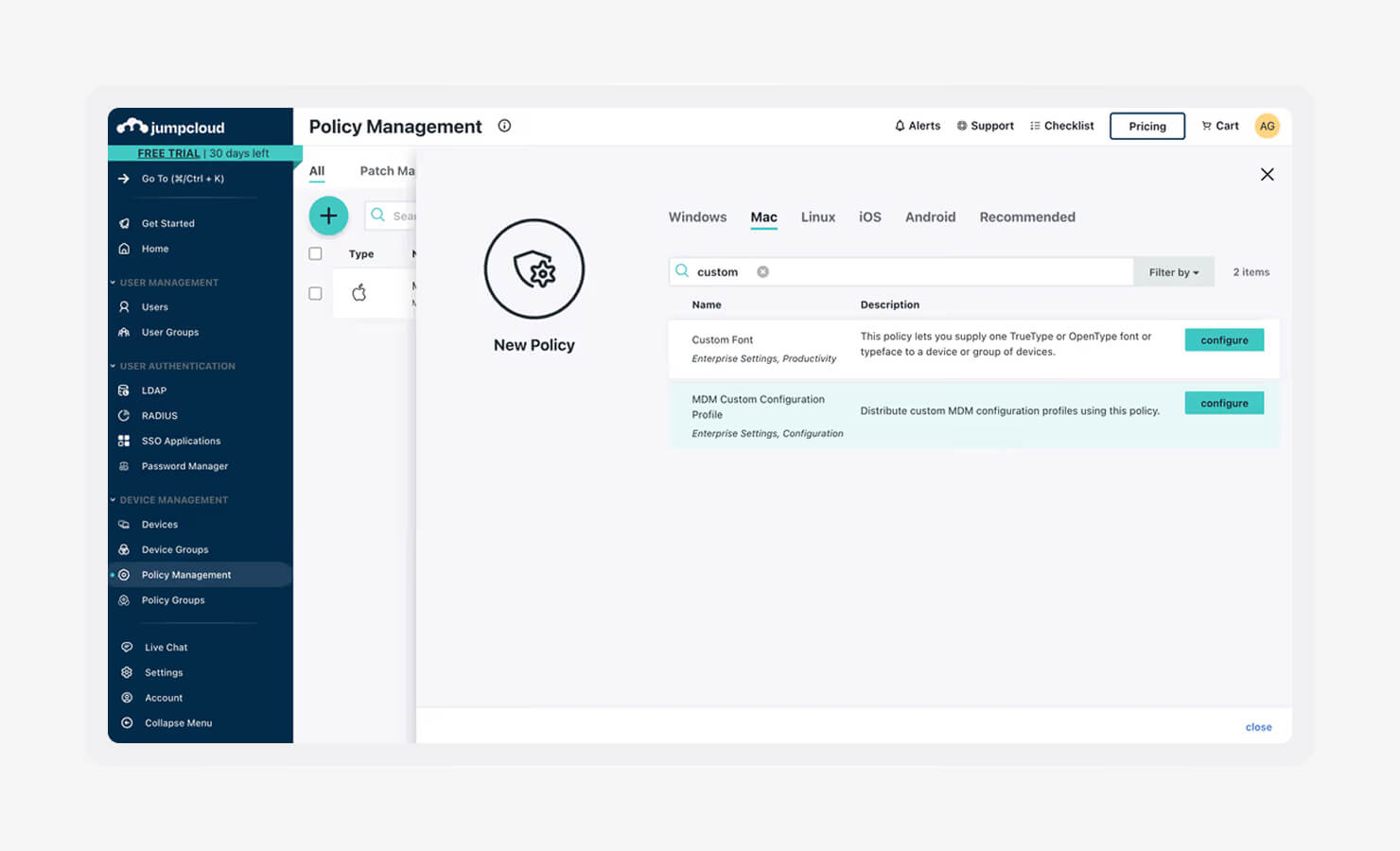
Image source: Tailscale
JumpCloud sits between identity and device management. It works as a cloud directory and an MDM in one system, which makes it a strong fit for teams moving away from on-premise Active Directory. You manage users, access, and devices together instead of stitching tools across environments.
This approach works well when your fleet spans Mac, Windows, and Linux. You get one place to control access and apply policies, even if Apple devices are only part of the mix. It’s not built as an Apple-first platform, but it holds its own if your environment leans heavily toward Windows.
If you’re comparing options for the best MDM for Apple devices, JumpCloud makes sense when identity is your starting point. It also helps standardize processes like onboarding and offboarding Apple devices, since access and device control live in the same system.
Key features:
- Unified identity management: User credentials connect directly to device logins, Wi-Fi, and VPN access. You manage identity once, and it carries across the environment.
- Cross-OS policy enforcement: Apply baseline security and configurations across Mac, Windows, and Linux devices. It keeps your setup consistent without separate tools for each OS.
- SSO: Built-in SSO connects users to SaaS apps through one secure login. It reduces password fatigue and gives you tighter control over access.
| Pros | Cons |
|---|---|
|
|
|
|
|
|
What JumpCloud users are saying:
“The initial setup was straightforward since it's cloud-based and integrates easily with Google or Microsoft, although configuring device management policies requires a bit of a learning curve.” (Kurt John G. on G2)
“iPhone management is not as smooth as it should be … the initial setup of JumpCloud was not easy … required reading a lot of documentation to understand it fully.” (Oliver O. on G2)
Microsoft Intune: Best platform for Microsoft 365-dedicated shops
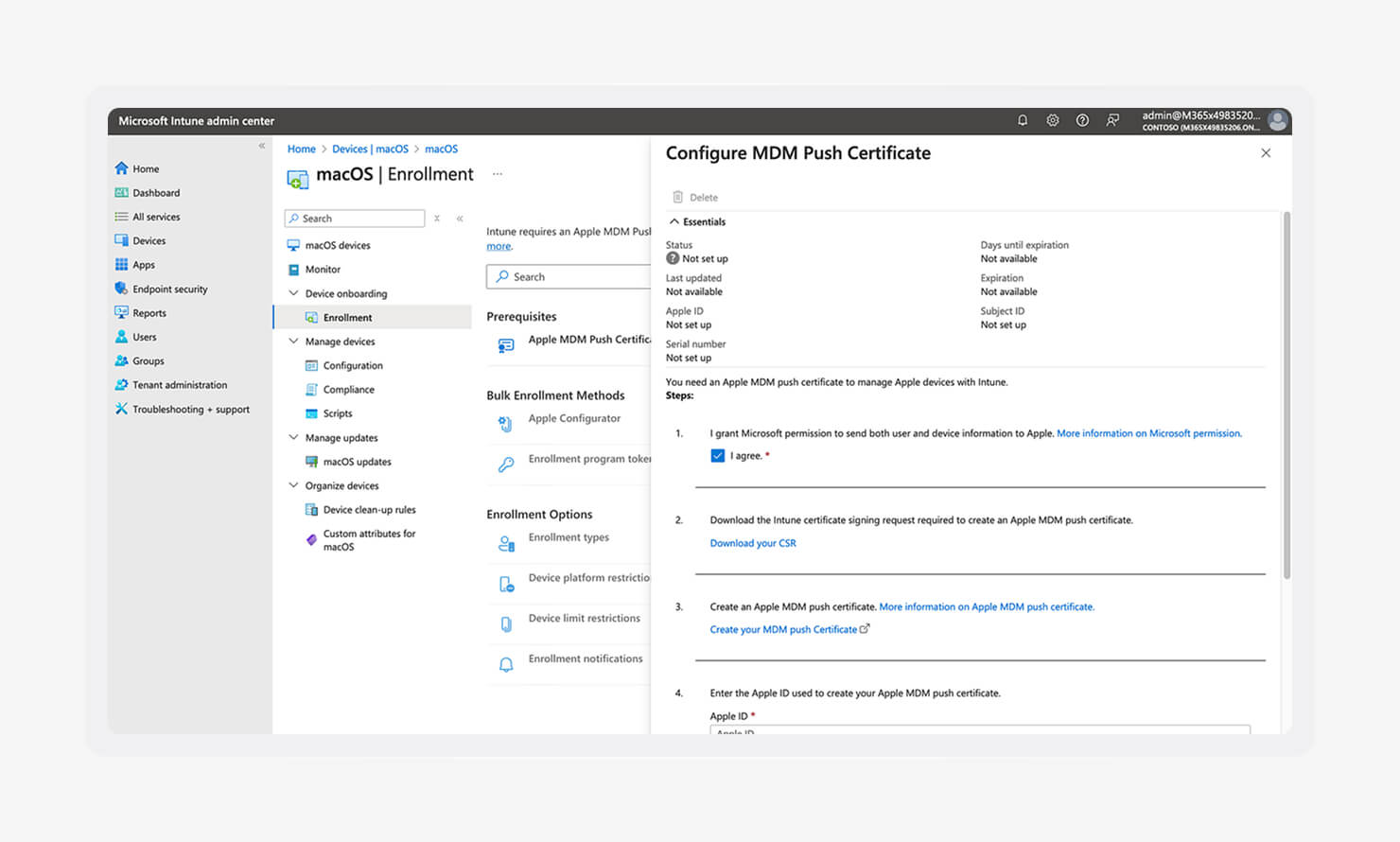
Image source: Jeffry Gunawan
Microsoft Intune is the obvious choice if you already run on Microsoft 365 or Microsoft Entra ID. You’re likely paying for it, and it fits into the tools your team uses every day. That makes it a cost-effective way to extend device management without adding another platform.
Intune started as a PC-first tool, and that history still shows. But its macOS support has improved a lot. You can now manage Macs alongside Windows devices in a way that feels consistent, making it well-suited to mixed environments.
It also ties into broader security efforts. Features like conditional access support stronger ransomware readiness, and policy controls help reduce risks associated with threats like the dangers of cracking tools or unapproved software.
Key features:
- Conditional access: Access to apps like email or Teams depends on device compliance. If your Mac falls out of policy, access is restricted until it’s fixed.
- Entra ID integration: Deep connection with Microsoft’s identity system keeps users, access, and devices aligned. It simplifies how you manage credentials and permissions.
- Unified endpoint management (UEM): Its UEM software helps you manage Macs, Windows devices, and more from a single portal. It reduces context switching and keeps your operations in one place.
| Pros | Cons |
|---|---|
|
|
What Microsoft Intune users are saying:
“What I like most is how Intune turns complex application management into a secure, automated, and user-centric process. The tight integration with Azure AD for conditional access is awesome …” (Prashant D. on G2)
"Updates are not handled automatically for a lot of our apps, so we need to add the latest files. Also, for a lot of the apps, we have to write scripts to get them installed.” (Vincent T. on G2)
SimpleMDM by PDQ: Best platform for custom software development
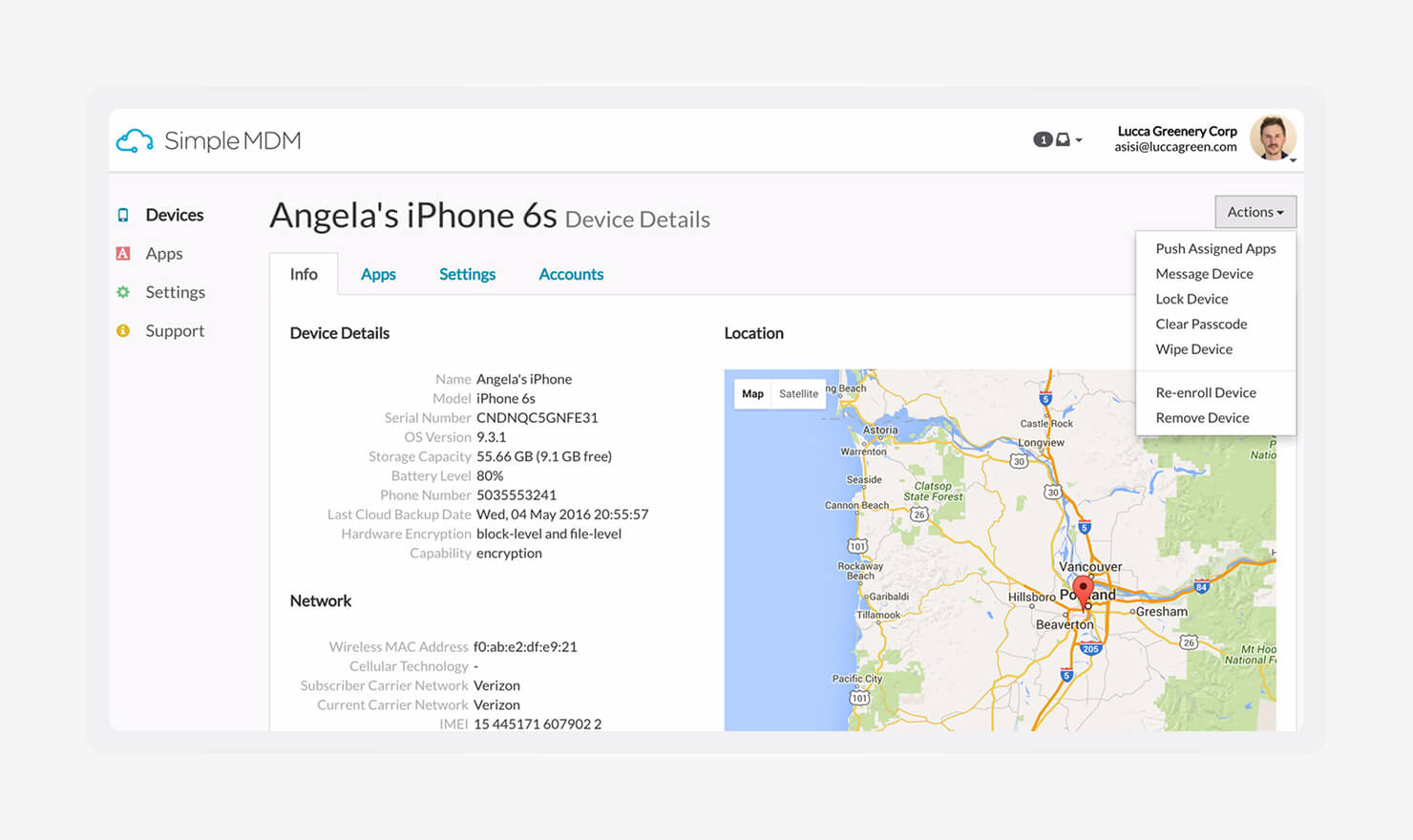
Image source: Crozdesk
SimpleMDM is built for teams that want control without extra layers. It’s a lightweight, API-first platform that appeals to experienced Mac admins who prefer to script, automate, and move fast. You get a focused tool that stays close to Apple’s native frameworks.
It leans heavily into custom software workflows. Its tight integration with Munki makes app deployment and updates far easier than doing it from scratch. That’s a big deal if your environment depends on internal tools or custom packages.
As one of the best MDMs for iOS and macOS in technical environments, SimpleMDM fits teams that want precision. It also supports finding vulnerabilities in Apple packages, since you can control how software is deployed, updated, and audited.
Key features:
- Hosted Munki integration: Munki can be complex to set up and maintain. SimpleMDM handles the heavy lifting, so you can deploy and update custom apps without managing the infrastructure yourself.
- API-first architecture: Nearly everything can be controlled through the API. You can automate tasks, build custom workflows, and integrate MDM actions into your existing systems.
- Clean, native focus: The platform stays focused on Apple device management. By avoiding cross-platform sprawl, it executes core Apple MDM functions with speed and reliability.
| Pros | Cons |
|---|---|
|
|
|
|
|
|
What SimpleMDM users are saying:
“Simple MDM is easy to use. Once you know where everything is and does, it works like a charm. I love seeing the location of devices and the ability to set restrictions at the user, device, or group level.” (David R. on G2)
“Support is only via email. We had an extremely difficult issue we were dealing with, and could not get anyone on the phone or even in a chat. It was email, wait, email, wait. It made it VERY difficult to solve the problem.” (Scott F. on G2)
Rippling IT: Best platform for HR and IT synergy
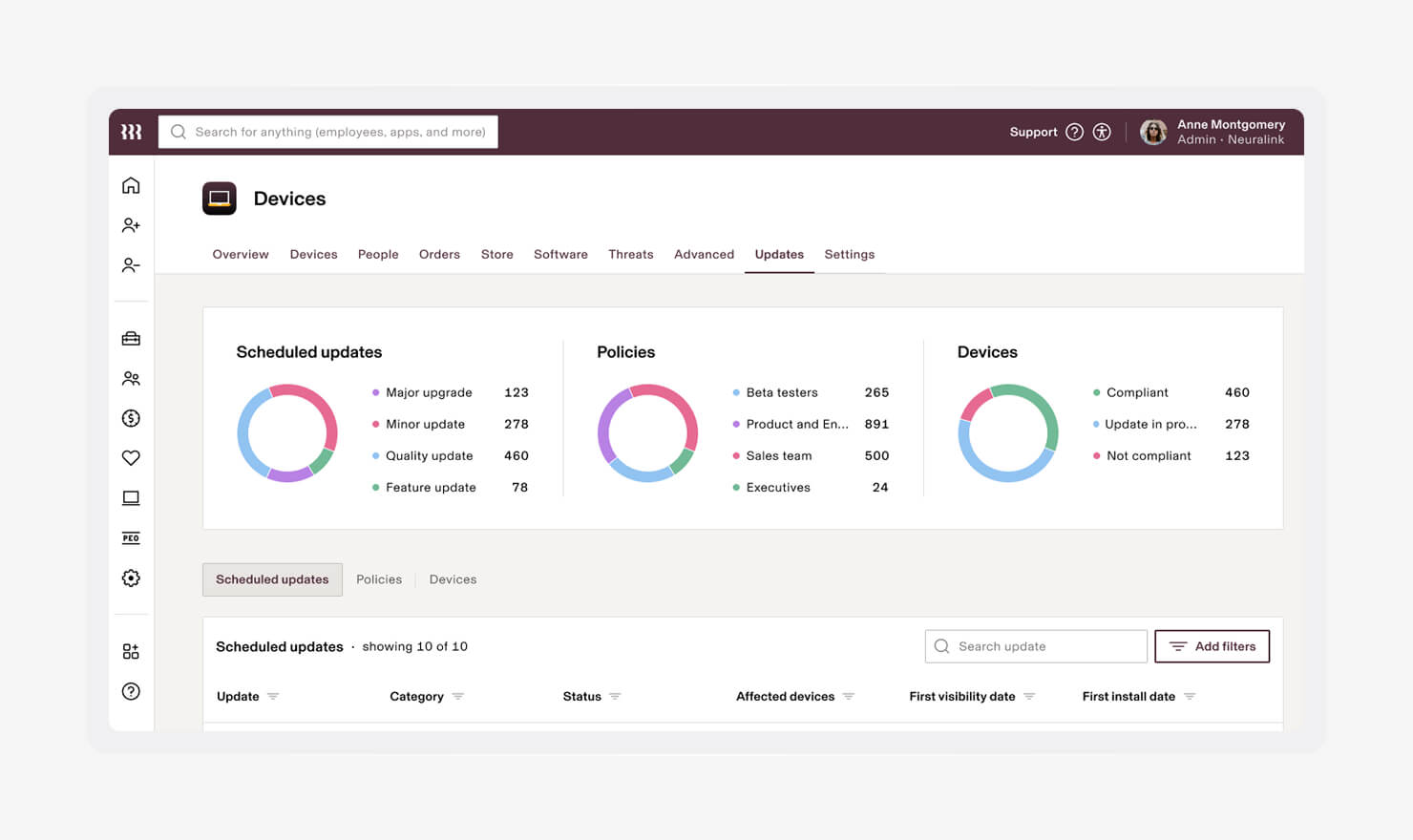
Image source: Mejji Le
Rippling blends HR and IT into one system. Employee data drives device management, so onboarding and offboarding don’t live in separate tools. That connection helps you move faster and avoid gaps between teams.
When you add a new hire, the process kicks off automatically. Devices are ordered, configured, and shipped without back-and-forth. It’s built to remove the delays that usually slow down onboarding.
As one of the best MDM for macOS options in HR-driven environments, Rippling stands out for automation. It also helps reduce shadow IT, since access and apps are tied directly to employee records.
Key features:
- Automated onboarding: Add a new hire in HR, and device setup follows. Apps, settings, and access are assigned without manual steps.
- Role-based provisioning: Employees get what they need based on role or department. It keeps access consistent and reduces setup errors.
- One-click offboarding: When someone leaves, access is revoked, and devices can be locked or wiped. You close security gaps quickly without chasing loose ends.
| Pros | Cons |
|---|---|
|
|
|
|
|
|
What Rippling users are saying:
“Starting a new job is always challenging … but the Rippling team has always supported me … I’m now fully settled into my current role. What I like most about Rippling is that they never let go of your hand if you need them.” (Sebastian F. on G2)
“Implementation is a bit complex … I've never seen a system that charges for additional integrations.” (Rosario T. on G2)
Jamf Pro: Best platform for large-scale teams with budgets to match
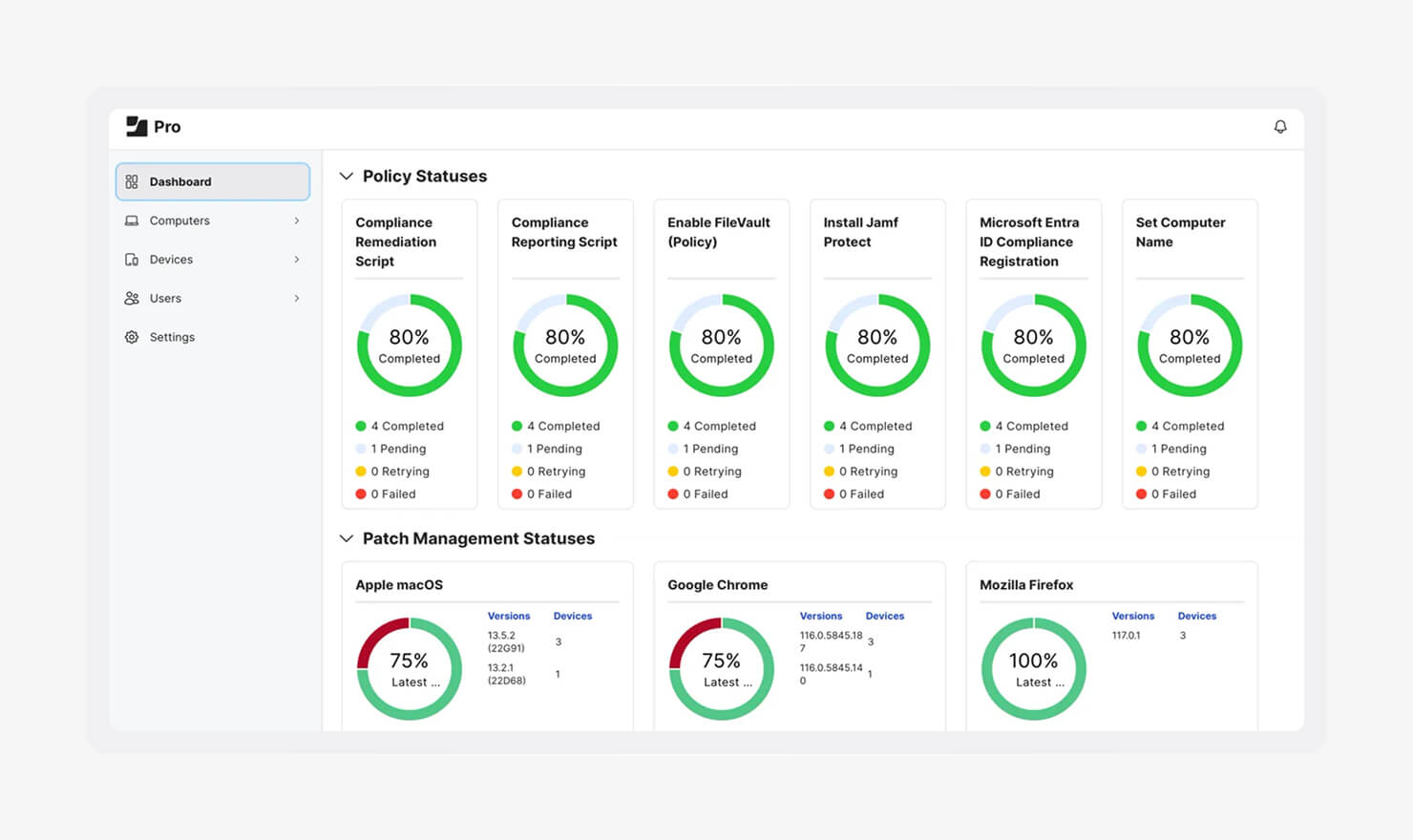
Image source: Workwize
Jamf Pro is built for large enterprises that need deep control over their Apple environment. It’s often the choice for organizations with dedicated Apple admins and the time to fine-tune every layer of device management.
That power comes with tradeoffs, though. The interface can feel heavy, and setup takes time. Teams that need to move quickly may find themselves slowed down by the learning curve and the effort required to maintain complex policies.
It’s also one of the more expensive options. For companies that need to manage macOS vulnerabilities at scale with tight control, it delivers. For smaller or faster-moving teams, it can feel like more system than you need.
Key features:
- Advanced policy engine: You can control nearly every aspect of the OS. It gives you precision, but it also demands experience to configure and maintain.
- Jamf Pro ecosystem: A large community and a wide range of integrations support enterprise workflows. You’ll find tools, scripts, and shared knowledge to extend what the platform can do.
- Scalability: Built to handle large fleets across regions. It supports global deployments with consistent policies and centralized oversight.
| Pros | Cons |
|---|---|
|
|
|
|
|
|
What Jamf Pro users are saying:
“Working with Jamf is really good, and it makes my job comfortable. I appreciate the ease of control and the level of control that Jamf gives me over every machine.” (Sri Adi Narayana R. on G2)
“The UI could be more user-friendly, and the number of steps required to complete configurations compared to Workspace One.” (Todd F. on G2)
Omnissa Workspace ONE: Best platform for Zero Trust enterprises
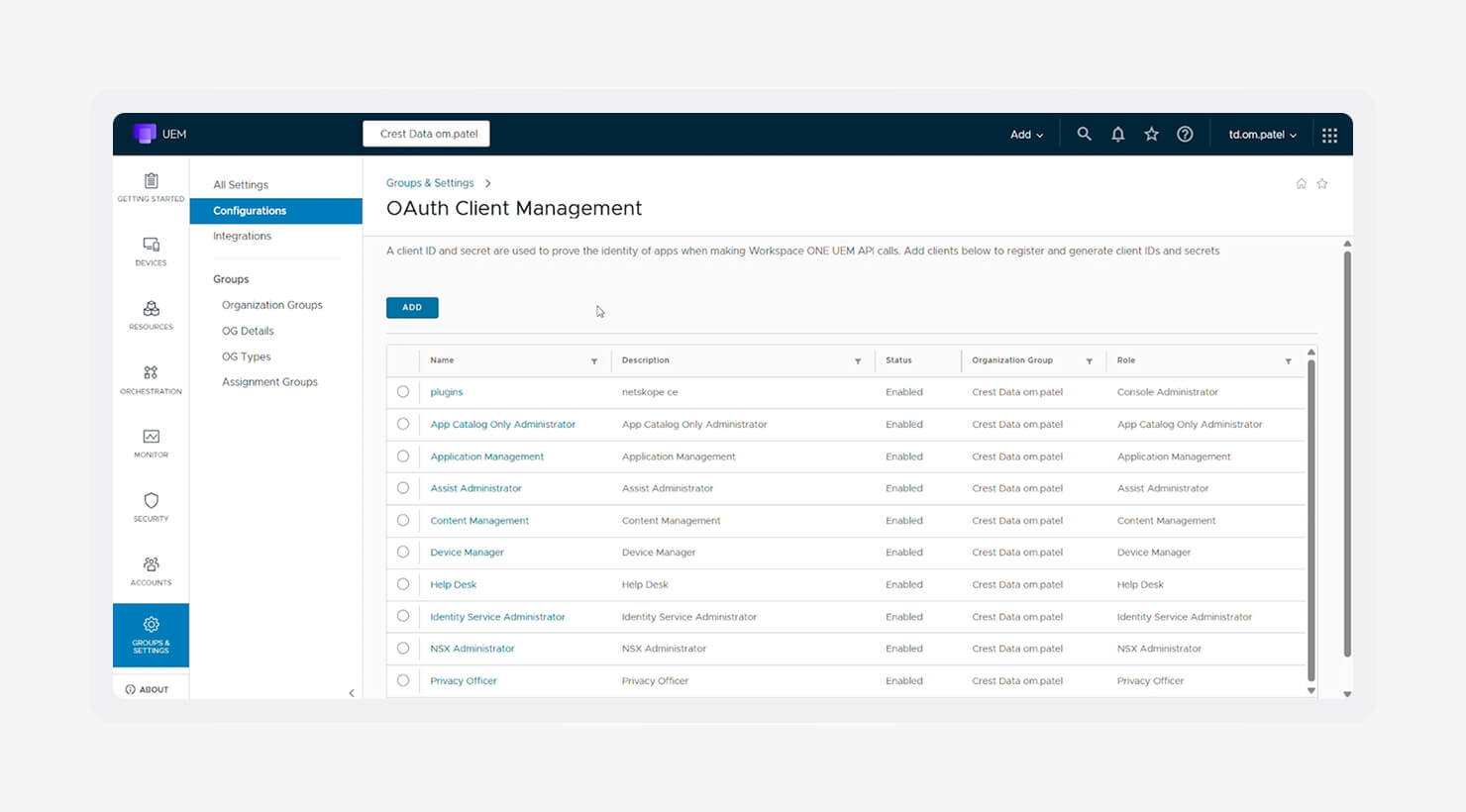
Image source: Netskope
Omnissa Workspace ONE is a heavyweight UEM built for strict, high-security environments. It’s designed for enterprises that need tight control over users, devices, and access at every step. You’ll often see it in regulated industries where security policies aren’t optional.
One of its strengths is its ability to handle both physical devices and virtual environments. If your setup includes Macs alongside VDI, Workspace ONE unifies them under a single control plane. That makes it easier to manage access and enforce policy across very different environments.
It’s a powerful system, but it comes with complexity. For instance, setup and maintenance take time, and it’s best suited for teams with the resources to manage it. If you’re focused on defending against threats like macOS malware in a Zero Trust model, it gives you the tools to stay ahead.
Key features:
- Zero Trust network access: Every access request is verified in real time based on user identity and device posture. You reduce risk by making trust conditional, not assumed.
- VDI integration: Virtual apps and desktops work alongside physical devices under one system. It keeps access consistent, whether users are local or remote.
- Advanced threat defense: Deep analytics, data loss prevention (DLP) controls, and automated responses help you detect and contain threats early. It adds another layer of protection for sensitive environments.
| Pros | Cons |
|---|---|
|
|
|
|
|
|
What Omnissa Workspace ONE users are saying:
“Improves the traditions of incorporation and configuration of both PC and cellular phones. It contains real-time applications, and the life cycle features allow the client-server applications.” (Raakulan K. on G2)
“I don't like anything about Workspace ONE. The UI isn't clean, it's confusing to navigate, and installing software.” (Matthew S. on G2)
NinjaOne: Best platform for integrated RMM and IT support
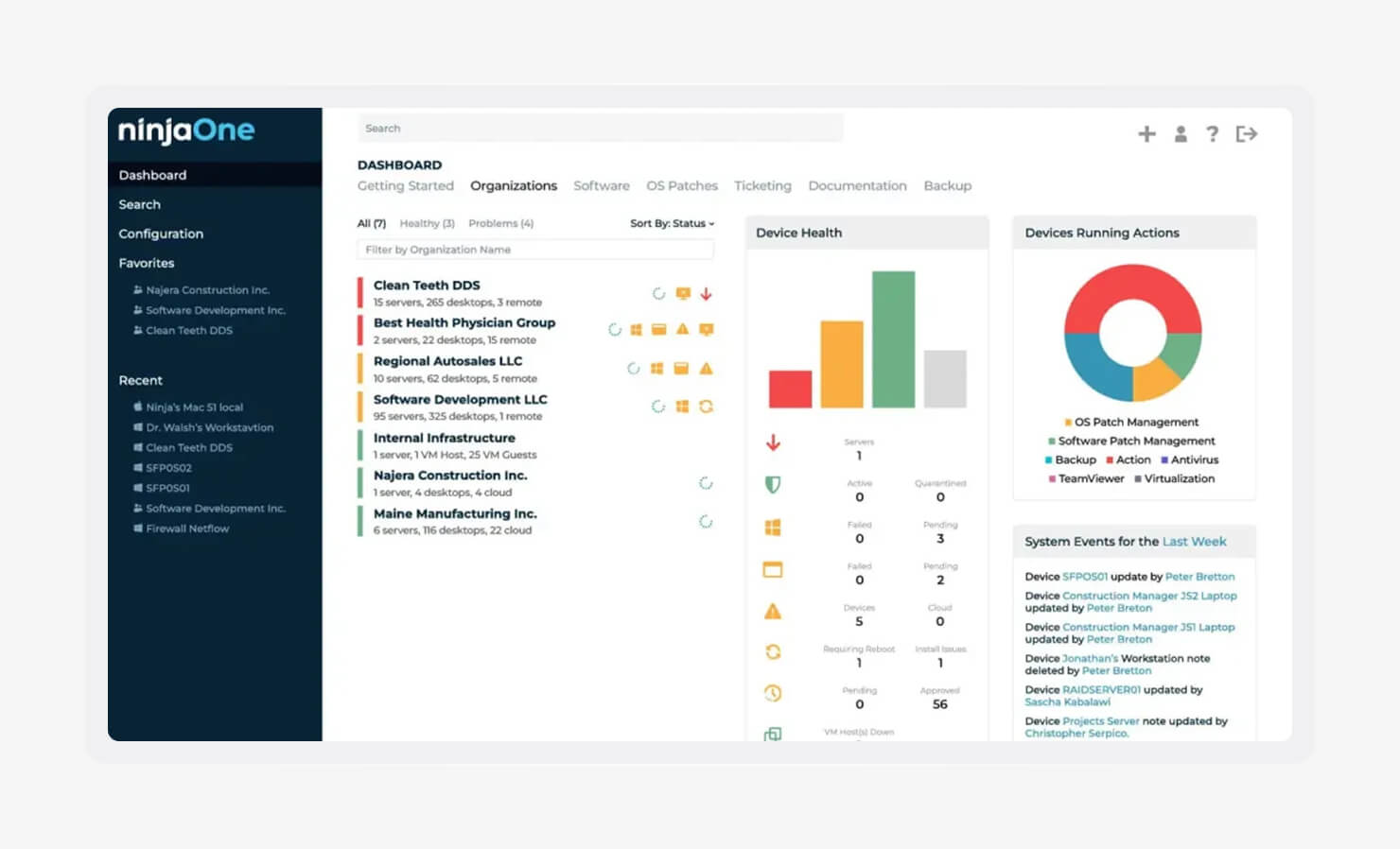
NinjaOne is built for IT teams that want fewer tools and more control. It combines MDM with strong remote monitoring and management, so you can manage devices, fix issues, and track work in one place.
It focuses on day-to-day operations. You patch software, monitor device health, and handle tickets without switching systems. That matters when your team is small, and your workload keeps growing.
For teams dealing with the top cyber threats, speed and visibility matter. NinjaOne helps you stay ahead by keeping devices updated and issues handled before they escalate.
Key features:
- Automated patching: Keeps macOS and third-party apps up to date without manual effort. It reduces exposure and cuts down on routine maintenance work.
- Background remediation: Fix issues using scripts and command-line tools behind the scenes. Users keep working while you resolve problems.
- Integrated ticketing: Alerts and user requests flow into a built-in helpdesk. You can track, assign, and resolve issues without leaving the platform.
| Pros | Cons |
|---|---|
|
|
|
|
|
|
What NinjaOne users are saying:
“Automations work as expected, patching (software and OS) is reliable, Ninja Remote is easy to use for both us and end user, remote PowerShell/CMD works well too.” (Drew B. on G2)
“The term 'needs attention’ is used as an umbrella term for all issues, making it difficult to understand the specific problems at first glance. Some features, such as the script library, can be hard to find for first-time users.” (Marcin K. on G2)
Why your business needs an Apple-specific MDM tool
Apple devices bring their own rules. If your mobile device management software doesn’t follow them, you'll feel it fast via missed policies, slow rollouts, and more manual work.
Here’s where Apple environments tend to trip teams up:
- Managing kernel extensions (kexts) and system extensions without breaking workflows
- Handling system-level permissions for apps without constant user prompts
- Keeping up with fast macOS, iOS, and iPadOS updates
- Enforcing FileVault and other built-in security features the right way
- Making ADE actually work end-to-end
When setup is manual, things slip. Devices miss critical settings. Security gaps open. IT spends hours repeating the same steps, fixing the same issues, answering the same tickets.
An Apple-specific MDM changes that. It connects directly with Apple Business Manager (ABM), so your devices enroll automatically, land in the right configuration, and stay compliant without constant touch.
Essential features to look for in an Apple MDM solution
A strong Apple MDM server handles the basics without friction and gives you a clear path to scale, especially if you’re aiming for something like an efficient MDM solution for SOC 2 setup.
Here’s what to look for:
- Zero-touch deployment: With ABM, devices ship straight to employees and configure themselves on first boot. Blueprint Routing takes it further by placing each device exactly where it belongs without manual sorting.
- Automated patching: Unpatched devices are easy targets. Automated OS and app updates keep everything current without chasing users or scheduling late-night fixes.
- Configuration profiles: You need consistency across every device. Profiles enforce things like password rules, Wi-Fi access, and FileVault, so security isn’t left to chance.
- Compliance templates: Compliance work can eat your week. Pre-built templates that map to frameworks like CIS give you a fast starting point, which is why teams looking for a simple MDM for SOC 2 setup care about this so much.
- Remote security: Devices get lost. It happens. You need the ability to lock or wipe them instantly so company data doesn’t walk out the door.
- Identity provider (IdP) integration: When your MDM ties into IdPs like Google Workspace or Okta through Apple’s Platform Single Sign-on (SSO), your users sign in with company credentials and get the right apps and settings based on who they are.
- Self-service portal: IT shouldn’t be a bottleneck. A curated app catalog lets your team install approved tools and fix common issues without needing admin access or filing a ticket.
- Custom scripting: Not everything fits into a preset. Scripts give you control to handle edge cases, automate workflows, and adapt to how your team actually works.
- App blocking: You need clear guardrails. Blocking unsafe or unapproved apps reduces risk and keeps your environment clean.
- Assignment Maps: Devices and users change. Assignment Maps keep everything aligned by dynamically applying apps and settings based on real-time context, so you’re not constantly adjusting things by hand.
How to choose the right Apple MDM for your team
Too many tools slow you down. We surveyed 1,011 IT and security professionals in Iru’s Sprawl Report (2026), and nearly half (46%) said overlapping tools are one of their biggest challenges. The right Apple MDM cuts through that noise, keeps your workflows tight, and gives you room to grow without constant rework.
Here’s what to look at before you commit:
- Evaluate technical support response times: When something breaks, you need answers fast. Look beyond sales claims and check service level agreement (SLAs) and real user feedback on response time and expertise. Also, pay attention to support models. Some vendors, like Jamf, gate help behind tiers, while others, such as Iru, give you direct access from day one.
- Assess the learning curve: Be honest about your team’s bandwidth. If you don’t have a dedicated Apple admin, choose a platform that’s easy to pick up and comes with pre-built frameworks. This also matters as your team grows. After all, new hires should be able to get up to speed without weeks of ramp time.
- Review update readiness (day-zero support): Apple moves fast, and your MDM should keep up. Check how quickly vendors support new macOS releases and security updates so your deployments don’t stall or break.
- Scrutinize the documentation and community: Good documentation saves hours. A strong knowledge base and active community help you solve edge cases without waiting on support.
- Prioritize IdP integrations: Your identity provider should drive access and configuration. Integration with tools like Okta, Microsoft Entra ID, or Google Workspace keeps users, devices, and policies aligned.
- Focus on future-proofing: Run a small proof of concept before rolling out widely. Test enrollment, policy behavior, and day-to-day workflows. Think ahead. How will this handle growth, new compliance needs, or a shift to mixed or BYOD environments? Capabilities like strong patch management and built-in vulnerability management will matter more as your fleet expands.
Manage your Apple devices at scale with Iru
Managing Apple devices gets harder as you grow. More users, more devices, more risk to keep in check. What works for a small setup starts to break under scale.
Iru’s MDM solution for Apple devices brings system management, endpoint security, identity, and compliance into one platform. You manage devices, secure them, control access, and stay compliant without stitching systems together. If you want the best MDM for Apple that also replaces the rest of your stack, this is where it stands apart.
Book a free demo to see how it fits your environment.