
 Workforce Identity
 Endpoint Management
 Endpoint Detection & Response
 Vulnerability Management
 Compliance Automation
 Trust Center


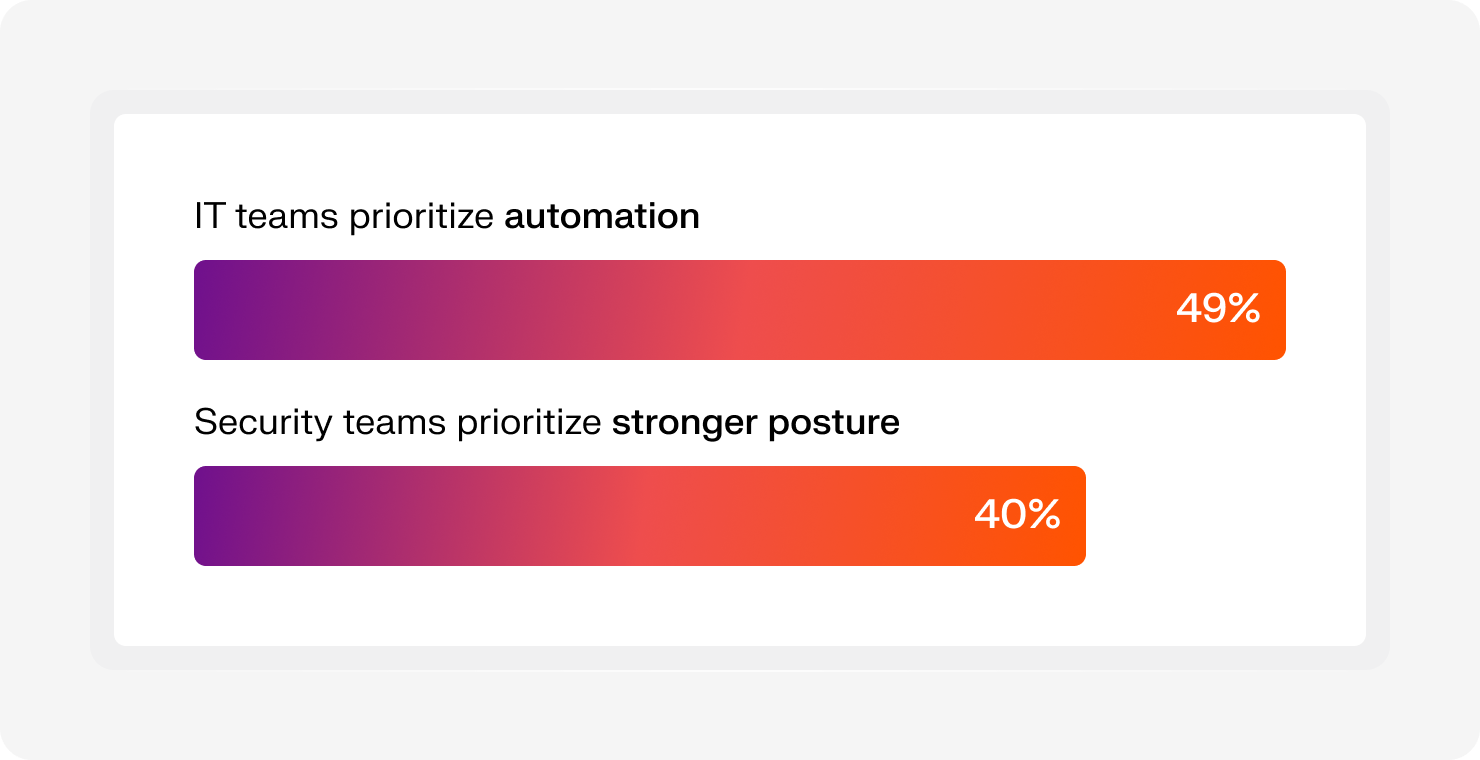
IT and security teams want different things from the same stack. IT wants automation that cuts down manual work. Security wants stronger protection and tighter control. The result is usually more tools layered on top of each other, which creates more complexity.
Iru’s Sprawl Report (2026) puts numbers behind that tension. Based on responses from 1,000+ IT and security professionals, the report found that 49% of IT teams see automation as a must-have, while 40% of security teams prioritize a stronger security posture. That split is one reason so many teams end up drowning in tabs, alerts, and disconnected workflows.
Endpoint security software sits at the center of all this. It protects the devices your team relies on every day, keeps threats out, and gives you visibility when something slips through. But protection alone doesn’t solve the sprawl. Most teams still end up juggling multiple tools to cover everything else.
In this guide, we’ll walk through eight endpoint security tools, what they offer, and where each one fits, so you can find the right approach for your environment without adding more complexity.
What is endpoint security software?
Endpoint security software protects every device connected to your company’s systems, including laptops, phones, and servers. For IT and security teams, this is where visibility starts and where most threats show up.
The problem is how those threats have changed. Traditional antivirus software looks for known signatures, but modern attacks don’t play by those rules. For instance, fileless malware lives in memory. Zero-day exploits hit before anyone knows what to block. And by the time your antivirus software reacts, the damage is already in motion.
That shift is why modern tools rely on endpoint detection and response (EDR) and automated endpoint security systems. Instead of scanning for known threats, they track behavior, connect signals across devices, and respond in real time.
For teams managing remote and hybrid work, this changes everything. Devices aren’t sitting inside one network anymore. They’re everywhere. The right endpoint security software gives you visibility across all of them and the ability to act without chasing issues one device at a time.
The 8 best endpoint security software solutions
The right choice depends on your environment, your team, and how much complexity you can handle. Here’s a quick look at how the top platforms compare and where each one fits:
| Platform | Best for | Key features | Operational load |
|---|---|---|---|
| Iru | Scaling companies with lean IT teams | Single-agent platform (MDM + EDR + identity + compliance), Context Model for intelligent responses, and fast deployment and automation | Low |
| CrowdStrike Falcon | Large enterprises with complex environments and a large SOC | AI-powered antivirus, continuous monitoring and forensics, and a lightweight cloud-native agent | Medium |
| SentinelOne Singularity | Large, mature companies with cloud-dominant workloads | Autonomous AI-driven response, Storyline attack tracking, and one-click ransomware rollback | Low to medium |
| Microsoft Defender | Enterprise organizations heavily invested in Microsoft Windows environments | Deep Windows integration, automated investigation, and tight integration with Intune and Entra ID | High |
| Bitdefender GravityZone | Mid-market companies requiring top-tier malware detection rates | Multi-layered threat defense, network attack protection, and risk analytics | Low |
| Trellix | Mature security operations centers needing broad, extended detection and response (XDR) capabilities | XDR across endpoint, email, and network, forensic investigation tools, and adaptive security architecture | High |
| Symantec Endpoint Security | Large organizations with extensive on-premise or hybrid architectures | Granular policy control, deception technology, and broad legacy OS support | Medium to high |
| Sophos Endpoint | Smaller teams or managed service providers (MSPs) outsourcing managed threat hunting | CryptoGuard ransomware protection, managed detection and response (MDR) services, and synchronized security with firewalls | Low to medium |
1. Iru: Best endpoint security for scaling companies with lean IT teams
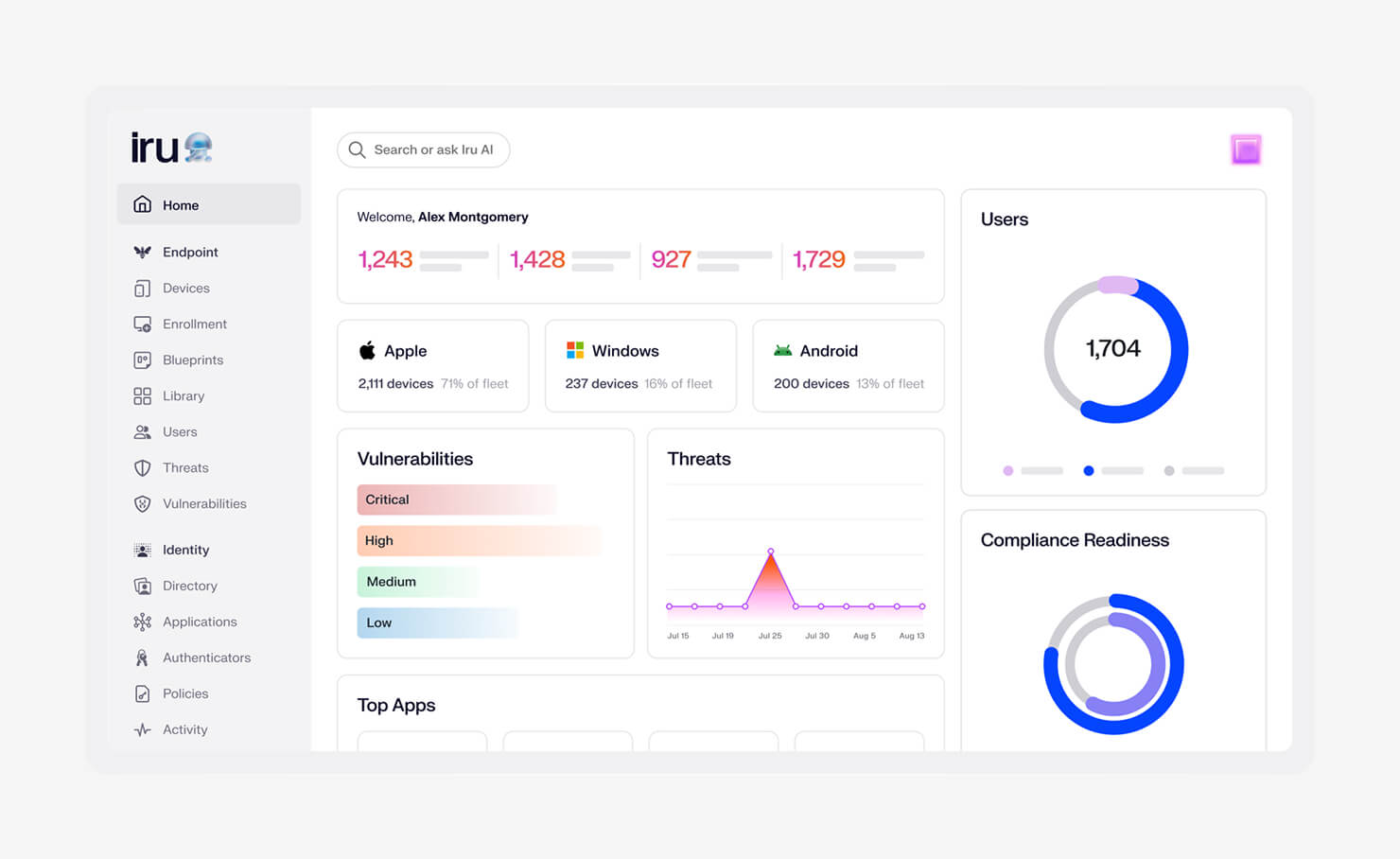
Fast-growing companies hit a wall with security tools. One for endpoints. One for device management. Another for identity. Then something else for compliance. The stack grows, and so does the overhead. We built Iru to collapse that stack into a single platform that brings endpoint security, identity and access, device management, and compliance together.
That convergence shows up in how Iru runs. One agent instead of four. Less performance drag. Fewer gaps between tools. This means you’re not stitching together context across dashboards. You’re working from one place that already understands how your users, devices, and policies connect.
The Iru Context Model is what makes that possible. It builds a living map of your environment using real-time telemetry across users, devices, apps, and policies. Iru AI uses that context to take action. If a device starts behaving like a threat, it can isolate it. If access looks risky, it can revoke it. The response matches the situation without waiting for manual steps.
Compliance fits into the same flow. Iru translates frameworks like CIS and NIST into actual controls you can enforce. It maps evidence automatically as systems run, so you’re not scrambling before an audit. You stay ready without adding more work.
Key features:
- Endpoint Detection & Response (EDR): One lightweight agent uses EDR to detect and contain advanced threats without slowing devices down, offering best-in-class protection for Mac and Windows
- Vulnerability Management: Finds risky software and uses autonomous remediation to patch issues quickly, without manual chasing
- Security control enforcement: Applies and maintains security policies across devices through the endpoint management layer
- Endpoint Management:Uses machine learning-driven detections to stop unknown threats and isolate devices before they spread
- App patching: Keeps applications up to date automatically, reducing exposure from outdated software
- Iru AI Context Model: Builds a unified, real-time map of users, devices, apps, and policies so every action is context-aware
- Threat Intelligence: Continuously analyzes real-time telemetry across devices, users, and activity to identify emerging threats early and strengthen detections without manual updates
| Pros | Cons |
|---|---|
|
|
What Iru users are saying:
“I love how Iru is so easy to set up and manage … with Iru, any junior admin could pick it up in just an hour of training.” (Thomas C. on G2)
“What I like best about Iru is the tracking feature. It gives clear, real-time visibility into activities and progress, which makes monitoring tasks and workflows much easier.” (Marwan S. on G2)
“I really like how Iru changes a lot, adding a lot of applications with big categories available. It offers a very easy-to-use platform that's easy to configure, smart, and agile.” (Ronny V. on G2)
We’ve shared a few highlights here, but there’s more. Check out Iru’s Wall of Love to see how teams describe the platform in their own words, from faster setup to less time spent juggling tools. Some also talk about how Iru compares to other tools they have used before and what made them switch.
2. CrowdStrike Falcon: Best endpoint security for large enterprises with complex environments and a large SOC
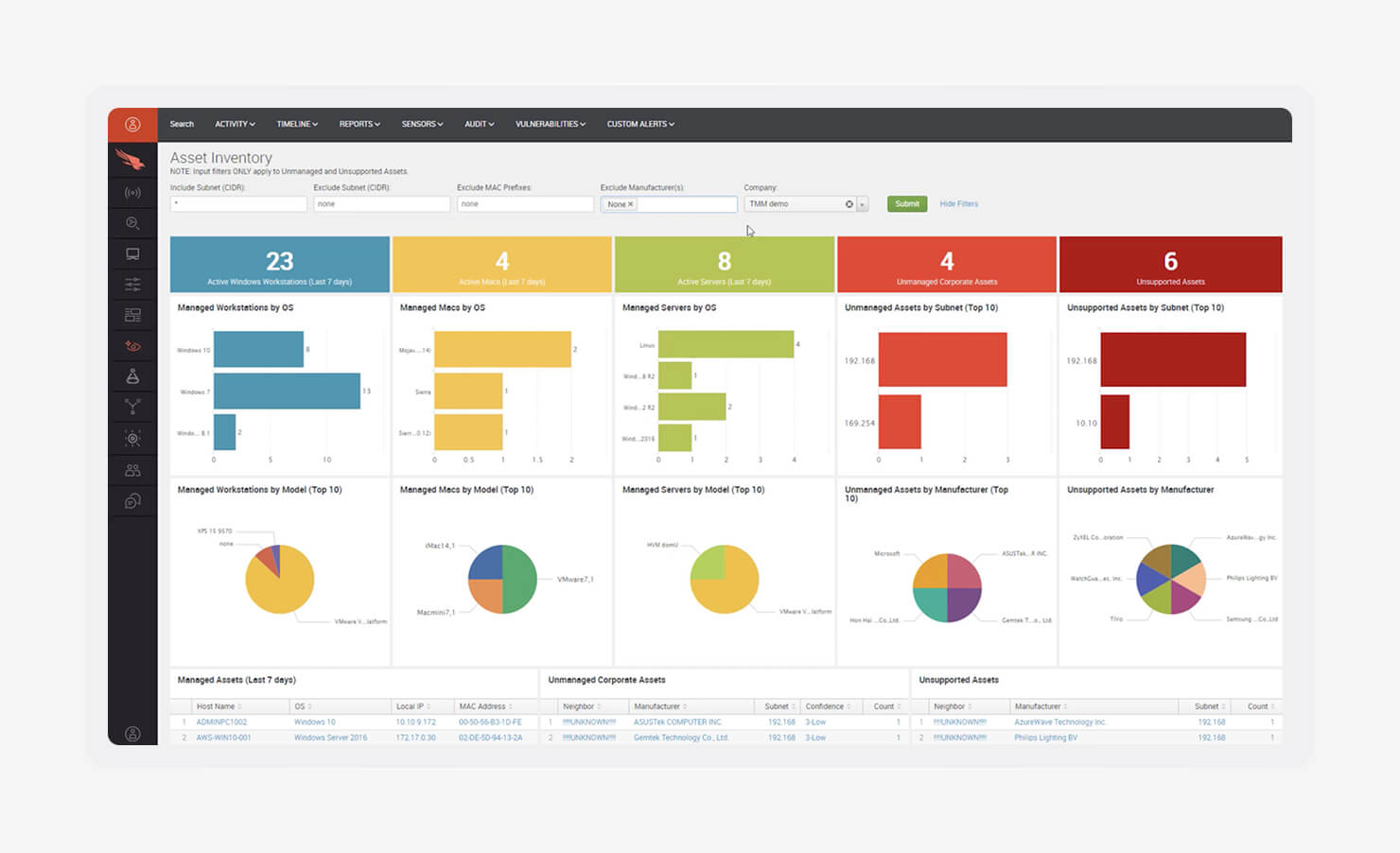
Image source: Crowd Protection Works
CrowdStrike Falcon is built for organizations that run large, complex environments and have a dedicated security team to match. It’s known for deep threat visibility and strong detection capabilities, especially when dealing with advanced attacks. If you have a full SOC in place, Falcon gives you the level of detail and control you need to operate at scale.
The platform runs on a cloud-native architecture, which means deployments are fast and updates happen continuously without forcing endpoint reboots. That matters in large environments where downtime adds up quickly. Its lightweight agent keeps performance impact low while still feeding data into Falcon’s Threat Graph, a massive dataset used to detect and stop sophisticated threats.
Falcon is often part of a broader stack that includes tools like mobile device management (MDM) and identity providers, since it focuses heavily on hosted endpoint security rather than device management or compliance. That focus is also why it’s trusted for stopping complex breaches, but it comes with added overhead when stitching together a full security stack.
Key features:
- AI-powered next-generation antivirus (NGAV): Uses machine learning to detect and block zero-day and fileless threats without relying on traditional signatures
- Continuous monitoring: Records endpoint activity over time, giving your security teams deep visibility for investigation and forensics
- Device control: Allows admins to manage USB and peripheral access across devices to reduce data exfiltration risks
| Pros | Cons |
|---|---|
|
|
What CrowdStrike Falcon users are saying:
“What I like most is the lightweight agent and powerful real-time threat detection capabilities. The platform runs smoothly … excellent protection against advanced threats, including ransomware and zero-day attacks.” (Emmanuel Joseph D. on G2)
“The main downside is the limited functionality available when offline, which leaves endpoint agents with few options in situations like remote work locations or while traveling on airplanes.” (Shamir A. on G2)
3. SentinelOne Singularity: Best choice for large, mature companies with cloud-dominant workloads
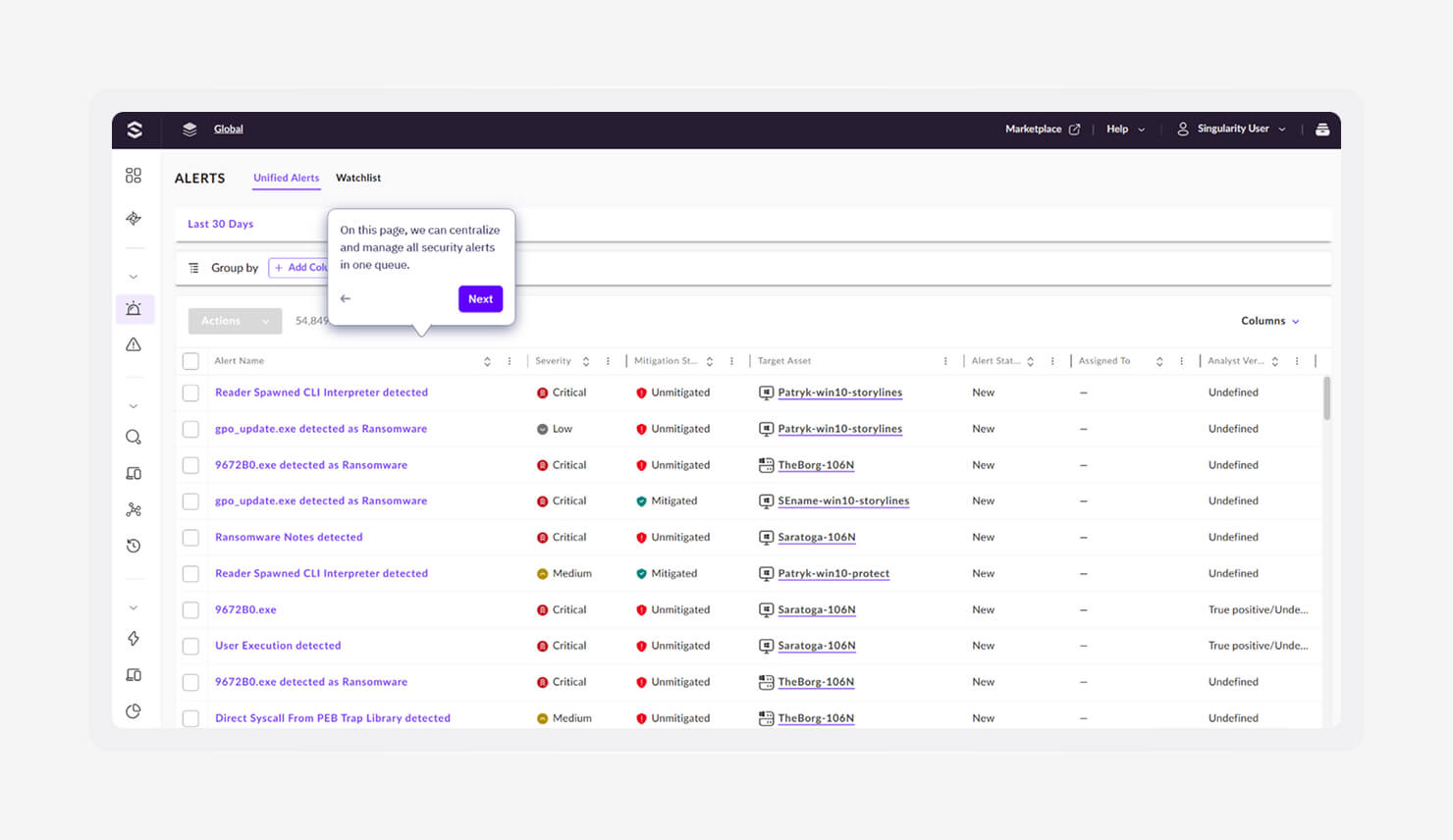
Image source: SentinelOne
SentinelOne Singularity is built for organizations that want security to act fast without waiting for humans. It leans heavily on automation, using AI to detect and respond to threats in real time. For large teams managing cloud-heavy environments, that speed makes a significant difference.
What sets it apart is how far the response goes. Most tools stop at detection. SentinelOne goes further by containing threats and reversing damage, especially in ransomware scenarios. If files are encrypted, it can roll them back to a safe state. That reduces downtime and cuts the impact of an attack.
Like other advanced endpoint tools, it focuses deeply on protection and response. You still need separate tools for areas like unified endpoint management (UEM), identity, and compliance. That means strong security coverage, but also more moving parts to manage across the stack.
Key features:
- Storyline technology: Automatically links related events into a clear timeline, so your teams can see how an attack started and spread without manual digging
- One-Click Rollback: Restores devices to their pre-infected state, helping you recover quickly from ransomware or system changes
- Behavioral AI: Makes decisions directly on the device, even when it’s offline, so protection doesn’t depend on constant cloud connectivity
| Pros | Cons |
|---|---|
|
|
What SentinelOne Singularity users are saying:
“The best thing is how quickly it detects and blocks the threats without any manual work, the agent is very light and doesn't slow down the system, and it has very reliable real-time threat monitoring.” (Harshul S. on G2)
“Sentinel One's user interface is quite complicated and not very intuitive. Additionally, the agent often leads to noticeable performance problems on endpoints and tends to produce a large number of false positives.” (Joevanne V. on G2)
4. Microsoft Defender: Best platform for enterprise organizations heavily invested in Microsoft Windows environments
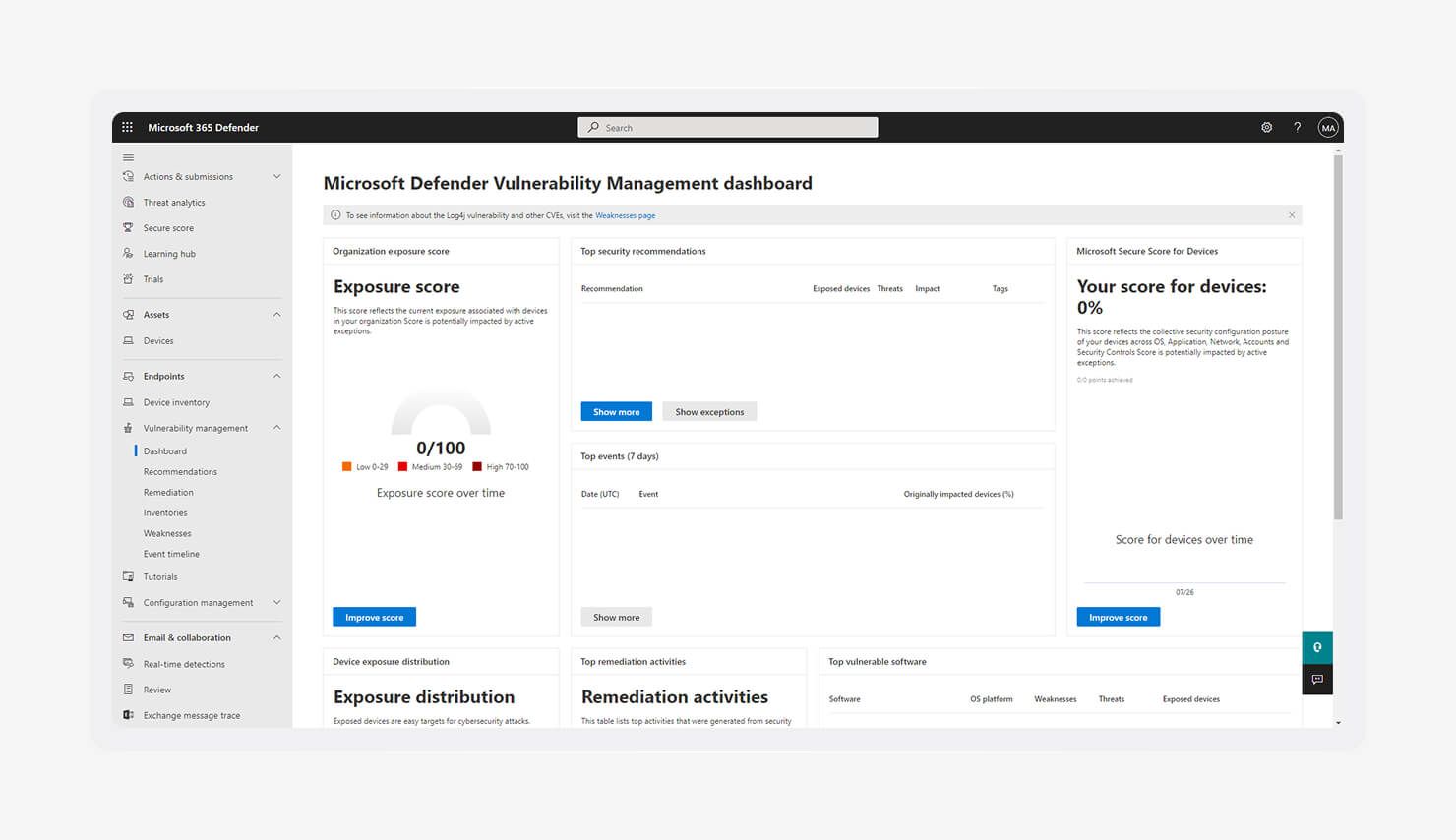
Image source: Microsoft
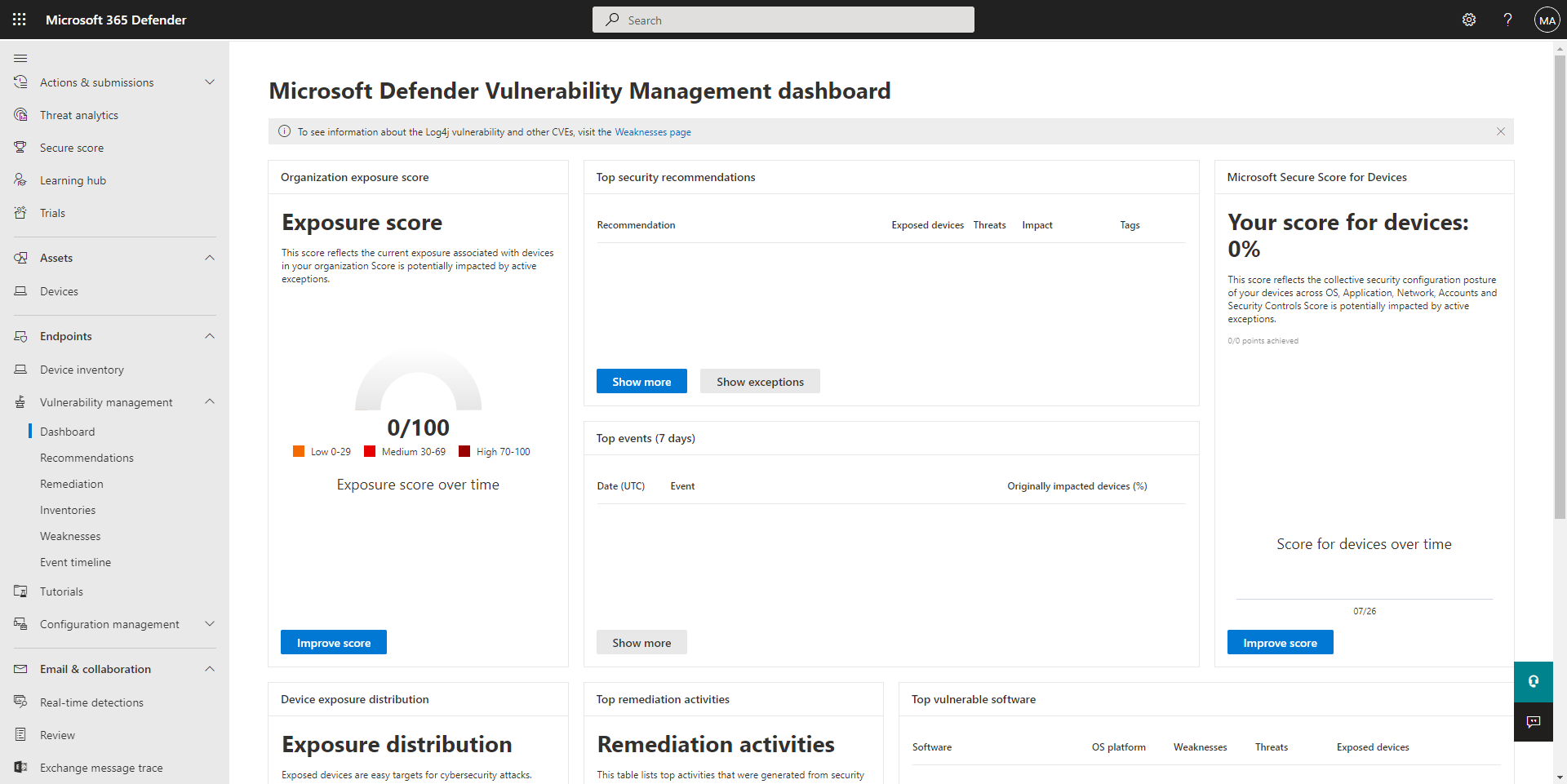
Microsoft Defender makes the most sense when you’re already deep in the Microsoft ecosystem. If you’re running E5 licenses, much of the capability is already there. That lowers friction. It also means security can plug into tools your team already uses every day.
Defender has come a long way from its early antivirus roots. It now offers full EDR capabilities, with visibility across devices, users, and activity. It connects closely with Microsoft Intune and Microsoft Entra ID, which helps extend coverage into identity and enterprise mobility management without adding separate vendors.
That tight integration is the real advantage. Policies, alerts, and actions flow across the Microsoft stack. But that also means you’re buying deeper into one ecosystem. For some teams, that’s efficient. For others, it limits flexibility compared to mixing best-of-breed tools.
Key features:
- Deep OS integration: Built directly into Windows, which reduces performance overhead and removes the need for separate agents in many cases
- Vulnerability management: Continuously scans for missing patches and risky software across endpoints, helping you prioritize fixes
- Automated investigation: Uses built-in playbooks to analyze alerts and resolve common threats without manual intervention
| Pros | Cons |
|---|---|
|
|
What Microsoft Defender users are saying:
“We like that Microsoft Defender for Endpoint is tightly integrated with Microsoft 365, Azure, and Defender XDR … delivers in-depth telemetry, supports automated response, and enables a more unified investigation experience across the environment.” (Muhammad A. on G2)
“Too many notifications, which makes it dislikable, and also, if you are using any Linux-based system, you will not be able to configure it with full support.” (Waqas F. on G2)
5. Bitdefender GravityZone: Best platform for mid-market companies requiring high detection rates
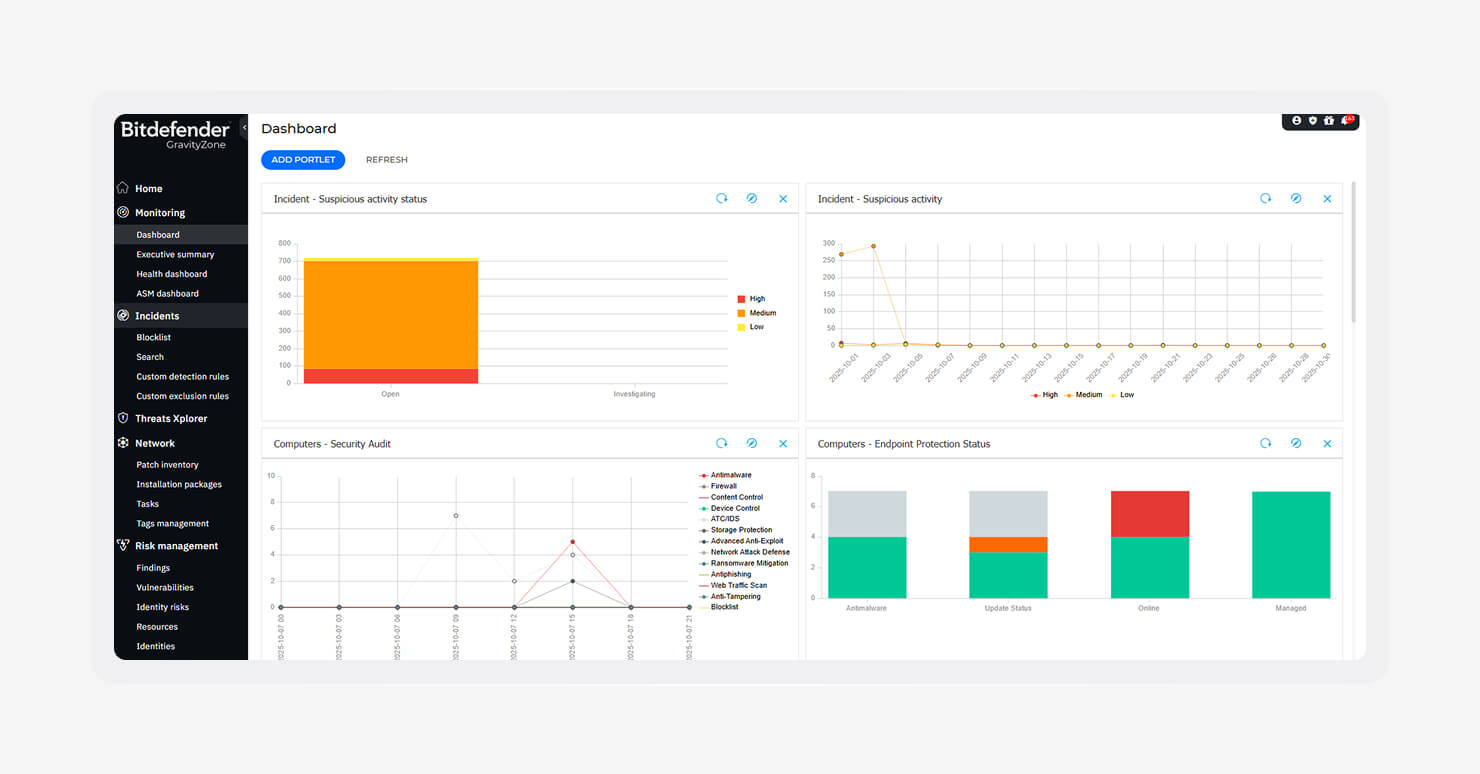
Image source: Bitdefender
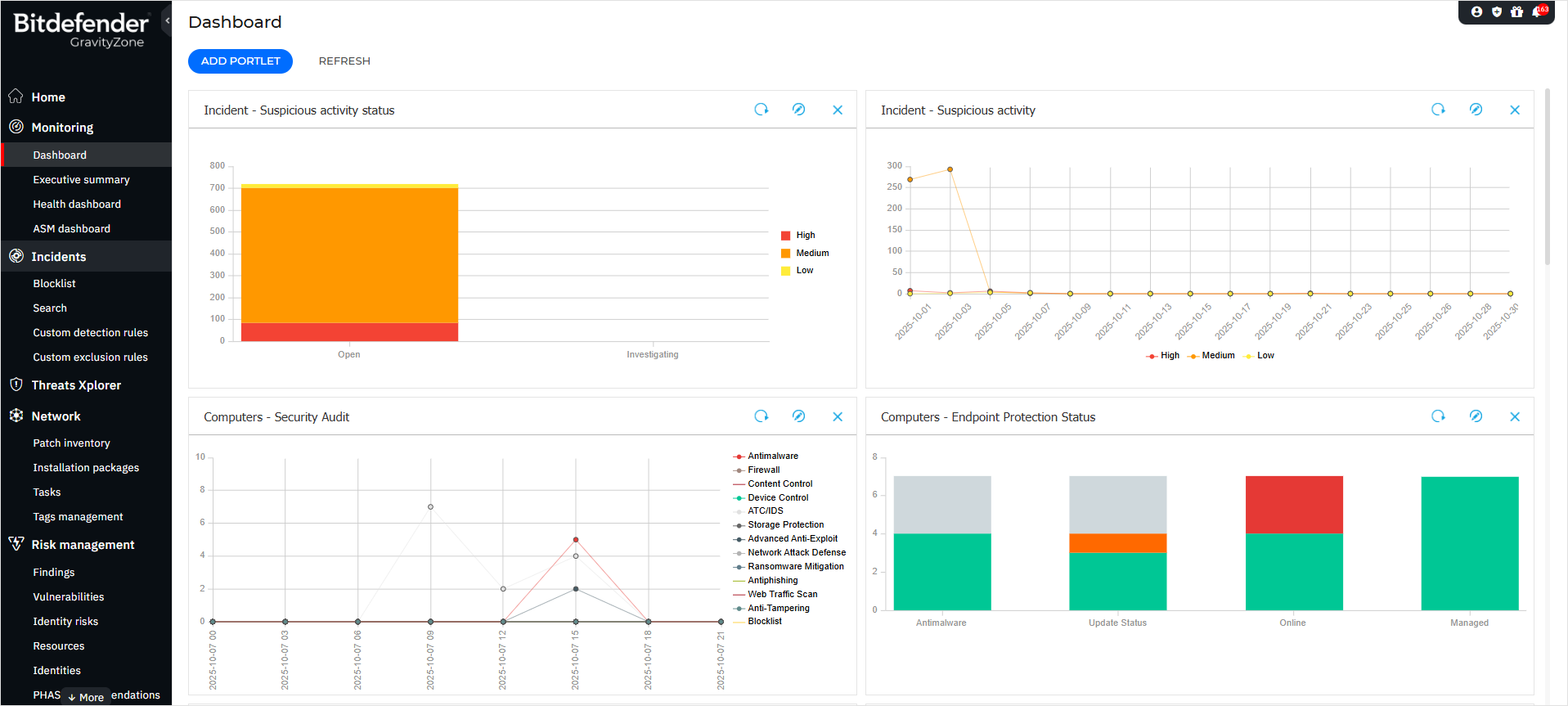
Bitdefender GravityZone is a strong fit for mid-market companies that want reliable protection without heavy overhead. It consistently ranks near the top in independent lab tests like AV-TEST and AV-Comparatives, especially for malware detection and performance. That balance matters when you need solid coverage without slowing down endpoints.
Its focus is prevention. GravityZone uses layered defenses to stop threats before they execute, including many of the modern top cyber threats, such as ransomware and fileless attacks. For teams without a large SOC, that proactive approach reduces the need for constant manual investigation.
Like most endpoint-focused tools, it sits alongside broader device management solutions like MDM, EMM, and UEM rather than replacing them. That means you get strong protection, but you’ll still rely on other tools for device control, identity, and compliance.
Key features:
- Multi-layered defense: Combines signatures, heuristics, and AI to detect both known and unknown threats across endpoints
- Network attack defense: Blocks exploit attempts that target network vulnerabilities before they can compromise devices
- Risk analytics: Continuously evaluates user and device risk to highlight weak points and guide security decisions
| Pros | Cons |
|---|---|
|
|
What Bitdefender GravityZone users are saying:
“The GUI is clear and easy to understand. I also like the flexibility in the rules for customers (Richtlinien). The MDR service responds quite fast and is reactive when something comes up.” (Michael H. on G2)
Quite a lot of false positives; incident analysis and management to be improved; integration with third-party platforms to be increased. (Marco A. on G2)
6. Trellix: Best platform for mature security operations centers needing broad XDR capabilities
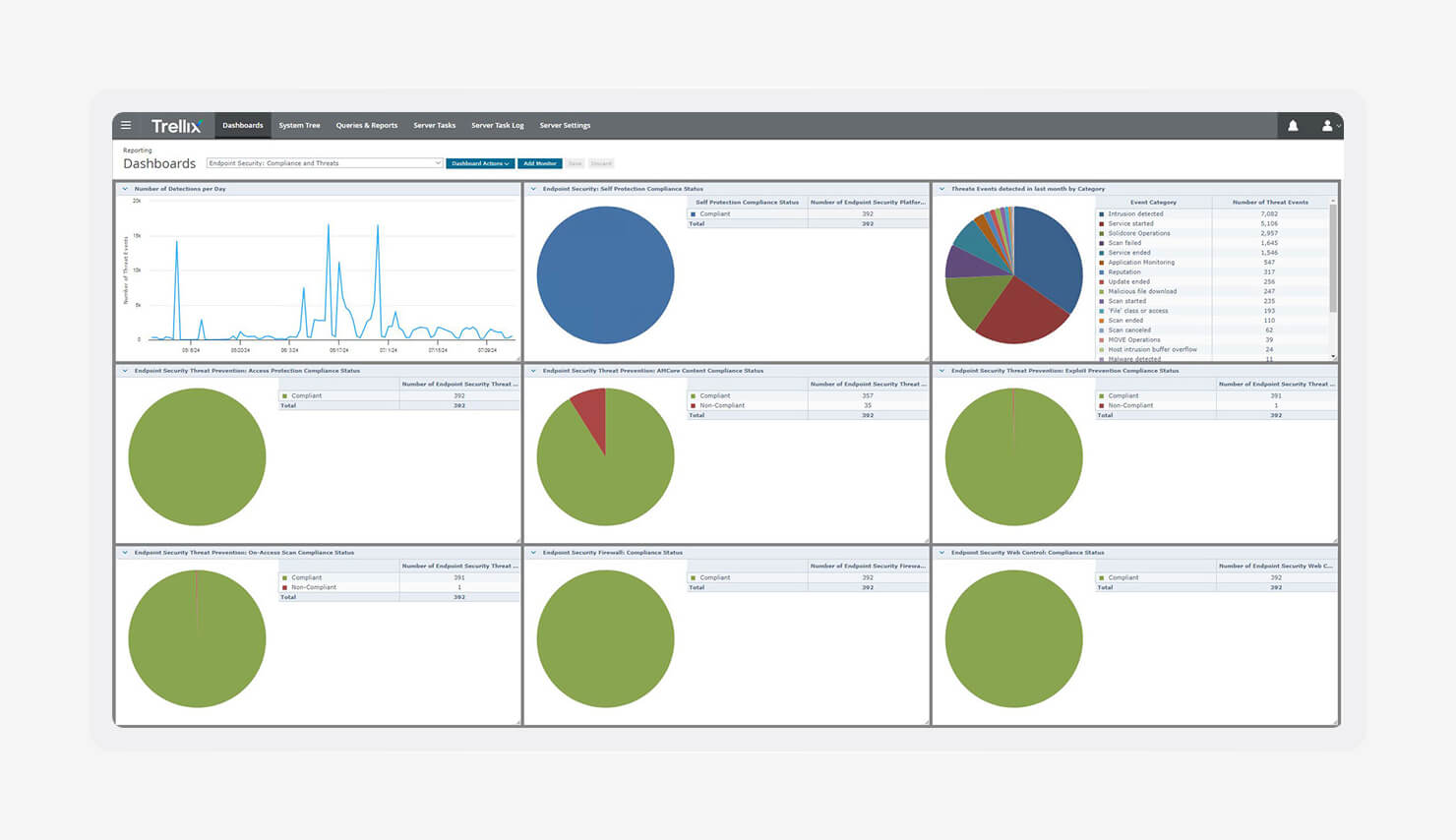
Image source: Trellix
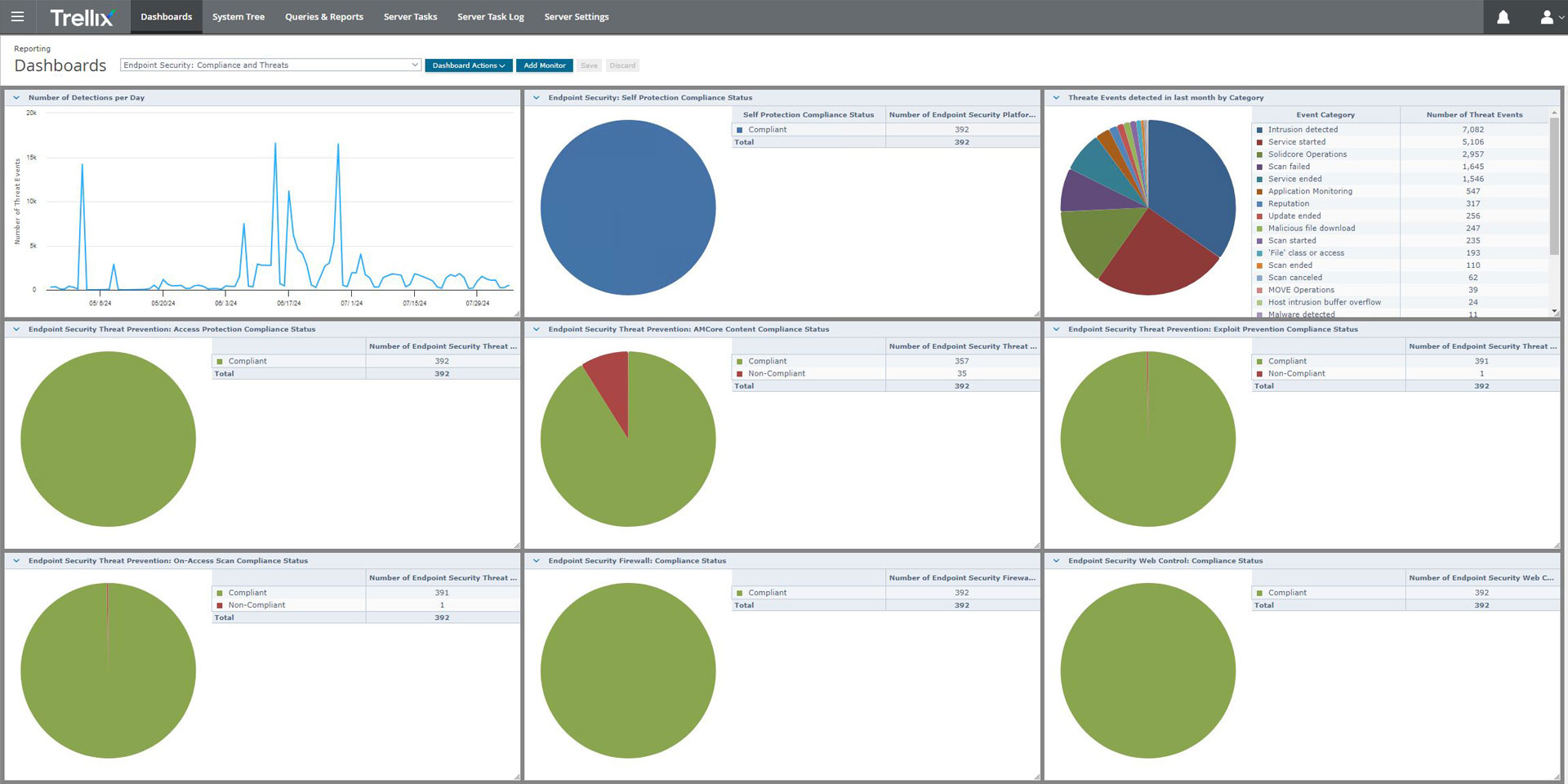
Trellix came out of the merger between McAfee Enterprise and FireEye. The result is a platform built for mature security teams that need deep visibility across multiple attack surfaces. It’s not just endpoint-focused. It pulls in telemetry from endpoints, email, and networks into one place.
That “single pane of glass” approach is where Trellix stands out. Security teams can correlate signals across systems instead of chasing alerts in isolation. It’s designed for SOC environments where analysts need context fast and the ability to investigate complex, multi-stage attacks without switching tools.
Trellix also leans into XDR to connect detection with response. It helps you handle everything from threat hunting to patch management, while working to fix common software patching problems that often leave gaps open. The tradeoff is complexity. This is a platform built for experienced teams, not lightweight setups.
Key features:
- Living security architecture: Continuously adapts to new threat intelligence, updating defenses as attack patterns evolve
- Forensic analysis tools: Provide deep investigation capabilities so incident response teams can analyze and understand attacks in detail
- Multi-vector protection: Correlates endpoint, email, and network data to detect threats that move across different layers
| Pros | Cons |
|---|---|
|
|
What Trellix users are saying:
“Orchestration, visibility, and remediation are among the key features that Trellix Endpoint Security has provided to my organization over the years.” (Jose M. on G2)
“When the premium subscription was coming to an end, it generated too many notifications, and when it ended, there were many more, so I had to uninstall the program because it was very disruptive.” (Ramiro T. on G2)
7. Symantec Endpoint Security: Best platform for large organizations with extensive on-premise or hybrid architectures
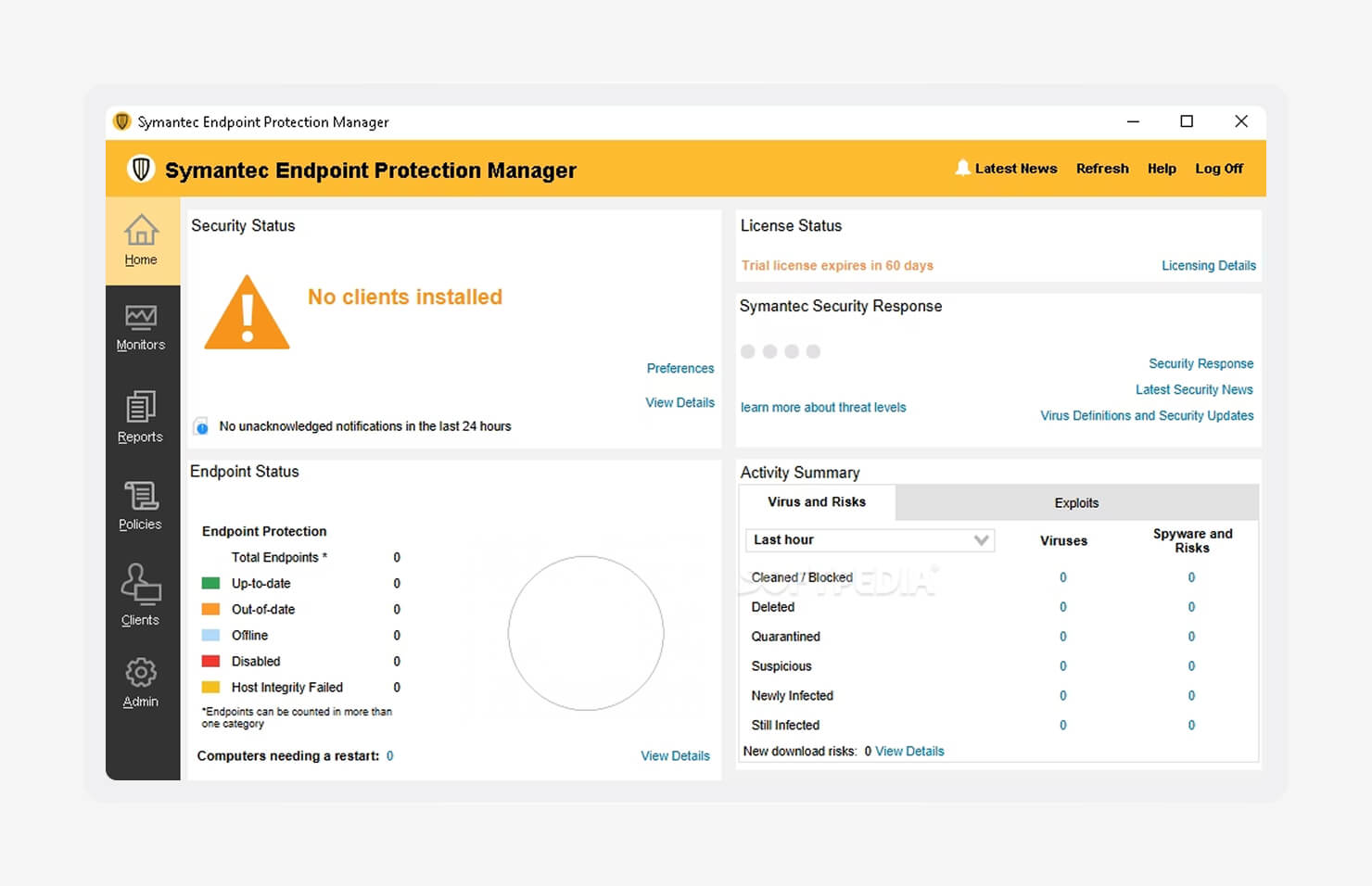
Image source: Capterra
Symantec Endpoint Security, now under Broadcom, is built for large organizations that run complex, often hybrid environments. It’s been around for a long time, and that maturity shows. Teams with strict compliance needs or legacy systems tend to lean on it because it covers a wide range of operating systems that newer tools often skip.
A big part of its strength is control. Symantec provides admins with detailed policy management across endpoints, supporting both user-based and device-based security models. That flexibility matters in environments where access rules vary by role, device type, or location. It’s designed for organizations that need precision, not just broad protection.
The tradeoff is that it feels heavier than newer platforms. Setup, tuning, and day-to-day management take effort. But for teams that need deep control across older and modern systems, it remains a dependable option.
Key features:
- Behavioral isolation: Allows applications to run while restricting risky actions, reducing threats without fully blocking workflows
- Deception capabilities: Uses decoy files and credentials to detect attackers early by luring them into controlled traps
- Intensive device control: Offers granular policies for managing USB devices, Bluetooth, and other removable media
| Pros | Cons |
|---|---|
|
|
What Symantec Endpoint Security users are saying:
“It offers robust, multi-layered protection … delivers dependable defense against malware and zero-day threats, all while allowing for centralized management.” (Adesh R. on G2)
“The cost is too high compared to Trend Micro and CrowdStrike antivirus tools.” (Vijay G. on G2)
8. Sophos Endpoint: Best platform for smaller teams or MSPs outsourcing managed threat hunting
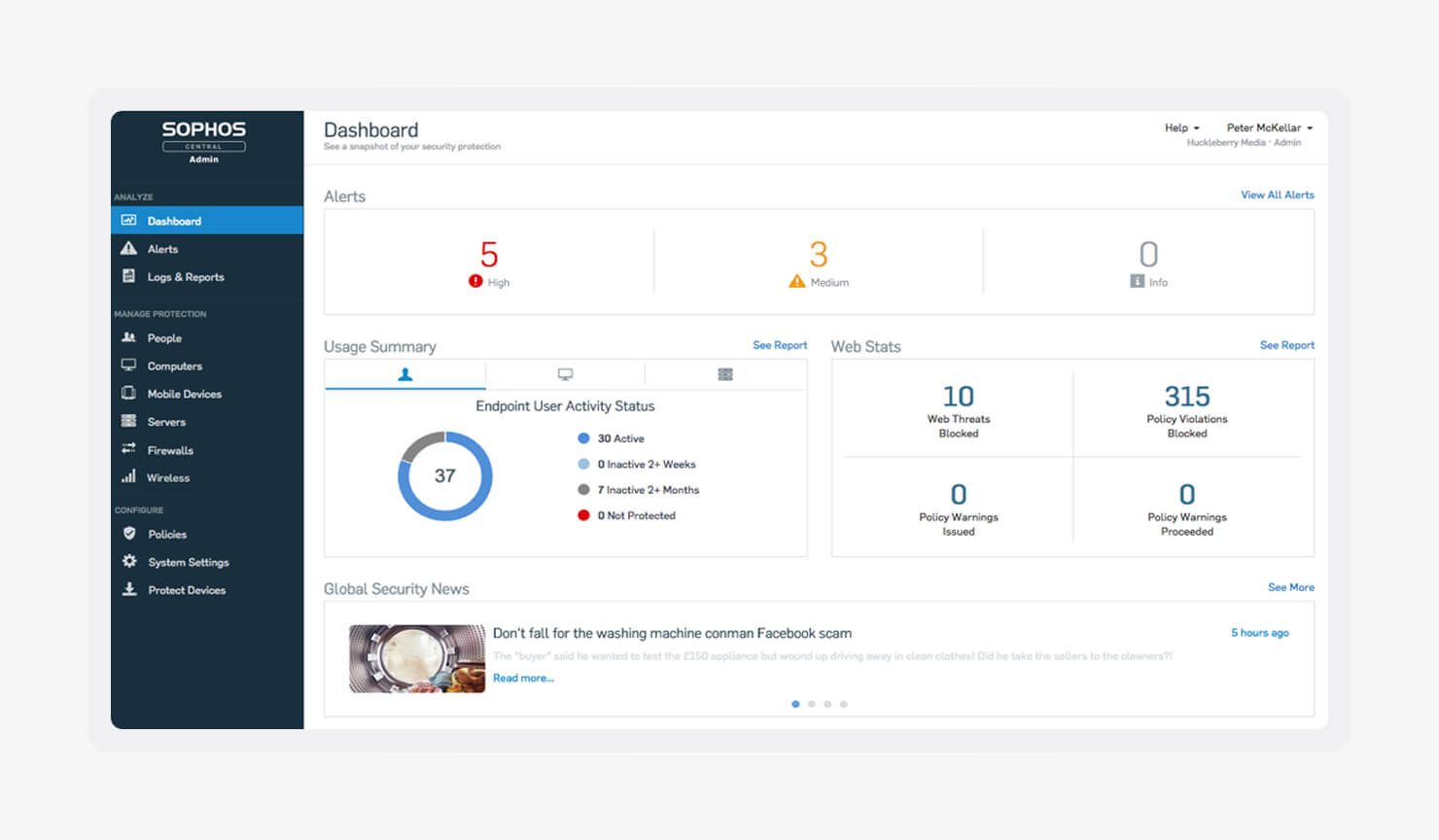
Image source: Sophos
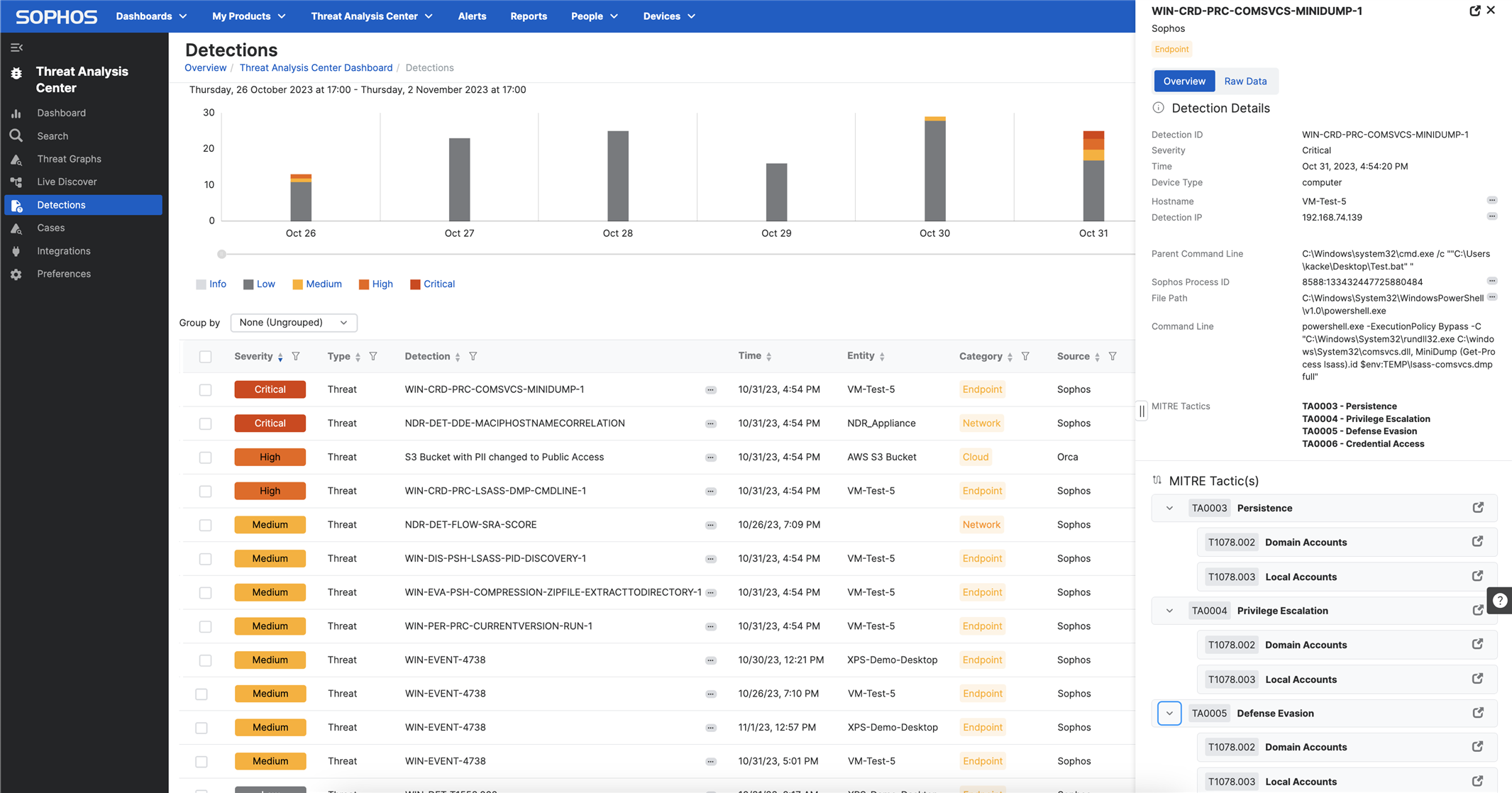
Sophos Endpoint is built for teams that want strong protection without spending their entire day inside a security console. It focuses on stopping attacks before they execute instead of overwhelming you with alerts after the fact. That makes it a strong fit for smaller IT teams, MSPs, and organizations without a dedicated SOC.
A big part of that appeal is Sophos MDR. Instead of building your own 24/7 security operation, you can hand off monitoring, investigation, and response to Sophos experts. The service combines AI-driven detection with human oversight, which gives smaller teams broader coverage without adding headcount.
Sophos also leans heavily into automation and shared visibility. Its synchronized security model connects endpoints, firewalls, email, and other systems so they can respond together in real time. That helps you surface risks tied to shadow IT and isolate compromised devices before threats spread across the environment.
Key features:
- CryptoGuard technology: Detects ransomware behavior and rolls back malicious encryption automatically to reduce damage
- Deep learning AI: Uses predictive AI models to block both known and unknown malware before execution
- Synchronized security: Shares threat intelligence across Sophos products to isolate compromised devices and stop lateral movement automatically
| Pros | Cons |
|---|---|
|
|
What Sophos Endpoint users are saying:
“I really like the advanced threat protection and how it uses AI and deep learning to catch new malware. The ransomware rollback feature is a lifesaver, and the root cause analysis makes investigations easier.” (Himanshu V. on G2)
“At first, I found some features a bit complex to understand during my initial use … over time, I became much more familiar with the features and how they integrate.” (Saravya J. on G2)
How to choose an endpoint security vendor
Picking the right endpoint security app comes down to more than features. It’s about fit. Your environment, your team size, and how much complexity you can actually handle day to day. The best tool on paper can still fail if it adds more work than your team can absorb. The goal is coverage you can trust without constant babysitting.
To pick the best endpoint security provider:
- Assess your OS environment: If most of your devices run on Mac, a Windows-first tool will leave gaps. Look for vendors that support Mac endpoint security with the same depth, not as an afterthought. Platforms like Iru are built with Apple frameworks in mind while still supporting broader environments.
- Evaluate the management overhead: Some tools assume you have a full SOC, but many teams don’t. If you have a lean IT team, you should prioritize platforms with automation built in, like self-healing agents and ready-to-use compliance templates, instead of tools that require constant tuning.
- Look at remediation capabilities: Detection is only half the job; strong vendors act fast, too. Vendors like Iru offer features like automated response and device isolation that help stop threats before they spread, even if your team isn’t online to intervene.
- Consider integration with your current stack: Many endpoint tools depend on identity providers, MDM tools, and compliance software. You can either manage those integrations or choose a platform that combines them into one system to reduce overhead.
- Understand the pricing structure: Costs can stack up quickly. Some vendors charge for the base agent, then lock core features like EDR or data retention behind higher tiers. Look for transparent, scalable pricing that grows with your needs without surprises.
Strengthen your endpoint security with Iru
Endpoint security gets messy fast when every function lives in a different tool. Iru brings it all together via its endpoint management software. This means endpoint security, device management, identity, and compliance run in one platform with a single lightweight agent. Everything shares context, helping you take actions faster.
Iru connects telemetry across users, devices, and apps, so your responses aren’t guesswork. Patch apps, enforce controls, isolate threats, and stay audit-ready without manual effort piling up. You spend less time managing tools and more time staying ahead of issues.
Book a free demo to see how Iru can help you simplify your stack and take control of endpoint security.