Workforce Identity
 Endpoint Management
 Endpoint Detection & Response
 Vulnerability Management
 Compliance Automation
 Trust Center


Bulk Device Exclusion
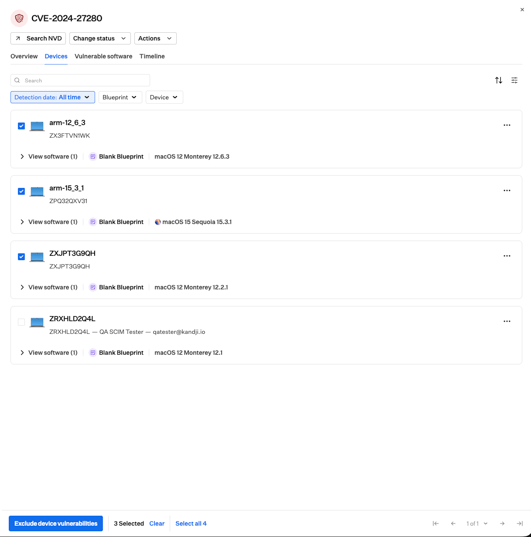
Bulk Device Exclusion lets you exclude multiple devices from Vulnerability Management in a single action, and remove exclusions the same way. Excluding a device hides that device from all vulnerability views, detection counts, and alerts, which is useful for taking a machine temporarily out of scope, such as a device pending decommission or a user who is away.
Note, exclusion applies across all CVEs for the selected devices, not a single vulnerability.
For more information, see our support article.
Revamped CVE Side Panel
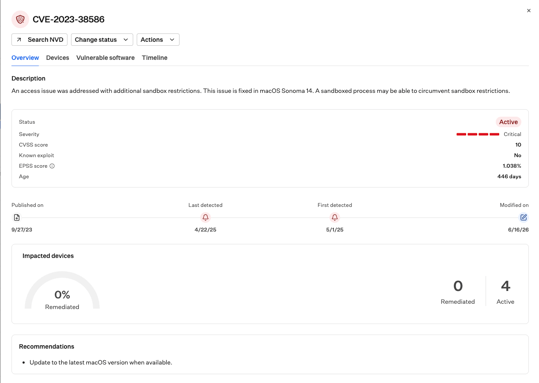
The CVE side panel has also been improved and it organizes vulnerability information into clear cards for CVE details, status, timeline, and affected devices, with charts for vulnerability spread and trend.