Workforce Identity
 Endpoint Management
 Endpoint Detection & Response
 Vulnerability Management
 Compliance Automation
 Trust Center


•
6 min readIntroducing macOS Security and Compliance
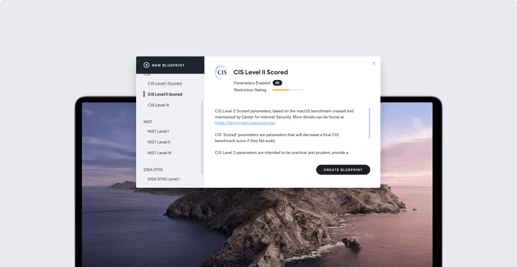
Editor's note: This post was originally published in 2019. For the latest updates on Apple MDM and related topics, check out our Recent News blog page. For more information on compliance in Kandji, check out our compliance product page. Every company will at some point encounter the need to comply with a specific security or compliance framework, whether it’s to win a major customer, fulfill requirements to complete a round of funding or acquisition, or simply to prove that your company is secure, reliable, and worth doing business with. That’s why we were surprised to learn that, for Mac devices in the workplace, there was no straightforward solution to meeting any of the major security standards or compliance mandates. Many of these mandates have device-specific controls, often called parameters, which govern everything from Bluetooth to screensaver settings. To ensure compliance, IT teams managing Apple devices need to be able to manage these parameters in one central place and provide proof to auditors that their devices are compliant.