Workforce Identity
 Endpoint Management
 Endpoint Detection & Response
 Vulnerability Management
 Compliance Automation
 Trust Center





An MDM policy sets the rules your company uses to configure, secure, and manage devices. MDM, short for mobile device management, gives IT a way to apply those rules across managed devices.
A fast-scaling company can enroll new devices faster than anyone can agree on the rules for managing them. One employee gets a Mac with strict security settings. Another gets a Windows computer with a different setup. And before long, every device follows its own playbook.
A mobile device management (MDM) policy gives your IT team a clear set of rules for how it should configure, secure, and maintain managed devices. A good policy also gives your team a shared reference point as the company grows.
But what should an MDM policy include, and how can you build one that works effectively? Let’s find out.
What is an MDM policy?
An MDM policy puts boundaries around device management. It tells your IT team what a device needs to look like and what it can access. A mobile device management policy also specifies what happens when a device falls outside those rules.
Those boundaries change depending on how your company provides devices. For instance, choose-your-own-device (CYOD) policies let employees select from approved options, while corporate-owned, business-only (COBO) policies restrict company devices to work use.
An MDM security policy can also set requirements for access, encryption, apps, networks, and compliance.
MDM policy vs. MDM platform
An MDM platform is the tool you use to manage and enforce rules across company devices. An MDM policy defines those rules.
Traditional MDM tools focused on smartphones and tablets, but modern ones, such as Iru, can also manage desktops and other endpoint devices. Iru can enforce an MDM policy through configuration profiles that set system rules, such as VPN configurations that protect device data.
With Automated Device Enrollment (ADE), Iru helps you supervise devices and enforce controls such as FileVault encryption and preventing users from removing the MDM profile.
Why your organization needs an MDM policy
An MDM policy gives your IT team a consistent way to manage risks across company devices. It can set expectations for lost or stolen devices, unauthorized access, data leakage, and unmanaged BYOD. It also gives your team a clear standard to follow when configuring devices across different offices.
A written policy can make daily device management easier, too. You get a consistent security baseline, faster onboarding and offboarding, and audit-ready evidence.
Your team spends less time making one-off decisions or relying on tribal knowledge that can drift as tools and people change. Your mobile application management (MAM) and endpoint monitoring practices can then follow the same rules.
What an effective MDM policy should include
An effective MDM policy should cover the controls that protect your company’s data while keeping device management simple for your team.
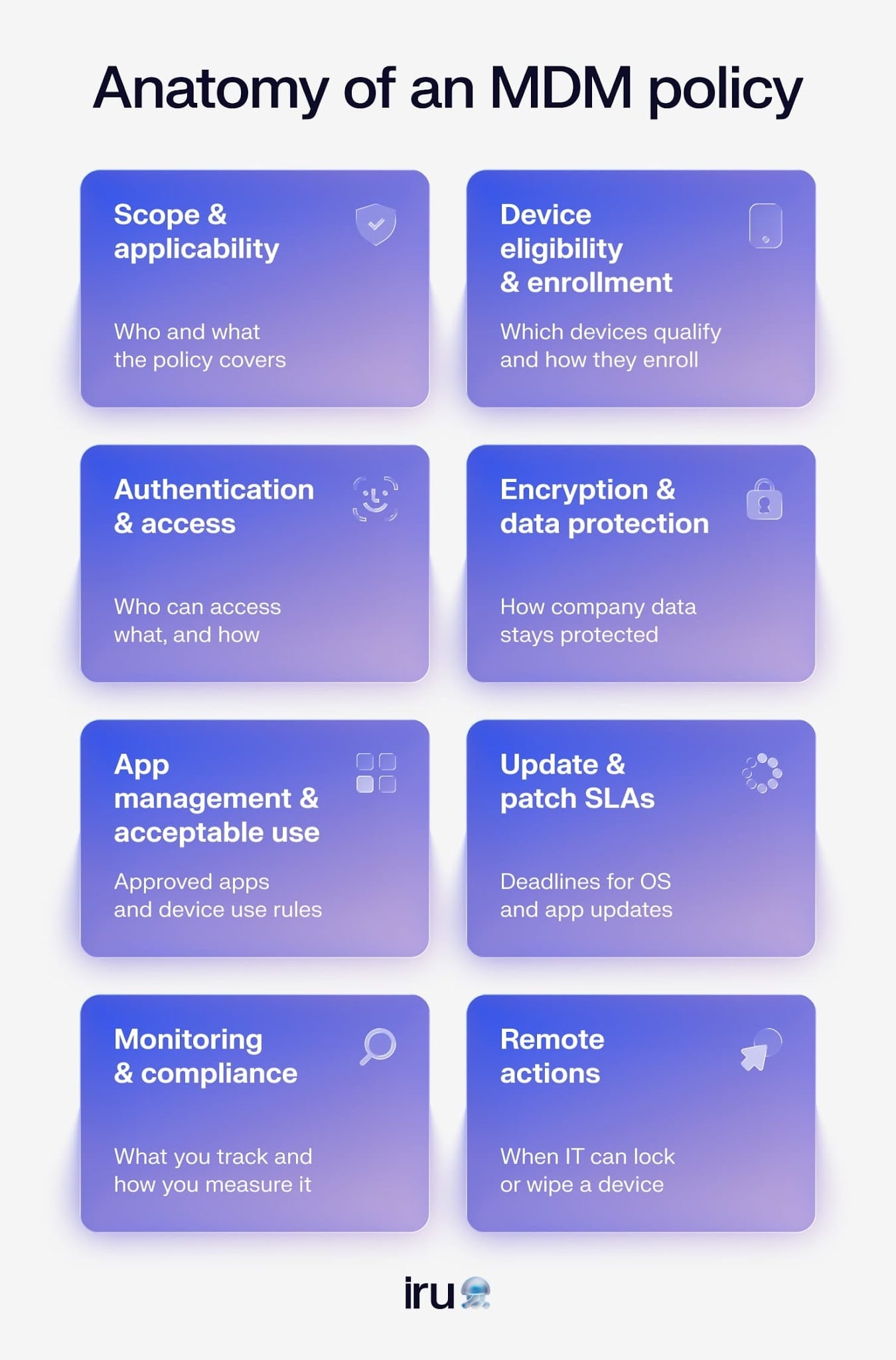
Your MDM policy should include:
- Scope and applicability: Define which users, devices, operating systems, and work scenarios the policy applies to, including company-owned and BYOD devices, where relevant.
- Device eligibility and enrollment: Set requirements for which devices can access company resources and how users must enroll them before they can be managed.
- Authentication and access: Establish authentication requirements and access controls based on the user, their device, and the resources they need to access.
- Encryption and data protection: Require appropriate encryption and security controls to protect company data stored on or accessed from managed devices.
- App management and acceptable use: Outline which applications users can install and how your team handles approved and unauthorized apps. Also, explain what users can do with company devices.
- Updates and patch service-level agreements (SLAs): Set deadlines for installing operating system and application updates based on their security risk and urgency.
- Monitoring and compliance: Define what your team monitors and how you measure device compliance. Tie all of it by detailing how those requirements map to your organization’s security or regulatory obligations.
- Remote actions: Specify when IT can remotely lock, wipe, or otherwise act on a device, such as after a theft or employee departure.
Modern practices like declarative device management (DDM) can help you manage mobile devices in accordance with these rules with less manual work. DDM lets Apple devices respond to management requirements as their state changes, helping keep policy enforcement up to date.
Device ownership models for MDM policies
An MDM policy can support several device ownership models, each with different levels of IT control and employee flexibility:
| Ownership model | Advantages |
|---|---|
| Bring Your Own Device (BYOD) | Lets employees use devices they already own, which can reduce hardware costs and give employees more flexibility |
| Corporate-Owned, Business-Only (COBO) | Gives IT full control over company devices, making it easier to enforce security requirements and protect business data |
| Corporate-Owned, Personally Enabled (COPE) | Gives employees a company-provided device while allowing personal use, balancing IT control with employee flexibility |
| Choose Your Own Device (CYOD) | Lets employees choose from a set of approved devices while giving IT a defined range of hardware to manage and support |
How to create an MDM policy in six steps
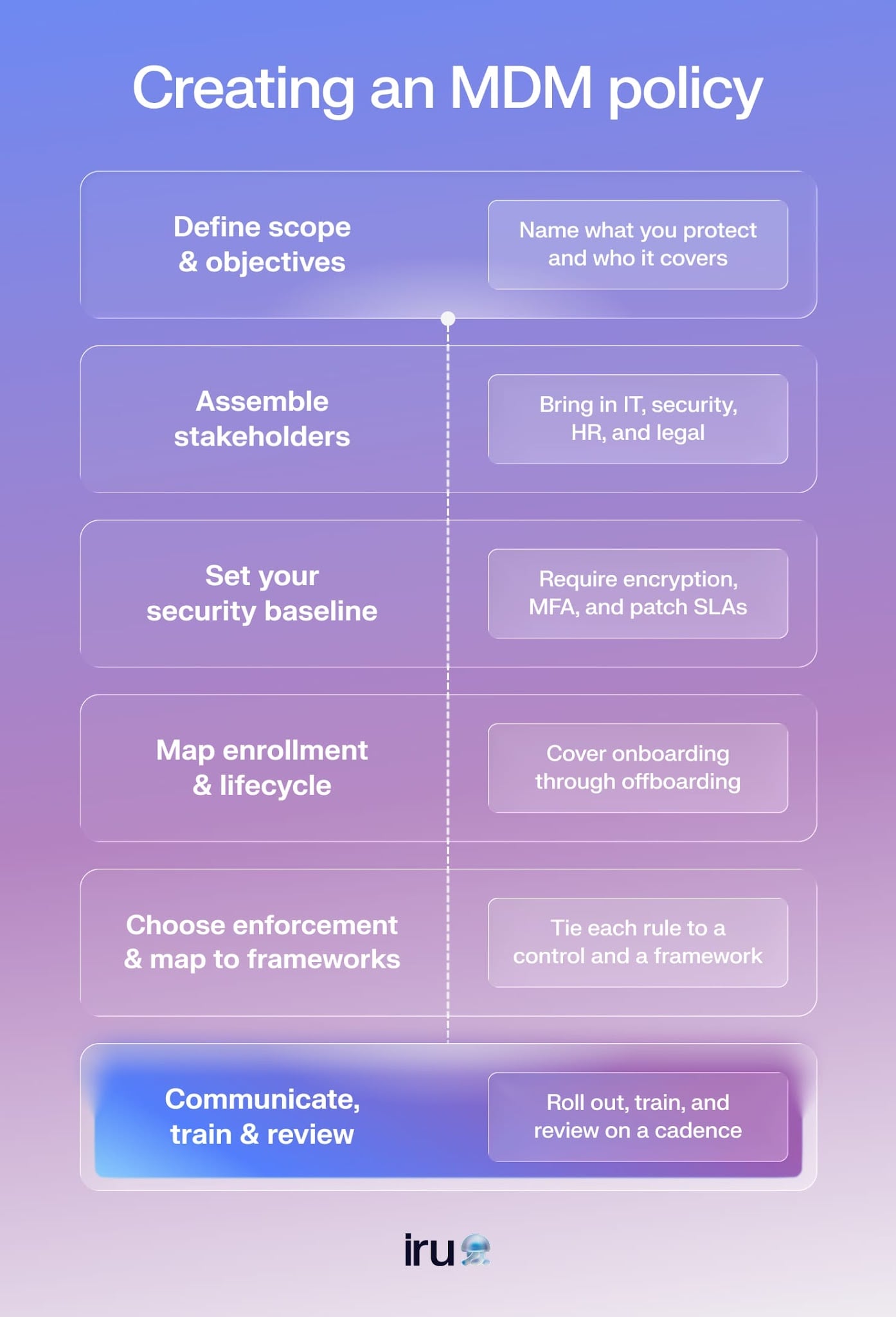
Creating an MDM policy starts with having a clear picture of what your organization needs to protect and who needs to follow which rules. From there, you can define the controls, map them to your management tools, and give your team a process it can maintain as the organization changes.
1. Define objectives and scope
Start by naming what’s driving your policy and which people and devices it covers. Your requirements may look different for a mobile device policy that supports BYOD models, a remote workforce, or a company with specific compliance mandates.
For example, a company with a BYOD program may focus on protecting company data without giving IT access to employees’ personal content. A company with a fully remote workforce using company-owned laptops may need stricter controls for device encryption, screen locks, and remote actions such as locking or wiping a lost device.
2. Assemble stakeholders
Bring the teams responsible for device management and employee requirements into the process early. IT can lead device selection and enforcement, and security can set technical requirements. HR and legal can handle consent, privacy, and onboarding and offboarding requirements.
3. Set your security baseline
Set the controls that every managed device must meet before it can access company resources. Your baseline might require encryption, strong passcodes, multifactor authentication (MFA), defined patch SLAs, and approved applications.
4. Map enrollment and lifecycle flows
Document what happens from the moment a device joins your environment through the end of its lifecycle. For onboarding, define how zero-touch enrollment and baseline configurations establish the initial setup. For offboarding, document when IT should lock devices, perform selective or full wipes, and reclaim company-owned hardware.
5. Choose enforcement and map it to frameworks
Once you have the rules, connect each requirement to the control that enforces it. Device management solutions can automate many of these controls across managed endpoints. Then map your requirements to the compliance frameworks that apply to your organization.
A policy that clearly connects requirements, enforcement, and evidence can make it easier to show how your controls support various compliance frameworks. For example, platforms like Iru support organizations working toward or maintaining compliance with ISO 42001, GDPR, NIST 800-171, and more. It can also help you manage the devices and security controls that support those requirements.
6. Communicate, train, and review
Give employees the context they need when they join the organization, including what the policy requires and how it affects their devices. Review the policy on a regular cadence and update it when your devices, workforce, security requirements, or compliance needs change.
For teams using both MDM and MAM, the two can work together as layers of the same device management strategy. MDM sets rules for the device, while MAM applies controls to specific apps and the data they handle. Your MDM policy should account for both so that device-level requirements and application-level protections follow the same security rules.
How to enforce your MDM policy
Your MDM platform should automatically turn policy rules into actions. When a device falls out of compliance, the platform can flag the change so your team can respond before a small configuration issue becomes a security problem. Manual enforcement takes more effort and leaves more room for policies to drift.
Once your MDM policy is in place, enforcement keeps it relevant. Automate the controls you can, monitor compliance, and give your team a clear process for handling exceptions. Regular reviews and employee feedback can help you catch problems early and adjust the policy as your environment changes.
Mistakes you can make when enforcing an MDM policy
A few common mistakes can make even a well-written policy harder to follow, though:
- Applying strict controls too quickly: Locking down devices before users understand the policy can push them to use workarounds that introduce new security risks.
- Ignoring BYOD boundaries: Personal devices need clear limits around company data and employee privacy. For example, your policy can separate business data from personal data and avoid monitoring personal activity.
- Treating the policy as finished: Devices, applications, and operating systems change over time. Test updates before deployment and keep enforcement aligned with those changes.
- Skipping the feedback loop: Give employees and IT teams a way to report policy-related problems. Their feedback can reveal controls that block legitimate work or create unnecessary friction.
Bring policy, enforcement, and compliance under one roof with Iru
A strong MDM policy gives your team clear rules for managing devices, protecting company data, and meeting compliance requirements. Iru brings those rules into your device management workflows, so you can enforce them consistently and see when devices fall out of compliance.
With Iru, you can automate device configuration and security controls while keeping a clear view of device status. Iru also supports compliance efforts across major frameworks, including SOC 2 and ISO 27001. Your policy can stay where it belongs: in the real world, keeping devices secure and your team on track.
Book a free demo and see how Iru can help you manage your devices with ease.