Skip to content
Mac Admins Share Best Practices for Managing Users
Iru Team

4 min read

Mac Admins Share Best Practices for Managing Users

At Iru, we get a lot of questions about best practices in mobile device management. We decided to get answers to those questions from the best source: The IT admins who manage Apple devices day in and day out. One thing those admins know is that the job isn’t just about keeping that hardware secure and up-to-date using MDM. It’s also about making sure that the people who use that hardware stay productive and happy. We recently asked some Apple IT folks for their tips on managing Mac computers, iPhone and iPad devices, and people. We’ve already posted some of their answers about migrating to macOS Big Sur, and we’ll be posting more of their advice about the technical side of the job. But we also wanted to share some of their insights into how they work with users. Here’s a quick overview of what they told us: Make device management easy on users Invest in training Be transparent Give users responsibility Think long-term

Educational
Guide for Apple IT: Content Caching in macOS Big Sur
Iru Team

10 min read

Guide for Apple IT: Content Caching in macOS Big Sur

Content caching is a powerful tool that speeds up software installation on Apple devices on a local network. At WWDC 2020, Apple announced a few exciting changes that will make content caching even more powerful on macOS Big Sur. In this guide, we’re going to do a deep dive into what content caching is, how it’s changing, and how you can accomplish simple and advanced configurations for it. Here’s a brief overview of what we’ll cover: What’s Content Caching? What’s Changing in Big Sur? How to Set Up Content Caching on Mac

Educational
Managed Apple IDs: How to Create with Azure AD
Iru Team

4 min read

Managed Apple IDs: How to Create with Azure AD

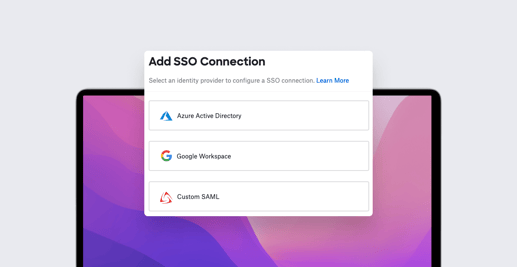
If your business is using Microsoft Azure Active Directory (Azure AD) as your identity provider, then you can use federated authentication to connect your Azure AD instance with Apple Business Manager to create a seamless login experience for your employees. In this post, we're going to discuss a related new feature that Apple announced, SCIM (System for Cross-domain Identity Management), which makes it easier to import users into Apple Business Manager. We'll also cover how SCIM differs from a different method called just-in-time (JIT).

Educational
Are Your Users Receiving Legacy System Extensions Alerts?
Iru Team

3 min read

Are Your Users Receiving Legacy System Extensions Alerts?

As of macOS Catalina 10.15.4, Apple has begun alerting users when their Mac detects a kernel extension (KEXT) is leveraging deprecated KPIs (Kernel Programming Interfaces). If you haven’t seen this alert yet, you can see what it looks like below, stating that the loaded KEXT will be “incompatible with a future version of macOS.”

Educational
Guide for Apple IT: Device Enrollment
Iru Team

12 min read

Guide for Apple IT: Device Enrollment

For any business that runs on Apple, choosing the right device enrollment method is essential to speed up onboarding and provide the right balance between privacy (for corporate and personal data) and management capabilities. In this guide, we’re going to take a look at three device enrollment methods that Apple offers, breaking down their strengths, weaknesses, and ideal use cases. We’ll also discuss how they relate to important privacy and policy topics like user approved MDM (UAMDM) status, “Transparency, Consent, and Control” (TCC), device supervision, allowing kernel extensions, and BYOD (Bring Your Own Device). Here are the three enrollment methods that we’ll cover: User Enrollment Device Enrollment Automated Device Enrollment (formerly “DEP”)

Educational

Stay up to date

Iru's bi-weekly collection of articles, videos, and research to keep IT & Security teams ahead of the curve.