Skip to content
Introducing Updated Blueprints, Multifactor Authentication, and More
Iru Team

2 min read

Introducing Updated Blueprints, Multifactor Authentication, and More

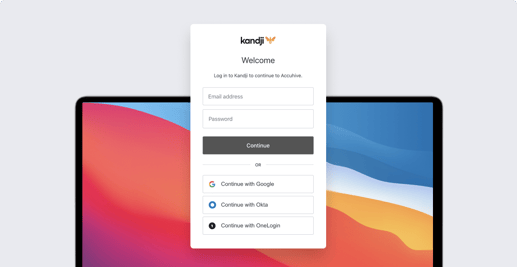
The Kandji team is excited to announce updated Blueprint templates to support our transition from parameters to Library Items. We are also releasing multifactor authentication (MFA) and two new Auto Apps: RingCentral and Fellow. In case you missed it, we also recently released SSO, new Self Service features, and more.

Product Update
Managing Network Settings on macOS Big Sur and MAC Address Randomization in iOS 14
Iru Team

8 min read

Managing Network Settings on macOS Big Sur and MAC Address Randomization in iOS 14

A lot of exciting changes have come to macOS Big Sur and iOS 14. In this guide, we’re going to do a deep dive into managing network settings in Big Sur, and then we’ll break down the new MAC address randomization feature in iOS 14. Here’s a quick overview of what we’ll cover: networksetup: Changes in macOS Big Sur What’s the new MAC Address Randomization Feature? Implications for IT: MAC Address Randomization and MDM

Recent News
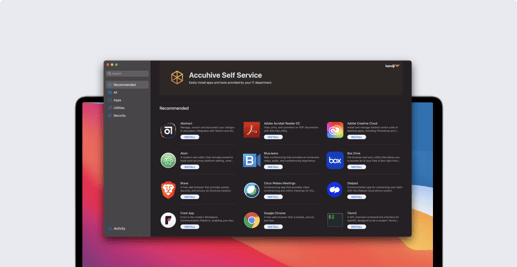
Introducing SSO, New Self Service Features, and More
Iru Team

4 min read

Introducing SSO, New Self Service Features, and More

When we celebrated our $21 million Series A back in October, we committed to releasing three core features on our roadmap – and we’re proud to announce that all three are live: Self Service, our API, and as of today’s release, single sign-on (SSO) for Kandji admins.

Product Update
Upgrading to macOS Big Sur: Mac Admins Share Their Thoughts
Iru Team

9 min read

Upgrading to macOS Big Sur: Mac Admins Share Their Thoughts

With the public release of macOS Big Sur back in November, a lot of IT administrators are busy testing their company Mac computers for compatibility with the latest OS. At Kandji, we've gotten a lot of questions about how other Mac admins are approaching the transition to Big Sur. So, we compiled some of the most common questions and asked for input from several Mac admins. In this article, we're going to explore some of the answers we got about how and why Mac admins are deferring updates, how the upgrade process is going in their environment, and what advice they have for their peers.

Recent News
Introducing Self Service for Mac and Our API
Iru Team

4 min read

Introducing Self Service for Mac and Our API

Today we get to announce two much-anticipated releases: a Self Service app for Mac to empower your users and save your IT team time, and our API.

Product Update
Managed Apps on macOS Big Sur
Iru Team

6 min read

Managed Apps on macOS Big Sur

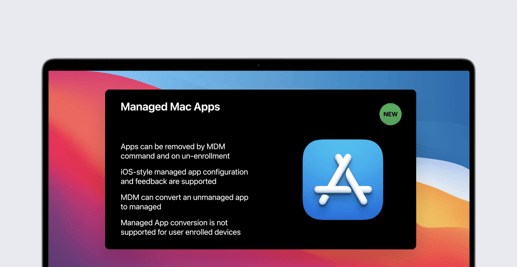
For years, Managed Apps have been a powerful MDM capability for iOS devices, and now they're coming to the Mac. In this guide, we're going to discuss what we know about Managed Apps on macOS Big Sur, how using them extends the management capabilities of IT, what the process is like to transition to Managed Mac Apps, and more. Here's a quick overview: macOS Big Sur Brings Managed Apps to the Mac What to Expect from Managed Mac Apps Moving from Personal Apps to Managed Apps Moving from Non-App Store Apps to App Store Apps

Recent News
Announcing Support for New Features in macOS Big Sur
Iru Team

8 min read

Announcing Support for New Features in macOS Big Sur

Kandji is proud to announce release day support for macOS Big Sur, which is now generally available. Some important new MDM features are included in Apple’s latest release. Support for the following updates are already live in your Kandji accounts: Commands that required supervision prior to macOS Big Sur Managed Applications for macOS Changes to the Kerberos Extension Profile New certificate size option in the SCEP profile (4096 bits) Auto Advance for macOS We have also released several new features to support changes related to macOS Big Sur readiness and to improve your overall experience using Kandji: Display Bootstrap Token escrow status Allow standard users to complete KEXT install Enable automatic updates for Auto Apps by default New Agent update: Lightweight check-in, Apple Silicon support Improved user experience for Software Update profile Alert & Slack notification for removed MDM profile Allow standard users to approve system-level PPPC requests Kandji Agent last check-in column

Product Update
macOS Big Sur and MDM: The Comprehensive Guide for Mac Admins
Iru Team

15 min read

macOS Big Sur and MDM: The Comprehensive Guide for Mac Admins

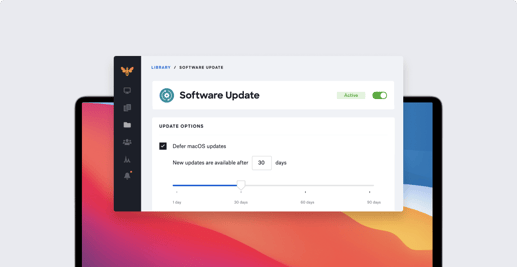
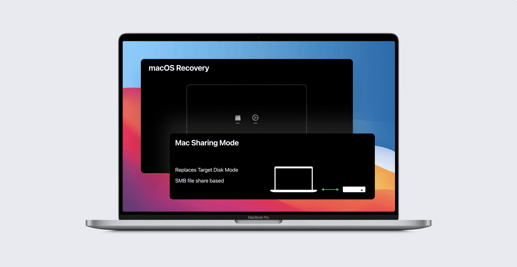
When macOS Big Sur was first unveiled at the Worldwide Developers Conference (WWDC) 2020, it was clear that Apple was bringing significant changes to the Mac. Beyond completely overhauling user-facing features and design, they’re also making a lot of changes with Mac management in mind. In this article, we’re going to take stock of the biggest MDM-Big Sur changes, talk a bit about their implications for macOS device management, and share some tips to make your transition to Big Sur smooth. Update 11/12/20: We're proud to announce release day support in Kandji's device management (MDM) solution for the new features in macOS Big Sur. We’re going to cover a lot of ground here, so here’s an overview of what you’ll find in this article: How to Manage Public Betas and Defer Software Updates Changes to macOS Supervision Auto Advance has Come to Mac Account Creation with SCIM vs. JIT Big Changes Come to PPPC Changes to Bootstrap Token Changes to Kernel Extensions (KEXTs) Mac Transitions to Apple Silicon Automated Device Enrollment on Big Sur Lights Out Management Comes to the Mac Pro Managed Apps on macOS Big Sur New Content Caching MDM Command Security Updates for macOS Big Sur

Recent News
The Mac Admins’ Guide to Apple Silicon
Iru Team

8 min read

The Mac Admins’ Guide to Apple Silicon

Apple made a big announcement in June that they’re transitioning the Mac to Apple Silicon. This move will boost performance and introduce a lot of new and redesigned features to macOS Big Sur. In this guide, we’re going to catalog those changes and briefly discuss their implications for mobile device management (MDM) in Big Sur. Here’s a quick overview of the topics we’ll cover: What’s Apple Silicon? A Primer on the Apple Silicon Mac The Biggest Changes Apple Silicon Brings to Mac

Recent News
Announcing Our $21 Million Series A from Greycroft, Okta Ventures, and B Capital Group to Reinvent Apple Device Management in the Enterprise
Iru Team

2 min read

Announcing Our $21 Million Series A from Greycroft, Okta Ventures, and B Capital Group to Reinvent Apple Device Management in the Enterprise

New funding to drive growth and innovation in the Apple enterprise management space. Kandji is announcing the close of a $21 million Series A investment round. The financing was led by Greycroft, with participation from Okta Ventures and B Capital Group. Existing investors, including First Round Capital (led by Josh Kopelman) also participated. Previous funding totaled $7.4 million. Since emerging from stealth less than a year ago, Kandji has grown revenue at a record rate and onboarded hundreds of paying customers with tens of thousands of Apple devices, including names like Crunchbase, Belkin, Attentive, Vivint Solar, Remitly, Netskope, Doximity, HackerOne, Planview, DigiCert, FabFitFun, and Turo.

Product Update
Changes to Secure Token and Bootstrap Token in macOS Big Sur
Iru Team

7 min read

Changes to Secure Token and Bootstrap Token in macOS Big Sur

At WWDC 2020, Apple announced some exciting changes coming to Bootstrap Token and Secure Token on macOS Big Sur. In this guide, we’re going to take a look at how these tokens work and what the latest changes mean for device management for Mac computers. Here’s a quick overview of what we’ll cover: What’s New with Big Sur? What’s Secure Token? What’s Bootstrap Token? How to Acquire Bootstrap Token

Recent News
Announcing New Profiles, Choose a Time for App and OS Updates, and More
Iru Team

3 min read

Announcing New Profiles, Choose a Time for App and OS Updates, and More

We are excited to be releasing nine new profiles, greater granularity around the timing of how new OS and Auto App updates are enforced, the ability to disable MAC address randomization for iOS 14, and more. In case you missed it, last month we announced release day support for new features in iOS 14, iPadOS 14, & tvOS 14.

Product Update
Privacy Preferences Policy Control (PPPC): Changes in macOS Big Sur
Iru Team

3 min read

Privacy Preferences Policy Control (PPPC): Changes in macOS Big Sur

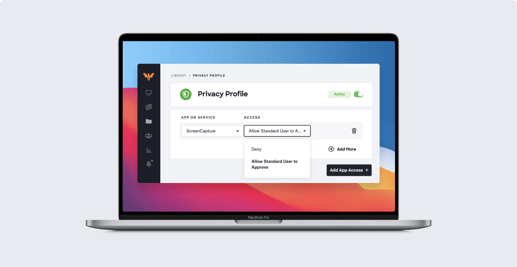
Apple recently announced new changes coming to PPPC on macOS Big Sur. With macOS Big Sur, standard users are prevented from approving applications for certain sensitive system-level PPPC controls, Screen Recording and Input Monitoring, which was not the case for macOS Catalina. However, a more recent release allows IT to use MDM and the PPPC profile to allow standard macOS users to approve defined applications for Screen Capture and Input Monitoring on macOS Big Sur. In this quick article, we’re going to see what’s changing and explore what its implications are for Mac device management.

Recent News
Announcing Support for New Features in iOS 14, iPadOS 14, and tvOS 14
Iru Team

3 min read

Announcing Support for New Features in iOS 14, iPadOS 14, and tvOS 14

Kandji is proud to announce release day support for iOS 14, iPadOS 14, and tvOS 14, which are now generally available following yesterday’s special event. Some important new MDM features are included in Apple’s latest release. Support for the following updates are already live in your Kandji accounts: New device information commands New Setup Assistant skip options Non-removable applications New Restriction option New device action for Shared iPad

Product Update
Manual Device Enrollment Now Results in macOS Supervision, New from WWDC 2020
Iru Team

6 min read

Manual Device Enrollment Now Results in macOS Supervision, New from WWDC 2020

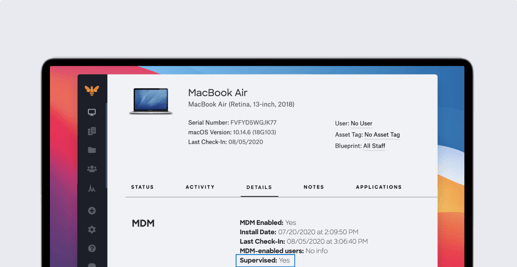
A lot of big news came out of the Worldwide Developers Conference (WWDC) 2020, including a new update for macOS Big Sur regarding device supervision, manual Device Enrollment, and User Approved MDM (UAMDM). Automated Device Enrollment (formerly DEP) used to be the only way to supervise your devices, but Apple’s latest update changes that. In this post, we’re going to talk about how manual Device Enrollment with User Approved status now results in device supervision, what this means for IT administrators, and why Automated Device Enrollment is still important. Here’s an overview: What’s Changing in Device Enrollment & Supervision with Big Sur? What are the Implications for IT? Why Automated Device Enrollment Still Matters

Recent News

Stay up to date

Iru's weekly collection of articles, videos, and research to keep IT & Security teams ahead of the curve.