Skip to content
Guide for Apple IT: Auto Advance for Mac
Iru Team

9 min read

Guide for Apple IT: Auto Advance for Mac

Auto Advance is a great feature that lets IT administrators set up Apple TV devices at scale – And now this feature is coming to Mac. At the World Wide Developer Conference (WWDC) 2020, Apple announced the new Auto Advance for Mac capability, opening up a new way to set up Mac computers at scale. This has big implications for device management, which we’ll explore in this guide along with configuration walkthroughs, common Auto Advance use cases, and some of the latest information we have on Auto Advance for Mac. Here’s an overview of what we’ll cover: What’s Auto Advance? Using Auto Advance for tvOS Using Auto Advance for Mac

Recent News
Kandji Completes SOC 2 Type 2 Audit
Iru Team

1 min read

Kandji Completes SOC 2 Type 2 Audit

The Kandji team is proud to announce that we have completed our SOC 2 Type 2 compliance audit. As a device management solution that helps our customers secure their Apple devices and meet compliance regulations, we have always understood that data security is paramount, and have held ourselves to a high standard. This third-party audit is a public declaration that we are committed to following best practices for keeping our customers’ data secure.

Product Update
Extensible Enterprise SSO Framework: Kerberos Extension and What’s New with Big Sur
Iru Team

10 min read

Extensible Enterprise SSO Framework: Kerberos Extension and What’s New with Big Sur

Apple’s Extensible Enterprise SSO (single sign-on) framework has big implications for device management and authentication. In this article, we’re going to take a look at how the Kerberos single sign-on extension works, what it can do for you, and how you can configure and deploy it. We’ll also discuss how Kandji’s SSO Extension Profile makes it easy to leverage the Kerberos Extension. Here's an overview of this guide: A Primer on SSO Extensions What’s the Kerberos Single Sign-On Extension? Building and Deploying a Kerberos Configuration Profile What’s New in macOS Big Sur Kerberos Extensions?

Recent News
Product Update: Enhanced Activity Tracking, Supervision Status Label, Delay App and OS Updates
Iru Team

3 min read

Product Update: Enhanced Activity Tracking, Supervision Status Label, Delay App and OS Updates

We’re excited to announce several new features to give Kandji admins greater control and visibility over Library Item activities, visibility over which devices are supervised vs. unsupervised, and the ability for end users to delay Auto App and OS updates.

Product Update
Device Management Updates from WWDC 2020: What Mac Admins Need to Know
Iru Team

12 min read

Device Management Updates from WWDC 2020: What Mac Admins Need to Know

Every year, Apple releases all of its major device management updates at its Worldwide Developers Conference (WWDC) event — and WWDC 2020 has been packed with big news. In this article, we’re going to break down some of the biggest announcements that came out of the conference. Here’s a quick overview of what we’ll cover: macOS Big Sur: Device Management Changes New macOS Security Features iOS & iPadOS: Device Management Changes New iOS & iPadOS Security Features

Recent News
Product Update: SSO Extension Profile, Kerberos Extension, More Auto Apps
Iru Team

7 min read

Product Update: SSO Extension Profile, Kerberos Extension, More Auto Apps

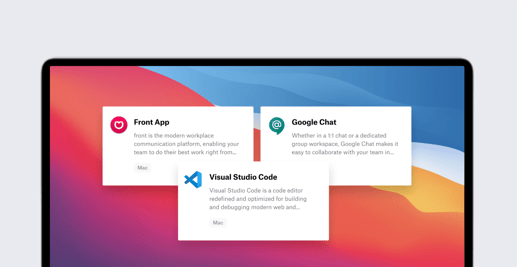
The Kandji team is introducing a new SSO Extension Profile (including built-in support for the Kerberos extension), as well as alerts for removed MDM profiles, the ability to remotely update Auto Admin passwords for supervised devices, the ability to use Global Profile Variables in AppConfig, and new Auto Apps: Google Chat, Front App, Visual Studio Code. In case you missed it, last month we released the System Extensions Profile, AppConfig, and more. Single Sign-On (SSO) Extension Profile Apple’s new Extensible Enterprise SSO capabilities, introduced for iOS 13, iPadOS, and macOS Catalina, were designed to streamline the login experience with third-party identity management providers (IdPs). While IdPs work well in web browsers, they present some challenges with Mac apps and password synchronization for local macOS accounts.

Product Update
Product Update: System Extensions Profile, AppConfig, and More
Iru Team

3 min read

Product Update: System Extensions Profile, AppConfig, and More

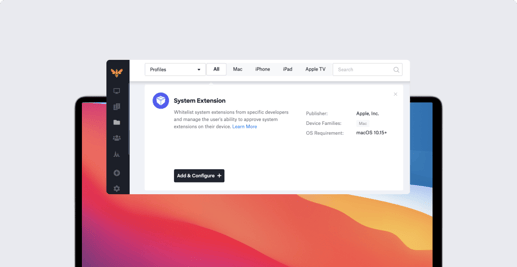
The Kandji team is excited to introduce a new profile, the System Extensions Profile, as well as new AppConfig capabilities, four new Auto Apps, and a new Global Profile Variable for User Email. In case you missed it, last month we released Managed OS, fully enforced Auto Apps, and Shared iPad support.

Product Update
Product Update: Managed OS, Fully Enforced Auto Apps, Shared iPad Support
Iru Team

5 min read

Product Update: Managed OS, Fully Enforced Auto Apps, Shared iPad Support

The Kandji team is excited to announce fully built-in OS management capabilities for Mac. We are also releasing fully enforced Auto Apps versioning, support for Shared iPad, and more. In case you missed it, we also recently released Auto Apps and several new Profiles and Parameters. Managed OS With Managed OS updates for macOS, a much-anticipated release by our customers, Mac admins can now enforce operating system updates across their environment. Consistent and recent OS updates are crucial for following security best practices and meeting compliance standards. Kandji has taken a unique approach to OS management in order to give our customers the best of both worlds: maintain a great user experience while ensuring admins can easily meet compliance standards and follow security best practices. That’s why we’ve created an OS management tool that is built into our platform (no scripting required) and fully enforced.

Product Update
New Apple Business Manager Requirement: Verify Managed Apple ID Domains
Iru Team

4 min read

New Apple Business Manager Requirement: Verify Managed Apple ID Domains

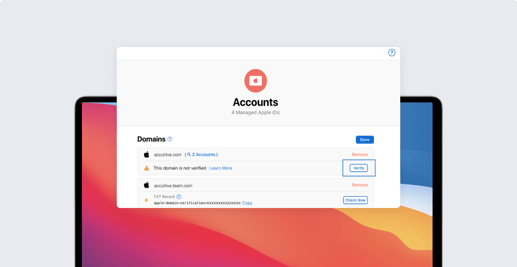
Apple now requires administrators to verify any domains associated with their Apple Business Manager account. In this quick article, we’re going to talk about what this new domain verification requirement is, why verification is now required, and how you can verify domains associated with your Managed Apple IDs. What Changes with the Domain Verification Requirement? With the new domain verification requirement put in place, whenever you create a Managed Apple ID using a domain, you have to prove that the domain is owned by your company. This is accomplished by adding a specific TXT record to your domain name service’s (DNS) zone file. We’ll break down how this is done later. Domain verification is also required for federated domains — so if you have federated authentication configured, you’ll want to verify the associated domains right away.

Recent News
Introducing Auto Apps, SCEP Profile, and More
Iru Team

6 min read

Introducing Auto Apps, SCEP Profile, and More

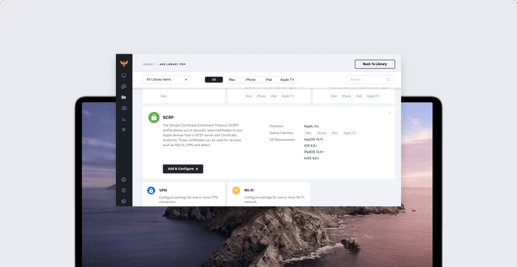
The Kandji team is excited to announce Auto Apps, a library of applications that Kandji pre-packages, hosts, and automatically patches. We also released several other updates to provide IT teams with the most modern Apple device management experience, such as new Profiles (SCEP, AirPlay Security, Login Window), Parameters (Set Computer Name), Global Profile Variables, and more. In case you missed it, we also released tvOS support and new assignment workflows last month. Auto Apps Auto Apps are designed to streamline Mac patch management for apps that are not available in the Mac App Store. Apple does an excellent job of automatically updating App Store apps without disrupting the user experience. However, as any Mac admin knows, there are many Mac apps that are not available in the Mac App Store, and those can be a challenge. As an IT team, it can be incredibly time-consuming to manually manage patches and updates for a large number of business applications.

Product Update
Guide for Apple IT: Threat Detection and the Endpoint Security Framework
Iru Team

6 min read

Guide for Apple IT: Threat Detection and the Endpoint Security Framework

Editor's note 5/1/23: This post has been deprecated and replaced by an updated guide to endpoint detection and response (EDR). In macOS 10.15 Catalina, Apple released new frameworks that have big implications for the future of macOS threat detection and the development of security solutions: the Endpoint Security framework and the System Extension framework. Beyond expanding the safety and security of macOS, Apple is using these frameworks as userspace alternatives to kexts (kernel extensions). In the future, if a Kernel Extension feature has an equivalent system extension, the kext feature is considered deprecated, and the developer should work to migrate those features to a system extension. A list of deprecated kexts is available in this Apple support article. In this guide, we’ll look at what these releases mean for Mac security and development and explain how they work.

Recent News
Product Update: tvOS Support, New Assignment Workflows
Iru Team

3 min read

Product Update: tvOS Support, New Assignment Workflows

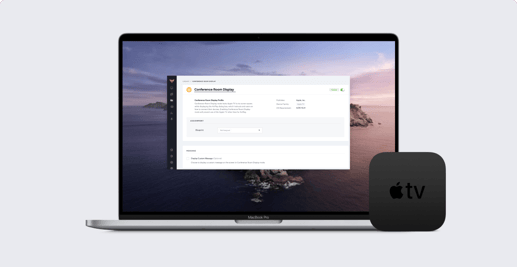
Today, the Kandji team is excited to release a few major updates that will streamline how Library Items are created and managed. We are also announcing general availability of Apple TV support for all customers, along with new tvOS-specific profiles. tvOS Generally Available We’re incredibly proud to announce that, as of today, Kandji admins can manage every single Apple device in their fleet. We’ve added Apple TV support, adding to the existing roster of devices (Mac, iPhone, and iPad) you can manage within the Kandji platform. We know how much easier it makes IT Managers’ lives when you can track all your Apple devices, manage policies, and enforce security – all in one centralized place. With this final piece of the puzzle, Kandji is a global hub for all your Apple devices. tvOS-specific Profiles Live today with tvOS support is also one of the most commonly used tvOS-specific profiles, the Conference Room Display Mode Profile. This profile allows you to provide custom instructions to end-users for how to connect their devices (and also prevent it from using any other display methods aside from AirPlay).

Product Update
Introducing 120+ New Apple Device Restrictions
Iru Team

3 min read

Introducing 120+ New Apple Device Restrictions

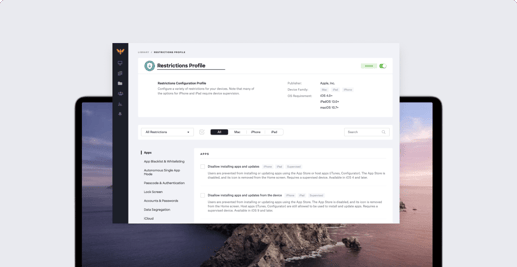
Today, Kandji admins have 120 new one-click configurations at their fingertips. This new set of Apple device configurations is based on Apple’s Restrictions profile, which restricts the ability for users to take certain actions on devices such as accessing a specific app, service, or function. Although the range of restrictions available is vast (for example, IT could do anything from deferring an OS software update to disallowing the use of Siri), the goal is to standardize device settings across your environment. This creates peace of mind for IT, and ultimately secures your devices to keep your data safe. In this post, we’ll cover some background on Apple’s Restrictions profile, how to use it, and how Kandji’s unique implementation of this profile gives IT teams maximum flexibility by allowing you to create multiple Restrictions profiles.

Product Update
Introducing macOS Security and Compliance
Iru Team

6 min read

Introducing macOS Security and Compliance

Editor's note: This post was originally published in 2019. For the latest updates on Apple MDM and related topics, check out our Recent News blog page. For more information on compliance in Kandji, check out our compliance product page. Every company will at some point encounter the need to comply with a specific security or compliance framework, whether it’s to win a major customer, fulfill requirements to complete a round of funding or acquisition, or simply to prove that your company is secure, reliable, and worth doing business with. That’s why we were surprised to learn that, for Mac devices in the workplace, there was no straightforward solution to meeting any of the major security standards or compliance mandates. Many of these mandates have device-specific controls, often called parameters, which govern everything from Bluetooth to screensaver settings. To ensure compliance, IT teams managing Apple devices need to be able to manage these parameters in one central place and provide proof to auditors that their devices are compliant.

Product Update
Kandji Emerges from Two-Year Stealth with Funding from First Round Capital
Iru Team

3 min read

Kandji Emerges from Two-Year Stealth with Funding from First Round Capital

This news was originally published on TechCrunch. This article is reposted from a PRWeb press release. The Kandji team is excited to publicly announce commercial availability of our Apple MDM solution and $3.4 million in seed funding after more than two (2) years in stealth mode, which consisted of heavy product development and investment in our growing customer base. Our seed round funding was led by First Round Capital with Josh Kopelman as lead partner. Maynard Webb’s investment firm, Webb Investment Network, also participated, along with John Glynn and others. The round closed in March 2019 and was announced publicly today to coincide with commercial availability of the product. The funds will be used to scale the go-to-market capabilities and grow our team across all departments.

Product Update

Stay up to date

Iru's weekly collection of articles, videos, and research to keep IT & Security teams ahead of the curve.