When more companies began letting their employees work from home a few years ago, device security and productivity became more important than ever for IT. Beyond just figuring out how to make sure remote team members could get their work done, admins needed to guard company data against the unique security risks posed by this new work environment.
Fortunately, with the right mobile device management (MDM) solution, remote work can be both secure and productive, specifically thanks to a few technologies that MDM can facilitate:
MDM and Zero-Touch Deployment
Setting up and delivering devices to employees is one of the biggest challenges for any business that relies on remote work. In the traditional workplace, devices could be delivered to the office and then handed out to the people who needed them. When those workers are no longer in the office, the best way to get devices into their hands is to ship them directly to those home offices. But how, then, do you provision and deliver them? The answer is zero-touch deployment.
Whether you’re an SMB or enterprise customer, whether you buy your devices directly from Apple, through an Apple Retail Store, or from a participating authorized reseller or cellular carrier, you can have your devices sent directly to your employees. Buying directly from Apple or one of those authorized third parties means you can assign those devices to your instance of Apple Business Manager.
That, in turn, means they can be assigned to your MDM. This lets you ship them directly to employees and have them enrolled in your MDM solution automatically in Setup Assistant after unboxing. Zero-touch lets you do all of the usual onboarding and setup steps—such as sending commands, apps, and configuration profiles to company devices—without interacting with devices physically.
MDM and Remote Security
One big advantage of such automated deployments: Compared to manual enrollment methods, which can take a lot of time and can leave devices vulnerable to security risks longer than necessary, zero-touch is faster, easier, and more secure. You know that a device can be configured to meet your security and compliance standards the first time the end user turns it on.
You can also tailor device security needs for the remote environment. In Iru, for example, you could create a Blueprint specifically for remote workers, with security and other settings specifically suited to that environment. You could implement Passport, which syncs their local passwords with the credentials stored in your identity provider—and thus enforce your password policies. You can also manage OS updates, so remote workers have the most up-to-date versions of macOS.
The list goes on and on. By enabling your desired security configurations, a good Apple-specific MDM solution can be the key to making sure that remote devices and their users stay safe.
VPNs and Remote Security
One of the most important security tools that MDM can help you implement: The use of VPNs to access crucial organization resources. When remote employees need to connect to your company network or cloud services, to access data and resources, they could potentially expose themselves and your organization to security vulnerabilities. Endpoint security software and VPNs can prevent that.
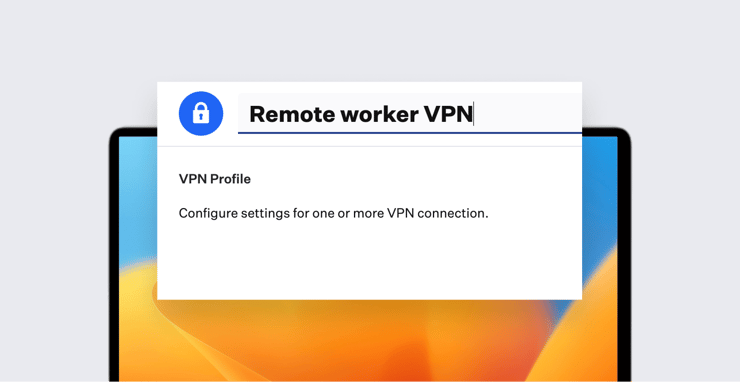
The right mobile device management solution should support Apple’s VPN profiles, which let you deliver the necessary configurations to allow safe remote connections, and/or the installation of third-party VPN apps.
Device Trust
Another critical security measure for any work-from-home setup: Device trust. This adds an additional layer of security on top of the traditional username-password credentials. You can configure your organization’s resources so they require that additional security before they’ll grant users access.
For more on how that all works in theory, check out our posts on zero trust security and how certificates work; for a more concrete discussion, see our post on enabling Microsoft Conditional Access.
Leveraging Remote Tools
One other way MDM can help you deal with a remote workforce: By using it to manage the apps employees use. There are a few ways to do that:
Automatic app installation: Ideally, your MDM solution can (like Iru) help you deploy apps to enrolled company devices. That can be done either by request, or in the form of a self-service software library that employees can access to get the tools they want. Or it can take the form of enforced software installations (a la Iru Auto Apps), in which you as an admin get to decide which apps need to be on users’ devices.
Patch management: Managing Mac app updates—particularly for those that aren’t in the App Store—can be a time-consuming chore under the best of circumstances. It’s even harder when the devices are remote. A good MDM solution should help you. Iru's Auto Apps, for example, gives you access to a library of applications that are not only automatically deployed but are then updated automatically as well, so you don’t need to worry about users having the latest version.
Online suites: If your organization is leveraging a comprehensive online software suite, such as Google Workspace or Microsoft 365, your MDM solution should be able to help. Iru, for instance, lets you import users from your Google or Microsoft directory and then assign devices to them directly.
Visual collaboration tools: In addition to communication and productivity apps, visual collaboration platforms can help remote teams work together more effectively. Canva’s Online Whiteboard gives distributed employees a shared space to brainstorm, plan, and organize ideas in real time. Canva is also available as a Iru Auto App, making it easy for IT teams to deploy, update, and manage on devices.
The bottom line is that MDM is a critical tool when it comes to provisioning and supporting today’s remote workforce. No matter how the modern workplace evolves moving forward, MDM will continue to play a critical role in helping IT teams manage devices and users.
About Iru
Iru is the device management and security platform that empowers secure and productive global work. With Iru, devices transform themselves into enterprise-ready endpoints, with all the right apps, settings, and security systems in place. Through advanced automation and thoughtful experiences, we’re bringing much-needed harmony to the way IT and security teams work today and tomorrow.
Kandji is now Iru. This article was originally published under the Kandji brand.

 Workforce Identity
 Endpoint Management
 Endpoint Detection & Response
 Vulnerability Management
 Compliance Automation
 Trust Center