




What is unified endpoint management (UEM)? Unified endpoint management (UEM) brings device management into one central platform, giving you more control over your organization's endpoints and the policies that protect them. The right platform reduces manual work and maintains consistent security as your company grows.
Every device in your organization creates work for IT. Someone needs to configure it, keep its apps up to date, and make sure it meets security requirements. Add more employees and remote devices to the mix, and your team can spend more time managing endpoints than tackling bigger priorities.
Unified endpoint management (UEM) can ease that workload by bringing device management tasks under a more consistent approach. Let’s take a closer look at how UEM improves device management, what a strong workflow looks like, and how to choose a UEM solution that fits your environment.
How unified endpoint management works
UEM takes devices from initial setup to ongoing security checks and remediation. Each stage builds on the last, helping your IT team keep devices ready for work and aligned with your security policies.
The table below maps each stage:
| Stage | What happens | Why it matters |
|---|---|---|
| Device enrollment | Devices are registered with the management system. Apple Business (formerly Apple Business Manager) can automate enrollment for Apple devices, while Windows Autopilot simplifies setup for Windows devices. | Your team can bring devices under management with less manual setup. |
| Policy deployment and configuration | The platform applies the required settings, such as virtual private network (VPN) configurations, security restrictions, and approved apps. | Devices start with the settings they need to meet your organization’s requirements. |
| Compliance checks | The platform checks devices against your security policies and flags issues, such as outdated software or missing security settings. | Your team can spot noncompliant devices and decide what needs attention. |
| Incident response and remediation | When a device fails a policy check or shows signs of a security issue, the platform can trigger an appropriate response. Depending on its capabilities and your rules, it may enforce a missing setting or deploy an update. | You can address supported issues faster and help bring devices back into compliance. |
The process continues as devices change. New apps need updates, security policies evolve, and devices can fall out of compliance. A UEM platform like Iru manages those changes throughout the device lifecycle.
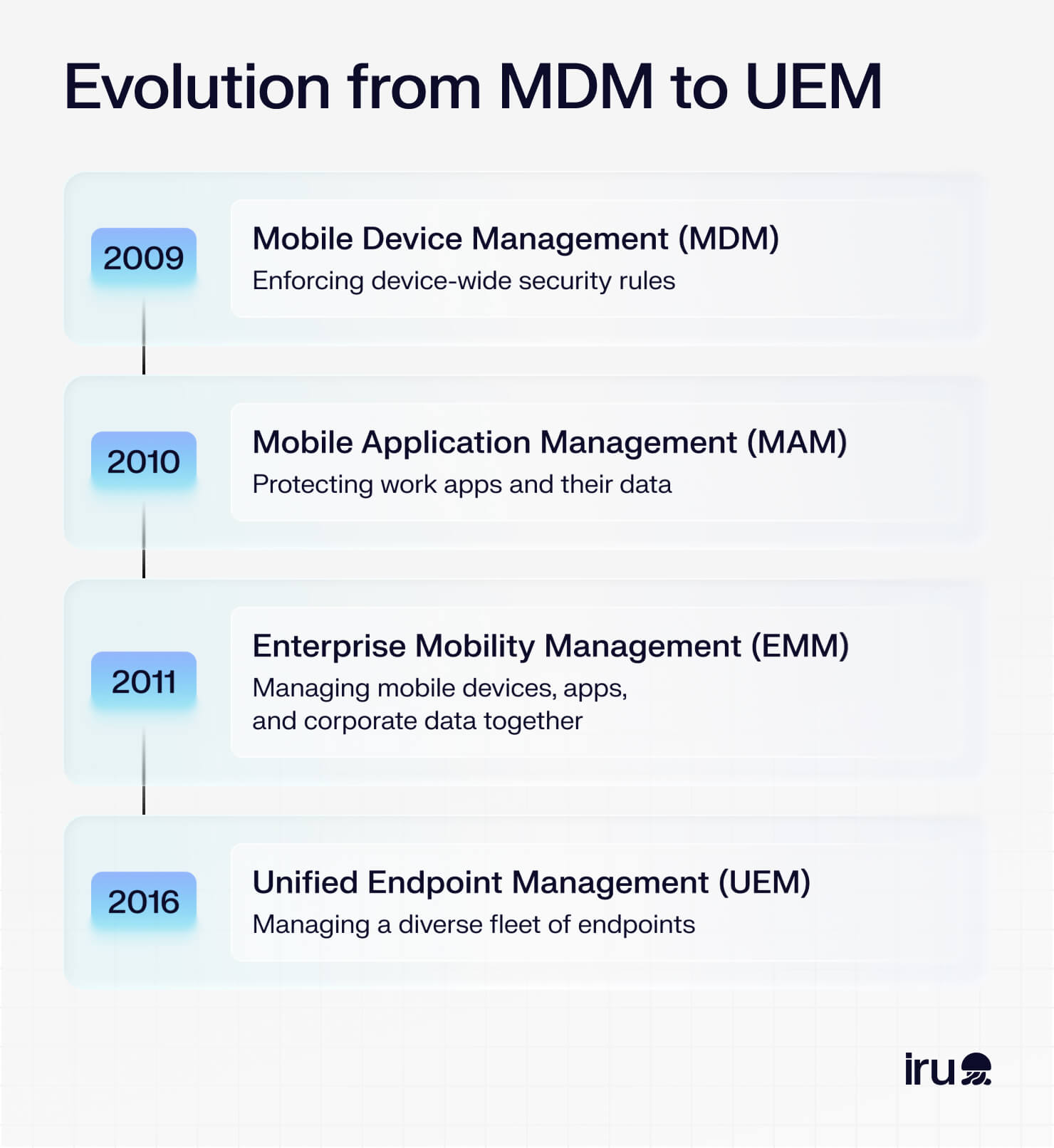
The evolution of UEM
UEM emerged from a growing need to manage devices, apps, and corporate data through one connected workflow.
Mobile device management (MDM) focused on device-level controls, while mobile application management (MAM) addressed the security of work apps. Enterprise mobility management (EMM) brought device and app management together for mobile environments. UEM extended this approach across a wider range of endpoints.
Here’s how the four approaches compare:
| Approach | Primary focus | Supported devices |
|---|---|---|
| MDM | Enforcing device-wide security rules | Smartphones, tablets, and other mobile devices |
| MAM | Protecting work apps and their data | Apps on personal or company-owned devices |
| EMM | Managing mobile devices, apps, and corporate data together | Mobile devices and their apps |
| UEM | Managing a diverse fleet of endpoints | Mobile devices, computers, and supported connected devices |
Mobile device management (MDM)
Primary focus: Enforcing device-wide security rules
MDM emerged as organizations began using smartphones and tablets for work. It gave IT teams a way to control device settings and enforce security requirements, including on devices employees used outside the office.
MDM tools can encrypt devices, configure wireless access, install work apps, and remotely lock or wipe a device. These controls can protect company data if a device goes missing or falls into the wrong hands.
Mobile application management (MAM)
Primary focus: Protecting work apps and their data
With MAM, IT teams can set rules for work apps and control how corporate data is accessed and shared through them. It became especially useful for bring-your-own-device (BYOD) programs, where employees use personal devices for work.
With MAM, you can manage work apps without taking control of the entire personal device. You can restrict how corporate data moves between apps or remove work data when an employee leaves the organization, while leaving personal content untouched.
Enterprise mobility management (EMM)
Primary focus: Managing mobile devices, apps, and corporate data together
EMM brought device management and app management together, giving IT teams more control over mobile devices and the corporate data they hold. And as organizations adopt more connected technology, security concerns extend beyond phones and tablets.
For IT teams, this expands the scope of endpoint security beyond employee devices. UEM helps organizations manage a broader range of supported devices and apply consistent security policies across their environment.
Core UEM platform functions
A UEM platform brings several capabilities together to help your IT team manage devices and maintain security. The exact capabilities vary by vendor, so look at what each function lets your team accomplish.
| Function | What it does | The bottom-line benefit |
|---|---|---|
| Device lifecycle management | Supports device enrollment, setup, ongoing management, and retirement | Reduces repetitive work as devices enter and leave your environment |
| Configuration and policy management | Applies security settings and access rules across supported devices | Helps keep your fleet aligned with your organization’s security requirements |
| App management | Deploys approved apps, manages their settings, and removes access when it’s no longer needed | Gives employees access to the tools they need while helping protect company data |
| Patch and operating system (OS) update automation | Deploys supported software and OS updates to address known issues | Helps reduce the time devices spend running outdated software |
| Remote troubleshooting and remediation | Lets IT teams investigate device issues remotely and apply supported fixes. Some platforms can also automate vulnerability remediation | Helps resolve certain issues without waiting for hands-on access to a device |
| Analytics and reporting | Provides device status, compliance information, and reports on policy adherence | Helps your team prioritize fixes and gather information for compliance reviews |
Benefits of a unified endpoint management system
Managing endpoints across separate tools can increase licensing costs and leave IT teams with more systems to maintain. A UEM platform brings device configuration, software updates, and security policies together, helping you cut manual work and manage your fleets more consistently.
For example, Built consolidated its endpoint management tools with Iru, bringing software deployment, patching, and device hardening into one system. Automating these tasks freed its IT team to focus on broader security goals while maintaining device usability.
Centralized endpoint monitoring also surfaces devices that fall out of compliance, so your team can prioritize fixes. Keeping device records and security settings up to date gives you a clearer view of your security posture and makes it easier to gather evidence during audits.
Common UEM use cases
UEM supports several IT and security priorities, from meeting compliance requirements to protecting personal devices used for work. It also applies consistent security rules across hybrid teams, wherever employees work.
Here are its main use cases:
| Where it works | How it works | Real-world example |
|---|---|---|
| Compliance | Enforces required device settings and helps teams track security requirements | Automatically enforce policies like disk encryption, screen lock, and up-to-date OS versions, then flag devices that drift so you can bring them back into a compliant state |
| Zero Trust | Checks device security before granting access to company resources | Require devices to meet security policies before employees access sensitive business apps |
| Onboarding and offboarding | Automates device setup for new hires and removes access cleanly when employees leave | Ship a preconfigured device that enrolls itself on first boot, then revoke access and wipe work data on an employee’s last day |
| Hybrid work | Applies security policies to devices used in the office or remotely | Deploy updates and enforce device settings without requiring employees to visit the office |
How to choose a UEM vendor
Your UEM vendor should help you manage your device fleet without adding more work for IT. Here’s a short checklist to help you evaluate unified endpoint management tools and find a perfect fit:
- OS coverage: Look for support across Apple, Windows, and Android. Check how the platform works with Apple Business and Windows Autopilot to simplify device enrollment.
- Patch automation: Choose a platform that automates software updates and helps you address known vulnerabilities quickly. Check which operating systems and applications it supports.
- A single agent for multiple solutions: Strong platforms bring endpoint management, endpoint detection and response (EDR), and identity management together. Iru combines these capabilities in one AI-powered platform, reducing the need to manage separate tools.
- Automated compliance reporting: Look for tools that collect compliance evidence and flag missing or outdated information. Automated reporting can reduce audit preparation time and help you track compliance requirements.
Simplify endpoint management with Iru
A growing device fleet doesn’t have to mean more routine work for your IT team. With the right approach, you can keep devices up to date, maintain consistent security settings, and give your team more time to focus on complex issues.
Iru’s Endpoint Management software supports these goals with automated device onboarding, app updates, patching, and policy enforcement across Apple, Windows, and Android. These capabilities cut manual maintenance and keep your device fleet aligned with your security requirements as your organization grows.
Curious how that works in action? Book a free demo to see how Iru can simplify endpoint management.