•
2 min readIntroducing Improved Control over Software Updates
Kandji is pleased to announce an update to our Software Update Library Item, as well as two new Auto Apps.
•
2 min readKandji is pleased to announce an update to our Software Update Library Item, as well as two new Auto Apps.
•
2 min readKandji is pleased to announce newly expanded hours for customer support, as well as a slew of recently added Auto Apps.
•
3 min readBack at WWDC 2021 in June, Apple announced a slew of exciting changes that are coming to device management, from declarative MDM to erase all content and settings for Mac. With the arrival of iOS and iPadOS 15, many of those announcements became reality, including an enhancement to Managed Open In. Here’s a quick recap of what Managed Open In is, what the latest update does, and how you can use Kandji to exert greater control over what users can do with your company’s data.
•
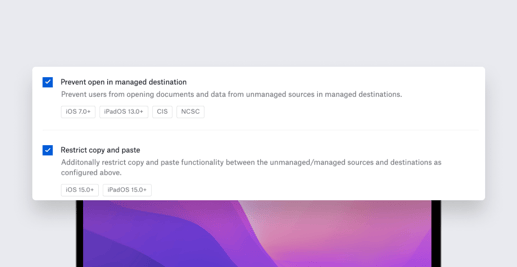
2 min readKandji is excited to announce the release of a new Library Item that will give Apple admins finer control over data flows on iOS and iPadOS devices, as well as updates to Restrictions profiles. Both take advantage of features introduced in macOS Monterey and iOS/iPadOS 15.
•
3 min readKandji has announced that it has raised $100 million in Series C funding, at a nearly 10x increase in valuation since the company’s Series A funding round one year ago. This latest round was led by Tiger Global with participation from Definition and Frontline Ventures and from existing investors First Round Capital, Greycroft, Felicis Ventures, The Spruce House Partnership, B Capital Group, SVB Capital, and Okta Ventures. Today’s financing—the company’s third round since last year—brings Kandji’s total funding raised to $188.5 million. Kandji will use these funds to further evolve its product offerings, increase global hiring, and open a London office.

•
2 min readToday, Kandji announced the release of Passport, an authentication product that creates a seamless, one-password sign-in experience for users. Kandji Passport validates the credentials a user provides during Mac login against an organization’s cloud-based identity provider (IdP), so users need to remember just one password for both their Mac computers and the organization’s single sign-on (SSO) provider. Passport provides a native Mac login experience while streamlining device configuration, management, and security tasks for IT admins. “Fewer passwords for users to remember and for admins to manage can enhance an organization’s end-to-end security,” said Adam Pettit, CEO at Kandji. “Additionally, IT teams see many help desk tickets from users who can’t log in because they’re not sure which password to use or who get locked out for typing in the wrong password too many times. Having both the cloud identity password and local password synced creates a better user experience and reduces the ticket load on Mac admins.”
•
5 min readApple device management has changed dramatically over the past decade, and it’s poised to change even more dramatically in the not-too-distant future. Recently, Kandji hosted a panel discussion to discuss the ways device management can and should evolve—both where it’s been and where it’s heading.
•
3 min readKandji, the leader in modern Apple device management, today announced the results of a global survey of more than 300 IT professionals about the correlation of hybrid work and Apple adoption in the enterprise. Commissioned by Kandji and conducted by Dimensional Research, the survey found 70% of companies more than doubled the number of remote or hybrid workers in the past two years, while 76% of respondents reported employee use of Apple devices also increased in that same time period.
•
4 min readiCloud Private Relay is Apple's latest initiative to protect consumer privacy. The service—which debuts as a public beta in macOS Monterey and iOS and iPadOS 15 and will be included with iCloud+ subscriptions—is designed to make it harder for third-parties to track users on local and remote networks. When a user browses the internet—whether at home, in the office, or a coffee shop—specific details, such as their DNS records and IP address, are visible to network providers and the websites they visit. Those providers and websites can collect those details to determine the user’s location and browsing habits. That information can then be used to develop a personal profile of the user’s interests, which can, in turn, help target the user with ads and other marketing vehicles. In a worst-case scenario, if the user’s email is correlated with their device, that information can be used to initiate phishing attacks. These kinds of privacy invasions are what iCloud Private Relay is designed to prevent.
•
4 min readBack in June, Apple announced new versions of its operating systems: macOS Monterey and iOS/iPadOS 15. Sometime this fall, those new OSes will be officially released. In the meantime, Apple has made prerelease versions of the new operating systems available to you for testing. As we've said before, we think it’s a really good idea to test those OSes before they’re released, so you can (a) get an idea of how well they’ll work with your existing tech infrastructure and (b) give Apple and other vendors feedback on the new software and its compatibility with the apps and services your organization relies on. But that’s just our opinion. We were curious to find out what real-world Apple admins think about the whole testing question. So we asked a select group of our blog readers what their testing regimes were like. Their answers are anecdotal, of course. But we think they shine some light on what’s really happening out there as we all wait for macOS Monterey and iOS/iPadOS 15 to officially ship.
•
6 min readLast week, we talked about why it’s important to test prerelease operating systems. The reasoning is straightforward: You need to test new operating systems before deploying them widely—ideally before they’re officially released—to see how they get along with your existing technical infrastructure. We also talked recently about where and how to download beta OSes. But once you’ve downloaded the software, what’s next? What’s the best way to test a prerelease OS? Of course, the specific answers depend entirely on your particular circumstances—the kinds and quantity of Apple hardware you manage, the apps and services your organization uses, how much time you have, and so on. But here are some general guidelines for thinking about testing macOS Monterey and iOS/iPadOS 15 now.
•
3 min readLast week, we wrote about three ways to access Apple beta software (including one that’s designed specifically for Apple admins, AppleSeed for IT). But some might wonder: Why bother downloading beta software in the first place? Why not wait until the operating system is publicly released? Waiting certainly makes sense for your home Mac or iPhone. Apple makes it incredibly easy to upgrade, and the majority of Apple users are ready to pull the trigger on day one. You upgrade, and most of the time, everything works great — you are up and running within the hour. But in a business context, it’s vital to test operating systems before they’re released. Here’s why.
•
4 min readTesting prerelease versions of upcoming operating systems to see how they get along with your existing technology infrastructure is a critical project for IT administrators. While there are several ways to get early access to new versions of macOS, iOS, and iPadOS, AppleSeed for IT is the only one specifically designed for Apple admins. In this guide, we’ll explore that program’s features; why it’s the best way for Apple admins to get access to prerelease versions of macOS Monterey, iOS 15, and iPadOS 15; how you can access it; and how you can use it to test those betas.
•
5 min readAlong with the rest of the world, corporate workplaces were turned upside down over the past year and a half. In a shockingly short period of time, enterprise employees switched from going to the office every day to working from home. Organizations large and small scrambled to figure out how to keep their businesses going with their newly remote workforces. Much of the burden of that transition fell on IT departments, which had to figure out how to keep their coworkers connected and productive. To a remarkable degree, they succeeded. But now, as many companies begin asking their employees to return to the office at least part of the time, admins face a new challenge: a hybrid workplace, in which some workers are on-site and others remote and they may switch from one to the other depending on the day. How will you manage IT needs in this new environment?
•
5 min readEvery year, veteran tech journalist Jason Snell asks a panel of Apple experts to assess the company’s product performance over the preceding 12 months. He then publishes a “report card” based on those responses on his Six Colors blog. (Here’s the 2020 edition.) We’ve always been big fans of Jason’s work and thought it’d be interesting if he could do something similar that focused exclusively on Apple’s moves in the enterprise market. He was game, so Kandji commissioned the report and then stood back to let him do his work. He posted the results—“Apple in the Enterprise: A 2021 report card”—in early June. It was a great snapshot of the issues that matter most to Mac admins: Service and support for enterprise customers; hardware and software innovation and reliability; security and privacy; identity management; the MDM protocol; and more. image: sixcolors.com Jason’s report came out just before Apple convened its 2021 Worldwide Developers Conference (WWDC). Now that we’ve had a few weeks to digest the news that emerged from that conference, we wanted to take a look at Apple’s enterprise announcements from WWDC, to see how they align with the issues raised in the Six Colors survey.
Iru's bi-weekly collection of articles, videos, and research to keep IT & Security teams ahead of the curve.