Skip to content
How Mac Admins Are Preparing for the Hybrid Workplace
Iru Team

5 min read

How Mac Admins Are Preparing for the Hybrid Workplace

Along with the rest of the world, corporate workplaces were turned upside down over the past year and a half. In a shockingly short period of time, enterprise employees switched from going to the office every day to working from home. Organizations large and small scrambled to figure out how to keep their businesses going with their newly remote workforces. Much of the burden of that transition fell on IT departments, which had to figure out how to keep their coworkers connected and productive. To a remarkable degree, they succeeded. But now, as many companies begin asking their employees to return to the office at least part of the time, admins face a new challenge: a hybrid workplace, in which some workers are on-site and others remote and they may switch from one to the other depending on the day. How will you manage IT needs in this new environment?

Recent News
Why Apple's WWDC Announcements Are Good News for IT Admins
Iru Team

5 min read

Why Apple's WWDC Announcements Are Good News for IT Admins

Every year, veteran tech journalist Jason Snell asks a panel of Apple experts to assess the company’s product performance over the preceding 12 months. He then publishes a “report card” based on those responses on his Six Colors blog. (Here’s the 2020 edition.) We’ve always been big fans of Jason’s work and thought it’d be interesting if he could do something similar that focused exclusively on Apple’s moves in the enterprise market. He was game, so Kandji commissioned the report and then stood back to let him do his work. He posted the results—“Apple in the Enterprise: A 2021 report card”—in early June. It was a great snapshot of the issues that matter most to Mac admins: Service and support for enterprise customers; hardware and software innovation and reliability; security and privacy; identity management; the MDM protocol; and more. image: sixcolors.com Jason’s report came out just before Apple convened its 2021 Worldwide Developers Conference (WWDC). Now that we’ve had a few weeks to digest the news that emerged from that conference, we wanted to take a look at Apple’s enterprise announcements from WWDC, to see how they align with the issues raised in the Six Colors survey.

Recent News
Introducing Kandji's Integration with Vanta
Iru Team

1 min read

Introducing Kandji's Integration with Vanta

Kandji is excited to announce our integration with Vanta. Information about devices in your Kandji instance can now be used to inform Vanta’s security and compliance rules.

Product Update
Preview: Apple Admins to Get More Control of Software Updates
Iru Team

4 min read

Preview: Apple Admins to Get More Control of Software Updates

At this year’s Worldwide Developers Conference (WWDC 2021), Apple announced a slew of exciting new tools for IT admins. Several of them are specifically aimed at giving those admins more control over software updates in the upcoming macOS Monterey and iOS and iPadOS 15. Here's what they are and how they'll help: Separating Updates for iOS, iPadOS Managing macOS Releases Deferring Software Updates Deploying Software Updates Enforcing Software Updates

Recent News
Introducing Kandji Liftoff
Iru Team

3 min read

Introducing Kandji Liftoff

Kandji is excited to announce Kandji Liftoff. When a Mac is first enrolled into Kandji, settings are delivered, apps are installed, and security controls are configured. We know from customers that the setup experience is the second-highest driver in the volume of IT tickets generated. (Password resets are first, of course.) Liftoff is designed to help you address user confusion associated with the setup experience.

Product Update
Apple Bringing Erase All Content and Settings to Mac
Iru Team

2 min read

Apple Bringing Erase All Content and Settings to Mac

Last week we told you about two of Apple’s most significant announcements for Mac admins at WWDC 2021: Declarative MDM and Apple Configurator on iPhone. But Apple made plenty of other news at its annual developers conference. One of the best bits: Erase All Content and Settings is coming to Mac.

Recent News
Coming Soon: Add Mac to Apple Business Manager with Apple Configurator
Iru Team

1 min read

Coming Soon: Add Mac to Apple Business Manager with Apple Configurator

Currently, the only way to assign Mac computers to your organization in Apple Business Manager is to buy them from Apple or an authorized reseller. If you bought one somewhere else, it can't be added to ABM and, so, can't take advantage of helpful features such as Automated Device Enrollment. But Apple says it will change that this fall, making it possible to add Mac computers to ABM no matter where you bought them. The key: a new Apple Configurator app for iPhone. Here’s how it will work.

Recent News
Apple's New Declarative MDM: What It Is, How It Will Help Mac Admins
Iru Team

4 min read

Apple's New Declarative MDM: What It Is, How It Will Help Mac Admins

At its 2021 Worldwide Developers Conference, Apple announced a significant advance in the MDM protocol. Dubbed “declarative MDM,” the technology promises to make device management more powerful than ever before. But what is it, and how will it help Apple-focused IT admins in their day-to-day jobs? We’ll have to wait for Apple to release complete details about this protocol update in the months to come to completely answer those questions. But we can try to provide some preliminary answers based on what Apple announced at WWDC. We’ll look at: Why Declarative MDM? What Is Declarative MDM? How Does Declarative MDM Work? How Can I Take Advantage of Declarative MDM?

Recent News
macOS Monterey and iOS 15: How to Manage Public Betas
Iru Team

5 min read

macOS Monterey and iOS 15: How to Manage Public Betas

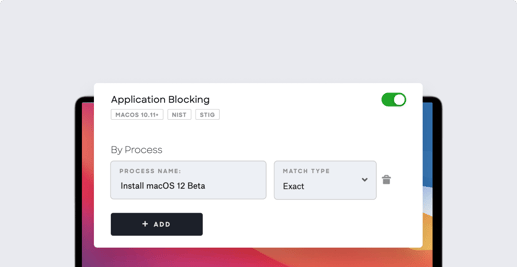
It’s that’s time of year again: At its 2021 Worldwide Developers Conference, Apple announced the next version of macOS—named Monterey—as well as iOS and iPadOS 15. The final versions of these new operating systems won’t actually ship until sometime this fall. In the meantime, Apple will make prerelease (a.k.a. beta) versions of the new macOS, iOS, and iPadOS available for download—now for registered developers, in July for the general public. Those prerelease versions give you a chance to start testing so you can be sure that, when official releases come out, your upgrade will go as smoothly as possible. But how do you manage that testing program and the prerelease software? Here’s some advice on that. We’ll cover: Apple Programs for Prerelease Software How to Install Prerelease Software How to Prevent Devices from Installing Prerelease Software


Recent News
Introducing User Directory Improvements, Custom Printers in Self Service
Iru Team

2 min read

Introducing User Directory Improvements, Custom Printers in Self Service

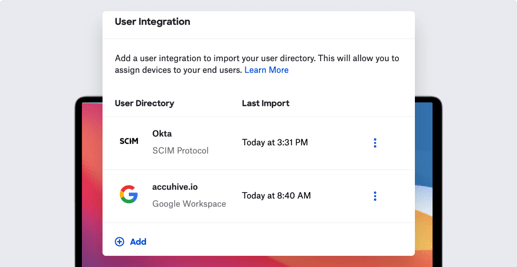
Kandji is excited to announce an updated interface for managing integrations with user directories, as well as support for SCIM (in early access by request). And following our recently released support for custom apps and scripts in Self Service, we’re also happy to announce the addition of custom printers there as well.

Product Update
How to Work Smarter with Apple Business Manager
Iru Team

4 min read

How to Work Smarter with Apple Business Manager

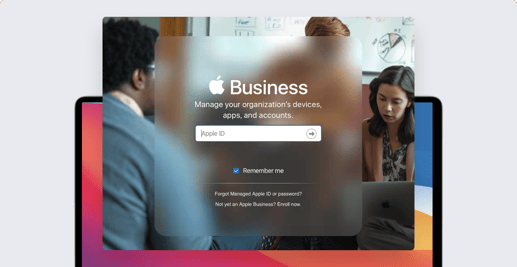
Apple Business Manager is absolutely essential for managing Apple devices in the enterprise. With it, you can enroll your company’s devices in your MDM solution, distribute apps, and create Managed Apple ID accounts that your organization retains ownership of. It’s the central component of zero-touch deployments, letting you drop-ship new Mac computers and iPhone and iPad devices to users and have those devices configure themselves the first time they boot. For the most part, ABM is pretty straightforward to use. But we've got some tips and tricks that will help make it—and you—more effective. (Note that these ideas apply to Apple School Manager as well.) Use Safari on a Mac Trust the browser Use a Staff role account to set up APNs Make sure you have a second Administrator account Set up locations first

Recent News
What Mac Admins Need to Know about Rosetta 2
Iru Team

6 min read

What Mac Admins Need to Know about Rosetta 2

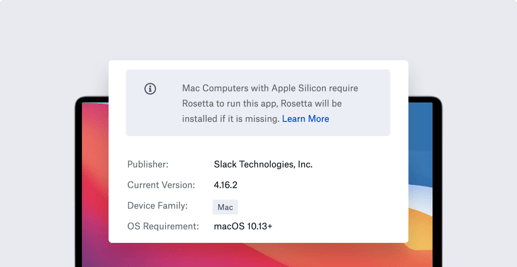
The release of macOS Big Sur and Apple silicon in 2020 brought a lot of changes to the Mac environment. Apple introduced Rosetta 2 to help make those changes easier for developers and for Mac admins, by enabling code designed for older Intel-based hardware to run on the new Apple systems. As the transition to Apple silicon continues, with the ongoing release of new Mac computers using the M1 chip, Rosetta 2—which is free—still has a role to play. Here are some quick answers to the questions admins have about this technology: What is Rosetta? How do you install Rosetta? Which apps require Rosetta?

Recent News
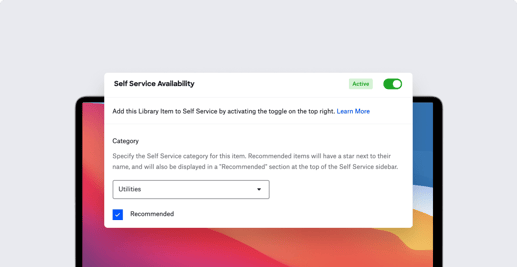
Introducing Custom Apps and Scripts in Self Service
Iru Team

1 min read

Introducing Custom Apps and Scripts in Self Service

The Kandji team is excited to announce the addition of custom apps and custom scripts to Self Service, along with updates to the Kandji Agent. In case you missed it, we also recently released support for Enrollment Customization and updates to our API.

Product Update
Kandji Raises $60 Million Series B to Drive the Future of Apple Enterprise Management
Iru Team

2 min read

Kandji Raises $60 Million Series B to Drive the Future of Apple Enterprise Management

Kandji is excited to announce its $60 million Series B round of funding, led by Felicis Ventures with participation from SVB Capital, Greycroft, B Capital Group, Okta Ventures, and the Spruce House Partnership.

Recent News
Level Up Your Deployment with Enrollment Customization
Iru Team

5 min read

Level Up Your Deployment with Enrollment Customization

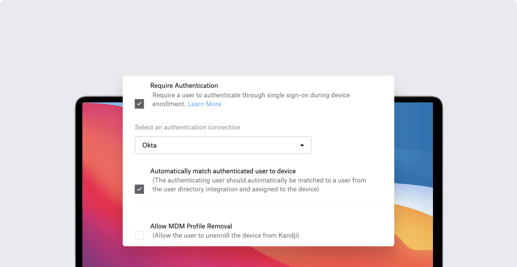
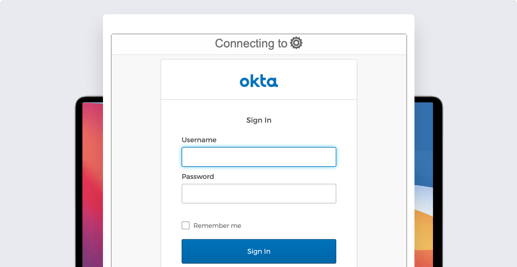
Apple is famous for the out-of-box experience new users get when they open up a Mac, iPhone, or iPad for the very first time. Kandji can help make that unboxing moment even better—for you as an Apple admin and for your users—with enrollment customization, by requiring users to sign in with their Single Sign-on (SSO) credentials the first time they boot up a new device. It’s a streamlined experience for you and for them; as they authenticate, they can be automatically matched from your user directory and assigned to their devices. Kandji recently added support for enrollment customization. Kandji’s Head of Solutions, Weldon Dodd, recently hosted a webinar to talk about how this new feature works. Here’s what he had to say.

Recent News

Stay up to date

Iru's weekly collection of articles, videos, and research to keep IT & Security teams ahead of the curve.