Skip to content
TIL: How To Keep Bad Apps Out of Your Mac Fleet
Iru Team

1 min read

TIL: How To Keep Bad Apps Out of Your Mac Fleet

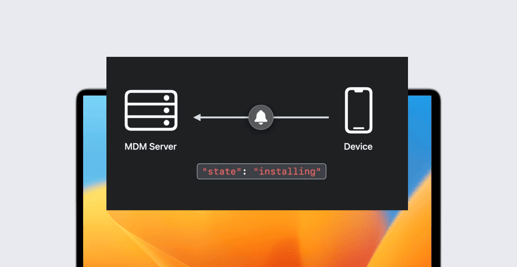
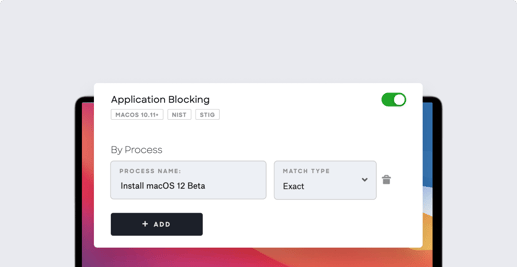
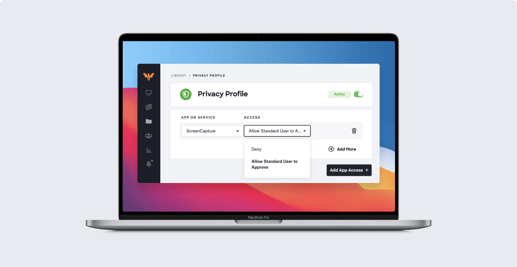
Play Video Need to stop bad apps from infiltrating your Mac fleet? In this TIL episode, Andy Rana shows how to use Kandji's App Blocking library item to keep unauthorized apps off managed devices. Learn how to spot bad apps, set blocking rules, and see the workflow from setup to end-user experience.

TIL

Introducing the Kandji Referral Program
Iru Team

2 min read

Introducing the Kandji Referral Program

If you’ve ever raved about Kandji to a friend, colleague, or peer, you’re in good company. Our customers can’t help but share it - whether it’s in a Slack community, during a coffee break, or during a “you’ve got to check this out” moment. Those recommendations carry more weight than any ad ever could, because they come from someone who’s been there, done that, and solved the problem.

Inside Iru
The Kids Aren’t Alright: A Threat Intel Dad’s View of the Internet
Alex Gartner

4 min read

The Kids Aren’t Alright: A Threat Intel Dad’s View of the Internet

Opinion
TIL: How Kandji's Vulnerability Response Goes From Detection to Action
Andy Rana

1 min read

TIL: How Kandji's Vulnerability Response Goes From Detection to Action

TIL: How Kandji's Vulnerability Response Goes From Detection to Action Frustrated with endless patching and chasing down CVEs? In this TIL episode, Andy shows how Kandji’s Vulnerability Response makes it effortless to detect, patch, and track macOS app vulnerabilities—automatically. Watch as he maps severity levels to actions, enforces critical updates instantly, and monitors remediation progress without tickets or delays.

TIL
Close the Gap: How Kandji’s Vulnerability Response Turns Detection into Action
Iru Team

7 min read

Close the Gap: How Kandji’s Vulnerability Response Turns Detection into Action

Vulnerability management has long been a fragmented process for IT teams. You get alerts about CVEs affecting your devices, but then what? For most organizations, the journey from detection to remediation involves multiple tools, manual processes, and precious time - often stretching remediation timelines from hours to weeks.

Demo Days
Migration Done Right: How Two IT Teams Moved 1,800+ Devices to Kandji Without Breaking a Sweat
Iru Team

5 min read

Migration Done Right: How Two IT Teams Moved 1,800+ Devices to Kandji Without Breaking a Sweat

MDM Migration Done Right: Real Stories and Lessons from IT Leaders Picture this: You're staring at a spreadsheet with 1,100 devices that need to migrate to a new MDM platform. Your boss wants a timeline. Your users hate change. Your team is already stretched thin.

Demo Days
TIL: How to Set iOS Wallpaper with Kandji
Andy Rana

1 min read

TIL: How to Set iOS Wallpaper with Kandji

TIL: How to Set iOS Wallpaper with Kandji Want to give your iPads a consistent, branded look? In this TIL episode, we show how easy it is to deploy custom wallpapers across your Apple fleet using Kandji—no cables, no user involvement. Watch as Andy walks through how to set lock and home screen images in just a few clicks.

TIL
TIL: How to Build the Perfect Home Screen with Kandji
Andy Rana

1 min read

TIL: How to Build the Perfect Home Screen with Kandji

TIL: How to Build the Perfect Home Screen Tired of chaotic iPad home screens? In this TIL episode, we show how Kandji helps IT bring order to the mess—no manual sorting required. Watch as Andy uses Home Screen Layout to streamline app placement, create folders, and deploy clean, consistent layouts for construction teams in seconds.

TIL
TIL: How to Lock and Locate a Device with Kandji Lost Mode
Iru Team

1 min read

TIL: How to Lock and Locate a Device with Kandji Lost Mode

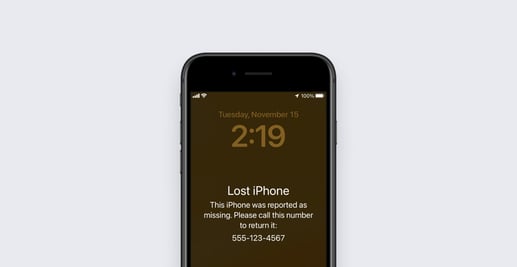
Play Video Lost device? Don’t panic. In this Today I Learned (TIL) episode, we show how Kandji Lost Mode helps IT teams quickly lock, locate, and recover missing Apple devices - no location services required.

TIL
Fewer Passwords, Fewer Tickets: How Kandji Passport Delivers a Better Login Experience
Iru Team

10 min read

Fewer Passwords, Fewer Tickets: How Kandji Passport Delivers a Better Login Experience

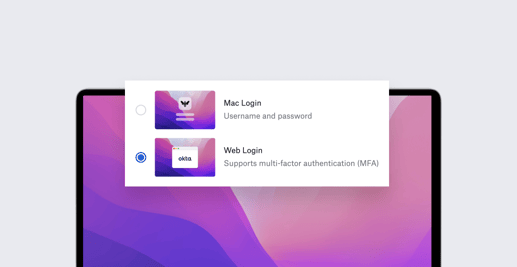
Welcome to our latest Demo Day recap, where we explore how Kandji Passport transforms the Mac login experience by allowing users to authenticate with their identity provider credentials. In this session, Solutions Engineer Jim Quilty demonstrated how Passport reduces password-related friction for both users and IT teams while supporting security goals.

Demo Days
TIL: SOC 2 Setup in Under 3 Minutes with Kandji
Iru Team

1 min read

TIL: SOC 2 Setup in Under 3 Minutes with Kandji

TIL: SOC 2 Setup in Under 3 Minutes with Kandji How long does it take to configure a SOC 2 compliant Mac setup with key enterprise apps? In this Today I Learned (TIL) episode, we do it in under three minutes using Kandji. You’ll see how to:

TIL
Streamline MDM Migration with the Kandji Migration Agent
Iru Team

9 min read

Streamline MDM Migration with the Kandji Migration Agent

Kandji's recent Demo Day focused on the Kandji Migration Agent, a powerful tool designed to streamline the process of moving Mac computers from existing MDM solutions to Kandji. In this article, we'll review topics covered in the Demo Day, including why migration has traditionally been challenging, how the Migration Agent works, and best practices for a successful migration. At the close, we'll highlight questions and answers from our expert team provided during the live Q&A. Kandji Migration Agent: Switching MDMs Made Easy | Kandji Demo Day

Demo Days
The Future of Scoping: Assignment Maps Explained
Iru Team

8 min read

The Future of Scoping: Assignment Maps Explained

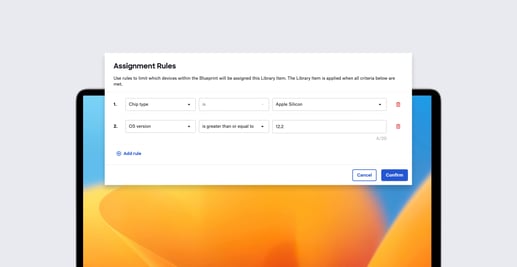
Kandji’s latest Demo Day focused on Assignment Maps, a different approach to Blueprints, which make it easier to assign apps, configurations, and settings to your Apple devices. In this article, we’ll review topics covered in the Demo Day, including what Assignment Maps are, how to build them, and how they work. At the close, we’ll highlight questions and answers from our expert team provided during the live Q&A.

Demo Days
Demo Day Recap: Automating Device Management & Security with Kandji
Iru Team

27 min read

Demo Day Recap: Automating Device Management & Security with Kandji

Welcome to the recap of our first Kandji Demo Day, a new series designed to go deep into the features, workflows, and security capabilities of the Kandji platform. Whether you're already a customer or just exploring Apple endpoint management solutions, this session offers a complete look at how Kandji helps automate and scale macOS and iOS management without sacrificing security or compliance.

Demo Days
Universal Search & A New Paradigm for Enterprise IT Products
Iru Team

4 min read

Universal Search & A New Paradigm for Enterprise IT Products

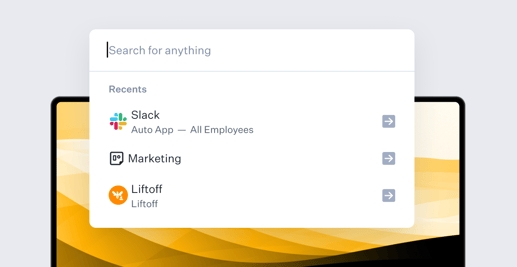
In the world of enterprise software, we've long equated complexity with capability. The more buttons, toggles, and configuration screens a product has, the more powerful it must be—or so conventional wisdom suggests. But as AI transforms how we interact with technology, this paradigm is shifting dramatically. Let's explore what this means for the tools IT teams use, how we are driving at the leading edge of this major shift.

Product Update
Kandji Continues Global Expansion with New East Coast Headquarters in Miami
Iru Team

4 min read

Kandji Continues Global Expansion with New East Coast Headquarters in Miami

Today we are officially announcing the opening of our new East Coast headquarters to further our global scaling efforts, attract world-class talent, and support rapid customer growth. Our new East Coast headquarters in Miami is in addition to our offices in California, London, Sydney, and Japan.

Recent News
Kandji Introduces Device Management for Apple Vision
Alexandre Morin

5 min read

Kandji Introduces Device Management for Apple Vision

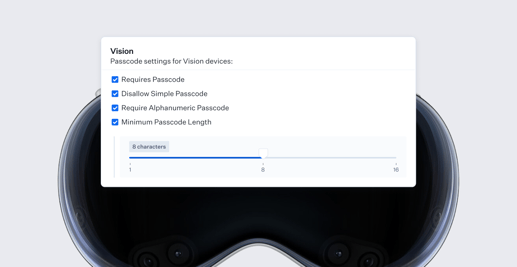
As spatial computing with Apple’s Vision Pro transforms the enterprise landscape, IT teams face new challenges in managing and securing Apple Vision devices. Today, we're excited to announce Device Management for Vision, bringing Vision device support to the existing device management capabilities in Kandji. By automatically choosing Apple's next-generation Declarative Device Management (DDM) protocol for all the configurations that support it, we’re helping customers experience the same effortless management of their Vision devices. It’s included for free with the iOS Device Management product in Kandji.

Product Update
Behavioral Detections: Kandji EDR's Latest Defense Update Against Threats
David Larrea

3 min read

Behavioral Detections: Kandji EDR's Latest Defense Update Against Threats

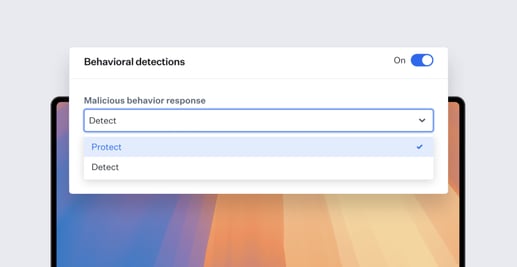
As attackers increasingly regard Mac computers as enterprise targets and evolve their attack methods, file-based malware detections can fall short in catching emerging and unknown threats. Sophisticated malware can evade these conventional security measures by operating entirely in memory without writing files to disk, using polymorphic code that constantly changes its signature, or leveraging legitimate system tools for malicious purposes.

Product Update
Why You Need an MDM Solution that’s Built Specifically for Apple
Iru Team

7 min read

Why You Need an MDM Solution that’s Built Specifically for Apple

Introduction The last decade has seen tremendous growth of Apple devices in the enterprise. It started with the popularity of the iPhone but then grew to include the much wider adoption of the Mac as well. As organizations began to deploy and manage more and more Apple devices, they also began to adopt a suite of software tools collectively referred to as mobile device management (MDM.) These tools allow organizations to wirelessly and securely manage their fleets of devices and to send configuration profiles, content, and commands to them.

Thought Leadership
Manage Homebrew at Scale with New Workbrew Integration
Matt Wilson

3 min read

Manage Homebrew at Scale with New Workbrew Integration

Managing developer tools across a fleet of Mac devices presents unique challenges for IT teams. While tools like Homebrew are essential for developers, ensuring consistent deployment and maintaining visibility across an organization's devices has traditionally been complex. Today, we're excited to announce a new integration with Workbrew, which just announced its 1.0 launch. This new integration will streamline Homebrew deployment and management for Kandji and Workbrew customers.

Product Update
Introducing In-House Apps and Web Clips: iPhone & iPad App Deployment
Alexandre Morin

3 min read

Introducing In-House Apps and Web Clips: iPhone & iPad App Deployment

Whether you're managing devices for a retail operation, healthcare facility, or service organization, your teams need the right tools to get their work done. While the App Store is great for public apps, you often need more flexibility in how you deploy internal proprietary (in-house) apps and web apps to your Apple mobile devices. That's why we're excited to introduce two new Library Items that complete your app deployment toolkit in Kandji: In-House Apps and Web Clips. Combined with Kandji's existing management capabilities for apps from the Apple App Store, you now have everything you need to handle any app deployment scenario for your organization.

Product Update
Apple in the Enterprise: 2024's Latest Trends
Iru Team

4 min read

Apple in the Enterprise: 2024's Latest Trends

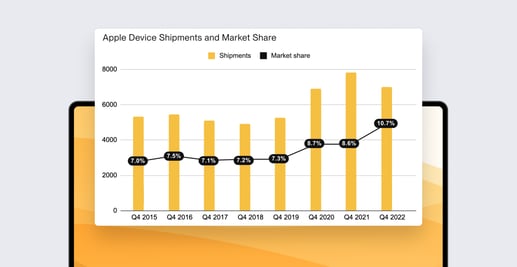
While cyberattacks continue to rise, the majority of IT professionals (72%) believe that Apple products are more secure than other end-user devices, according to new survey data. Despite growing threats, the security benefits of Apple products remain a contributing factor to Apple’s growth in the enterprise, with over three-fourths of IT professionals reporting that Apple products are easier to secure than other end-user devices, and the majority (59%) stating that they are less likely to be impacted by widespread cyber outages. Our third annual “Apple in the Enterprise” survey explores Apple’s continued growth in the enterprise, the security and reliability benefits of Apple products, and how IT professionals feel about the use and regulation of artificial intelligence (AI) in the workplace.

Recent News
Kandji Announces Kai: Artificial Intelligence for Device Management
Iru Team

3 min read

Kandji Announces Kai: Artificial Intelligence for Device Management

Kandji has just released Kai, our new AI-powered assistant for Apple device management. Kai allows admins to quickly gain insights into the state of their Apple device fleets using simple, natural-language queries. Kai does so by harnessing the world’s leading large language model—with complete data privacy.

Product Update
New Integration Uses Kandji Data for Microsoft Device Compliance
Matt Wilson

1 min read

New Integration Uses Kandji Data for Microsoft Device Compliance

We’ve developed a new integration that allows Kandji customers to use their Kandji device data in Microsoft conditional access policies. That means admins can now control access to organization resources based on whether or not Kandji is managing the devices.

Product Update
Kandji Announces Day 1 Support for Apple’s New OSes
Iru Team

5 min read

Kandji Announces Day 1 Support for Apple’s New OSes

Apple has released its latest generation of operating systems—macOS Sequoia, iOS and iPadOS 18 and tvOS 18—and Kandji is ready for all of them. Right now, on Day 1 of their release, you can deploy these new OSes to your Apple endpoints and then manage their new features using Kandji.

Product Update
Update Only Mode for Auto Apps: A New Way to Patch Mac Software
Mike Boylan

2 min read

Update Only Mode for Auto Apps: A New Way to Patch Mac Software

Kandji’s Auto Apps let IT teams distribute Mac software titles—nearly 200 and counting—either by deploying them automatically to endpoints or by letting users install them as they wish via Kandji’s Self Service. We’re now adding another option: Update Only.

Product Update
Kandji Raises $100 Million in Funding to Advance Apple in the Enterprise
Iru Team

3 min read

Kandji Raises $100 Million in Funding to Advance Apple in the Enterprise

Kandji has raised $100 million in capital from General Catalyst, with $50 million allocated to equity financing for its Series D and $50 million for go-to-market investment. This latest round brings Kandji’s valuation to $850 million. Deep Nishar from General Catalyst will join the company’s Board of Directors.

Recent News
By the Numbers: Enforcing Password Policies on Apple Devices
Alexandre Morin

11 min read

By the Numbers: Enforcing Password Policies on Apple Devices

IT admins naturally care about the passcodes their users choose to unlock their Apple devices.

Recent News
Kandji Releases Tags for Creating Device Groups on the Fly
Iru Team

2 min read

Kandji Releases Tags for Creating Device Groups on the Fly

We’ve added a new way to group devices in Kandji: tags. You can now define device groups in Kandji based on the tags that you apply to them. Among other applications, you can use tags to define assignment rules for Blueprints—both Classic Blueprints and the Assignment Maps we introduced just a few weeks ago. Using tags with assignment rules in a Blueprint, you can deploy configurations from Kandji with greater granularity than ever before.

Product Update
WWDC 2025: What Changed for Apple Device Management
Iru Team

6 min read

WWDC 2025: What Changed for Apple Device Management

Each year, Apple’s Worldwide Developers Conference (WWDC) offers a glimpse into the future of the Apple ecosystem. For IT and security teams managing Apple devices at scale, the real value of WWDC lies beyond the keynote - in the developer sessions and enterprise updates that chart the path forward.

Thought Leadership
WWDC 2024: What Apple Admins Need to Know
Iru Team

5 min read

WWDC 2024: What Apple Admins Need to Know

WWDC 2024 has concluded, so we now have the road map to new features coming to Apple's software platforms for the rest of 2024. While much of the show coverage focused on Apple’s efforts to make AI user-friendly, there were plenty of other announcements that Apple IT admins need to know about. Here are our picks of the most important.

Recent News
Assignment Maps: The Revolutionary New Way to Manage Apple Devices
Mike Boylan

9 min read

Assignment Maps: The Revolutionary New Way to Manage Apple Devices

Today, Kandji is excited to introduce Assignment Maps—an entirely new way to manage and secure fleets of Apple devices. They're highly visual, highly flexible, and will give admins incredible control over how the Apple devices they manage are configured, without clutter or confusion.

Product Update
Kandji Joins Amazon Web Services ISV Program
Iru Team

1 min read

Kandji Joins Amazon Web Services ISV Program

We’re excited to announce that Kandji has joined the Amazon Web Services (AWS) ISV Accelerate Program. That means Kandji has met that program’s stringent requirements for best practices in SaaS and opens up new opportunities for partnership between Kandji and AWS’s sales organization.

Product Update
Kandji Packages: Create and Update Custom Apps via API
Noah Anderson

4 min read

Kandji Packages: Create and Update Custom Apps via API

In Kandji, you can deploy custom apps—software you want your users to have but isn’t available as one of Kandji’s Auto Apps or from the Mac App Store—using our Custom App Library Item.

Product Update
Kandji's Integration with ServiceNow Streamlines Asset Management
Iru Team

3 min read

Kandji's Integration with ServiceNow Streamlines Asset Management

ServiceNow is a giant in the field of enterprise resource management. While its primary focus was initially on streamlining IT ticketing, the company has evolved to automate all kinds of business processes—HR, security, customer support, and more. In the process, it has become a global leader in both asset and service ticket management.

Product Update
Kandji Prism Gives Admins Quick Visibility into Apple Device Fleets
Iru Team

3 min read

Kandji Prism Gives Admins Quick Visibility into Apple Device Fleets

As someone who manages Apple devices in the enterprise, you need to know that the end-state you want for those devices is indeed being enforced. And you probably need to produce reports about the state of the fleet for other teams—to confirm that you’re meeting your organization’s compliance requirements, perhaps, or following its security policies.

Product Update
Cyber Liability Insurance, EDR, and MDM
Iru Team

5 min read

Cyber Liability Insurance, EDR, and MDM

Ask business leaders what they’re most worried about this year (as commercial insurer Allianz does annually), and their most common reply is now ransomware, data breaches, and other cyber threats.

Recent News
How and Why You Should Audit Your Organization's Tech Stack
Iru Team

8 min read

How and Why You Should Audit Your Organization's Tech Stack

At some point in your career as a Mac admin, you’ll have to audit your organization’s tech stack. Your org might perform such audits on a regular schedule or whenever major software contracts are up for review. You might be asked to lead the project or just to assist. In either case, here’s what you should know about how such audits can and should work.

Recent News
2024: Top Tech Trends for Mac Admins
Iru Team

4 min read

2024: Top Tech Trends for Mac Admins

IT teams can sometimes get so focused on what needs to be done right now that they forget to keep an eye on what's headed their way. We don’t have any special crystal balls, of course. But here are five technology trends that we think will have an impact on Apple admins in the year to come.

Recent News
Kandji Earns ISO 27001 Certification
Iru Team

2 min read

Kandji Earns ISO 27001 Certification

To earn the internationally recognized ISO 27001 certification, a company must demonstrate a commitment to implementing an information security management system (ISMS) followed by a rigorous two-stage audit. That’s why we’re so proud to announce that Kandji has just received its own ISO 27001:2022 certification

Product Update
Kandji Boosts iOS, iPadOS Support with Home Screen Layout
Alexandre Morin

4 min read

Kandji Boosts iOS, iPadOS Support with Home Screen Layout

As an Apple admin, there are times you need to manage the Home Screen on your organization’s iOS and iPadOS devices. Perhaps you deploy iPad as a kiosk in retail stores or as a dedicated controller in meeting rooms. Or maybe you have iPhone devices that multiple users share, and you want to be sure they all have a consistent UI, so no matter which device a user picks up, they’ll know which apps are where.

Product Update
Kandji Adopts Declarative Device Management for OS Updates
Iru Team

4 min read

Kandji Adopts Declarative Device Management for OS Updates

Just two weeks ago, we announced the second generation of Kandji’s Managed OS, which rebuilt the core architecture of Managed OS to optimize performance and reliability. We were—and are—justifiably proud of that announcement. Today, we’re taking it to the next level by announcing support for our use of Apple’s declarative device management (DDM) framework to make updates for macOS Sonoma and iOS/iPadOS 17 even more reliable for admins and more transparent to users.

Product Update
Kandji Announces the Next Generation of Managed OS
Iru Team

4 min read

Kandji Announces the Next Generation of Managed OS

Maintaining control over which operating systems are installed on which devices, and then keeping those OSes up to date, is a core responsibility for any Apple admin.

Product Update
Kandji Is Now Available in AWS Marketplace
Iru Team

3 min read

Kandji Is Now Available in AWS Marketplace

Kandji is now available for purchase in the AWS Marketplace, the digital catalog for customers of Amazon Web Services (AWS). With thousands of listings from independent vendors, AWS Marketplace makes it easy for those customers to find and buy the software they need. They will now have access to Kandji directly, to further help them manage their IT resources.

Product Update
Calculating the True Cost of Apple Device Management
Iru Team

7 min read

Calculating the True Cost of Apple Device Management

How much does it cost your organization to manage its Apple devices? Put another way, how much value does your device management system deliver?

Recent News
Why Return to Service Could Be a Game-Changer for Apple IT
Alexandre Morin

6 min read

Why Return to Service Could Be a Game-Changer for Apple IT

Apple's new Return to Service feature—which Kandji now supports—is a boon to you as an admin because it solves several specific problems that had previously demanded onerous manual interventions. It'll save you time on resetting devices and readying them for new users—and it can even help you migrate your fleet from one MDM solution to another. That means you'll be freer to focus on more important business. Here's how.

Recent News
Kandji Introduces Support for Platform SSO
Iru Team

3 min read

Kandji Introduces Support for Platform SSO

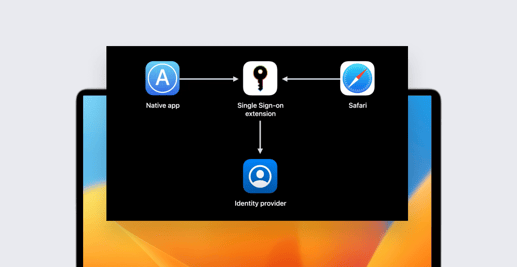
We’ve added a new section to our Single Sign-On Extension Library Item: Platform SSO. But this is one Kandji feature that’s built as much for the future as it is for the present. Let us explain.

Product Update
How Apple Admins Name the Devices They Manage
Iru Team

6 min read

How Apple Admins Name the Devices They Manage

For some Apple admins, device names are crucial to their workflows. It’s the fundamental way they identify specific devices for remote management and in-person service. Admins also build workflows—often involving APIs—using the name as a pattern to automatically act on either one device or many.

Recent News
How to Become a Mac Security Researcher
Devin Byrd

7 min read

How to Become a Mac Security Researcher

Though macOS has often been touted as being more secure than other operating systems, it's not immune to threats. That, and the Mac’s growing market share in the enterprise, are two reasons why there’s a growing market for macOS security researchers.

Recent News
Kandji Supports macOS Sonoma
Iru Team

2 min read

Kandji Supports macOS Sonoma

Kandji is pleased to announce its support for macOS Sonoma. One major result of that support: You can now require that FileVault be enabled during Automated Device Enrollment.

Product Update
Kandji Supports iOS, iPadOS, and tvOS 17
Iru Team

2 min read

Kandji Supports iOS, iPadOS, and tvOS 17

Kandji is pleased to announce its support for iOS, iPadOS, and tvOS 17. The highlight: a new Return to Service workflow.

Product Update
Manage iPad and iPhone Wallpaper with New Kandji Library Item
Alexandre Morin

3 min read

Manage iPad and iPhone Wallpaper with New Kandji Library Item

Since their launches in 2007 and 2010 (respectively), iPhone and iPad have been adopted for an ever-expanding variety of business uses. While they’ve both been used for general-purpose communications and productivity, they’ve also proven useful for more specialized applications.

Product Update
How to Execute a Successful MDM Migration on Mac
Iru Team

9 min read

How to Execute a Successful MDM Migration on Mac

Switching from one MDM solution to another on a Mac fleet is no trivial undertaking. There are many moving parts to coordinate, and failure to think it all through could render your fleet unprotected at best and inoperable at worst. As usual with any serious IT project, prior planning and preparation will prevent any number of outcomes that you just don’t want.

Recent News
Survey: Why Apple Is Booming in the Enterprise
Iru Team

3 min read

Survey: Why Apple Is Booming in the Enterprise

Apple’s remarkable rise in the enterprise continues: In a survey of IT leaders in organizations with 1,000 or more employees, 76 percent said that the use of Apple devices in their companies increased over the past year. The top reason they cited: Apple devices improve productivity, particularly for hybrid and remote workforces.

Recent News
Guide for Apple IT: Identity and Single Sign-On (SSO)
Iru Team

8 min read

Guide for Apple IT: Identity and Single Sign-On (SSO)

The goal is straightforward. You want a system that will let your users present their credentials once and then have access to everything they need: their user accounts on computers, phones, or tablets; native applications on those devices; local network resources; and cloud apps and services.

Recent News
Declarative Device Management Coming to Software Updates, Security
Iru Team

6 min read

Declarative Device Management Coming to Software Updates, Security

When Apple first introduced declarative device management (DDM) in 2021, the company dubbed the new framework “the future of device management.” DDM improves on traditional MDM by pushing much of the responsibility for device management down to the device itself.

Recent News
Kandji Integration Streamlines Implementation of Okta Device Trust
Matt Wilson

2 min read

Kandji Integration Streamlines Implementation of Okta Device Trust

Now that working from anywhere on any device is the new norm, it has become increasingly imperative to prove that endpoint devices accessing corporate apps and resources are secure. This is where Kandji's new integration with Okta Device Trust platform (ODT) can help.

Product Update
WWDC 2023: Changes Coming to Apple Device Enrollment
Iru Team

5 min read

WWDC 2023: Changes Coming to Apple Device Enrollment

Device enrollment—how you actually get a new (or not-so-new) device under management—is one of the standout features of Apple’s device management ecosystem. For new devices purchased through Apple itself or an authorized retailer, the process is practically seamless.

Recent News
WWDC 2023: The Future of Apple Device Management
Iru Team

6 min read

WWDC 2023: The Future of Apple Device Management

In case you hadn’t heard, Apple is holding its annual Worldwide Developers Conference this week. While the Vision Pro headset and other consumer-oriented hardware got most of the attention, Apple also made some announcements of particular interest to Apple IT admins. It was, in fact, one of the most momentous WWDCs for admins since the spring of 2016.

Recent News
Kandji Extends Declarative Device Management to All Eligible Devices
Alexandre Morin

2 min read

Kandji Extends Declarative Device Management to All Eligible Devices

Kandji has started to gradually turn on Declarative Device Management (DDM) for all eligible Apple devices currently under management. We will also be enabling it on devices as they become eligible. We will keep doing so with each release until all your eligible devices are ready for the features Apple is releasing on this new protocol. And as an admin, you don’t need to do a thing.

Product Update
Menu Bar App Now Makes Installing, Updating Software Easier
Iru Team

2 min read

Menu Bar App Now Makes Installing, Updating Software Easier

We’ve updated the Kandji menu bar app to make it more useful for users and admins alike. The new interface gives end-users easier access to the Kandji Self Service app and provides a clearer view and better control of software updates. It also gives admins greater confidence that those updates will happen in a timely fashion.

Product Update
Kandji Announces Endpoint Detection & Response
Iru Team

3 min read

Kandji Announces Endpoint Detection & Response

Kandji today announced the general availability of Kandji Endpoint Detection & Response. With this launch, Kandji is continuing to empower enterprise IT and security teams to keep every Apple user secure and productive using connected intelligence and automation.

Product Update
Kandji Expands Support for Declarative Device Management
Alexandre Morin

2 min read

Kandji Expands Support for Declarative Device Management

Kandji now uses Declarative Device Management (DDM) status reports to track operating system versions and iOS app installations.

Product Update
Binding to Active Directory: Consider the Alternatives
Iru Team

7 min read

Binding to Active Directory: Consider the Alternatives

Not too long ago, binding Mac computers to Active Directory (or other directory services) was standard practice in Apple device management. At the time, keeping domain and certificate services onsite was the only option, and binding was just a part of that system.

Recent News
Kandji Passport Now Supports Google Workspace as Identity Provider
Arek Dreyer

1 min read

Kandji Passport Now Supports Google Workspace as Identity Provider

Passport now supports Google Workspace. That means you can give your Mac users a login experience that feels native to their Mac yet leverages their Google credentials. They get more secure logins, with just one password to remember.

Product Update
Federated Authentication in Apple Business Manager
Iru Team

10 min read

Federated Authentication in Apple Business Manager

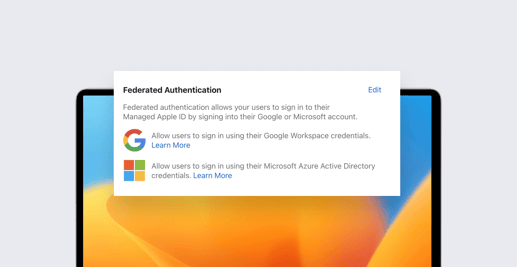
If your business is using Microsoft Azure Active Directory (Azure AD) or Google Workspace as your identity provider (IdP), then you can use federated authentication to connect your instance with Apple Business Manager. This is a great way to create a consistent, seamless login experience for your employees.

Recent News
Okta Report: Kandji Is the Fastest Growing Business App
Iru Team

3 min read

Okta Report: Kandji Is the Fastest Growing Business App

Okta’s annual Businesses at Work report provides an in-depth look into the applications that workforces around the world are using to stay productive. More than 17,000 Okta customers were surveyed for this year's study. And in that report, Kandji topped the charts as the #1 fastest growing app, across all categories, with 172% YoY growth in customers.

Recent News
Bookmarks Let Admins Share Links in Kandji Self Service
Arek Dreyer

2 min read

Bookmarks Let Admins Share Links in Kandji Self Service

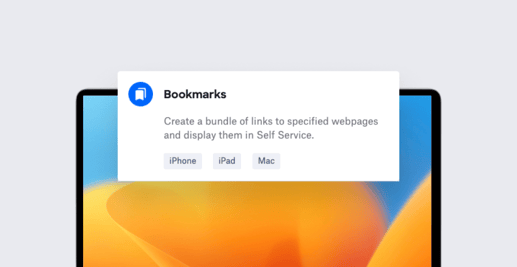
We’ve added a new Bookmarks Library Item that lets you give your users easy access to your organization’s resources. You do so by configuring that Library Item with links to your organization’s resources. Those links are then available in the Self Service app on Mac, iPhone, and iPad devices.

Product Update
Why Self-Service Is the Smart Way to Do IT
Steven Vogt

5 min read

Why Self-Service Is the Smart Way to Do IT

In the old days, IT was very top-down: Users had to call the IT department for help with everything from a busted keyboard to installing a new version of Word. In time, an admin would physically go to the employee’s desk to solve a problem. But that was then. In recent years, IT has become much more democratized. The modern admin knows that the best way to help users is often to let them help themselves.

Recent News
Kandji Support Expands to 24 Hours a Day
Liam Williams

1 min read

Kandji Support Expands to 24 Hours a Day

Kandji is excited to announce an important update to our standard support hours, which will now provide Kandji customers across the globe even more access to the Kandji Support team.

Product Update
New Assignment Rules Make Kandji Blueprints Smarter
Iru Team

4 min read

New Assignment Rules Make Kandji Blueprints Smarter

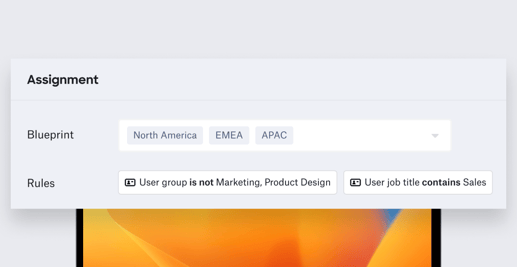
Back in September, Kandji introduced assignment rules. These rules took a core component of Kandji device management—Blueprints—and made them even smarter. We’ve now dramatically expanded the scope of what assignment rules can do and how they’re defined.

Product Update
Provisioning and Deployment: What They Are, How They Differ
Patrick Gallagher

6 min read

Provisioning and Deployment: What They Are, How They Differ

Provisioning and deployment: A lot of the time, people who work in or around IT use the two terms interchangeably. But they don’t mean the same thing.

Recent News
Lost Mode: Track Missing Devices, Protect User Privacy
Alexandre Morin

4 min read

Lost Mode: Track Missing Devices, Protect User Privacy

Organizations that manage iPhone and iPad fleets need a scalable, centrally-managed way to track lost devices, but they don’t want to compromise their users’ privacy. Kandji’s new Lost Mode gives them a way to accomplish both goals.

Product Update
Kandji Product Engineers: The Apps We're Grateful For
Iru Team

7 min read

Kandji Product Engineers: The Apps We're Grateful For

Like the Mac admins they work with, Kandji’s product engineers have to deal with a lot of everyday computing chores—tracking projects, doing presentations, recording screens, processing text, and so on—in addition to their more specialized technical work. And like anyone who uses a Mac, over time they’ve acquired collections of their own favorite apps and utilities that help them tackle both everyday and specialized tasks more effectively. So we asked Kandji’s team of product engineers: What’s your favorite app, the one tool you wouldn’t want to do your job without? Here’s what they had to say.

Recent News
Enable Faster Mac Software Updates with Auto Apps
Iru Team

2 min read

Enable Faster Mac Software Updates with Auto Apps

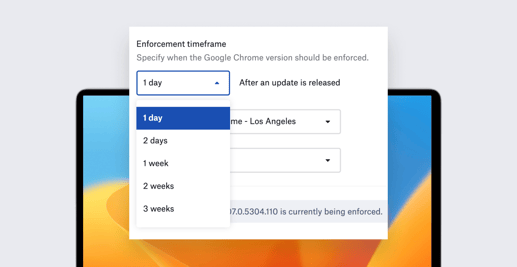
Kandji admins can now set shorter enforcement timeframes for automatically updating apps from the Kandji Auto App catalog. Prior to this latest release, Kandji admins could choose patching deadlines from one week to three months after an app update was released. Now they also have the option of one or two days.

Product Update
macOS Ventura: Bringing Transparency to Login and Background Items
Mike Boylan

5 min read

macOS Ventura: Bringing Transparency to Login and Background Items

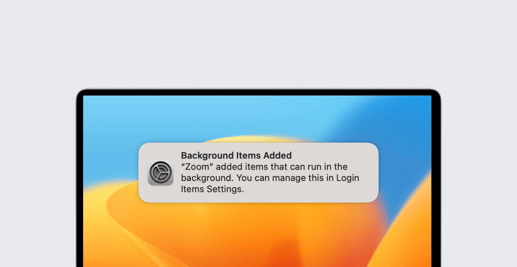
For years now, many Mac apps have been installing components that launch automatically at login and/or that run in the background. It’s always been hard for users to keep track of these surreptitious bits of software that were running on their computers. With macOS Ventura, Apple has made it easier for users to see and control their login and background items. But Apple is giving Mac admins some say in the matter, as well.

Recent News
Kandji Announces Support for Declarative Device Management
Iru Team

2 min read

Kandji Announces Support for Declarative Device Management

Today Kandji is announcing first-in-the-market support for active Declarative Device Management (DDM) for supervised devices. Not only has Kandji enabled DDM, but we also support actively managing configuration declarations—one of the core technologies that powers DDM.

Product Update
Announcing Kandji’s Integration with Microsoft Teams
Matt Wilson

1 min read

Announcing Kandji’s Integration with Microsoft Teams

Today, Kandji is excited to announce our integration with Teams, Microsoft's video conferencing, messaging, and all-around collaboration platform.

Product Update
macOS Ventura: How to Defer the OS Upgrade
Iru Team

2 min read

macOS Ventura: How to Defer the OS Upgrade

With the release of macOS Ventura, many Apple admins may be wondering about how to defer upgrades to the new OS. As a Mac IT person, you may not want everyone in your organization to upgrade right away. And there are some special considerations to take into account when you’re thinking about upgrading the Mac computers you manage to the latest version of macOS.

Recent News
Announcing Same-Day Support for macOS Ventura and iPadOS 16
Iru Team

4 min read

Announcing Same-Day Support for macOS Ventura and iPadOS 16

Today, Kandji is pleased to announce same-day support for Apple’s latest operating system releases: macOS Ventura and iPadOS 16. (iOS 16 and tvOS 16 were released on September 12; Kandji supported all applicable functionality in those releases on the same day, as well.)

Product Update
Kandji Announces New Device Harmony Platform, Tears Down the Wall Between IT and InfoSec to Keep Enterprise Apple Users Secure and Productive
Iru Team

3 min read

Kandji Announces New Device Harmony Platform, Tears Down the Wall Between IT and InfoSec to Keep Enterprise Apple Users Secure and Productive

Kandji, today announced its revolutionary new Device Harmony platform, which tears down the wall between enterprise IT and InfoSec teams, so they can truly work together to keep every Apple user secure and productive.

Product Update
Introducing Assignment Rules
Iru Team

2 min read

Introducing Assignment Rules

Blueprints are the cornerstone of Kandji’s device management platform. They streamline how you organize configurations and software and continually enforce parameters for managed devices. And now, we’ve made Blueprints smarter with assignment rules. These rules determine whether or not a custom app or script library item runs on the devices assigned to a given Blueprint.

Product Update
Announcing Support for iOS 16 and tvOS 16
Alexandre Morin

1 min read

Announcing Support for iOS 16 and tvOS 16

Today, Apple released iOS 16 and tvOS 16 to the public. We’ve thoroughly tested all Kandji services with iOS 16 and tvOS 16 including enrollment, payload and restrictions deployment, Self Service and more. We are happy to report that Kandji is ready to support your iPhone fleet running iOS 16 and your Apple TV devices running tvOS 16. These new operating systems bring features and enhancements your users will love. You can find the full list on Apple’s website. It’s also important to know which devices in your fleet support the new operating systems. iOS 16 is supported on devices all the way back to the 2nd generation iPhone SE (no iPod touch). tvOS is supported on Apple TV HD and later. It’s easy to update your fleet of devices. If you are using Managed OS for iOS or tvOS, you can be confident that once devices reach the enforcement deadline you set, Kandji will prompt users to update their devices so they can benefit from the latest features and security updates. Your supervised and passcode-less iPhone and Apple TV devices will update automatically without user intervention.

Recent News
Mac Virtualization: Why Recent Changes Are Good for Apple IT
Iru Team

6 min read

Mac Virtualization: Why Recent Changes Are Good for Apple IT

At a high level, virtualization allows you to run multiple operating systems on a single computer; those multiple instances are called virtual machines, or “VMs” for short. Apple silicon and macOS make virtualization possible on Mac using a combination of hardware and software technologies:

Recent News
Introducing Managed OS for iOS, iPadOS, and tvOS
Alexandre Morin

3 min read

Introducing Managed OS for iOS, iPadOS, and tvOS

Kandji has new Managed OS Library Items for iOS, iPadOS, and tvOS. This expanded operating system support is now available to all customers.

Product Update
How to Set Up and Manage an iPad Kiosk
Steven Vogt

12 min read

How to Set Up and Manage an iPad Kiosk

The primary function of Apple devices in an organization is, of course, to provide computing and communications for individual users. But that’s not the only purpose they can serve. One of the most common alternatives: Configuring an iPad as a kiosk—a single-purpose device, usually set in a fixed location. Instead of running multiple apps at the user’s discretion, iPad kiosks run just one.

Educational
Passport Adds Multifactor Authentication for Tighter Login Security
Iru Team

2 min read

Passport Adds Multifactor Authentication for Tighter Login Security

Last year, Kandji introduced Passport, which makes the login process easier for end users by letting them sign in to their local device accounts with the same single sign-on credentials they use with their organizations' identity providers (IdPs). In addition to making life easier for users, Passport also improves security for the organization as a whole: By syncing local and IdP credentials, IT teams can be sure they all meet the same safety standards. We’ve now made Passport even more secure, by adding support for multifactor authentication (MFA). This enables admins to enforce login flows that leverage the same MFA factors already configured for their users' IdP accounts.

Product Update
Choosing the Right Way to Change Device Management on iOS and iPadOS
Alexandre Morin

8 min read

Choosing the Right Way to Change Device Management on iOS and iPadOS

Switching your organization from one mobile device management solution to another is not a trivial undertaking. It can be a substantial project requiring careful planning and detailed execution. But if your current MDM solution isn’t cutting it anymore—if you’ve outgrown its capabilities, or if its provider isn’t deploying new features quickly enough for you—it’s also an imperative and eminently doable one.

Recent News
Why In-App Purchases Don't Work for the Enterprise
Caleb Basinger

3 min read

Why In-App Purchases Don't Work for the Enterprise

Dear Apple software developer, I’m writing today as just one of the thousands of Apple device administrators worldwide who work in institutions large and small, in education and enterprise. I wanted to talk to you about your app.

Recent News
How to Build Your Own Universal Installer for Mac Apps
Noah Anderson

6 min read

How to Build Your Own Universal Installer for Mac Apps

The job of installing apps on your organization’s Mac computers—one of the most fundamental responsibilities for any Apple admin—is complicated by the fact that there are still two different Mac processor types in use: Intel and Apple silicon. The continued coexistence of those two architectures means admins must often manage and deploy two different versions of any given app.

Recent News
Microsoft Conditional Access: How to Enforce It with Certificates
David Larrea

5 min read

Microsoft Conditional Access: How to Enforce It with Certificates

Organizations can use a variety of signals when making decisions about allowing access to enterprise resources. Relying solely on authentication via password isn’t enough: According to data from Webtribunal, 50 percent of people use the same password across different accounts, and 51 percent use the same password for their personal and work accounts. Multifactor authentication (MFA) is often used as another layer of security, but even that doesn’t eliminate risk exposure.

Recent News
AD CS Integration Empowers Apple Admins Who Rely on Active Directory
Iru Team

4 min read

AD CS Integration Empowers Apple Admins Who Rely on Active Directory

One common way to authenticate a user’s identity is with username and password credentials. Another, especially in enterprise environments, is with Public Key Infrastructure (PKI) certificates (also known simply as digital certificates).

Product Update
User-Facing Text Now Follows Local Language Settings
Iru Team

1 min read

User-Facing Text Now Follows Local Language Settings

For Apple IT teams whose end-users speak languages other than English, Kandji now supports localized languages in the macOS menu bar item, in the Self Service app (for macOS, iOS, and iPadOS), and in the Kandji Migration Agent.

Product Update
Behind the Curtain: Managing Software Updates with MDM
Mike Boylan

7 min read

Behind the Curtain: Managing Software Updates with MDM

Over the past several years, Apple has made a number of deep platform changes to both macOS and Mac hardware that have resulted in enormous shifts in how Mac computers are deployed and managed.

Recent News
New Kandji Connector with Okta Workflows Enables No-Code Automations
Iru Team

3 min read

New Kandji Connector with Okta Workflows Enables No-Code Automations

In Apple device management, automation is everything. The more of your work that you can automate via scripts, APIs, and other tools, the less you have to do manually and the more time you have for other, more strategic projects. Kandji customers now have another powerful automation tool, in the form of Okta Workflows.

Product Update
iPad as Primary Work Device: Why Apple Admins Should Support It
Caleb Basinger

8 min read

iPad as Primary Work Device: Why Apple Admins Should Support It

For many years, if employees were given a choice in the kind of digital device they’d use for work, it was usually a binary one: Mac or PC. But IT teams now frequently get requests for a third option: iPad.

Recent News
WWDC 2022: The Top 10 Announcements for Apple Admins
Caleb Basinger

7 min read

WWDC 2022: The Top 10 Announcements for Apple Admins

Last week’s WWDC included nearly 200 sessions. Most of them focused on topics of interest primarily to developers (rightly enough), but many had announcements of interest to Apple admins as well. If you weren’t able to virtually attend, or if you missed some sessions that sounded interesting, not to worry: Here are the 10 announcements we think were of greatest relevance to those who manage Apple devices.

Recent News
WWDC 2022: Apple Advances Declarative Device Management
Iru Team

5 min read

WWDC 2022: Apple Advances Declarative Device Management

Last year, at WWDC 2021, Apple introduced a new concept for Apple admins: Dubbed declarative device management (a.k.a. declarative MDM), it was an evolutionary advance of the MDM protocol. The declarative model is designed to push much of the management down to the device itself. Instead of a server polling a device for its status and issuing commands to it (as happens with the current MDM protocol), declarative device management lets the device react to its own state changes by applying management on its own. This year, at WWDC 2022, Apple announced an expansive update to declarative MDM: Where the original iteration worked only on iOS and iPadOS devices with user enrollment, it will now work on all Apple platforms, including Mac and Apple TV, and with all enrollment types. It also added new status reports and improved syntax for rules that define how a device is to be managed.

Recent News
Updated Wi-Fi Library Item Enhances Support for Enterprise Security
Iru Team

2 min read

Updated Wi-Fi Library Item Enhances Support for Enterprise Security

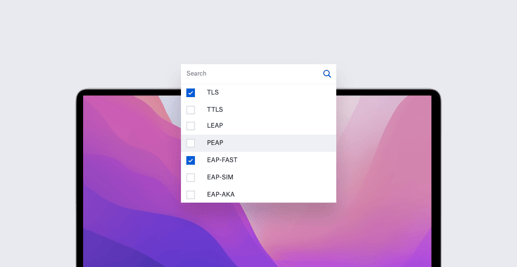
As workers return to the office, managing their access to company Wi-Fi is once again top-of-mind for many Mac admins. It’s been top of mind for Kandji, too: We’ve updated and expanded our Wi-Fi Library Item to better support enterprise networking—in particular the many authentication protocols those networks use.

Product Update
WWDC 2022: How Apple Plans to Make True Single Sign-On a Reality
Iru Team

4 min read

WWDC 2022: How Apple Plans to Make True Single Sign-On a Reality

For Mac admins, single sign-on (SSO) sounds like a great idea. In that ideal world, a user would turn on their Mac computer, sign in with their credentials, and then—with that one sign-in—have access to everything: their local user account; apps on their device; resources you provide on the local network; and apps and services that reside in the cloud. So far, though, that ideal has remained out of reach. The user still has to sign in first to a local account, then again to apps and services. SSO services such as Okta and OneLogin make that easier, by providing a single login for cloud-based resources. But true single sign-on isn’t here yet.

Recent News
Create Multiple Instances of Auto Apps and Managed OSes
Iru Team

1 min read

Create Multiple Instances of Auto Apps and Managed OSes

Kandji makes it simple to configure and deliver applications and operating systems to end-user devices. You just select the appropriate Auto App or Managed OS Library Item, set it up the way you want, then assign it to a Blueprint. Any device assigned to that Blueprint will then get the software you want, the way you want it.

Product Update
Certificates and Device Management: A Guide for Mac Admins
David Larrea

6 min read

Certificates and Device Management: A Guide for Mac Admins

On the Internet, nobody knows who you are–only who you say you are. Our digital interactions happen on servers and devices, with people we may never see in person. So how do we know that the websites and services we connect to online are legit? How do we know that the emails, texts, and other transmissions we receive are indeed what their senders sent? How does an organization know that the user or device trying to authenticate into an enterprise resource really is that user or device? In the digital world, certificates are widely used to establish these and other forms of trust. Here’s an overview of how they work and how they’re used in the enterprise.

Recent News
New Recovery Password Library Item Thwarts Unauthorized Startups
Iru Team

2 min read

New Recovery Password Library Item Thwarts Unauthorized Startups

Kandji's new Recovery Password Library Item allows you to configure and apply recovery passwords (to Mac computers with Apple silicon) and EFI firmware passwords (for Intel-based Mac computers), in order to protect against unauthorized startup commands.

Product Update
PacketFence Integration with Kandji Bolsters Network Security
Iru Team

1 min read

PacketFence Integration with Kandji Bolsters Network Security

Kandji now integrates with PacketFence, the free, open-source network access control (NAC) solution that allows admins to effectively secure networks of all sizes. The integration ensures that the Kandji Agent is installed properly on devices and that those devices are then accessing the network securely.

Product Update
How Mac Admins Are Managing the Hybrid Workplace
Iru Team

5 min read

How Mac Admins Are Managing the Hybrid Workplace

Two years ago, IT departments all over the world got a crash course in managing remote workforces. Mac admins had to quickly figure out how to keep employees equipped, connected, and secure, regardless of where they were physically located. Last year, many organizations that had made the switch to remote started to cautiously reopen, allowing (or, in some cases, requiring) workers to come into the office at least part of the time. That reopening waxed and waned through 2021, as conditions allowed. But in the meantime, a new kind of office evolved: the hybrid workplace, in which some employees worked remotely, some worked in the office, and many did a bit of both. In the course of that evolution, what was once a temporary expedient became a new way of doing business—thanks in no small part to the adaptability of IT.
Recent News
New Option Gives Admins Finer Control Over Auto App Notifications
Iru Team

1 min read

New Option Gives Admins Finer Control Over Auto App Notifications

We’ve updated Auto Apps to give admins greater control over the notifications those apps generate for users.

Product Update
Foqal's Kandji Integration Feeds Device Details to Support Tickets, Slack
Iru Team

2 min read

Foqal's Kandji Integration Feeds Device Details to Support Tickets, Slack

Kandji now integrates with Foqal Agent, the service-desk and automation tool that lets IT admins use Slack to create support tickets—either in Foqal’s ticketing system or another. Foqal uses its Kandji integration to display device details in support tickets; it also enables IT admins to take action on managed Apple devices and to act on tickets without leaving Slack or the ticketing system.

Product Update
New Integrations Interface Streamlines Connecting to Third-Party Services
Iru Team

1 min read

New Integrations Interface Streamlines Connecting to Third-Party Services

Kandji has completely revamped the Integrations section of our web app. That section, where you configure the integration of third-party apps and services with Kandji, has been moved out of Settings to a section of its own.

Product Update
Apple Removing Python 2.7: What Admins Need to Know and Do
Iru Team

6 min read

Apple Removing Python 2.7: What Admins Need to Know and Do

It shouldn’t surprise anyone that Apple is removing Python 2.7 from the upcoming macOS 12.3 release: As far back as 2019, the company said it was deprecating the scripting and programming language and that Python would not be included with future versions of the OS. Now Apple is simply making good on that promise.

Recent News
How to Be an IT Hero: Creating the Best User Experience
Iru Team

8 min read

How to Be an IT Hero: Creating the Best User Experience

At the end of the day, what is a Mac admin’s primary responsibility? To deliver hardware? To maintain security? To just keep the trains running? Some would argue that the real goal is to keep users happy, from their day-one onboarding through their entire lifecycle with the organization. But how do you create user experiences that will keep employees—and leadership—happy? That was the question we asked at a recent Kandji panel discussion, “The IT Hero’s Quest: Deliver the Best Experience for Mac Users.” Hosted by Steven Vogt (Senior Product Engineer), the guests were Michael Tsai (Senior Product Manager at Kandji) and Charlie Klausen (IT Manager at Forward Financing). All three have many, many years of experience working with and as IT admins. All three had plenty to say about how and why admins should make great end-user experiences their primary goal.

Recent News
Hybrid Workplace Boosts Demand for Apple Devices Among UK Businesses
Iru Team

2 min read

Hybrid Workplace Boosts Demand for Apple Devices Among UK Businesses

Last year, Kandji commissioned a survey to find out how IT admins and leaders in the United States were dealing with the new hybrid workplace—in which some employees work remotely, some are in the office, and many do both. That survey found that the shift to hybrid work over the past two years coincided with increased demand for Apple devices among business users. It turns out that the correlation between hybrid work and Apple demand isn’t just a U.S. phenomenon: A new Kandji-commissioned survey of 250 senior IT decision-makers and more than 1,000 remote and hybrid workers in the United Kingdom found much the same is true there.

Recent News
Drata Integration with Kandji Automates Mac Security Monitoring
Iru Team

2 min read

Drata Integration with Kandji Automates Mac Security Monitoring

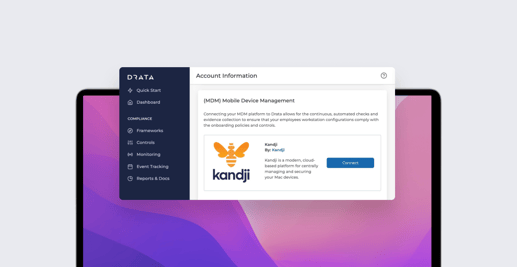
Drata is a fast-growing SaaS company that provides seamless compliance with SOC 2, ISO 27001, PCI DSS, and HIPAA, by automating the process of collecting evidence across an organization’s tech stack. That evidence allows companies to prove their security posture and pass audits; automating the process can significantly reduce the time companies spend achieving and monitoring compliance. Drata automates its evidence collection by connecting with more than 50 cloud-based tools—business suites, identity management providers, and the like. Proving that end-user devices are secure also plays a major role in meeting compliance requirements. That's why Drata recently enabled an integration with Kandji that extends those monitoring abilities to Mac computers. Instead of installing an agent to monitor Mac security settings, Drata can pull the data from Kandji via API.

Product Update
How to Achieve Your Desired End-State Through Auto-Remediation
Iru Team

8 min read

How to Achieve Your Desired End-State Through Auto-Remediation

How do you want the devices you manage to be configured? What settings do you want to be enforced, which apps do you want to be installed, how often should the OS be updated—in other words, what is the end-state that you want to achieve? And how are you going to achieve it? Those were the questions that Arek Dreyer and Matt Wilson—senior product engineers at Kandji—discussed at our recent live event, “A Deep Dive into Auto-Remediation.” They’re questions that every Mac admin asks—and is asked—on a regular basis. Arek and Matt looked at the ways Kandji can help you achieve the end-state you want for the Apple devices you manage.

Recent News
Introducing Compliance Integration with Secureframe
Iru Team

1 min read

Introducing Compliance Integration with Secureframe

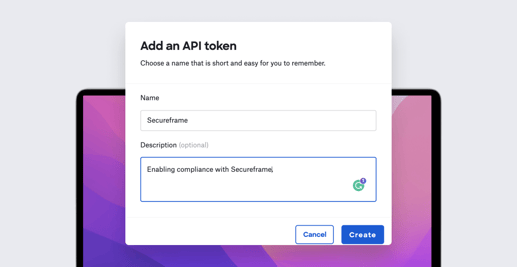
Kandji is excited to announce our integration with Secureframe. Information about devices in your Kandji instance can be pulled into Secureframe to inform SOC 2, ISO 27001, and HIPAA security controls and to simplify audit prep.

Product Update
Trusona Partners with Kandji to Bring Multifactor Authentication to Mac
Iru Team

1 min read

Trusona Partners with Kandji to Bring Multifactor Authentication to Mac

Kandji is pleased to announce our partnership with Trusona. You can now use Kandji to deploy Trusona’s multifactor authentication (MFA) solution for Mac computers at scale.

Product Update
Introducing Improved Control over Software Updates
Iru Team

2 min read

Introducing Improved Control over Software Updates

Kandji is pleased to announce an update to our Software Update Library Item, as well as two new Auto Apps.

Product Update
Introducing Self Service for iOS and iPadOS
Steven Vogt

1 min read

Introducing Self Service for iOS and iPadOS

We are pleased to announce a new version of our Self Service app for Apple's mobile platforms. The Kandji Self Service app for macOS has long provided an easy way for users to download software for that platform. A version of that app is now available for iOS and iPadOS.

Product Update
Introducing Expanded Customer Support Hours and New Auto Apps
Iru Team

2 min read

Introducing Expanded Customer Support Hours and New Auto Apps

Kandji is pleased to announce newly expanded hours for customer support, as well as a slew of recently added Auto Apps.

Product Update
Protect Your Data: Control What Users Can Copy/Paste
Iru Team

3 min read

Protect Your Data: Control What Users Can Copy/Paste

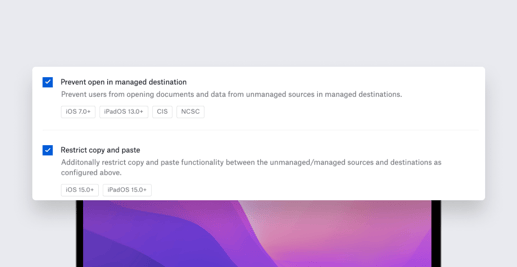
Back at WWDC 2021 in June, Apple announced a slew of exciting changes that are coming to device management, from declarative MDM to erase all content and settings for Mac. With the arrival of iOS and iPadOS 15, many of those announcements became reality, including an enhancement to Managed Open In. Here’s a quick recap of what Managed Open In is, what the latest update does, and how you can use Kandji to exert greater control over what users can do with your company’s data.

Recent News
Introducing Improvements to Managed Open In and Restrictions Profiles
Iru Team

2 min read

Introducing Improvements to Managed Open In and Restrictions Profiles

Kandji is excited to announce the release of a new Library Item that will give Apple admins finer control over data flows on iOS and iPadOS devices, as well as updates to Restrictions profiles. Both take advantage of features introduced in macOS Monterey and iOS/iPadOS 15.

Product Update
Kandji Raises $100 Million Series C to Advance Apple in the Enterprise
Iru Team

3 min read

Kandji Raises $100 Million Series C to Advance Apple in the Enterprise

Kandji has announced that it has raised $100 million in Series C funding, at a nearly 10x increase in valuation since the company’s Series A funding round one year ago. This latest round was led by Tiger Global with participation from Definition and Frontline Ventures and from existing investors First Round Capital, Greycroft, Felicis Ventures, The Spruce House Partnership, B Capital Group, SVB Capital, and Okta Ventures. Today’s financing—the company’s third round since last year—brings Kandji’s total funding raised to $188.5 million. Kandji will use these funds to further evolve its product offerings, increase global hiring, and open a London office.

Recent News
Kandji Passport Coordinates Local, Cloud Identities for Authentication
Iru Team

2 min read

Kandji Passport Coordinates Local, Cloud Identities for Authentication

Today, Kandji announced the release of Passport, an authentication product that creates a seamless, one-password sign-in experience for users. Kandji Passport validates the credentials a user provides during Mac login against an organization’s cloud-based identity provider (IdP), so users need to remember just one password for both their Mac computers and the organization’s single sign-on (SSO) provider. Passport provides a native Mac login experience while streamlining device configuration, management, and security tasks for IT admins. “Fewer passwords for users to remember and for admins to manage can enhance an organization’s end-to-end security,” said Adam Pettit, CEO at Kandji. “Additionally, IT teams see many help desk tickets from users who can’t log in because they’re not sure which password to use or who get locked out for typing in the wrong password too many times. Having both the cloud identity password and local password synced creates a better user experience and reduces the ticket load on Mac admins.”

Product Update
Mac Admin Panel: Apple and the Future of Device Management
Iru Team

5 min read

Mac Admin Panel: Apple and the Future of Device Management

Apple device management has changed dramatically over the past decade, and it’s poised to change even more dramatically in the not-too-distant future. Recently, Kandji hosted a panel discussion to discuss the ways device management can and should evolve—both where it’s been and where it’s heading.

Recent News
Hybrid Workforce Boosts Apple Adoption in the Enterprise, Survey Finds
Iru Team

3 min read

Hybrid Workforce Boosts Apple Adoption in the Enterprise, Survey Finds

Kandji, the leader in modern Apple device management, today announced the results of a global survey of more than 300 IT professionals about the correlation of hybrid work and Apple adoption in the enterprise. Commissioned by Kandji and conducted by Dimensional Research, the survey found 70% of companies more than doubled the number of remote or hybrid workers in the past two years, while 76% of respondents reported employee use of Apple devices also increased in that same time period.

Other
What Apple Admins Need to Know About iCloud Private Relay
Iru Team

4 min read

What Apple Admins Need to Know About iCloud Private Relay

iCloud Private Relay is Apple's latest initiative to protect consumer privacy. The service—which debuts as a public beta in macOS Monterey and iOS and iPadOS 15 and will be included with iCloud+ subscriptions—is designed to make it harder for third-parties to track users on local and remote networks. When a user browses the internet—whether at home, in the office, or a coffee shop—specific details, such as their DNS records and IP address, are visible to network providers and the websites they visit. Those providers and websites can collect those details to determine the user’s location and browsing habits. That information can then be used to develop a personal profile of the user’s interests, which can, in turn, help target the user with ads and other marketing vehicles. In a worst-case scenario, if the user’s email is correlated with their device, that information can be used to initiate phishing attacks. These kinds of privacy invasions are what iCloud Private Relay is designed to prevent.

Recent News
Getting Ready for Apple's OS Updates: How Mac Admins Are Testing
Iru Team

4 min read

Getting Ready for Apple's OS Updates: How Mac Admins Are Testing

Back in June, Apple announced new versions of its operating systems: macOS Monterey and iOS/iPadOS 15. Sometime this fall, those new OSes will be officially released. In the meantime, Apple has made prerelease versions of the new operating systems available to you for testing. As we've said before, we think it’s a really good idea to test those OSes before they’re released, so you can (a) get an idea of how well they’ll work with your existing tech infrastructure and (b) give Apple and other vendors feedback on the new software and its compatibility with the apps and services your organization relies on. But that’s just our opinion. We were curious to find out what real-world Apple admins think about the whole testing question. So we asked a select group of our blog readers what their testing regimes were like. Their answers are anecdotal, of course. But we think they shine some light on what’s really happening out there as we all wait for macOS Monterey and iOS/iPadOS 15 to officially ship.

Recent News
Getting Ready for Apple's Next OS Updates: How to Create a Test Plan
Iru Team

6 min read

Getting Ready for Apple's Next OS Updates: How to Create a Test Plan

Last week, we talked about why it’s important to test prerelease operating systems. The reasoning is straightforward: You need to test new operating systems before deploying them widely—ideally before they’re officially released—to see how they get along with your existing technical infrastructure. We also talked recently about where and how to download beta OSes. But once you’ve downloaded the software, what’s next? What’s the best way to test a prerelease OS? Of course, the specific answers depend entirely on your particular circumstances—the kinds and quantity of Apple hardware you manage, the apps and services your organization uses, how much time you have, and so on. But here are some general guidelines for thinking about testing macOS Monterey and iOS/iPadOS 15 now.

Recent News
Introducing Enhancements to Automated Device Enrollment
Nick McDonald

3 min read

Introducing Enhancements to Automated Device Enrollment

Kandji is pleased to announce our redesigned Automated Device Enrollment Library Item in the Kandji web app.

Product Update
Getting Ready for Apple's Next OS Updates: Why You Should Be Testing Now
Iru Team

3 min read

Getting Ready for Apple's Next OS Updates: Why You Should Be Testing Now

Last week, we wrote about three ways to access Apple beta software (including one that’s designed specifically for Apple admins, AppleSeed for IT). But some might wonder: Why bother downloading beta software in the first place? Why not wait until the operating system is publicly released? Waiting certainly makes sense for your home Mac or iPhone. Apple makes it incredibly easy to upgrade, and the majority of Apple users are ready to pull the trigger on day one. You upgrade, and most of the time, everything works great — you are up and running within the hour. But in a business context, it’s vital to test operating systems before they’re released. Here’s why.

Recent News
Getting Ready for Apple's Next OS Updates: AppleSeed for IT
Iru Team

4 min read

Getting Ready for Apple's Next OS Updates: AppleSeed for IT

Testing prerelease versions of upcoming operating systems to see how they get along with your existing technology infrastructure is a critical project for IT administrators. While there are several ways to get early access to new versions of macOS, iOS, and iPadOS, AppleSeed for IT is the only one specifically designed for Apple admins. In this guide, we’ll explore that program’s features; why it’s the best way for Apple admins to get access to prerelease versions of macOS Monterey, iOS 15, and iPadOS 15; how you can access it; and how you can use it to test those betas.

Recent News
How Mac Admins Are Preparing for the Hybrid Workplace
Iru Team

5 min read

How Mac Admins Are Preparing for the Hybrid Workplace

Along with the rest of the world, corporate workplaces were turned upside down over the past year and a half. In a shockingly short period of time, enterprise employees switched from going to the office every day to working from home. Organizations large and small scrambled to figure out how to keep their businesses going with their newly remote workforces. Much of the burden of that transition fell on IT departments, which had to figure out how to keep their coworkers connected and productive. To a remarkable degree, they succeeded. But now, as many companies begin asking their employees to return to the office at least part of the time, admins face a new challenge: a hybrid workplace, in which some workers are on-site and others remote and they may switch from one to the other depending on the day. How will you manage IT needs in this new environment?

Recent News
Why Apple's WWDC Announcements Are Good News for IT Admins
Iru Team

5 min read

Why Apple's WWDC Announcements Are Good News for IT Admins

Every year, veteran tech journalist Jason Snell asks a panel of Apple experts to assess the company’s product performance over the preceding 12 months. He then publishes a “report card” based on those responses on his Six Colors blog. (Here’s the 2020 edition.) We’ve always been big fans of Jason’s work and thought it’d be interesting if he could do something similar that focused exclusively on Apple’s moves in the enterprise market. He was game, so Kandji commissioned the report and then stood back to let him do his work. He posted the results—“Apple in the Enterprise: A 2021 report card”—in early June. It was a great snapshot of the issues that matter most to Mac admins: Service and support for enterprise customers; hardware and software innovation and reliability; security and privacy; identity management; the MDM protocol; and more. image: sixcolors.com Jason’s report came out just before Apple convened its 2021 Worldwide Developers Conference (WWDC). Now that we’ve had a few weeks to digest the news that emerged from that conference, we wanted to take a look at Apple’s enterprise announcements from WWDC, to see how they align with the issues raised in the Six Colors survey.

Recent News
Introducing Kandji's Integration with Vanta
Iru Team

1 min read

Introducing Kandji's Integration with Vanta

Kandji is excited to announce our integration with Vanta. Information about devices in your Kandji instance can now be used to inform Vanta’s security and compliance rules.

Product Update
Preview: Apple Admins to Get More Control of Software Updates
Iru Team

4 min read

Preview: Apple Admins to Get More Control of Software Updates

At this year’s Worldwide Developers Conference (WWDC 2021), Apple announced a slew of exciting new tools for IT admins. Several of them are specifically aimed at giving those admins more control over software updates in the upcoming macOS Monterey and iOS and iPadOS 15. Here's what they are and how they'll help: Separating Updates for iOS, iPadOS Managing macOS Releases Deferring Software Updates Deploying Software Updates Enforcing Software Updates

Recent News
Introducing Kandji Liftoff
Iru Team

3 min read

Introducing Kandji Liftoff

Kandji is excited to announce Kandji Liftoff. When a Mac is first enrolled into Kandji, settings are delivered, apps are installed, and security controls are configured. We know from customers that the setup experience is the second-highest driver in the volume of IT tickets generated. (Password resets are first, of course.) Liftoff is designed to help you address user confusion associated with the setup experience.

Product Update
Apple Bringing Erase All Content and Settings to Mac
Iru Team

2 min read

Apple Bringing Erase All Content and Settings to Mac

Last week we told you about two of Apple’s most significant announcements for Mac admins at WWDC 2021: Declarative MDM and Apple Configurator on iPhone. But Apple made plenty of other news at its annual developers conference. One of the best bits: Erase All Content and Settings is coming to Mac.

Recent News
Coming Soon: Add Mac to Apple Business Manager with Apple Configurator
Iru Team

1 min read

Coming Soon: Add Mac to Apple Business Manager with Apple Configurator

Currently, the only way to assign Mac computers to your organization in Apple Business Manager is to buy them from Apple or an authorized reseller. If you bought one somewhere else, it can't be added to ABM and, so, can't take advantage of helpful features such as Automated Device Enrollment. But Apple says it will change that this fall, making it possible to add Mac computers to ABM no matter where you bought them. The key: a new Apple Configurator app for iPhone. Here’s how it will work.

Recent News
Apple's New Declarative MDM: What It Is, How It Will Help Mac Admins
Iru Team

4 min read

Apple's New Declarative MDM: What It Is, How It Will Help Mac Admins

At its 2021 Worldwide Developers Conference, Apple announced a significant advance in the MDM protocol. Dubbed “declarative MDM,” the technology promises to make device management more powerful than ever before. But what is it, and how will it help Apple-focused IT admins in their day-to-day jobs? We’ll have to wait for Apple to release complete details about this protocol update in the months to come to completely answer those questions. But we can try to provide some preliminary answers based on what Apple announced at WWDC. We’ll look at: Why Declarative MDM? What Is Declarative MDM? How Does Declarative MDM Work? How Can I Take Advantage of Declarative MDM?

Recent News
macOS Monterey and iOS 15: How to Manage Public Betas
Iru Team

5 min read

macOS Monterey and iOS 15: How to Manage Public Betas

It’s that’s time of year again: At its 2021 Worldwide Developers Conference, Apple announced the next version of macOS—named Monterey—as well as iOS and iPadOS 15. The final versions of these new operating systems won’t actually ship until sometime this fall. In the meantime, Apple will make prerelease (a.k.a. beta) versions of the new macOS, iOS, and iPadOS available for download—now for registered developers, in July for the general public. Those prerelease versions give you a chance to start testing so you can be sure that, when official releases come out, your upgrade will go as smoothly as possible. But how do you manage that testing program and the prerelease software? Here’s some advice on that. We’ll cover: Apple Programs for Prerelease Software How to Install Prerelease Software How to Prevent Devices from Installing Prerelease Software

Recent News
Introducing User Directory Improvements, Custom Printers in Self Service
Iru Team

2 min read

Introducing User Directory Improvements, Custom Printers in Self Service

Kandji is excited to announce an updated interface for managing integrations with user directories, as well as support for SCIM (in early access by request). And following our recently released support for custom apps and scripts in Self Service, we’re also happy to announce the addition of custom printers there as well.

Product Update
How to Work Smarter with Apple Business Manager
Iru Team

4 min read

How to Work Smarter with Apple Business Manager

Apple Business Manager is absolutely essential for managing Apple devices in the enterprise. With it, you can enroll your company’s devices in your MDM solution, distribute apps, and create Managed Apple ID accounts that your organization retains ownership of. It’s the central component of zero-touch deployments, letting you drop-ship new Mac computers and iPhone and iPad devices to users and have those devices configure themselves the first time they boot. For the most part, ABM is pretty straightforward to use. But we've got some tips and tricks that will help make it—and you—more effective. (Note that these ideas apply to Apple School Manager as well.) Use Safari on a Mac Trust the browser Use a Staff role account to set up APNs Make sure you have a second Administrator account Set up locations first

Recent News
What Mac Admins Need to Know about Rosetta 2
Iru Team

6 min read

What Mac Admins Need to Know about Rosetta 2

The release of macOS Big Sur and Apple silicon in 2020 brought a lot of changes to the Mac environment. Apple introduced Rosetta 2 to help make those changes easier for developers and for Mac admins, by enabling code designed for older Intel-based hardware to run on the new Apple systems. As the transition to Apple silicon continues, with the ongoing release of new Mac computers using the M1 chip, Rosetta 2—which is free—still has a role to play. Here are some quick answers to the questions admins have about this technology: What is Rosetta? How do you install Rosetta? Which apps require Rosetta?

Recent News
Introducing Custom Apps and Scripts in Self Service
Iru Team

1 min read

Introducing Custom Apps and Scripts in Self Service

The Kandji team is excited to announce the addition of custom apps and custom scripts to Self Service, along with updates to the Kandji Agent. In case you missed it, we also recently released support for Enrollment Customization and updates to our API.

Product Update
Kandji Raises $60 Million Series B to Drive the Future of Apple Enterprise Management
Iru Team

2 min read

Kandji Raises $60 Million Series B to Drive the Future of Apple Enterprise Management

Kandji is excited to announce its $60 million Series B round of funding, led by Felicis Ventures with participation from SVB Capital, Greycroft, B Capital Group, Okta Ventures, and the Spruce House Partnership.

Recent News
Level Up Your Deployment with Enrollment Customization
Iru Team

5 min read

Level Up Your Deployment with Enrollment Customization

Apple is famous for the out-of-box experience new users get when they open up a Mac, iPhone, or iPad for the very first time. Kandji can help make that unboxing moment even better—for you as an Apple admin and for your users—with enrollment customization, by requiring users to sign in with their Single Sign-on (SSO) credentials the first time they boot up a new device. It’s a streamlined experience for you and for them; as they authenticate, they can be automatically matched from your user directory and assigned to their devices. Kandji recently added support for enrollment customization. Kandji’s Head of Solutions, Weldon Dodd, recently hosted a webinar to talk about how this new feature works. Here’s what he had to say.

Recent News
Introducing Enrollment Customization, API Updates
Iru Team

2 min read

Introducing Enrollment Customization, API Updates

The Kandji team is excited to announce the addition of enrollment customization, as well as some updates to our API. In case you missed it, we also recently released an updated script editor and new global variables.

Product Update
How MDM and IT Asset Management Can Work Together
Iru Team

4 min read

How MDM and IT Asset Management Can Work Together

Using IT asset management and mobile device management (MDM) in tandem can make life easier for you as an Apple IT admin. Kandji’s MDM solution now integrates with Oomnitza’s Enterprise Technology Orchestration solution; here’s what an integration like that can do. A quick overview of the topics we’ll cover: What Is IT Asset Management? What IT Asset Management Can Do Using MDM and IT Asset Management Together

Recent News
Introducing Updated Script Editor and New Global Variables
Iru Team

1 min read

Introducing Updated Script Editor and New Global Variables

The Kandji team is excited to announce an improved script editor, as well as two new global variables that will make automated onboarding easier. In case you missed it, we also recently released updated Blueprint templates and multifactor authentication.

Product Update
Mac Admins' Top Tips for Managing Apple Devices
Iru Team

6 min read

Mac Admins' Top Tips for Managing Apple Devices

At Kandji, we get a lot of questions about best practices in mobile device management. We decided to get answers to some of those questions by asking the best sources we know: The IT admins who manage Apple devices day in and day out. We’ve recently posted their thoughts on migrating to macOS Big Sur and on the subtle science of managing users. But we were particularly interested in hearing about their suggestions for adopting Apple-focused MDM solutions (such as Kandji) to manage fleets of Mac computers, iPad and iPhone devices, and Apple TVs. Here’s what they told us: Take the time to find the right solution. Don’t wait to start managing mobile devices. Take advantage of Automatic Device Enrollment. Lean on existing skills. Test early and often. Nail down security. Stay one step ahead.

Recent News
Introducing Updated Blueprints, Multifactor Authentication, and More
Iru Team

2 min read

Introducing Updated Blueprints, Multifactor Authentication, and More

The Kandji team is excited to announce updated Blueprint templates to support our transition from parameters to Library Items. We are also releasing multifactor authentication (MFA) and two new Auto Apps: RingCentral and Fellow. In case you missed it, we also recently released SSO, new Self Service features, and more.

Product Update
Managing Network Settings on macOS Big Sur and MAC Address Randomization in iOS 14
Iru Team

8 min read

Managing Network Settings on macOS Big Sur and MAC Address Randomization in iOS 14

A lot of exciting changes have come to macOS Big Sur and iOS 14. In this guide, we’re going to do a deep dive into managing network settings in Big Sur, and then we’ll break down the new MAC address randomization feature in iOS 14. Here’s a quick overview of what we’ll cover: networksetup: Changes in macOS Big Sur What’s the new MAC Address Randomization Feature? Implications for IT: MAC Address Randomization and MDM

Recent News
Introducing SSO, New Self Service Features, and More
Iru Team

4 min read

Introducing SSO, New Self Service Features, and More

When we celebrated our $21 million Series A back in October, we committed to releasing three core features on our roadmap – and we’re proud to announce that all three are live: Self Service, our API, and as of today’s release, single sign-on (SSO) for Kandji admins.

Product Update
Upgrading to macOS Big Sur: Mac Admins Share Their Thoughts
Iru Team

9 min read

Upgrading to macOS Big Sur: Mac Admins Share Their Thoughts

With the public release of macOS Big Sur back in November, a lot of IT administrators are busy testing their company Mac computers for compatibility with the latest OS. At Kandji, we've gotten a lot of questions about how other Mac admins are approaching the transition to Big Sur. So, we compiled some of the most common questions and asked for input from several Mac admins. In this article, we're going to explore some of the answers we got about how and why Mac admins are deferring updates, how the upgrade process is going in their environment, and what advice they have for their peers.

Recent News
Introducing Self Service for Mac and Our API
Iru Team

4 min read

Introducing Self Service for Mac and Our API

Today we get to announce two much-anticipated releases: a Self Service app for Mac to empower your users and save your IT team time, and our API.

Product Update
Managed Apps on macOS Big Sur
Iru Team

6 min read

Managed Apps on macOS Big Sur

For years, Managed Apps have been a powerful MDM capability for iOS devices, and now they're coming to the Mac. In this guide, we're going to discuss what we know about Managed Apps on macOS Big Sur, how using them extends the management capabilities of IT, what the process is like to transition to Managed Mac Apps, and more. Here's a quick overview: macOS Big Sur Brings Managed Apps to the Mac What to Expect from Managed Mac Apps Moving from Personal Apps to Managed Apps Moving from Non-App Store Apps to App Store Apps

Recent News
Announcing Support for New Features in macOS Big Sur
Iru Team

8 min read

Announcing Support for New Features in macOS Big Sur

Kandji is proud to announce release day support for macOS Big Sur, which is now generally available. Some important new MDM features are included in Apple’s latest release. Support for the following updates are already live in your Kandji accounts: Commands that required supervision prior to macOS Big Sur Managed Applications for macOS Changes to the Kerberos Extension Profile New certificate size option in the SCEP profile (4096 bits) Auto Advance for macOS We have also released several new features to support changes related to macOS Big Sur readiness and to improve your overall experience using Kandji: Display Bootstrap Token escrow status Allow standard users to complete KEXT install Enable automatic updates for Auto Apps by default New Agent update: Lightweight check-in, Apple Silicon support Improved user experience for Software Update profile Alert & Slack notification for removed MDM profile Allow standard users to approve system-level PPPC requests Kandji Agent last check-in column

Product Update
macOS Big Sur and MDM: The Comprehensive Guide for Mac Admins
Iru Team

15 min read

macOS Big Sur and MDM: The Comprehensive Guide for Mac Admins

When macOS Big Sur was first unveiled at the Worldwide Developers Conference (WWDC) 2020, it was clear that Apple was bringing significant changes to the Mac. Beyond completely overhauling user-facing features and design, they’re also making a lot of changes with Mac management in mind. In this article, we’re going to take stock of the biggest MDM-Big Sur changes, talk a bit about their implications for macOS device management, and share some tips to make your transition to Big Sur smooth. Update 11/12/20: We're proud to announce release day support in Kandji's device management (MDM) solution for the new features in macOS Big Sur. We’re going to cover a lot of ground here, so here’s an overview of what you’ll find in this article: How to Manage Public Betas and Defer Software Updates Changes to macOS Supervision Auto Advance has Come to Mac Account Creation with SCIM vs. JIT Big Changes Come to PPPC Changes to Bootstrap Token Changes to Kernel Extensions (KEXTs) Mac Transitions to Apple Silicon Automated Device Enrollment on Big Sur Lights Out Management Comes to the Mac Pro Managed Apps on macOS Big Sur New Content Caching MDM Command Security Updates for macOS Big Sur

Recent News
The Mac Admins’ Guide to Apple Silicon
Iru Team

8 min read

The Mac Admins’ Guide to Apple Silicon

Apple made a big announcement in June that they’re transitioning the Mac to Apple Silicon. This move will boost performance and introduce a lot of new and redesigned features to macOS Big Sur. In this guide, we’re going to catalog those changes and briefly discuss their implications for mobile device management (MDM) in Big Sur. Here’s a quick overview of the topics we’ll cover: What’s Apple Silicon? A Primer on the Apple Silicon Mac The Biggest Changes Apple Silicon Brings to Mac

Recent News
Announcing Our $21 Million Series A from Greycroft, Okta Ventures, and B Capital Group to Reinvent Apple Device Management in the Enterprise
Iru Team

2 min read

Announcing Our $21 Million Series A from Greycroft, Okta Ventures, and B Capital Group to Reinvent Apple Device Management in the Enterprise

New funding to drive growth and innovation in the Apple enterprise management space. Kandji is announcing the close of a $21 million Series A investment round. The financing was led by Greycroft, with participation from Okta Ventures and B Capital Group. Existing investors, including First Round Capital (led by Josh Kopelman) also participated. Previous funding totaled $7.4 million. Since emerging from stealth less than a year ago, Kandji has grown revenue at a record rate and onboarded hundreds of paying customers with tens of thousands of Apple devices, including names like Crunchbase, Belkin, Attentive, Vivint Solar, Remitly, Netskope, Doximity, HackerOne, Planview, DigiCert, FabFitFun, and Turo.

Product Update
Changes to Secure Token and Bootstrap Token in macOS Big Sur
Iru Team

7 min read

Changes to Secure Token and Bootstrap Token in macOS Big Sur

At WWDC 2020, Apple announced some exciting changes coming to Bootstrap Token and Secure Token on macOS Big Sur. In this guide, we’re going to take a look at how these tokens work and what the latest changes mean for device management for Mac computers. Here’s a quick overview of what we’ll cover: What’s New with Big Sur? What’s Secure Token? What’s Bootstrap Token? How to Acquire Bootstrap Token

Recent News
Announcing New Profiles, Choose a Time for App and OS Updates, and More
Iru Team

3 min read

Announcing New Profiles, Choose a Time for App and OS Updates, and More

We are excited to be releasing nine new profiles, greater granularity around the timing of how new OS and Auto App updates are enforced, the ability to disable MAC address randomization for iOS 14, and more. In case you missed it, last month we announced release day support for new features in iOS 14, iPadOS 14, & tvOS 14.

Product Update
Privacy Preferences Policy Control (PPPC): Changes in macOS Big Sur
Iru Team

3 min read

Privacy Preferences Policy Control (PPPC): Changes in macOS Big Sur

Apple recently announced new changes coming to PPPC on macOS Big Sur. With macOS Big Sur, standard users are prevented from approving applications for certain sensitive system-level PPPC controls, Screen Recording and Input Monitoring, which was not the case for macOS Catalina. However, a more recent release allows IT to use MDM and the PPPC profile to allow standard macOS users to approve defined applications for Screen Capture and Input Monitoring on macOS Big Sur. In this quick article, we’re going to see what’s changing and explore what its implications are for Mac device management.

Recent News
Announcing Support for New Features in iOS 14, iPadOS 14, and tvOS 14
Iru Team

3 min read

Announcing Support for New Features in iOS 14, iPadOS 14, and tvOS 14

Kandji is proud to announce release day support for iOS 14, iPadOS 14, and tvOS 14, which are now generally available following yesterday’s special event. Some important new MDM features are included in Apple’s latest release. Support for the following updates are already live in your Kandji accounts: New device information commands New Setup Assistant skip options Non-removable applications New Restriction option New device action for Shared iPad

Product Update
Manual Device Enrollment Now Results in macOS Supervision, New from WWDC 2020
Iru Team

6 min read

Manual Device Enrollment Now Results in macOS Supervision, New from WWDC 2020

A lot of big news came out of the Worldwide Developers Conference (WWDC) 2020, including a new update for macOS Big Sur regarding device supervision, manual Device Enrollment, and User Approved MDM (UAMDM). Automated Device Enrollment (formerly DEP) used to be the only way to supervise your devices, but Apple’s latest update changes that. In this post, we’re going to talk about how manual Device Enrollment with User Approved status now results in device supervision, what this means for IT administrators, and why Automated Device Enrollment is still important. Here’s an overview: What’s Changing in Device Enrollment & Supervision with Big Sur? What are the Implications for IT? Why Automated Device Enrollment Still Matters

Recent News
Guide for Apple IT: Auto Advance for Mac
Iru Team

9 min read

Guide for Apple IT: Auto Advance for Mac

Auto Advance is a great feature that lets IT administrators set up Apple TV devices at scale – And now this feature is coming to Mac. At the World Wide Developer Conference (WWDC) 2020, Apple announced the new Auto Advance for Mac capability, opening up a new way to set up Mac computers at scale. This has big implications for device management, which we’ll explore in this guide along with configuration walkthroughs, common Auto Advance use cases, and some of the latest information we have on Auto Advance for Mac. Here’s an overview of what we’ll cover: What’s Auto Advance? Using Auto Advance for tvOS Using Auto Advance for Mac

Recent News
Kandji Completes SOC 2 Type 2 Audit
Iru Team

1 min read

Kandji Completes SOC 2 Type 2 Audit

The Kandji team is proud to announce that we have completed our SOC 2 Type 2 compliance audit. As a device management solution that helps our customers secure their Apple devices and meet compliance regulations, we have always understood that data security is paramount, and have held ourselves to a high standard. This third-party audit is a public declaration that we are committed to following best practices for keeping our customers’ data secure.

Product Update
Extensible Enterprise SSO Framework: Kerberos Extension and What’s New with Big Sur
Iru Team

10 min read

Extensible Enterprise SSO Framework: Kerberos Extension and What’s New with Big Sur

Apple’s Extensible Enterprise SSO (single sign-on) framework has big implications for device management and authentication. In this article, we’re going to take a look at how the Kerberos single sign-on extension works, what it can do for you, and how you can configure and deploy it. We’ll also discuss how Kandji’s SSO Extension Profile makes it easy to leverage the Kerberos Extension. Here's an overview of this guide: A Primer on SSO Extensions What’s the Kerberos Single Sign-On Extension? Building and Deploying a Kerberos Configuration Profile What’s New in macOS Big Sur Kerberos Extensions?

Recent News
Product Update: Enhanced Activity Tracking, Supervision Status Label, Delay App and OS Updates
Iru Team

3 min read

Product Update: Enhanced Activity Tracking, Supervision Status Label, Delay App and OS Updates

We’re excited to announce several new features to give Kandji admins greater control and visibility over Library Item activities, visibility over which devices are supervised vs. unsupervised, and the ability for end users to delay Auto App and OS updates.

Product Update
Device Management Updates from WWDC 2020: What Mac Admins Need to Know
Iru Team

12 min read

Device Management Updates from WWDC 2020: What Mac Admins Need to Know

Every year, Apple releases all of its major device management updates at its Worldwide Developers Conference (WWDC) event — and WWDC 2020 has been packed with big news. In this article, we’re going to break down some of the biggest announcements that came out of the conference. Here’s a quick overview of what we’ll cover: macOS Big Sur: Device Management Changes New macOS Security Features iOS & iPadOS: Device Management Changes New iOS & iPadOS Security Features

Recent News
Product Update: SSO Extension Profile, Kerberos Extension, More Auto Apps
Iru Team

7 min read

Product Update: SSO Extension Profile, Kerberos Extension, More Auto Apps

The Kandji team is introducing a new SSO Extension Profile (including built-in support for the Kerberos extension), as well as alerts for removed MDM profiles, the ability to remotely update Auto Admin passwords for supervised devices, the ability to use Global Profile Variables in AppConfig, and new Auto Apps: Google Chat, Front App, Visual Studio Code. In case you missed it, last month we released the System Extensions Profile, AppConfig, and more. Single Sign-On (SSO) Extension Profile Apple’s new Extensible Enterprise SSO capabilities, introduced for iOS 13, iPadOS, and macOS Catalina, were designed to streamline the login experience with third-party identity management providers (IdPs). While IdPs work well in web browsers, they present some challenges with Mac apps and password synchronization for local macOS accounts.

Product Update
Product Update: System Extensions Profile, AppConfig, and More
Iru Team

3 min read

Product Update: System Extensions Profile, AppConfig, and More

The Kandji team is excited to introduce a new profile, the System Extensions Profile, as well as new AppConfig capabilities, four new Auto Apps, and a new Global Profile Variable for User Email. In case you missed it, last month we released Managed OS, fully enforced Auto Apps, and Shared iPad support.

Product Update
Product Update: Managed OS, Fully Enforced Auto Apps, Shared iPad Support
Iru Team

5 min read

Product Update: Managed OS, Fully Enforced Auto Apps, Shared iPad Support

The Kandji team is excited to announce fully built-in OS management capabilities for Mac. We are also releasing fully enforced Auto Apps versioning, support for Shared iPad, and more. In case you missed it, we also recently released Auto Apps and several new Profiles and Parameters. Managed OS With Managed OS updates for macOS, a much-anticipated release by our customers, Mac admins can now enforce operating system updates across their environment. Consistent and recent OS updates are crucial for following security best practices and meeting compliance standards. Kandji has taken a unique approach to OS management in order to give our customers the best of both worlds: maintain a great user experience while ensuring admins can easily meet compliance standards and follow security best practices. That’s why we’ve created an OS management tool that is built into our platform (no scripting required) and fully enforced.

Product Update
New Apple Business Manager Requirement: Verify Managed Apple ID Domains
Iru Team

4 min read

New Apple Business Manager Requirement: Verify Managed Apple ID Domains

Apple now requires administrators to verify any domains associated with their Apple Business Manager account. In this quick article, we’re going to talk about what this new domain verification requirement is, why verification is now required, and how you can verify domains associated with your Managed Apple IDs. What Changes with the Domain Verification Requirement? With the new domain verification requirement put in place, whenever you create a Managed Apple ID using a domain, you have to prove that the domain is owned by your company. This is accomplished by adding a specific TXT record to your domain name service’s (DNS) zone file. We’ll break down how this is done later. Domain verification is also required for federated domains — so if you have federated authentication configured, you’ll want to verify the associated domains right away.

Recent News
Introducing Auto Apps, SCEP Profile, and More
Iru Team

6 min read

Introducing Auto Apps, SCEP Profile, and More

The Kandji team is excited to announce Auto Apps, a library of applications that Kandji pre-packages, hosts, and automatically patches. We also released several other updates to provide IT teams with the most modern Apple device management experience, such as new Profiles (SCEP, AirPlay Security, Login Window), Parameters (Set Computer Name), Global Profile Variables, and more. In case you missed it, we also released tvOS support and new assignment workflows last month. Auto Apps Auto Apps are designed to streamline Mac patch management for apps that are not available in the Mac App Store. Apple does an excellent job of automatically updating App Store apps without disrupting the user experience. However, as any Mac admin knows, there are many Mac apps that are not available in the Mac App Store, and those can be a challenge. As an IT team, it can be incredibly time-consuming to manually manage patches and updates for a large number of business applications.

Product Update
Guide for Apple IT: Threat Detection and the Endpoint Security Framework
Iru Team

6 min read

Guide for Apple IT: Threat Detection and the Endpoint Security Framework

Editor's note 5/1/23: This post has been deprecated and replaced by an updated guide to endpoint detection and response (EDR). In macOS 10.15 Catalina, Apple released new frameworks that have big implications for the future of macOS threat detection and the development of security solutions: the Endpoint Security framework and the System Extension framework. Beyond expanding the safety and security of macOS, Apple is using these frameworks as userspace alternatives to kexts (kernel extensions). In the future, if a Kernel Extension feature has an equivalent system extension, the kext feature is considered deprecated, and the developer should work to migrate those features to a system extension. A list of deprecated kexts is available in this Apple support article. In this guide, we’ll look at what these releases mean for Mac security and development and explain how they work.

Recent News
Product Update: tvOS Support, New Assignment Workflows
Iru Team

3 min read

Product Update: tvOS Support, New Assignment Workflows

Today, the Kandji team is excited to release a few major updates that will streamline how Library Items are created and managed. We are also announcing general availability of Apple TV support for all customers, along with new tvOS-specific profiles. tvOS Generally Available We’re incredibly proud to announce that, as of today, Kandji admins can manage every single Apple device in their fleet. We’ve added Apple TV support, adding to the existing roster of devices (Mac, iPhone, and iPad) you can manage within the Kandji platform. We know how much easier it makes IT Managers’ lives when you can track all your Apple devices, manage policies, and enforce security – all in one centralized place. With this final piece of the puzzle, Kandji is a global hub for all your Apple devices. tvOS-specific Profiles Live today with tvOS support is also one of the most commonly used tvOS-specific profiles, the Conference Room Display Mode Profile. This profile allows you to provide custom instructions to end-users for how to connect their devices (and also prevent it from using any other display methods aside from AirPlay).

Product Update
Introducing 120+ New Apple Device Restrictions
Iru Team

3 min read

Introducing 120+ New Apple Device Restrictions

Today, Kandji admins have 120 new one-click configurations at their fingertips. This new set of Apple device configurations is based on Apple’s Restrictions profile, which restricts the ability for users to take certain actions on devices such as accessing a specific app, service, or function. Although the range of restrictions available is vast (for example, IT could do anything from deferring an OS software update to disallowing the use of Siri), the goal is to standardize device settings across your environment. This creates peace of mind for IT, and ultimately secures your devices to keep your data safe. In this post, we’ll cover some background on Apple’s Restrictions profile, how to use it, and how Kandji’s unique implementation of this profile gives IT teams maximum flexibility by allowing you to create multiple Restrictions profiles.

Product Update
Introducing macOS Security and Compliance
Iru Team

6 min read

Introducing macOS Security and Compliance

Editor's note: This post was originally published in 2019. For the latest updates on Apple MDM and related topics, check out our Recent News blog page. For more information on compliance in Kandji, check out our compliance product page. Every company will at some point encounter the need to comply with a specific security or compliance framework, whether it’s to win a major customer, fulfill requirements to complete a round of funding or acquisition, or simply to prove that your company is secure, reliable, and worth doing business with. That’s why we were surprised to learn that, for Mac devices in the workplace, there was no straightforward solution to meeting any of the major security standards or compliance mandates. Many of these mandates have device-specific controls, often called parameters, which govern everything from Bluetooth to screensaver settings. To ensure compliance, IT teams managing Apple devices need to be able to manage these parameters in one central place and provide proof to auditors that their devices are compliant.

Product Update
Kandji Emerges from Two-Year Stealth with Funding from First Round Capital
Iru Team

3 min read

Kandji Emerges from Two-Year Stealth with Funding from First Round Capital

This news was originally published on TechCrunch. This article is reposted from a PRWeb press release. The Kandji team is excited to publicly announce commercial availability of our Apple MDM solution and $3.4 million in seed funding after more than two (2) years in stealth mode, which consisted of heavy product development and investment in our growing customer base. Our seed round funding was led by First Round Capital with Josh Kopelman as lead partner. Maynard Webb’s investment firm, Webb Investment Network, also participated, along with John Glynn and others. The round closed in March 2019 and was announced publicly today to coincide with commercial availability of the product. The funds will be used to scale the go-to-market capabilities and grow our team across all departments.

Product Update
The Future of Mac Device Management with macOS Catalina 10.15
Iru Team

7 min read

The Future of Mac Device Management with macOS Catalina 10.15

Apple for business is growing. Modern businesses are choosing to run on Apple, and they are redefining how work gets done on iPhone, iPad, and Mac. For Mac specifically, there are many things we are excited about in this release of macOS Catalina 10.15. We’ve noticed a thoughtful commitment to macOS in the workplace by ongoing support of the MDM ecosystem, investment in growing the MDM protocol, identity and SSO innovation, and nods to BYOD. The common thread through many of the changes was a balance of values between security and manageability, woven together to create a delightful user experience. We’ve spent the last few months in the weeds with the new device management documentation and beta software (and the last decade living and breathing Apple device management). This post will explore what’s new in 10.15, why it is a testament to the growth of Apple for business, and specific ways that Kandji is fully supporting it.

Recent News
Introducing MDM+, the Apple MDM We Wish We Had
Iru Team

7 min read

Introducing MDM+, the Apple MDM We Wish We Had

You’ve chosen Apple — or maybe Apple has chosen you. Maybe your business has acquired a company that is an Apple shop. Perhaps your design or product teams say they need Mac devices in order to do their jobs well. Maybe your new hire won’t take the job unless they can work on an Apple device. Or, maybe Apple has been your ride or die for as long as you can remember. Despite the growth of Apple in the workplace, people still associate that choice with a specific type of business, a modern mindset, and an expectation for design and experience that is unique. It makes sense: in the modern business world, not much gets done without a powerful device in your lap, hand, or office. That’s why more businesses are choosing to invest wisely in their devices and a device management solution that keeps them operating securely and efficiently from day one. But, the Apple mobile device management (MDM) solution ecosystem is still maturing. Apple for business is growing fast. Apple device management is still catching up.

Product Update
FedRAMP Compliance for macOS
Iru Team

9 min read

FedRAMP Compliance for macOS

Editor's note: This post was originally published in 2019. For the latest updates on Apple MDM and related topics, check out our Recent News blog page. For more information on compliance in Kandji, check out our compliance product page. The Federal Risk and Authorization Management Program, or FedRAMP, is a government program designed to provide, as they put it in their FedRAMP Security Assessment Framework document, “a standardized approach to security assessment, authorization, and continuous monitoring for cloud-based services.”

Recent News
CIS Compliance for macOS
Iru Team

7 min read

CIS Compliance for macOS

Editor's note: For the latest updates on Apple MDM and related topics, check out our Recent News blog page. For more information on compliance in Kandji, check out our compliance product page. These days, implementing a minimum level of security protections on your organization-owned devices is expected by your customers, suppliers, and employees. Whether you leverage an outsourced IT group (such as an MSP or MSSP) or have an internal team, best practices around endpoint security should be taken seriously.

Recent News

Stay up to date

Iru's bi-weekly collection of articles, videos, and research to keep IT & Security teams ahead of the curve.